Last updated
Track and resend your signature requests
Before you start
- You need to be signed in. You see only the requests you sent.
- A request is one PDF you sent to be signed. To send one, follow the guide Ask other people to sign a PDF.
Open the Signing page
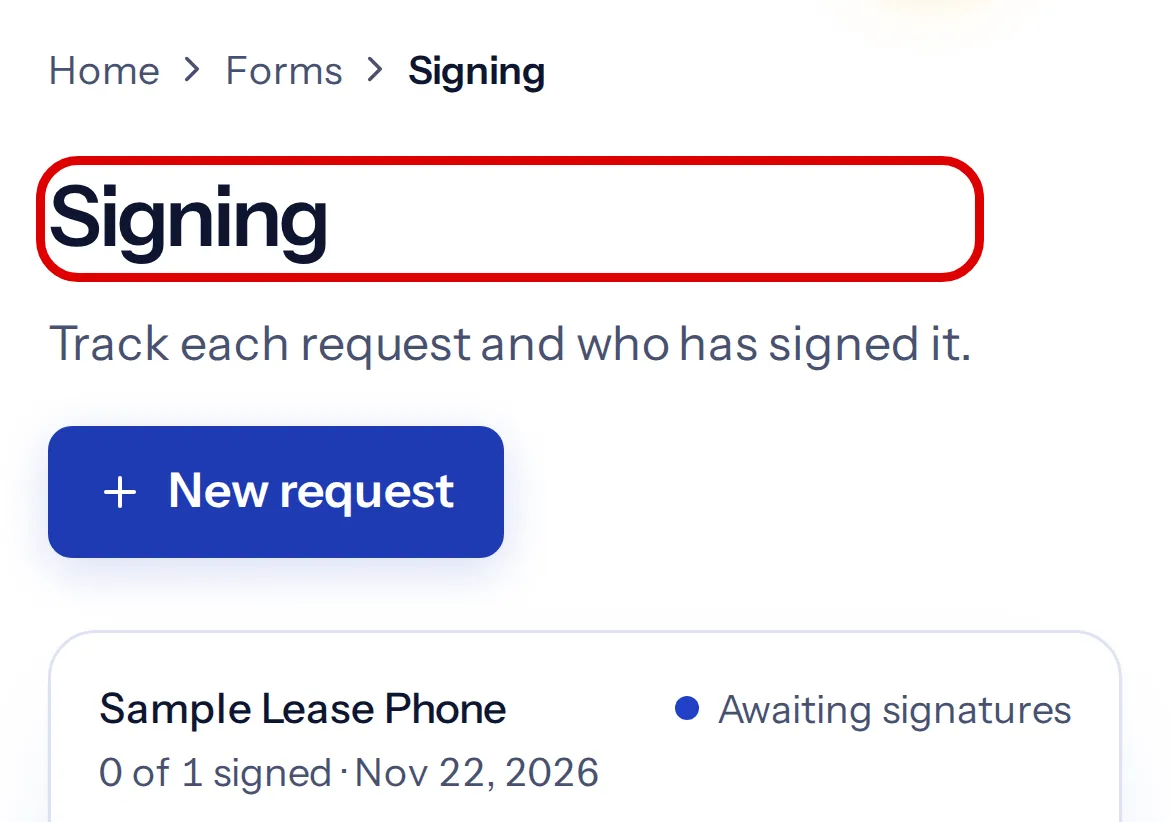
Go to the Signing page. The page title is Signing. One card lists every request you sent, with the newest at the top. Select New request at the top right to send another one.

Read the status
Each request shows the document name, how many people have signed (for example 0 of 1 signed), and the date. The status is at the top right of the request. Awaiting signatures means someone still has to sign. Other statuses are Signed, Declined, Expired and Cancelled.


Check each person
Under the request, every person has a row with their name and email. A dot and a word show where they are, such as Sent, with the date. Link expires in 4 weeks tells you how long their link keeps working.
Resend an invitation
If someone lost their email, select Resend invitation in their row. indox emails them a new link. A green message says the invitation was resent and that the old link no longer works. This button shows only for people who have not signed or declined.
Open the details
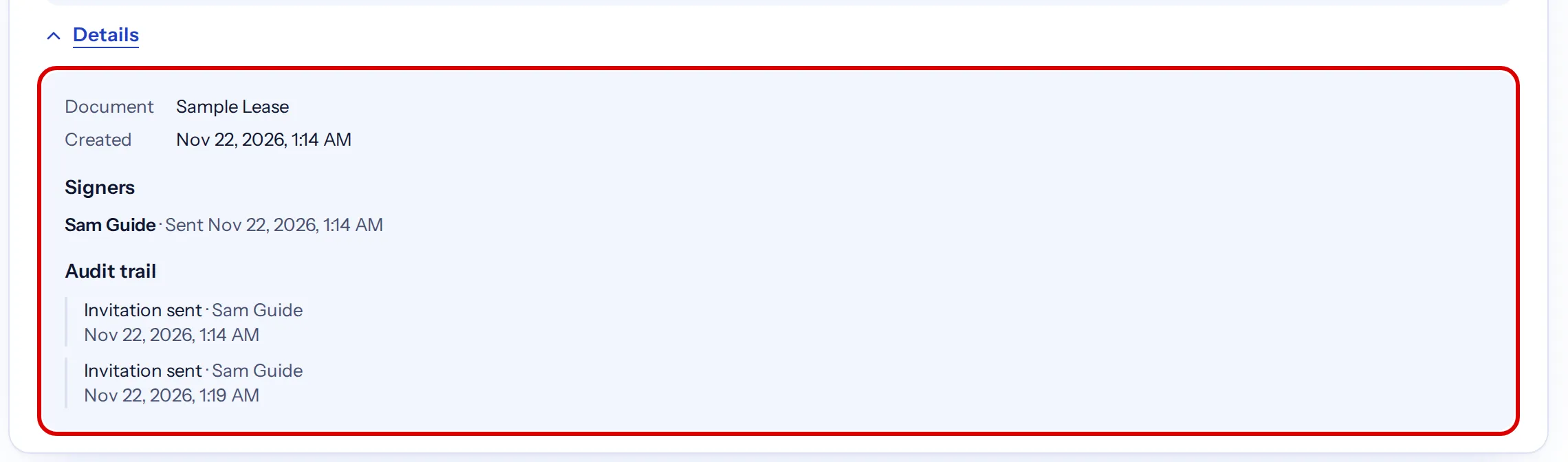
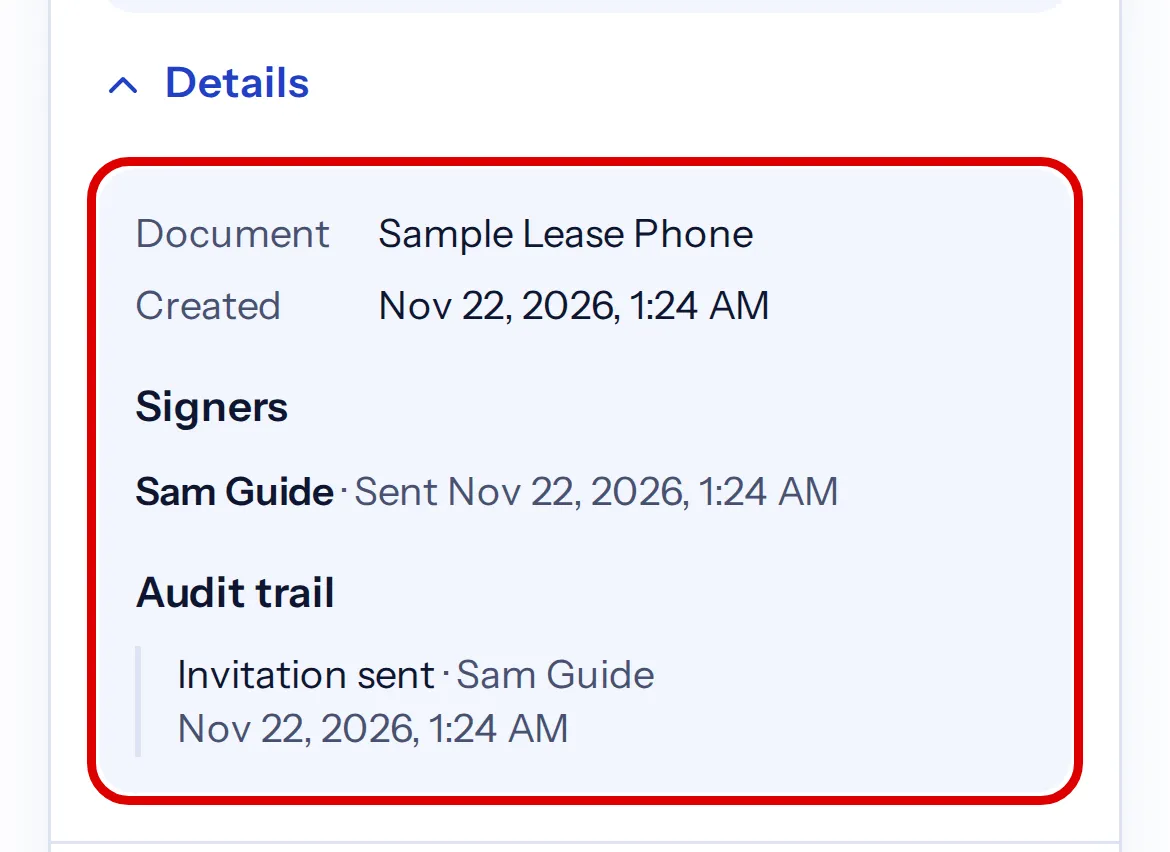
Select Details under the request. A panel opens with Document, Created, Signers and an Audit trail. The audit trail lists what happened, with times, such as Invitation sent. After a resend it shows Invitation sent again. When everyone has signed, a Download signed PDF link appears next to Details.
Troubleshooting
| Problem | Cause | Fix |
|---|---|---|
| No signing requests yet. Use New request to send your first one. | You have not sent a request | Select New request, or follow the guide Ask other people to sign a PDF |
| Couldn't load your signings. Reload to try again. | The list did not load | Reload the page |
| You see a Sign in button instead of a list | You are not signed in | Select Sign in, then open the page again |
| This signer has already signed or declined. | The person has already answered | Nothing to resend. Their row has no Resend invitation button |
| You sent a request by mistake | The page has no cancel button | Ask Support to cancel it |