Last updated
Use INDOX keyboard shortcuts and address-bar commands
Before you start
- The INDOX extension added to Chrome on a computer. You don't need an account to see or change the keys.
- A shortcut is a set of keys you press together. The address bar is the long box at the top of the browser where you type a web address. The side panel shortcut is in the guide "Open the INDOX side panel".
Open the keyboard shortcuts list
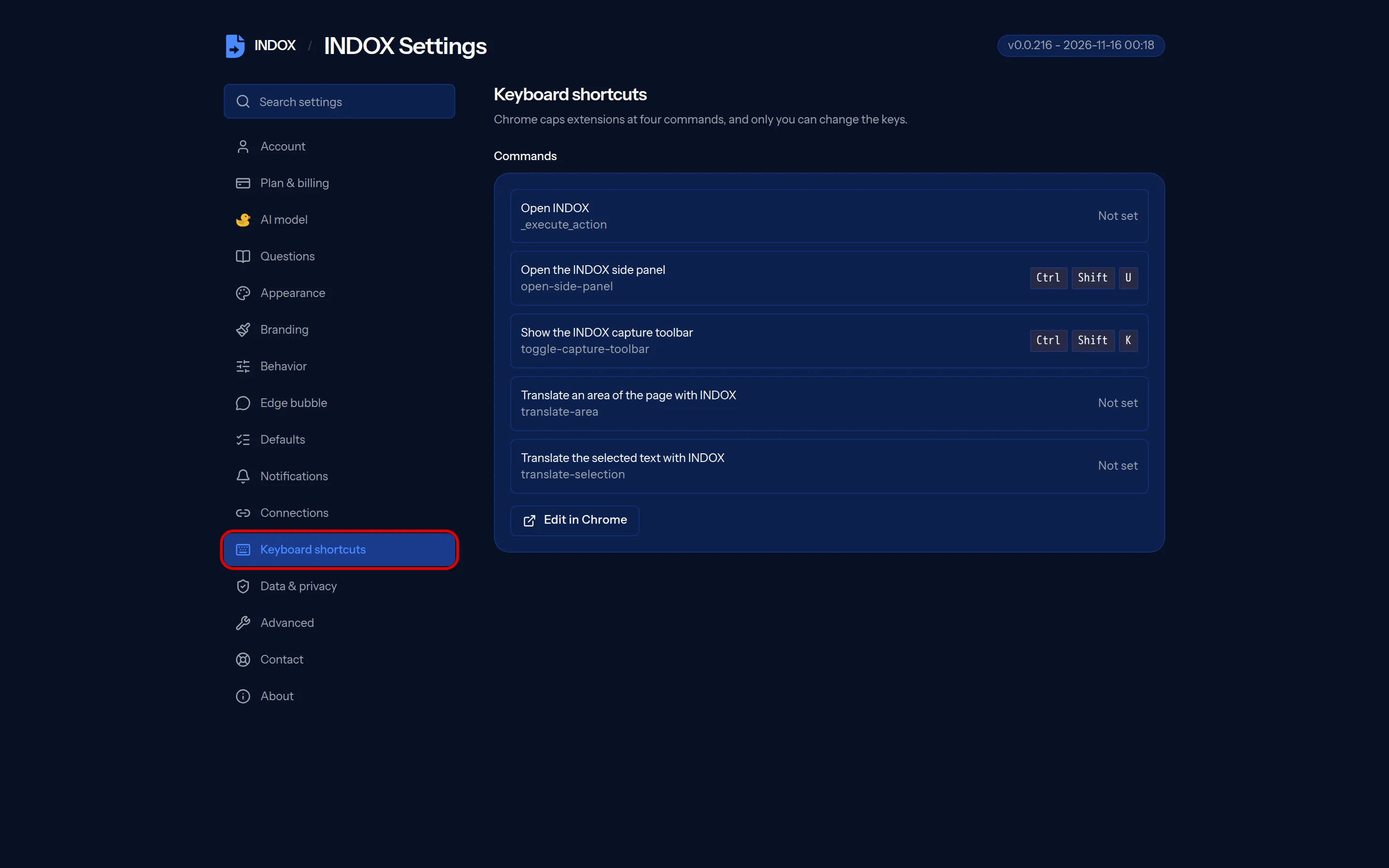
Right-click the INDOX icon in the toolbar and select Options. A new tab opens with the page INDOX Settings. In the list on the left, select Keyboard shortcuts. The toolbar is the row of buttons next to the address bar.
Read the list of commands
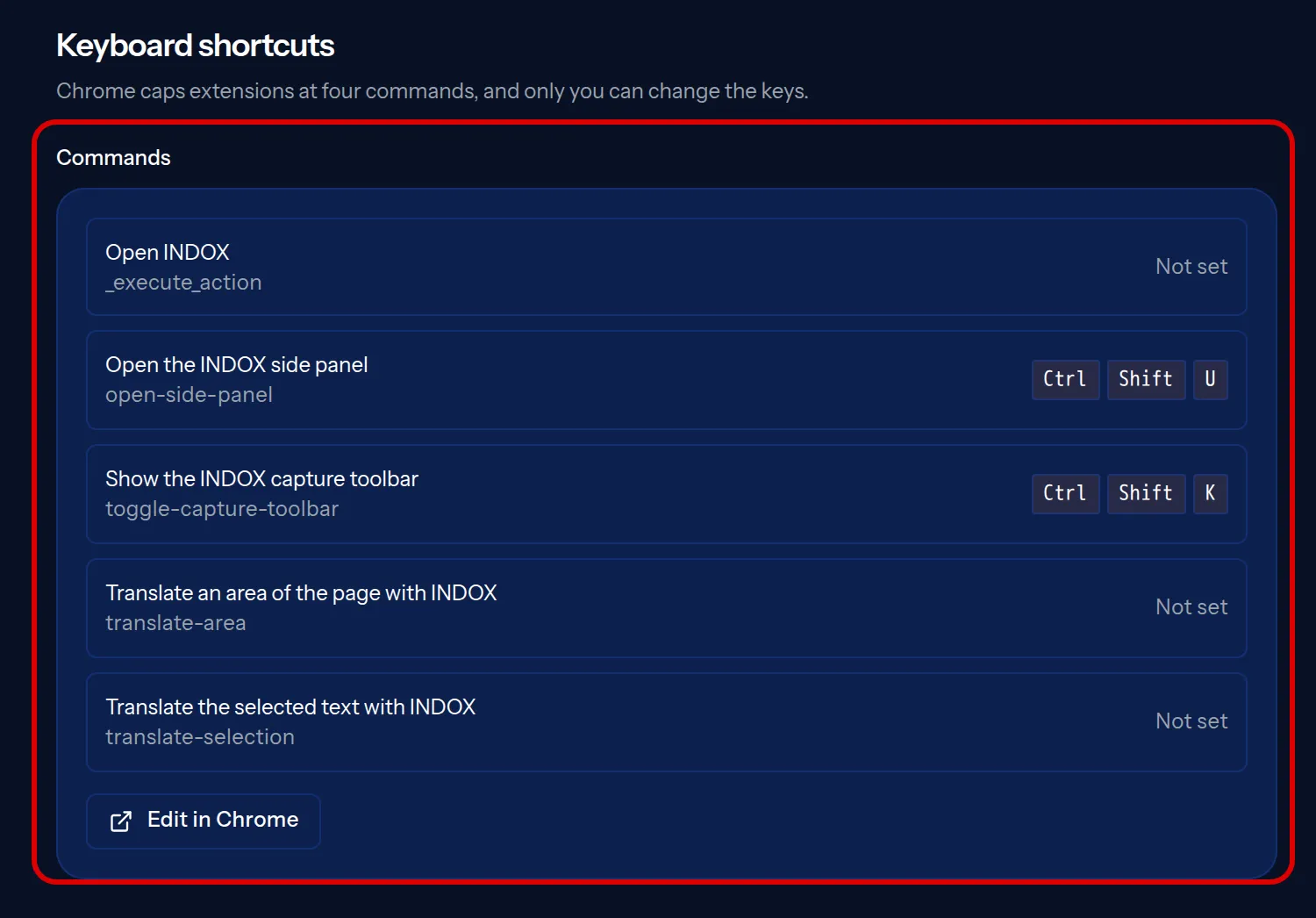
Under Commands, each row shows a command and its keys. Open the INDOX side panel uses Ctrl, Shift and U. Show the INDOX capture toolbar uses Ctrl, Shift and K. On a Mac, Command takes the place of Ctrl. A row that says Not set has no keys yet.
Show the capture toolbar
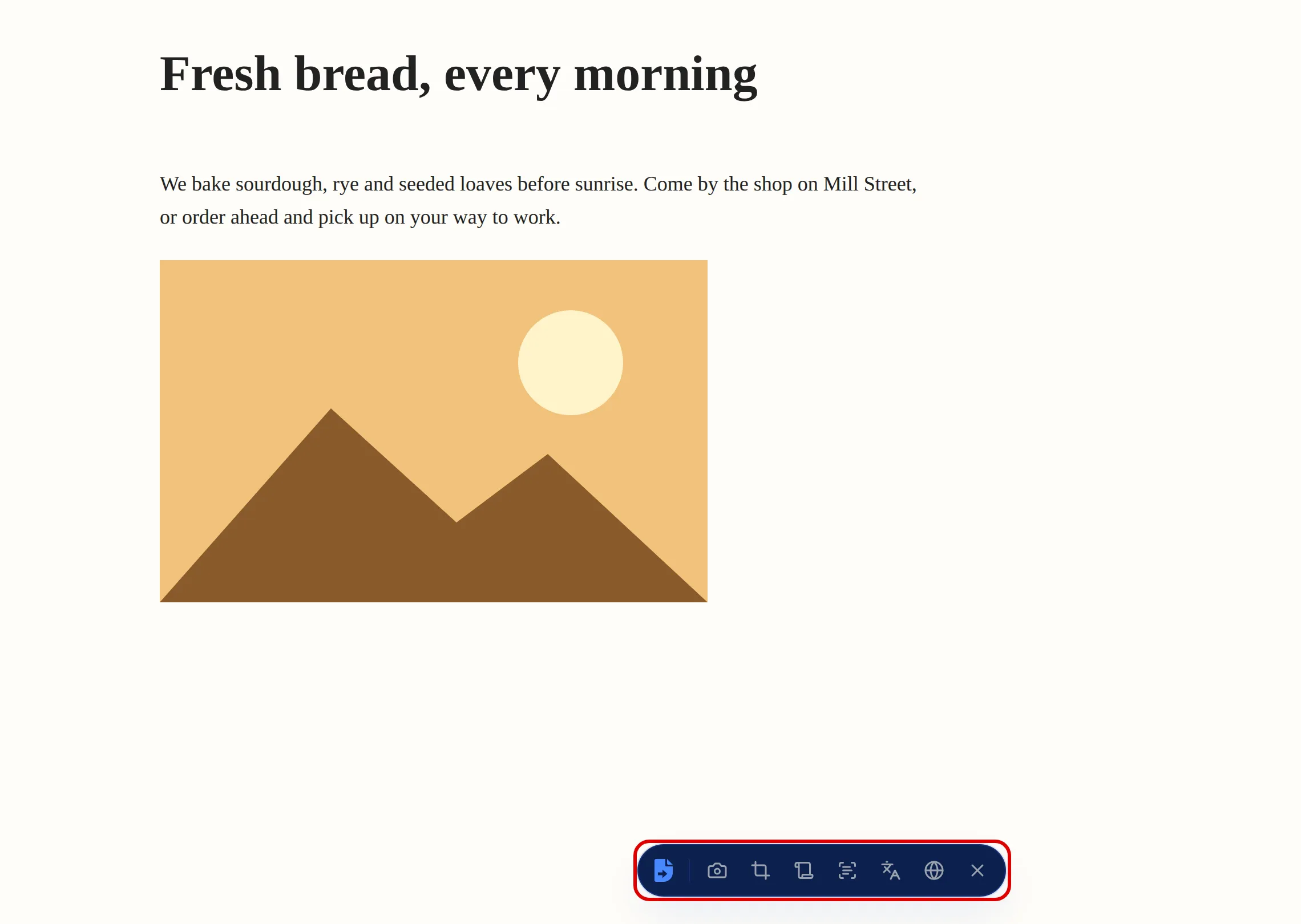
Open any web page and press Ctrl+Shift+K. On a Mac, press Command+Shift+K. A dark bar of round buttons appears at the bottom of the page. After the INDOX logo at the left, the buttons are Screenshot, Select a region, Full page, Extract text (OCR), Translate an area, Translate this page and Close. The first four hand the capture to the INDOX side panel, which asks you to sign in. Select Close, or press the same keys again, to hide the bar.
Change a key in Chrome
Select Edit in Chrome under the list. A new tab opens with Chrome's own page for extension shortcuts, at chrome://extensions/shortcuts. Find INDOX, select the pencil icon next to a command and press the keys you want. The x icon next to a command clears its keys.
Type indox in the address bar
Click the address bar, type indox and press the Space bar. Chrome draws a list of suggestions under the address bar. The first line reads INDOX: convert <url> · find <query> · form <name> · recent. Each word after the colon is a command, a word you type after indox to tell it what to do.
Open the tools page with convert
Type indox, a space, convert, another space and a web address, such as the address of a PDF online. Press Enter. A new tab opens on the INDOX tools page at indox.org, with your address added to its link.
Find a form with form
Type indox, a space, form, another space and the name of a form, for example w-9. Chrome lists matching forms from the INDOX form library, each with its code at the end. Select one and press Enter. A new tab opens on that form's page at indox.org.
Troubleshooting
| Problem | Cause | Fix |
|---|---|---|
| A shortcut does nothing | The row says Not set, or the keys were changed | Open Keyboard shortcuts in the INDOX settings and read the row. Select Edit in Chrome to set the keys |
| The capture toolbar does not appear | The page is one the browser keeps extensions out of, such as a chrome:// page | Open an ordinary website and press the keys again |
| indox find asks you to sign in | find opens your INDOX files, which need an account | Sign in to INDOX, or use convert or form, which open pages anyone can see |
| indox recent shows the INDOX file converter | You are not signed in, so there is no job list to open | Sign in to INDOX and try recent again |