Last updated
Email a PDF or share a link from the editor
Before you start
- Have your PDF ready on your device.
- You need an account to make a link or send an email. If you are signed out, indox asks you to sign in first.
- Anyone who has the link can open and download the file without signing in. Each link stops working on the date shown next to Expires in the box.
- The email goes only to the address on your own account, after you have verified it. To reach someone else, send them a link.
Open your PDF in the editor
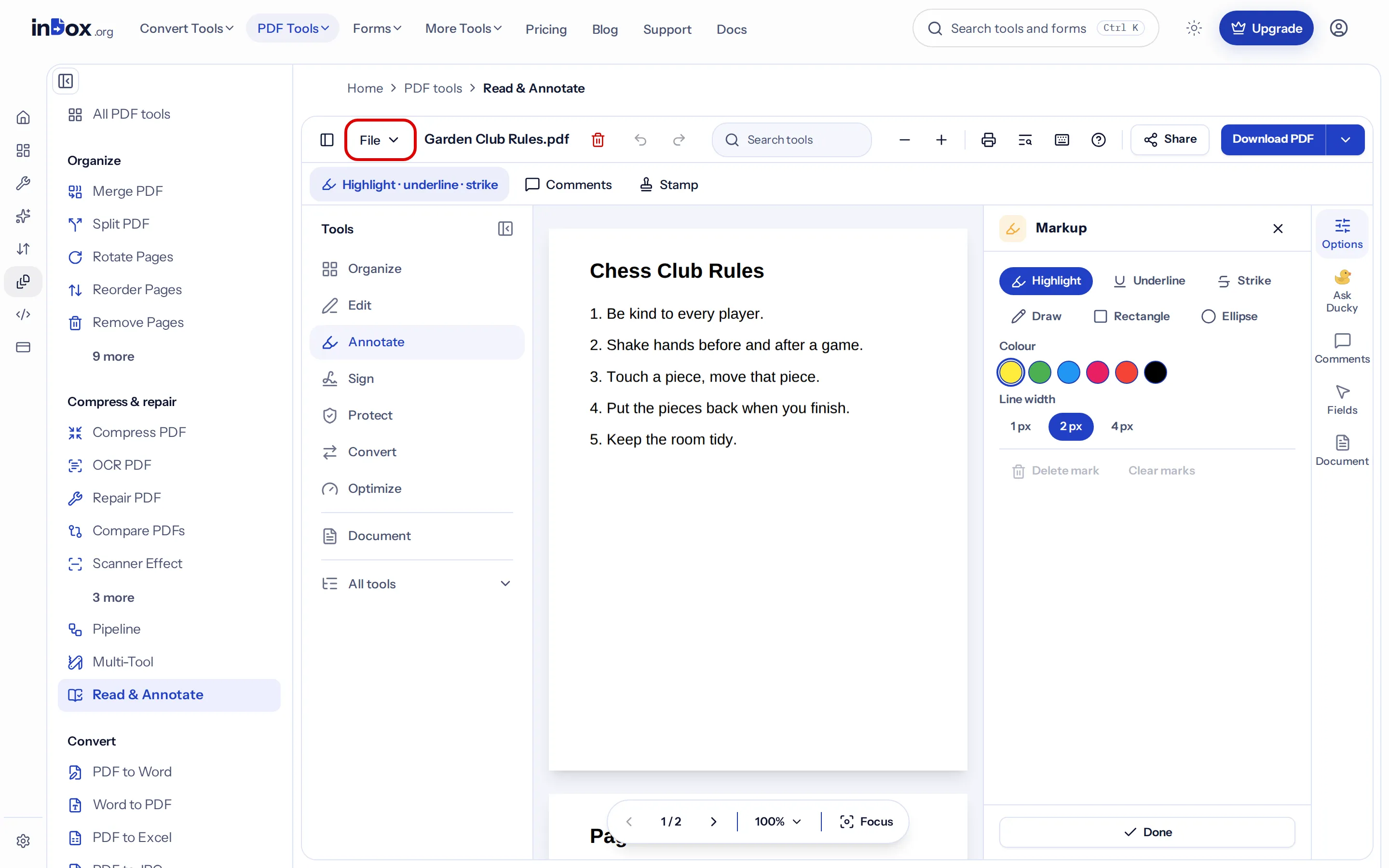
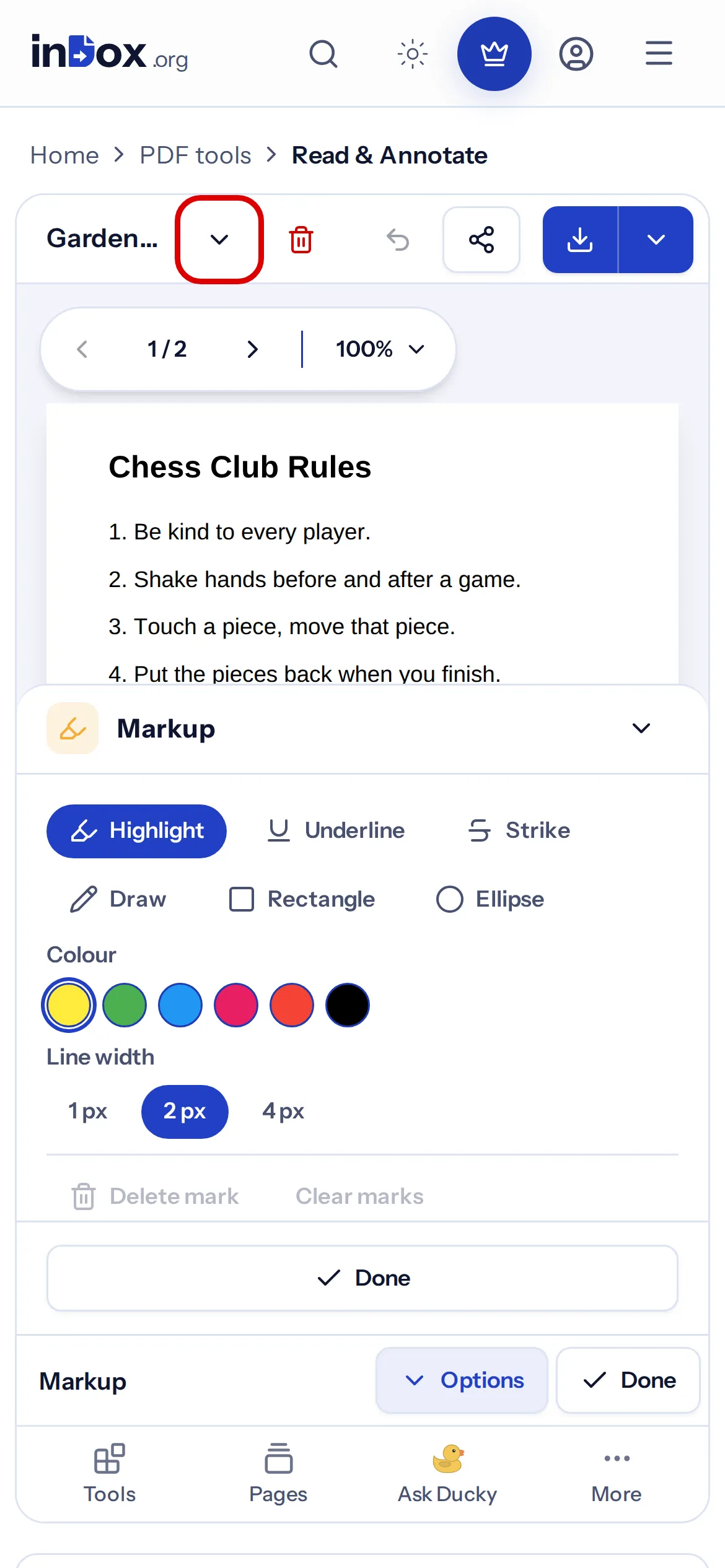
Go to the Read & Annotate page and choose your PDF. When it opens, look at the top left for the file name. On a computer, a File button sits next to it. On a phone, a small arrow sits next to the name.
Open the File menu
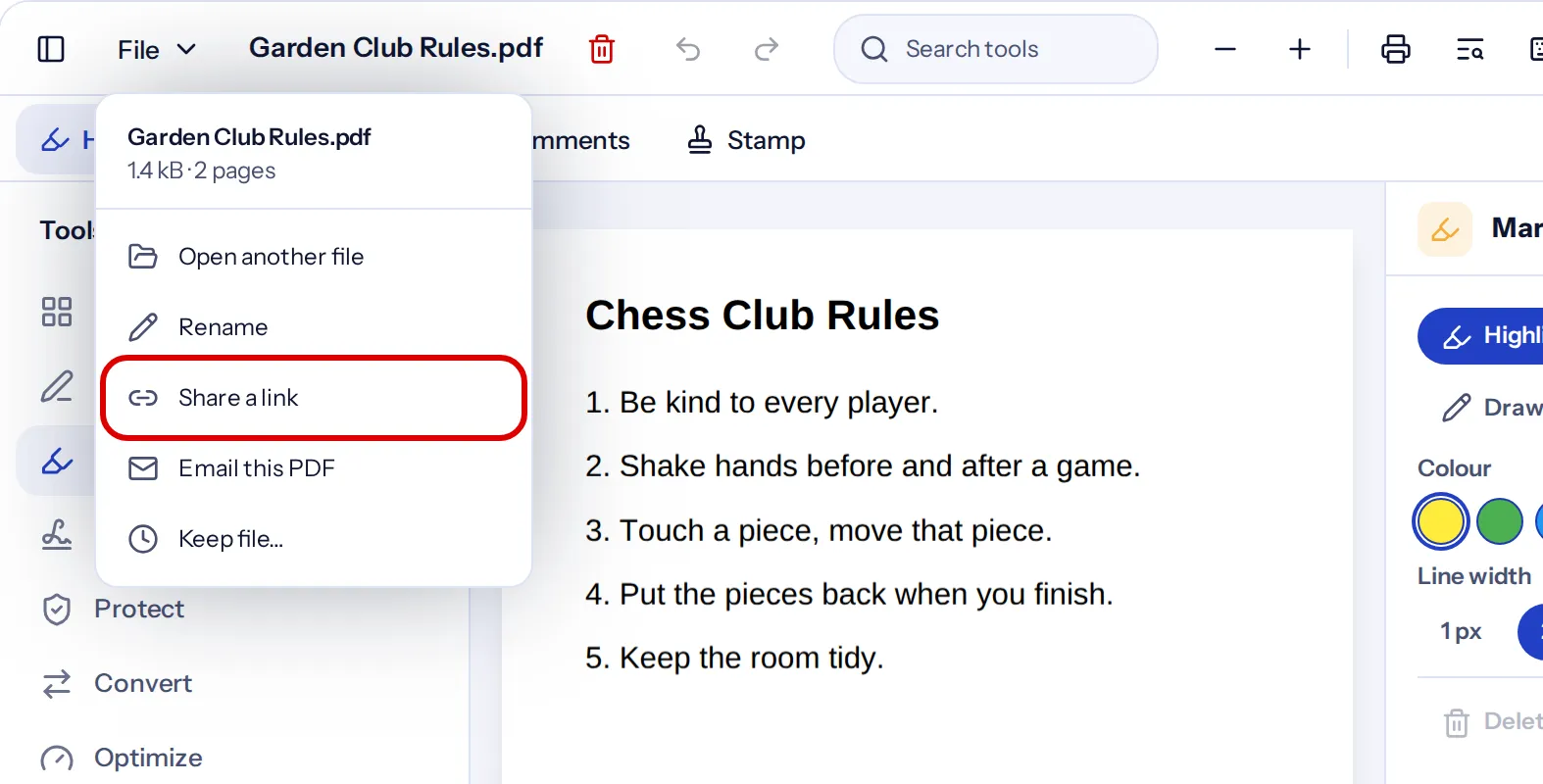
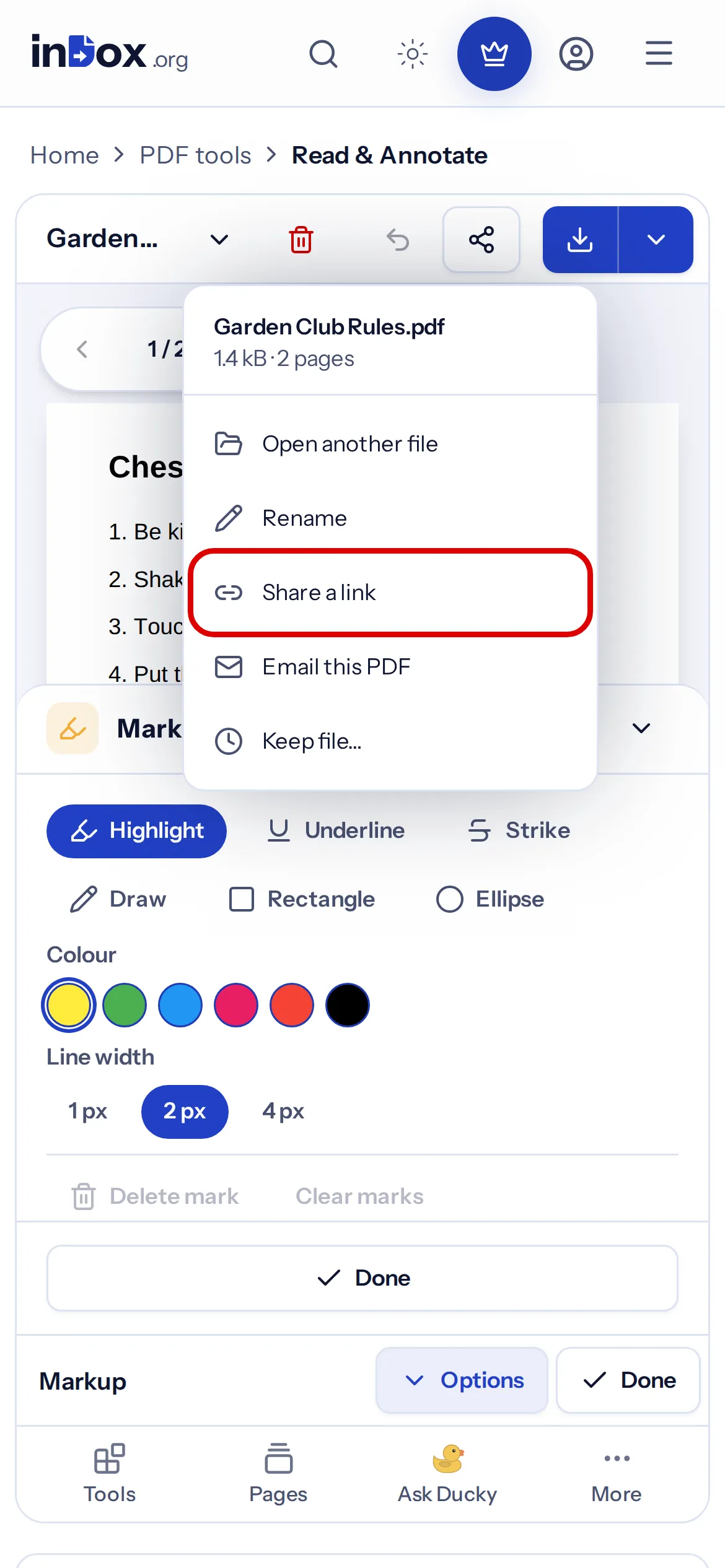
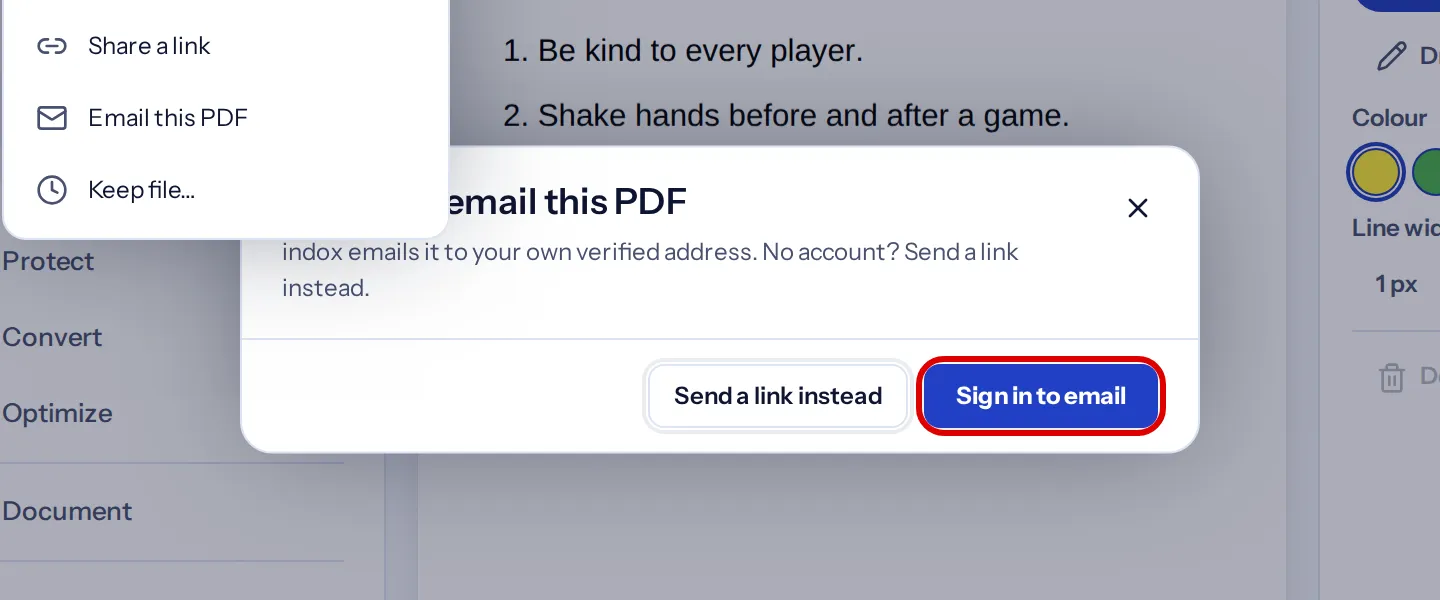
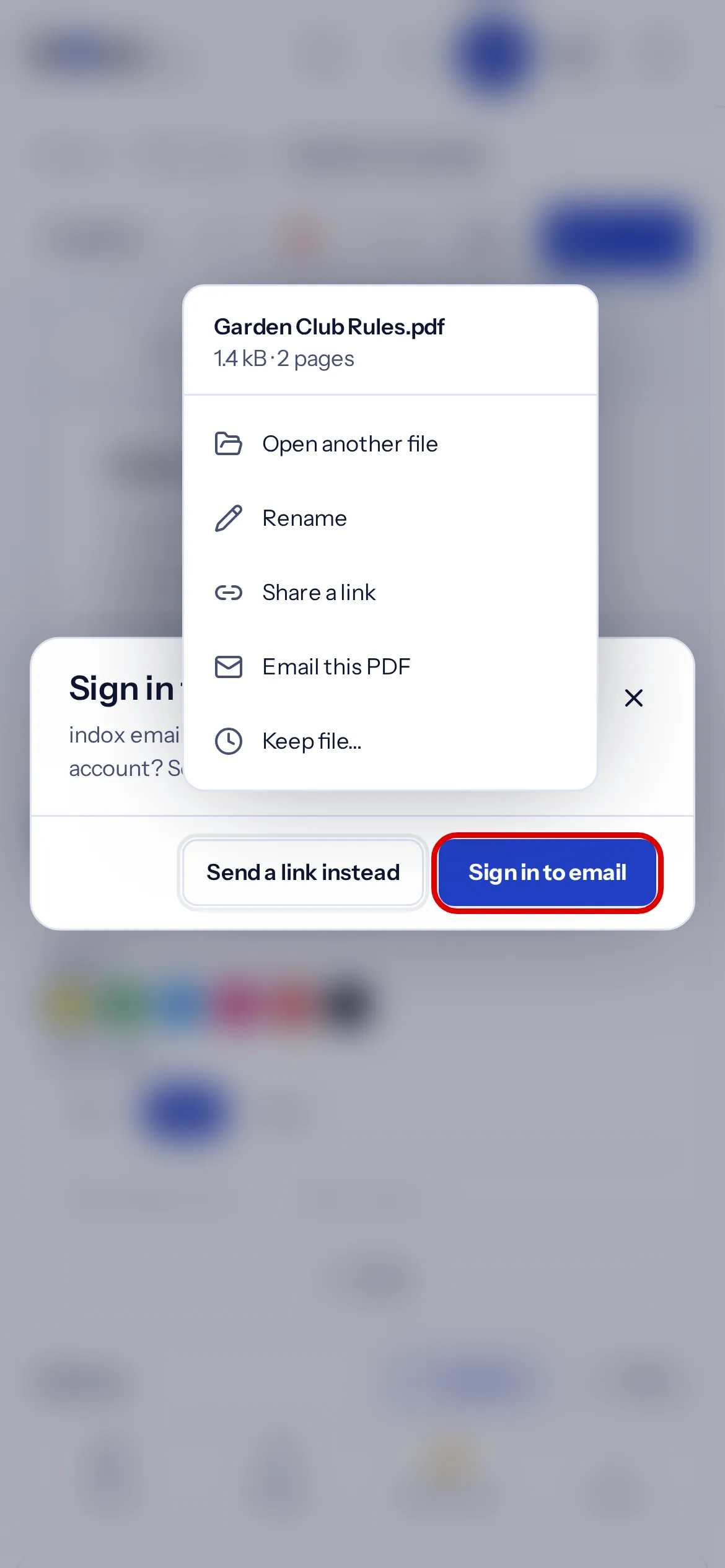
Select File. On a phone, select the small arrow. A short list opens. It shows the file name and size, then Open another file, Rename, Share a link, Email this PDF and Keep file….
Make a link
Select Share a link. You must be signed in. A box opens and indox makes the link for you. Under General access it says Anyone with the link and shows the link. Select Copy link, then paste the link into a message. The buttons under it, such as WhatsApp and Gmail, send it for you. The Share button next to Download PDF does the same thing.
Email it to yourself
Select Email this PDF in the File menu. When you are signed in, you see Email it to me and Send a link instead. Email it to me sends the PDF to your own address. If you are signed out, a box asks you to sign in first. It has two buttons, Send a link instead and Sign in to email.
Turn the link off
To stop people using a link, select Revoke link in the same box. The box then says Only you can open this. Every time you select Share a link, indox also keeps a copy of the file in My files . Delete that copy there with the bin icon on its row.
Troubleshooting
| Problem | Cause | Fix |
|---|---|---|
| Couldn't send the email, your file is unchanged | The email did not go out | Select Retry sending |
| Verify your email address first, then try again | Your account address is not verified yet | Open the verification email indox sent you, then try again |
| Too many emails, try again later | You sent several emails in a short time | Wait a while, then try again |
| Sign in to email this PDF | You are signed out | Select Sign in to email, or use a link instead |