Last updated
Convert from the right-click menu in the INDOX extension
Goal: A file from a web page ready to convert in the INDOX side panel.
Before you start
- The INDOX extension added to Chrome on a computer, and a signed-in INDOX account.
- Right-click menu items turned on in the extension's Options, under Behavior.
Right-click a file on a web page
Right-click a picture, a video or an audio file on a web page. A menu opens next to your pointer.
Choose Convert with INDOX
In the menu, point at INDOX - Convert anywhere. Chrome puts the extension's items under its name. Then select Convert with INDOX.
Pick a format and convert
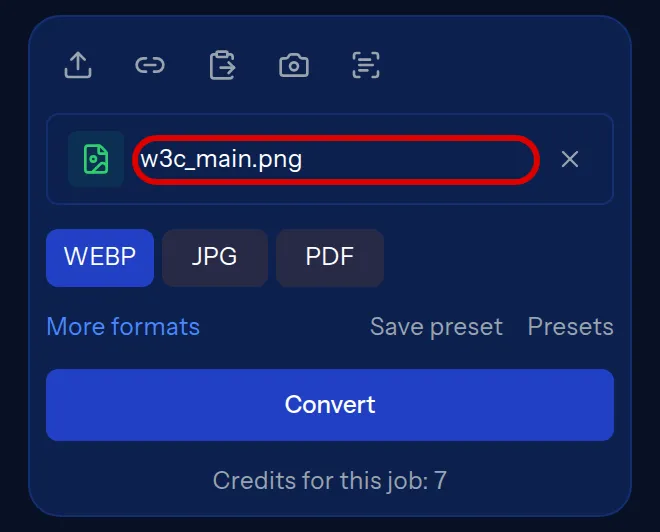
Look in the INDOX side panel. The file is in the box with its name, the formats it can become and Credits for this job. Select a format, then select Convert.
Or right-click a link to a document
Right-click a link that points to a document, such as a PDF or a Word file. Point at INDOX - Convert anywhere and select Convert linked file with INDOX.
Pick a format for the document
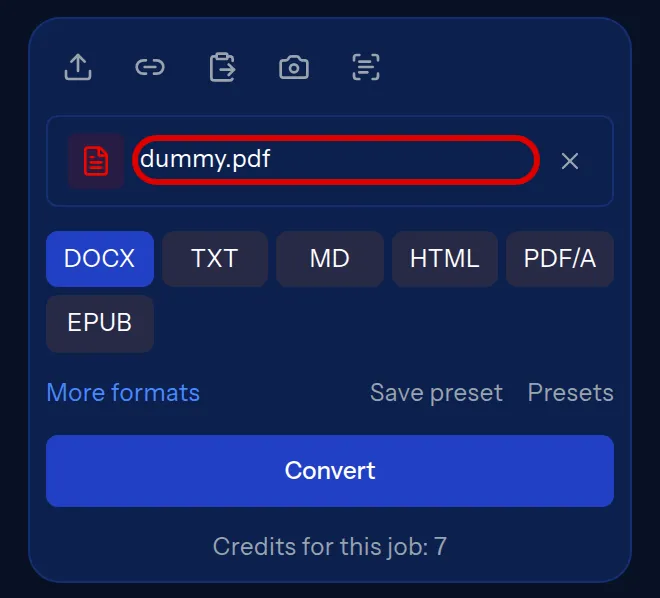
Look in the INDOX side panel. The document is in the box. Select a format, then select Convert.
Troubleshooting
| Problem | Cause | Fix |
|---|---|---|
| You do not see the INDOX items in the menu | The right-click menu items are turned off | Open the extension's Options, go to Behavior and turn on Right-click menu items. |
| The side panel shows Get started instead of your file | You are not signed in | Select Sign in, then right-click the file again. |
| You do not see Convert linked file with INDOX | The link does not point to a document | Right-click a link to a document file. Links to ordinary web pages do not show this item. |