Last updated
Organize files into folders
Before you start
- You need an indox account. Sign in first.
- Have at least one file in My files. Upload one first if the page is empty.
- The pictures show made-up sample files.
Select New folder
Open My files. Above the list, at the right, select New folder.


Name the folder
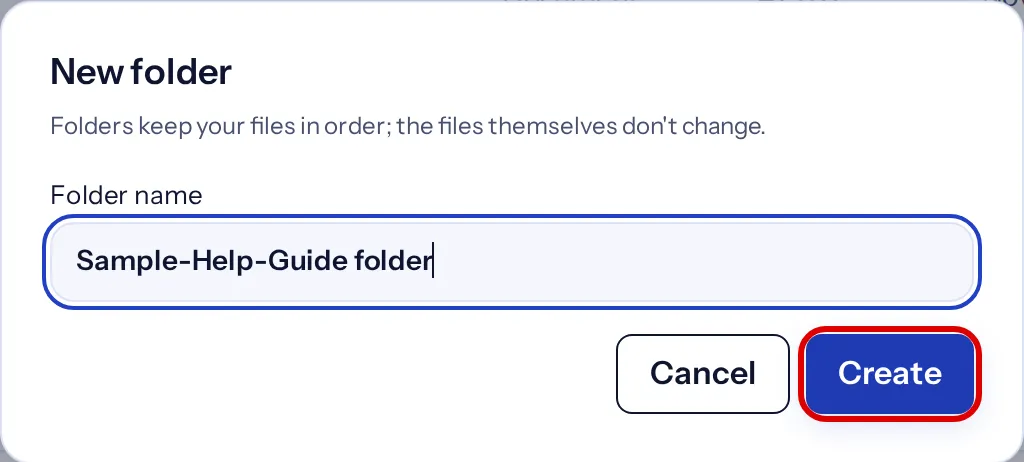
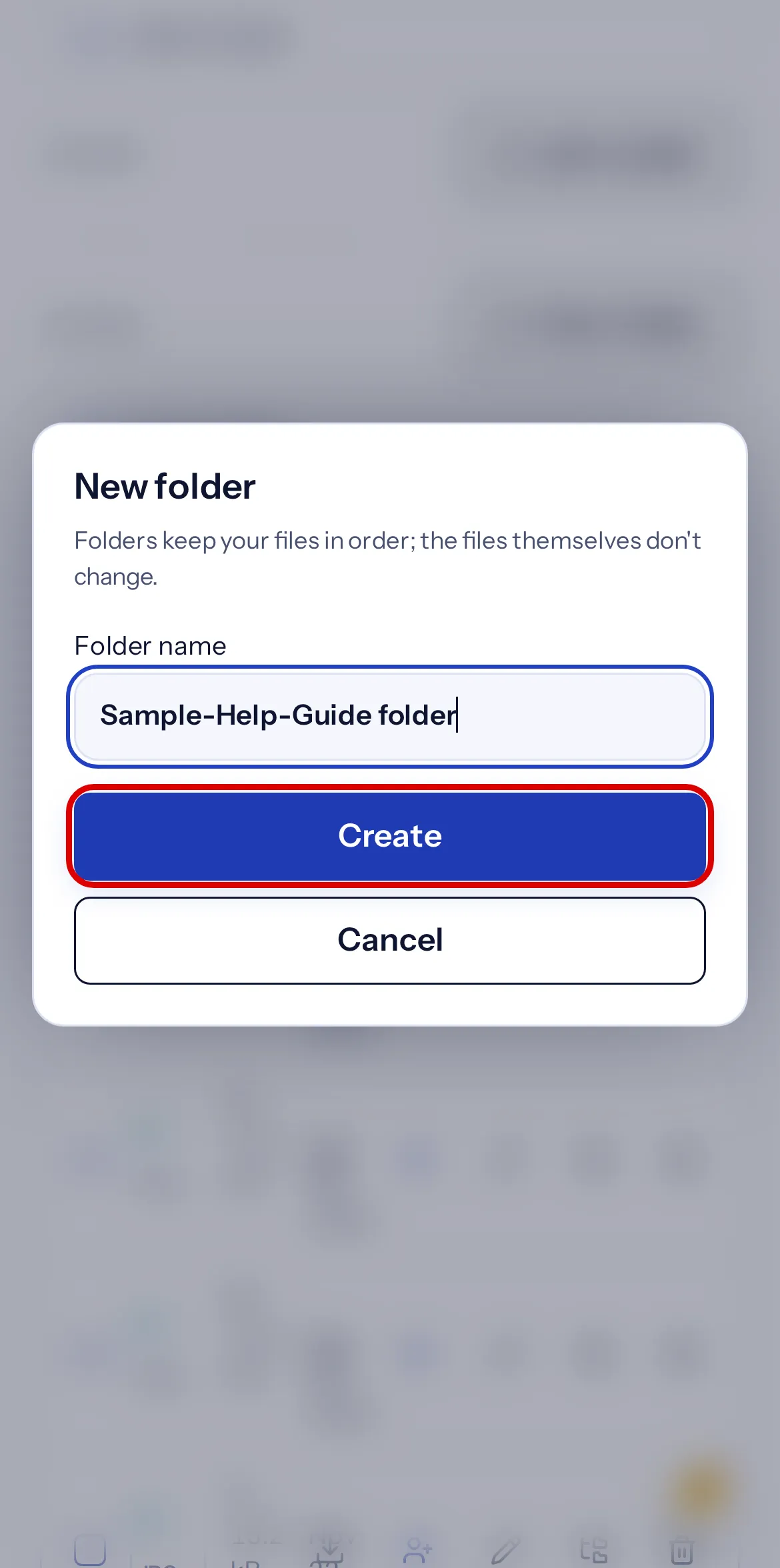
A box called New folder opens. It says folders keep your files in order, and the files themselves don't change. Type a name in Folder name, then select Create.
See your folder
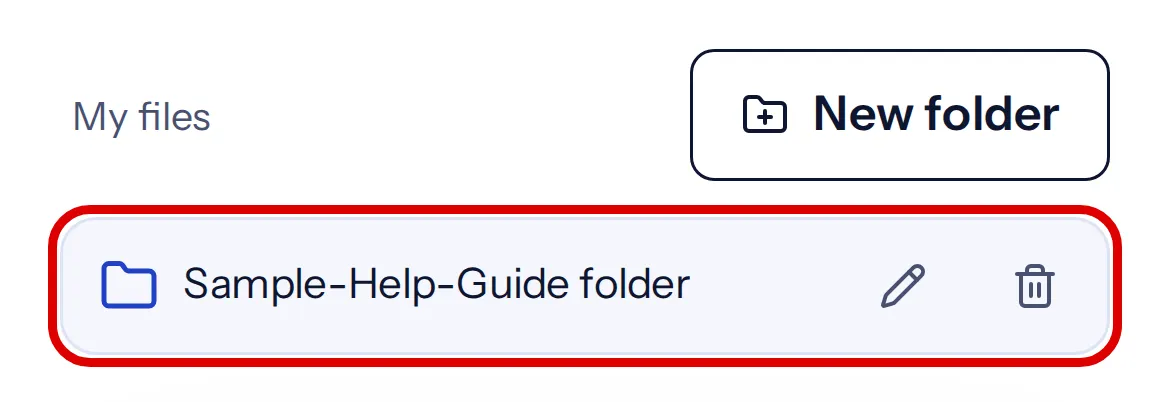
Your folder shows under New folder as a rounded box with its name. Next to the name are a pencil, Rename folder, and a bin, Delete folder. A long name is cut short with three dots.

Pick a file to move
Type part of a file's name in Search files to find it. Then select Move to folder. It is the fourth icon from the left on the file's row.

Choose the folder
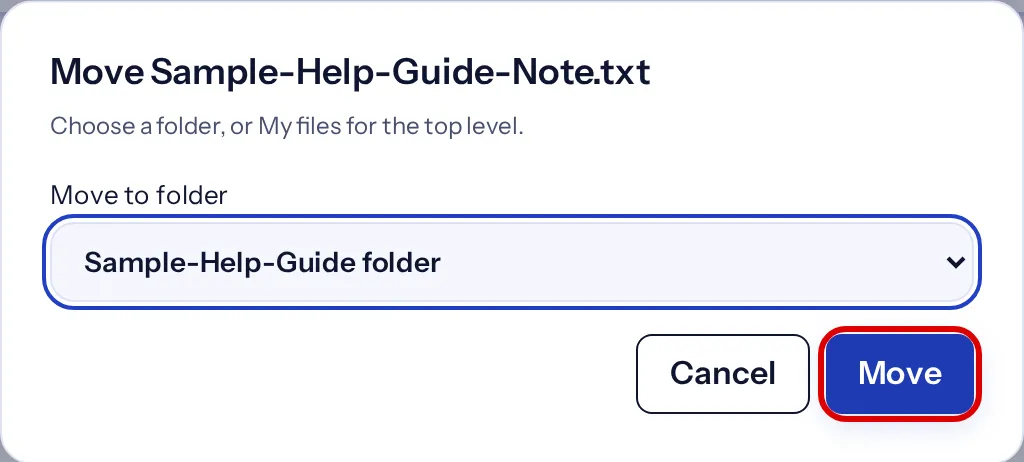
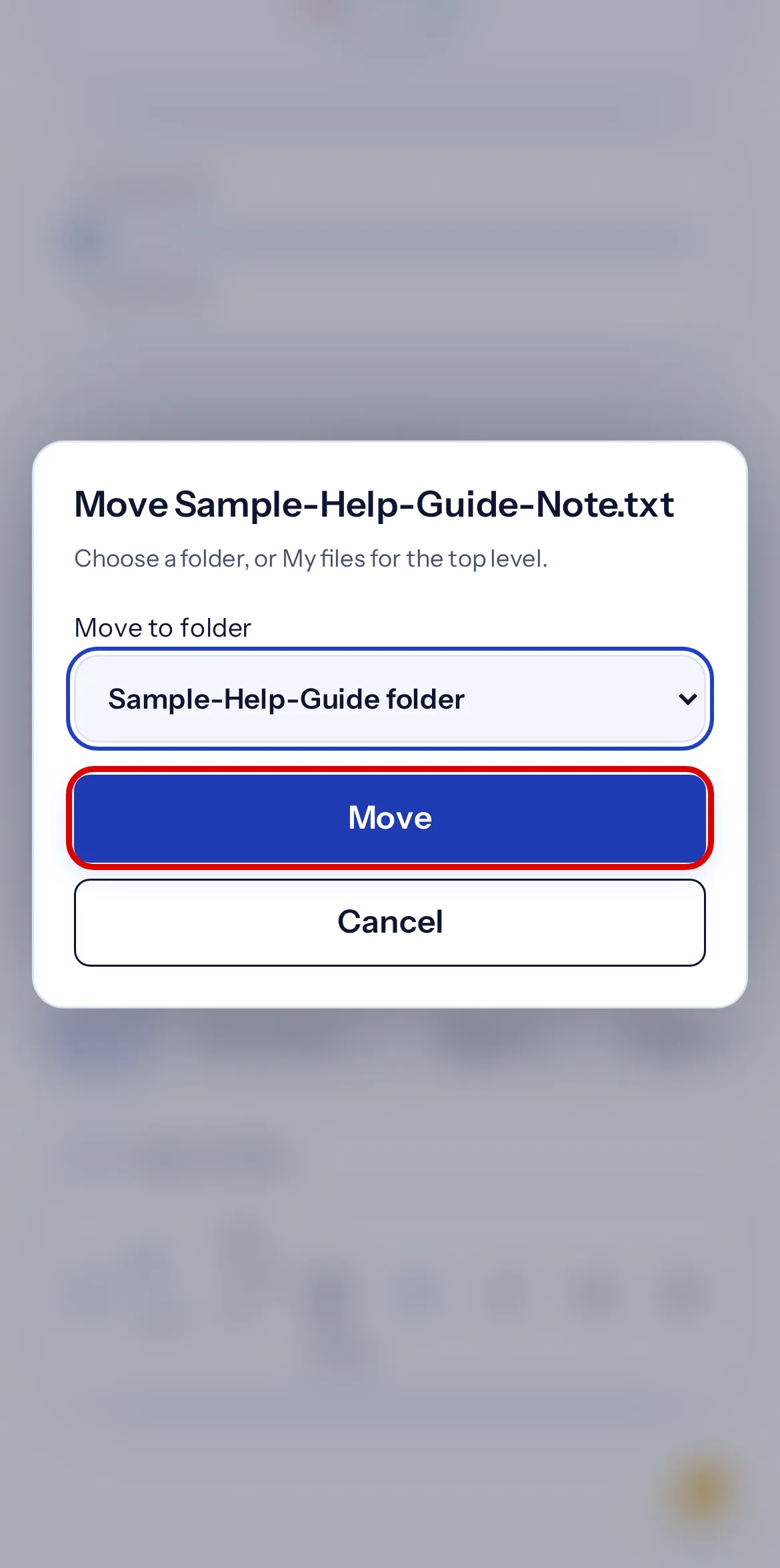
A box opens with the file's name in its title. It says to choose a folder, or My files for the top level. Open the list under Move to folder and pick your folder. Then select Move. A message appears with the words Moved to and the folder's name.
Open the folder
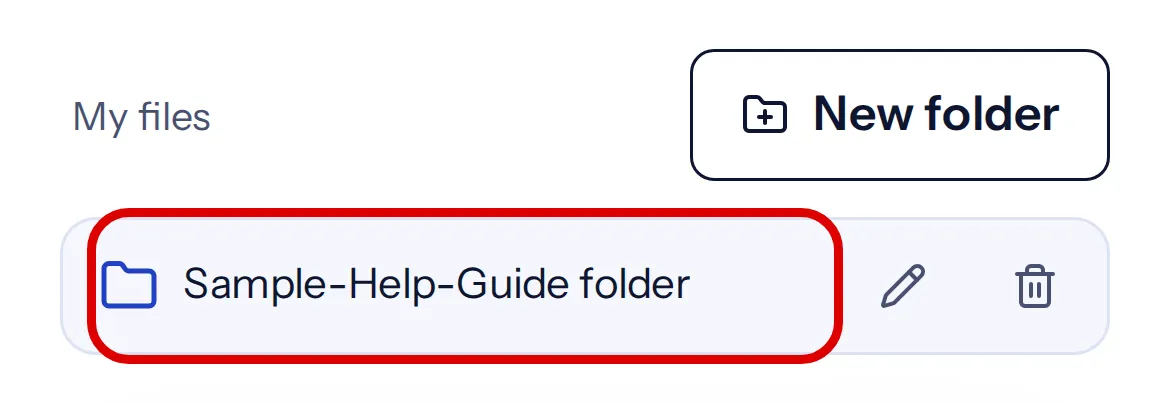
Clear the Search files box. Select the folder's name.

Check inside
Above the list you see a path: My files, then your folder's name. Only the files in that folder show. To go back, select My files in the path.


Delete a folder
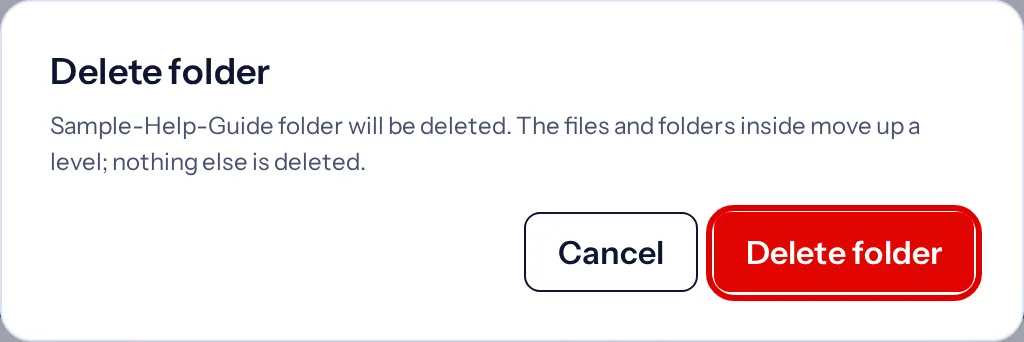
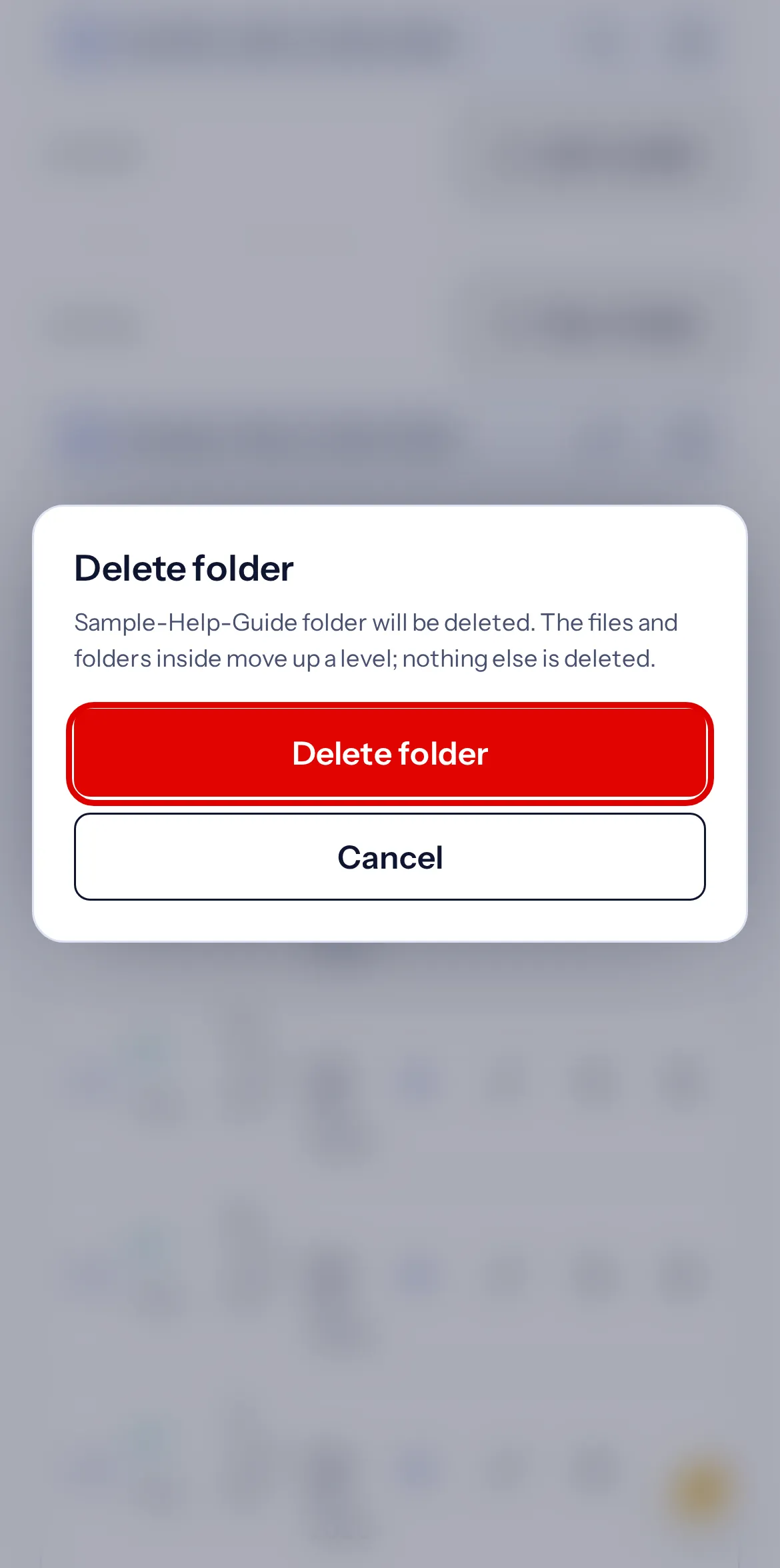
When you don't need a folder, go back to My files and select the bin icon next to it. A box called Delete folder opens. It says the folder will be deleted, and the files and folders inside move up a level. Nothing else is deleted. Select Delete folder.
Troubleshooting
| Problem | Cause | Fix |
|---|---|---|
| New folder is missing | It hides while the search box has text | Clear the search box and the button comes back |
| My file is not in the folder any more | Deleting a folder moves its files up a level | Search for the file by name in My files |