Last updated
Open PDFs in the INDOX reader or turn it off
Before you start
- The INDOX extension added to Chrome on a computer. These steps are for the computer version of Chrome.
- You don't need an account to read a PDF in the reader.
- A bar at the bottom of the reader says Ask about this PDF and warns that it sends the PDF to INDOX and uses credits. You can read and search without it.
Open a PDF in Chrome
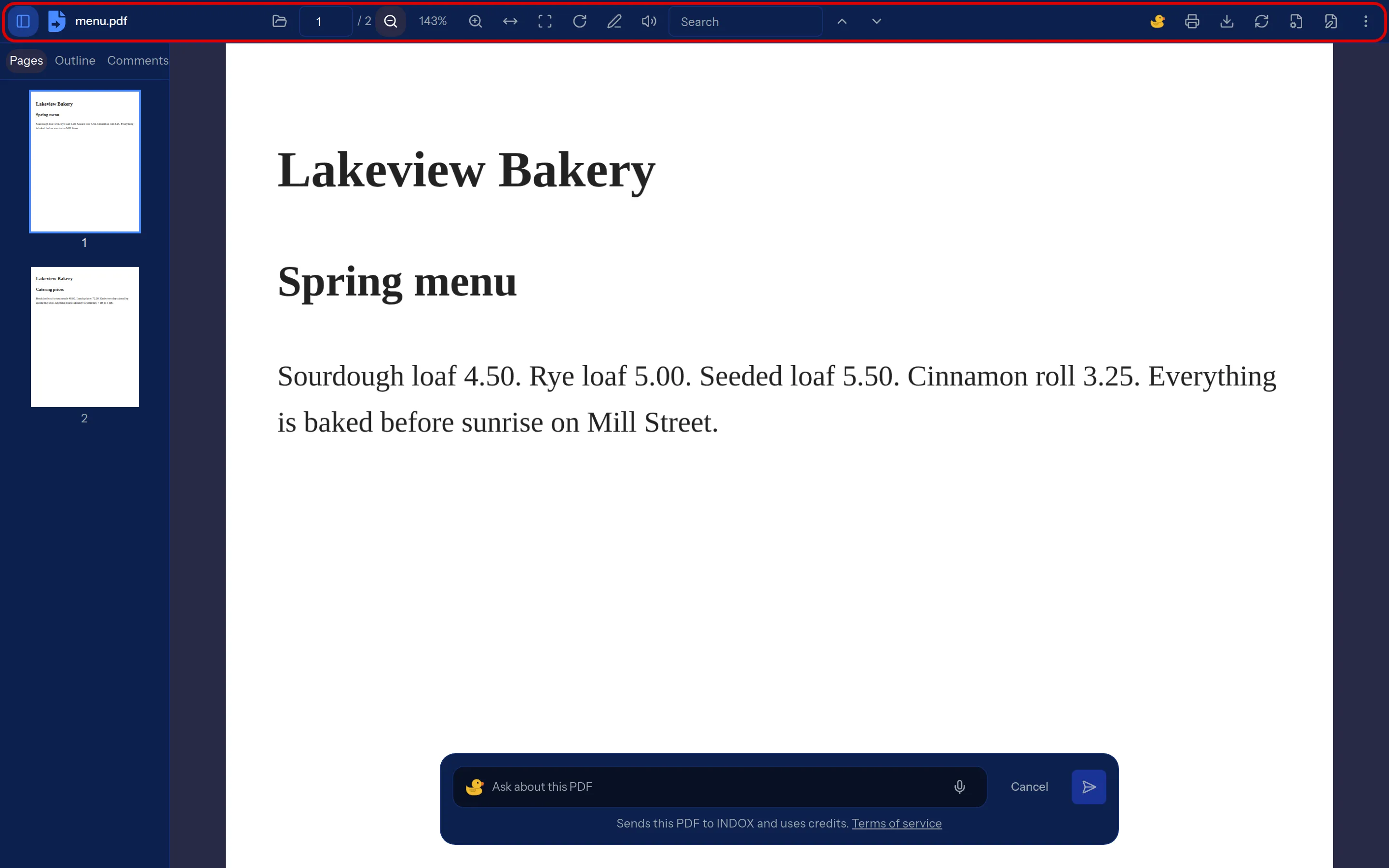
Select a link to a PDF on a web page, or type the address of a PDF in the address bar. The INDOX reader opens in the same tab instead of Chrome's viewer. The file name is at the top left, with a row of tool buttons beside it.
Read and search the PDF
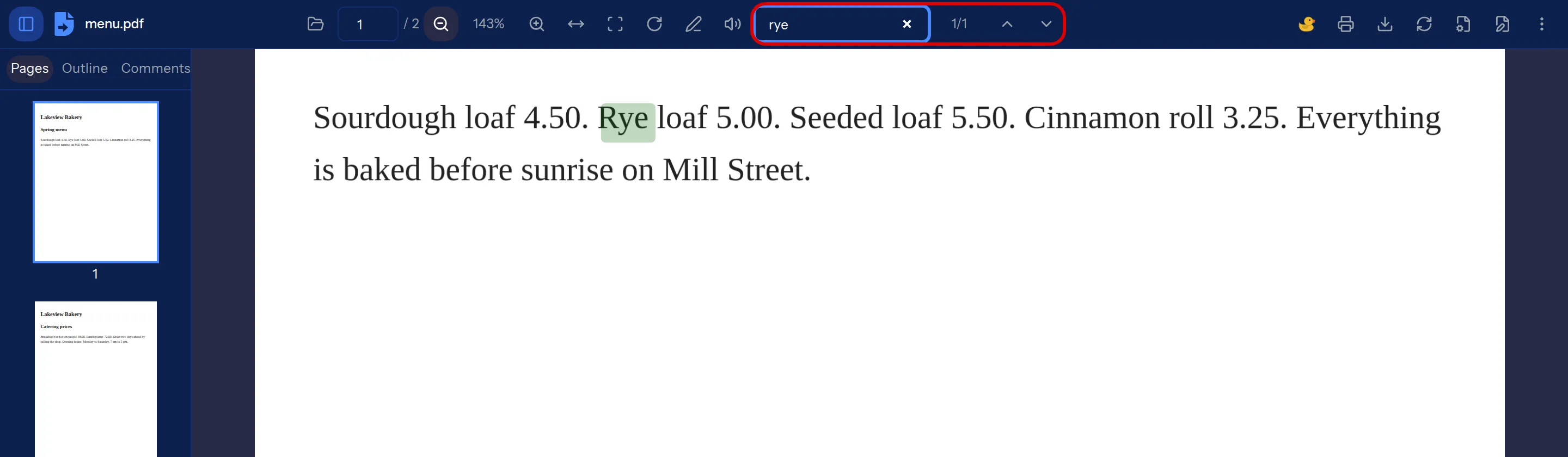
Type a word in the Search box at the top and press Enter. The word is highlighted on the page. The up and down arrows next to the box jump from one match to the next. The magnifier buttons zoom in and out, and the small page pictures on the left jump to a page.
Go back to Chrome's viewer
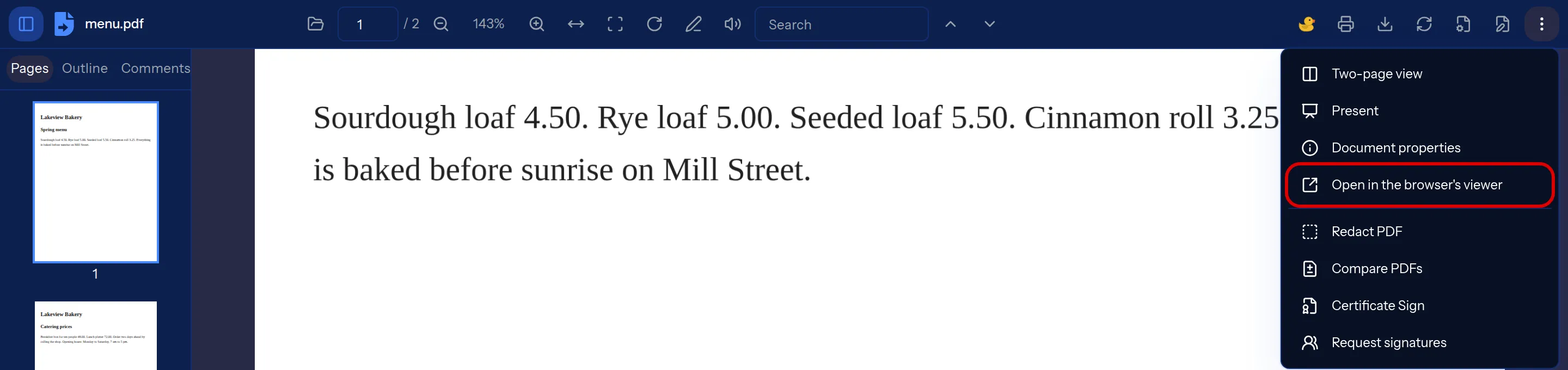
Select More, the button with three dots at the top right. A menu opens. Select Open in the browser's viewer. The same PDF opens in Chrome's own viewer. Other PDFs still open in the INDOX reader.
Open the INDOX settings
To stop the reader for good, right-click the INDOX icon in the toolbar and select Options. A new tab opens with the page INDOX Settings.
Turn off the reader
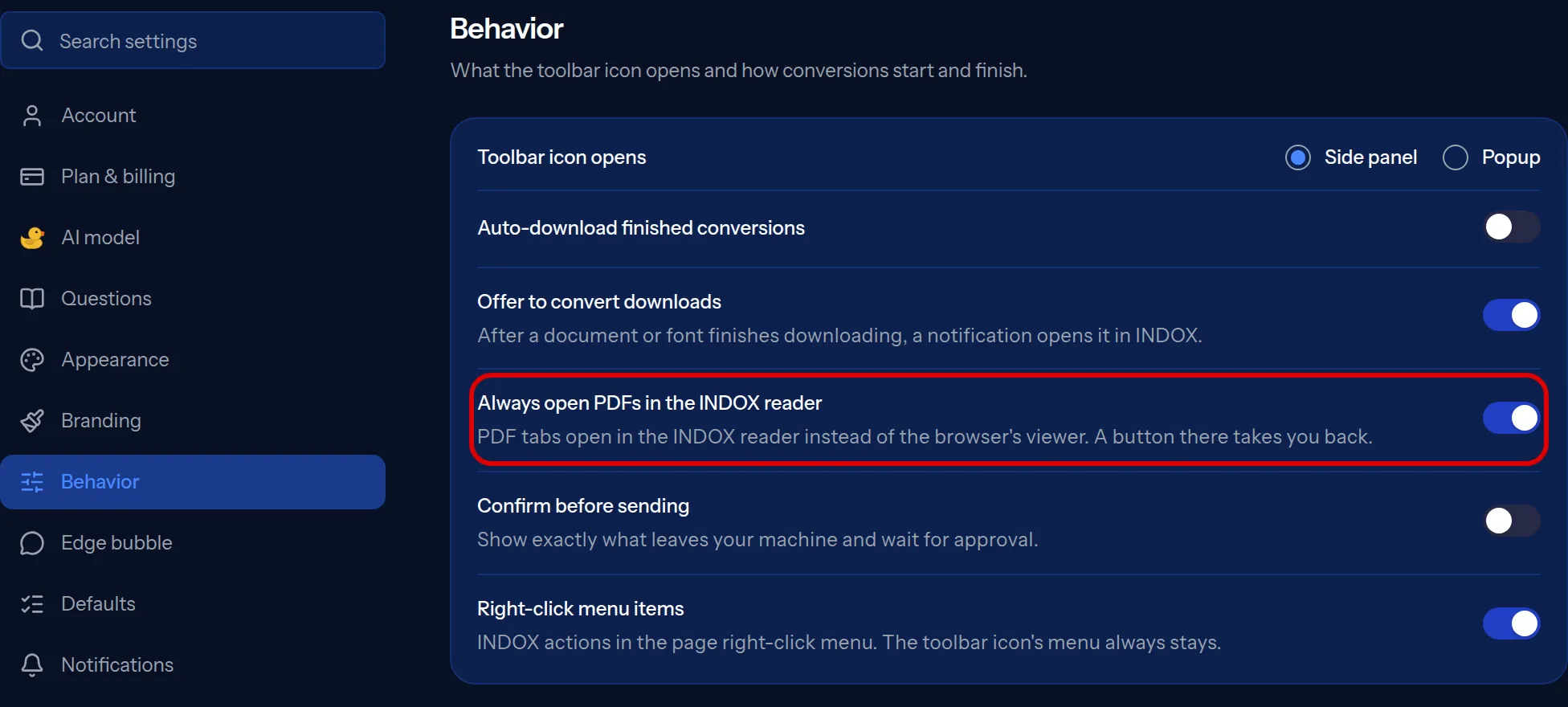
In the list on the left, select Behavior. Turn off the switch next to Always open PDFs in the INDOX reader. It saves as soon as you change it. The next PDF you open shows in Chrome's own viewer. To get the reader back, turn the switch on again.
Troubleshooting
| Problem | Cause | Fix |
|---|---|---|
| A PDF still opens in Chrome's viewer | Always open PDFs in the INDOX reader is off, or you chose Open in the browser's viewer for that tab | Turn the switch on in Behavior, then open the PDF from its link again |
| A PDF on your computer opens in another viewer | Chrome keeps INDOX away from files on your computer until Allow access to file URLs is on | In Behavior, select Turn on next to PDFs on your computer. A Chrome page for INDOX opens. Turn on Allow access to file URLs there |