Last updated
Convert a web link or a web page in the INDOX extension
Before you start
- The INDOX extension added to Chrome on a computer, and a signed-in INDOX account. The side panel only shows these choices when you are signed in.
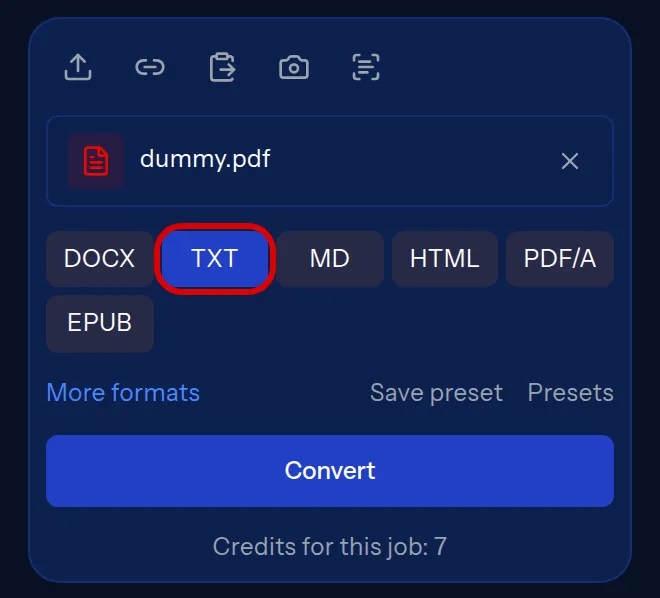
- Converting uses credits. The panel shows the cost before you convert, for example Credits for this job: 7.
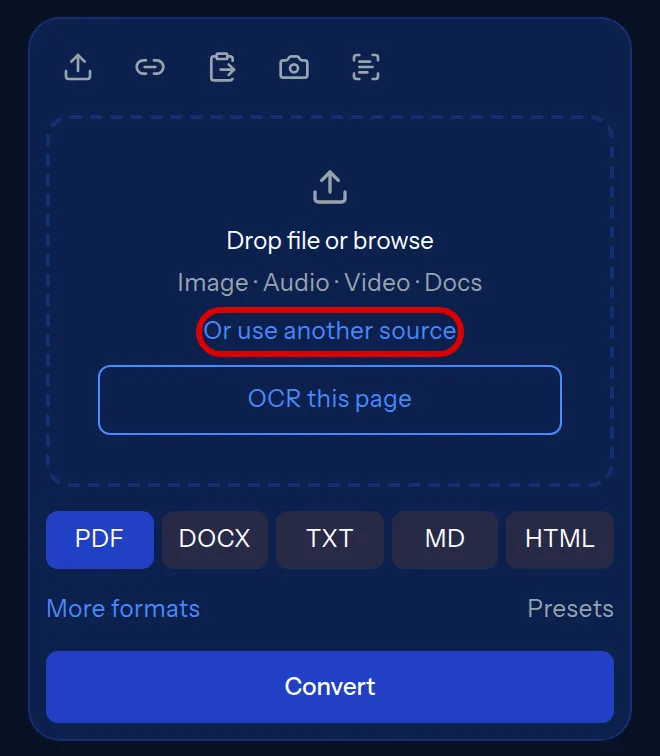
Open the list of sources
Open the INDOX side panel. In the box with a dashed border, select Or use another source. A list of sources opens.
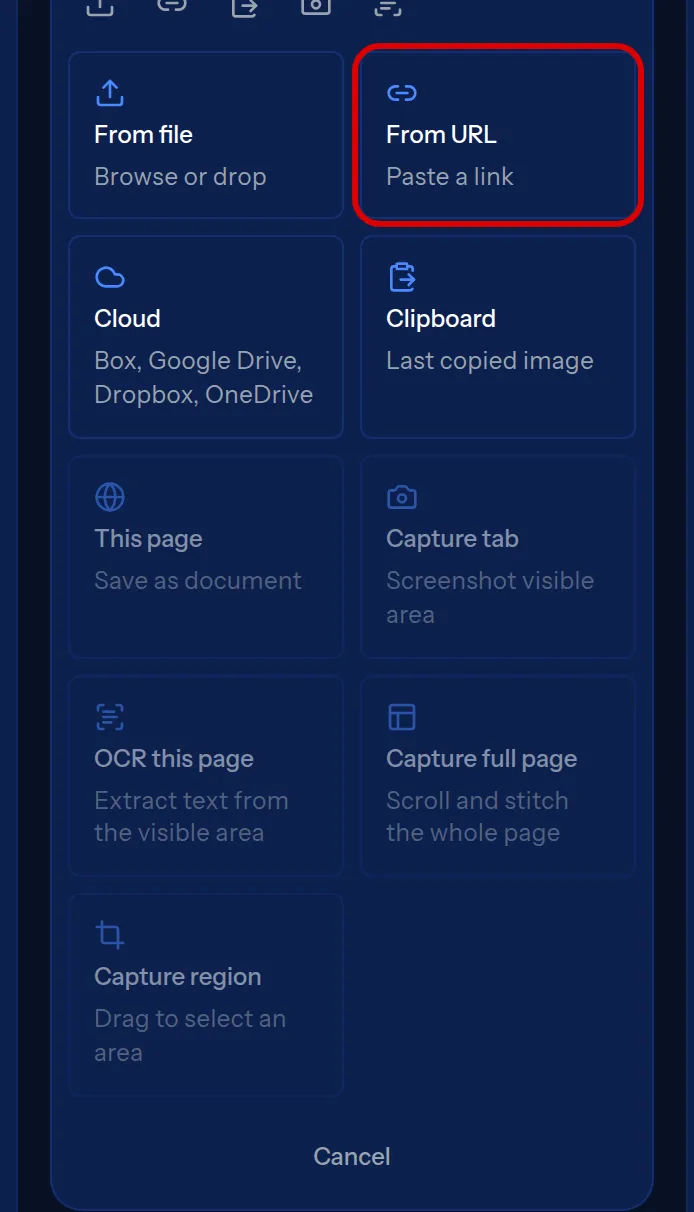
Choose From URL
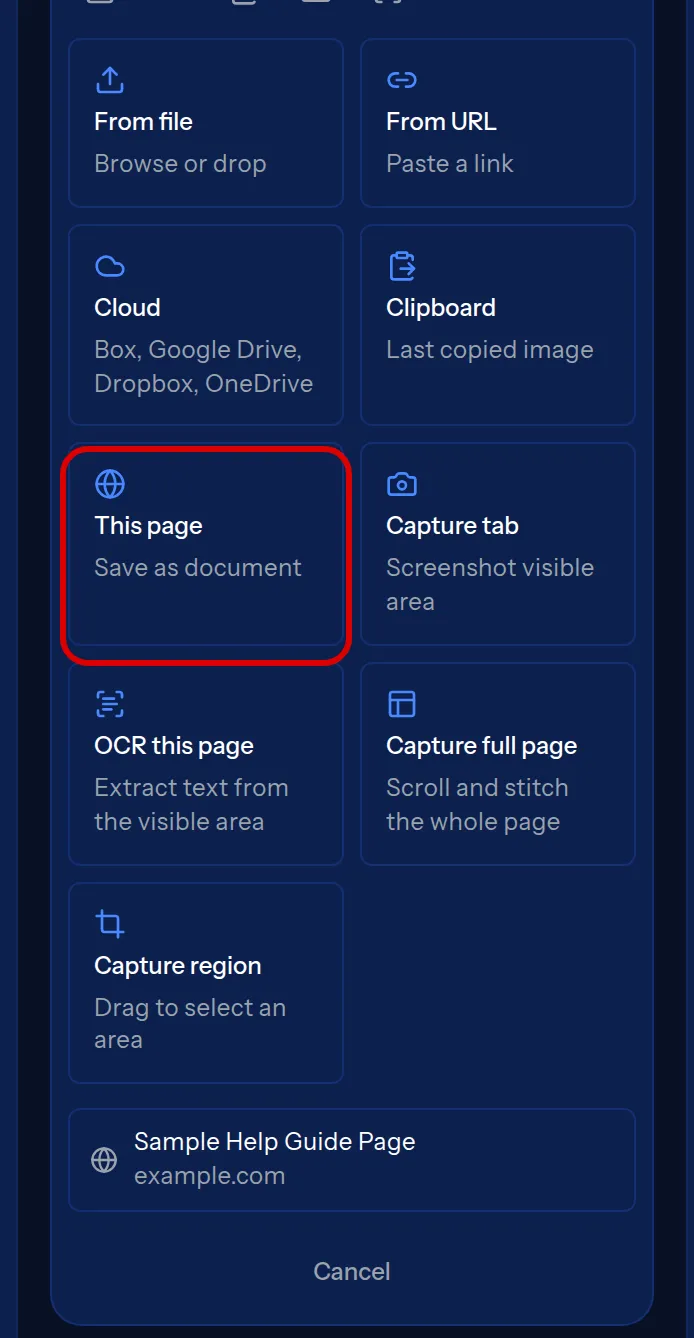
Select From URL, the tile that says Paste a link. The tiles This page, Capture tab, OCR this page, Capture full page and Capture region are grey until a web page is open in your tab.
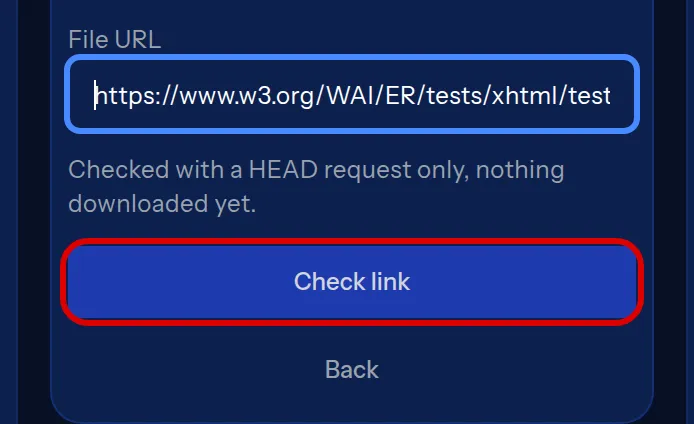
Paste the link
Under File URL, paste the web address of a file, for example a PDF. Then select Check link. INDOX only asks the website about the file now. It downloads nothing yet.
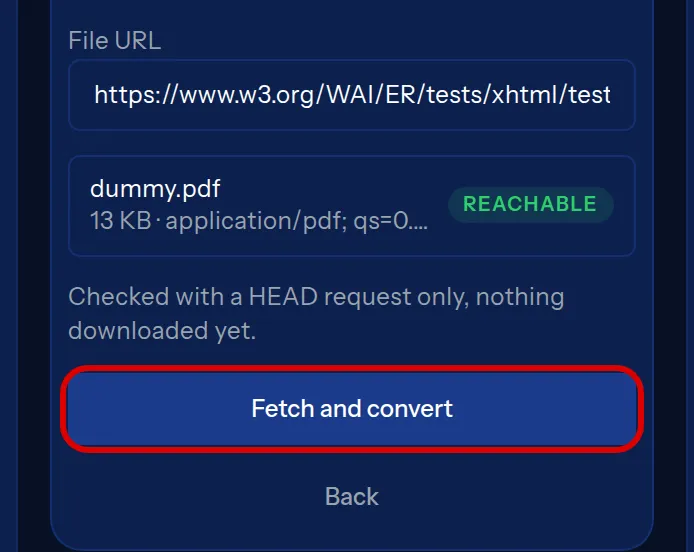
Fetch the file
The file name, its size and REACHABLE show up. Select Fetch and convert. The file is added to the box in the panel.
Pick a format and convert
Select the format you want, for example TXT. Then select Convert. The panel says Conversion started.
Download the result
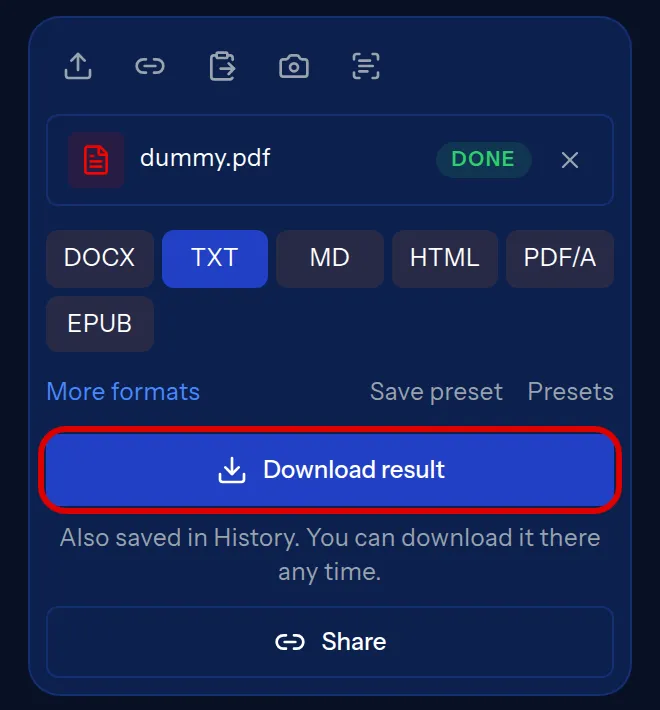
When the file is ready, it says DONE. Select Download result. The file is also saved in History, where you can download it again.
Or convert the page you are on
Open the web page you want. Open the INDOX side panel, select Or use another source, and then select This page. The tile says Save as document.
Pick a format for the page
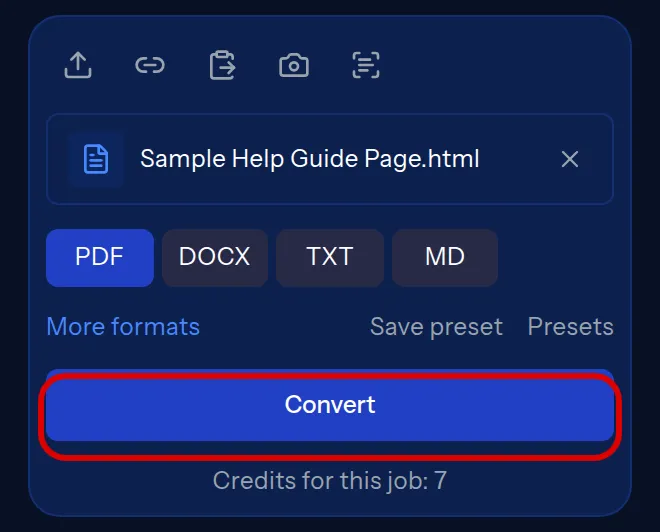
The page is added as a file named after its title, ending in .html. Select PDF, DOCX, TXT or MD, then select Convert.
Troubleshooting
| Problem | Cause | Fix |
|---|---|---|
| The file link says UNREACHABLE | The website did not answer for that address | Check the address. A line under File URL says Could not reach it. Copy the link again from the page and select Check link again. |
| The panel says That isn't a valid URL | The text is not a full web address | Paste the whole address, starting with https://. |
| This page is grey in the list | No web page is open in your tab | Open the page first, then open the list again. |