Reads .md and .markdown files
Both extensions are accepted. In our test the two copies of the same file gave PDFs with identical text, so you do not need to rename anything.
Add a Markdown .md file and get a PDF back. Tables and links carry over; maths and images do not.
To convert md to pdf, add your .md or .markdown file, keep PDF as the output format and download the result. In our test, a 1.4 KB Markdown file became a 2-page A4 pdf of 21.9 KB in 8 seconds, with tables and links intact but maths formulas and images left out.
Transfers use HTTPS, and files converted on the free tier are deleted after 24 hours, so the result is not a long-term archive. Quality depends on the source file, so open the PDF file once before you share it.
Need more PDF options? Open the PDF Converter hub.
MD (Markdown)
A plain-text file where headings, lists, links, tables and code are marked with ordinary punctuation such as # and *. It has no page size, fonts or page breaks, so a reader or converter decides how it looks. Markdown is a family of dialects rather than one standard: CommonMark and GitHub Flavored Markdown are the best known.
PDF (Portable Document Format)
A fixed-layout document format published as ISO 32000. Each page records the exact position of every character, image and line, usually with the fonts embedded, so it displays and prints identically in any reader and is awkward to edit.
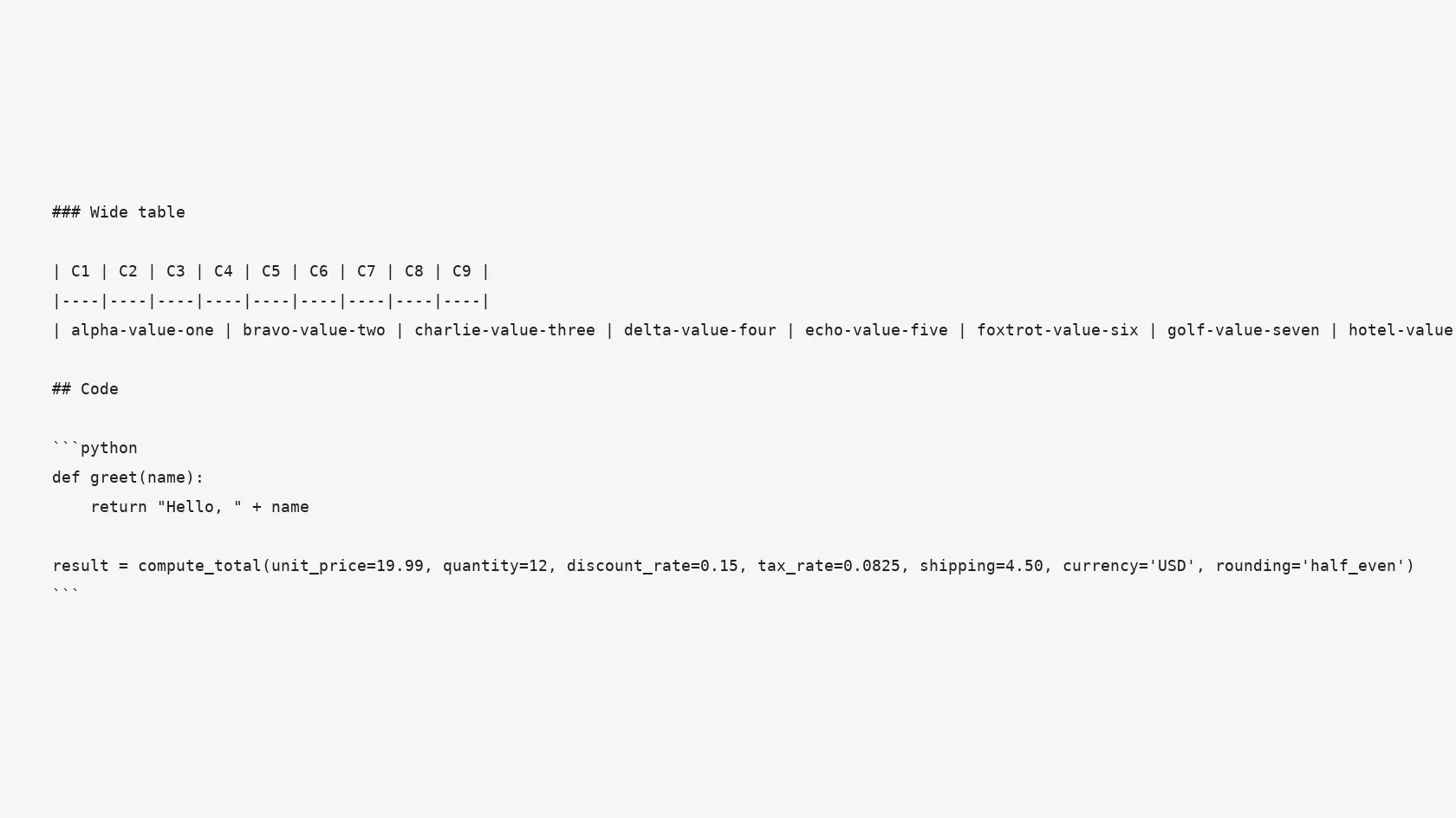
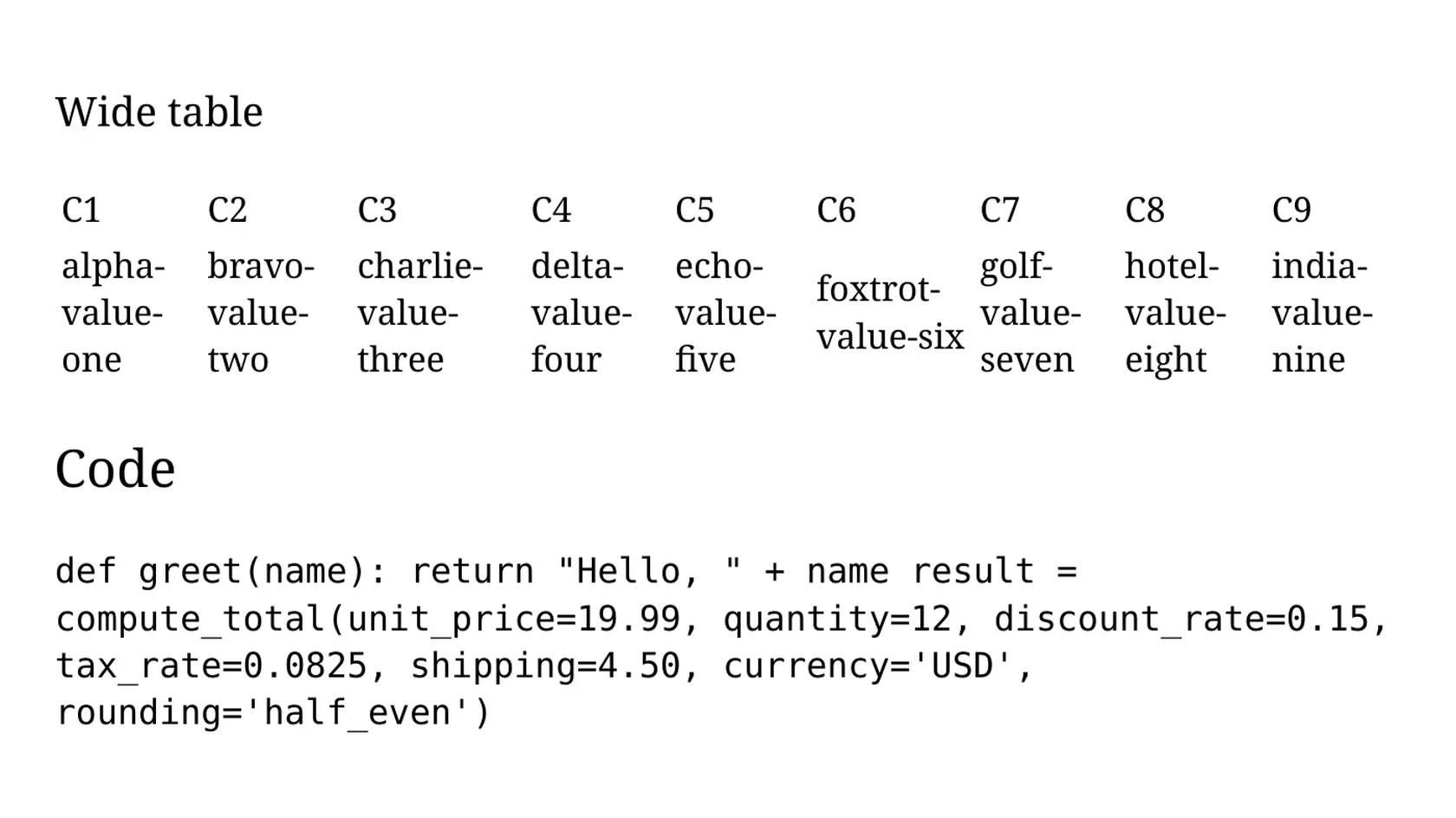
A 1.4 KB Markdown file of our own with tables, a code block, maths, links and images, converted on indox.org
Both extensions are accepted. In our test the two copies of the same file gave PDFs with identical text, so you do not need to rename anything.
Many Markdown to PDF tools are command-line packages or editor plugins. This one runs in the browser on Windows, Mac, Linux, a Chromebook or a phone, so you can print or share your notes without setting anything up.
All 5 fonts in our test PDF were embedded, and the text could be selected and searched. Links in the Markdown became clickable links in the PDF.
Markdown has no page size or fonts, so each viewer draws it differently. The PDF fixes the layout on A4 pages, which suits printing, email and archives.
We ran the conversion anonymously, without an account, and saw no paywall or limit message. The page showed a cost of 7 credits per conversion.
Drop the .md or .markdown file on the box or choose it from your device. Keep the original: it is your editable source, and a PDF cannot be turned back into clean Markdown.
Check that PDF is the output format and start the conversion. In our test it took 8 seconds from the click to Completed for a small file.
Open the PDF before you send it. Check tables, code blocks and any formula or image you expected, because those are the parts that can differ from your source.
You hand over a Markdown file and take away an A4 PDF with selectable text, working links and embedded fonts. The page says in advance what the PDF will drop, so you can decide before converting whether it fits your document.
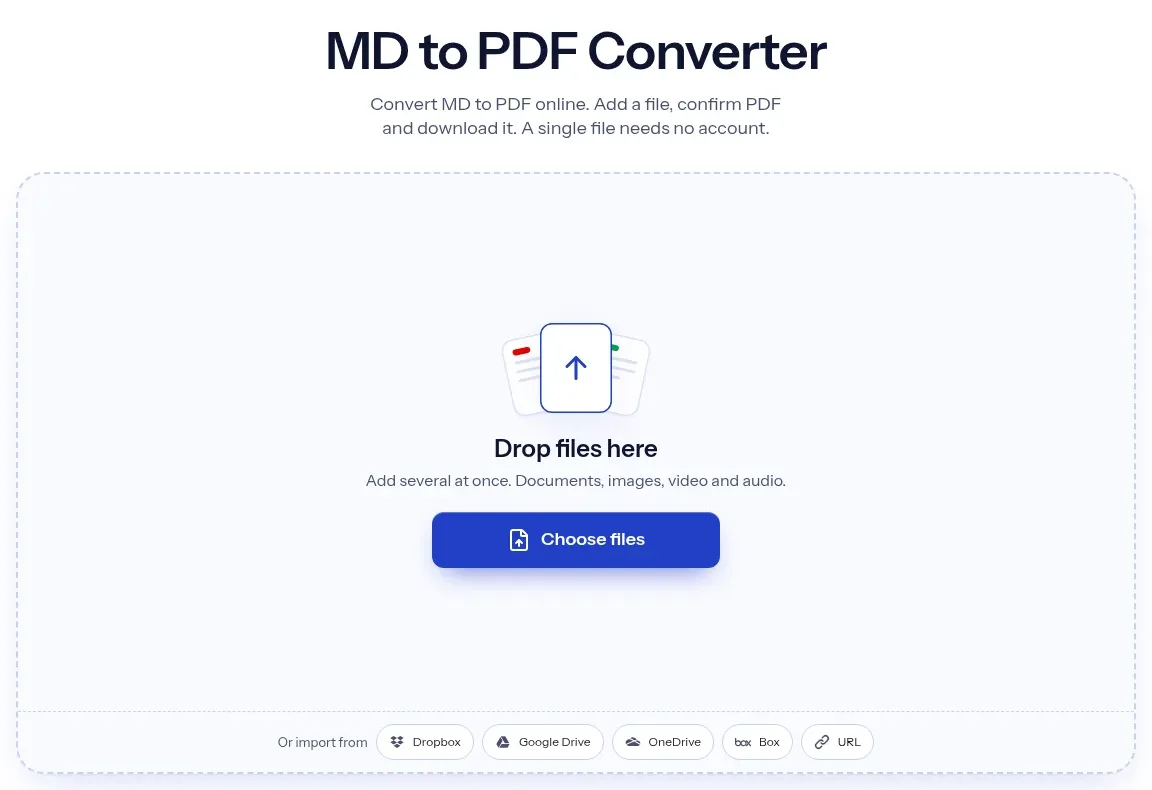
The upload box shows the live size limit before you add a file. Signing in raises it; a paid plan does not change it.
MD in, PDF out. Pick another output on the converter if you need a different format.
Files are encrypted in transit over HTTPS and processed on indox infrastructure.
Free-tier files are kept for 24 hours after the job finishes, then deleted automatically.
| What you see | Why | What to do |
|---|---|---|
| Formulas show as $...$ text | No maths renderer ran in our test | Use a tool that renders TeX, or paste a picture of the formula into the final document |
| A picture is missing | Images are omitted and only alt text is printed | Add the picture to the PDF with another tool |
| Code is one block of run-together lines | Line breaks in fenced code were not kept | Keep code short, or share the code as a text file |
| A block of settings appears on page one | Front matter is printed as text | Delete the front matter block and convert again |
| [x] or ~~text~~ appear literally | Task lists and strikethrough are not drawn | Reword the lines before converting |
| You need a layout from HTML instead | This route has no style options | Try HTML to PDF if you can export HTML first |
Word documents that look the same everywhere
Photos and scans as one document
Excel sheets ready to send or print
Ebooks with fixed pages
| Compared on | MD | |
|---|---|---|
| Layout | None. The reader decides fonts and width | Fixed pages, here A4 with embedded fonts |
| Editing | Any text editor | Needs a PDF editor, and text may reflow badly |
| Structure | Headings, lists and tables marked with punctuation | Drawn content; the structure is not marked up in our untagged output |
| Images and maths | Linked or written as formulas | Neither was drawn in our test |
| Typical use | Notes, READMEs, drafts | Printing, sending and archiving |
Facts checked on November 4, 2026
No tool matches that search.
Open the converter, add your .md or .markdown file, keep PDF as the output and download the result. There is nothing to install.
It is a plain-text file where headings, lists, links, tables and code are marked with punctuation such as # and *. It has no page size or fonts, so the program that opens it decides how it looks.
Yes. In our test a 3-column table and a 9-column table both appeared as text cells without ruling lines, with the wide table wrapped to fit the page. A link in the source became a clickable link in the PDF.
The converter did not render maths or images in our run. Formulas appear as the raw text you typed, and pictures are replaced by their alt text. Use a different route if you need either.
Line breaks inside a fenced code block were not kept in our test. The monospace font stayed, but the lines ran together and wrapped. Long lines wrapped instead of being cut off.
In our test, the same file saved with each extension gave PDFs with identical text. Both are accepted.
Markdown is a family of dialects, and RFC 7763 says so. CommonMark and GitHub Flavored Markdown are the best known. We did not test every dialect, but tables, nested lists and links in our sample were read as expected.
In our run we converted anonymously and saw no sign-in prompt or paywall. The page showed a cost of 7 credits per conversion and said files on the free tier are deleted after 24 hours. Check the page for current terms before relying on either.
If you save the text as a .md file, you can add it like any other. Check formulas, images and code blocks afterwards, since those are the parts that did not carry over in our test.