Plain Markdown text you can open anywhere
The result is an ordinary .md text file. Any editor, notes app, Git repository or documentation tool reads it, and so can a language model, because there are no fonts or page boxes to get in the way.
Add a PDF and get a Markdown .md file of its text. Works best on PDFs that already contain real text.
To convert pdf to md, add the PDF, keep MD (Markdown) as the output format and download the file. In our test, a 2-page, 2,893-byte PDF became a 606-byte md file with a heading, a subheading and a table kept, but a scanned PDF with no text layer gave no text at all.
Transfers use HTTPS, and files converted on the free tier are deleted after 24 hours, so the result is not a long-term archive. Quality depends on the source file, so open the MD file once before you share it.
Need more PDF options? Open the PDF Converter hub.
PDF (Portable Document Format)
A fixed-layout document format published as ISO 32000. Each page records the exact position of every character, image and line, usually with the fonts embedded, so it displays and prints identically in any reader and is awkward to edit.
MD (Markdown)
A plain-text file where headings, lists, links, tables and code are marked with ordinary punctuation such as # and *. It has no page size, fonts or page breaks, so a reader or converter decides how it looks. Markdown is a family of dialects rather than one standard: CommonMark and GitHub Flavored Markdown are the best known.
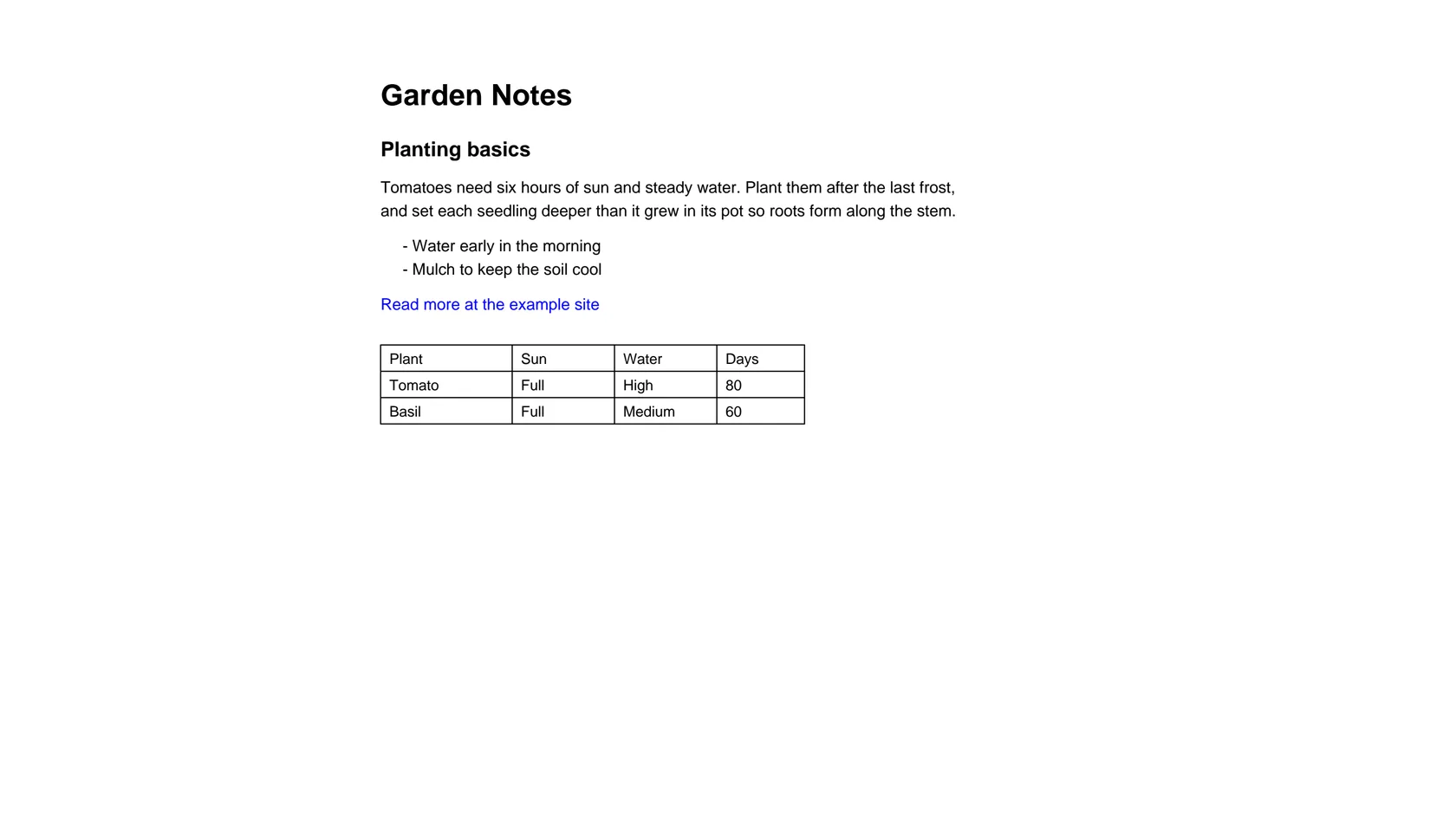
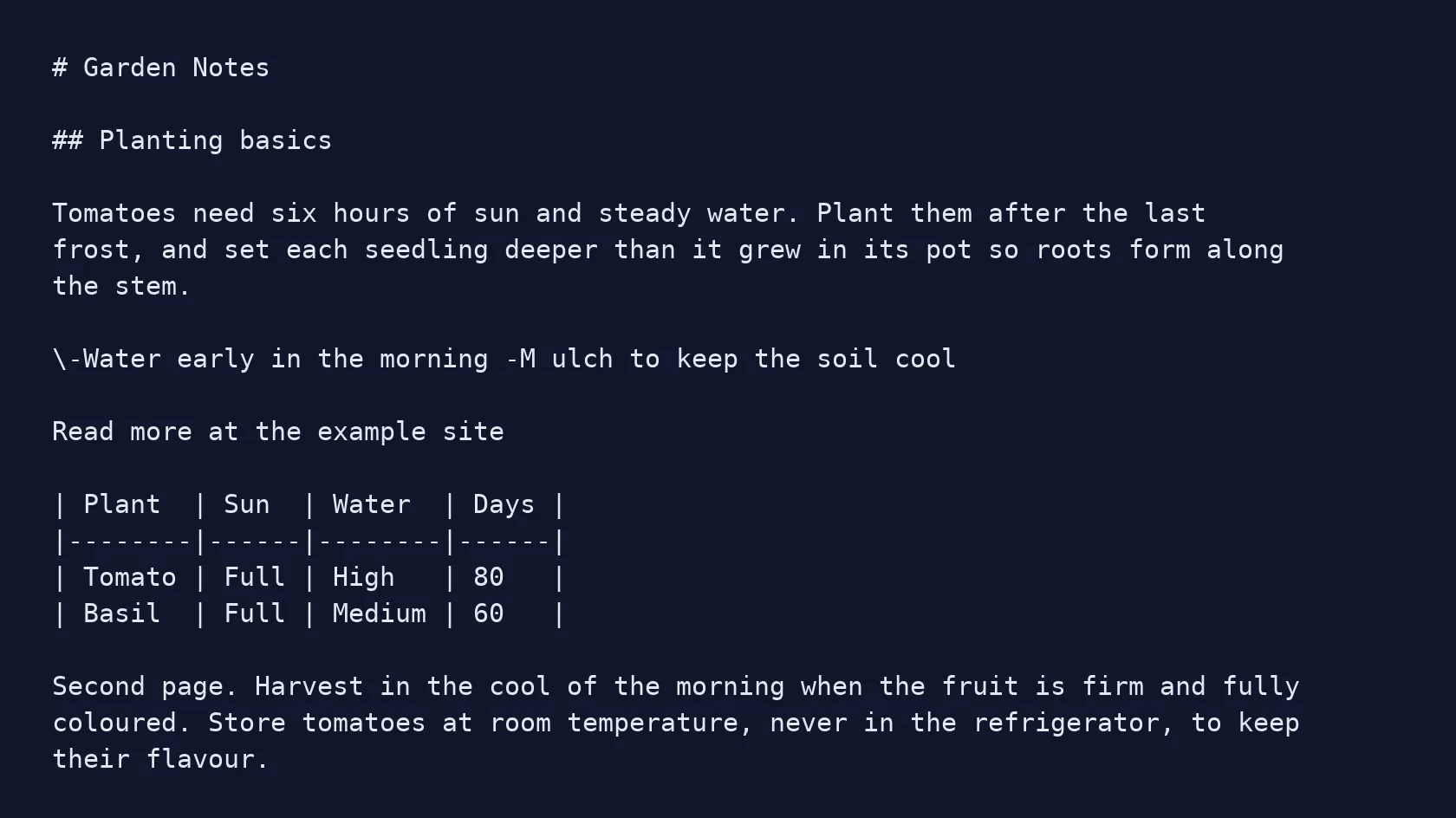
A 2-page PDF test document with a heading, a table and a link, converted on indox.org
The result is an ordinary .md text file. Any editor, notes app, Git repository or documentation tool reads it, and so can a language model, because there are no fonts or page boxes to get in the way.
In our test a 14 pt subheading and a bold title became ## and # lines, and a gridded table became a GitHub-style pipe table with its header row. Structure is inferred from the PDF, so check it on your own file.
The conversion runs on indox servers in the browser, so it works on Windows, Mac, Linux, Android and iPhone. There is no command line, no Python environment and no account to create first.
A PDF that is only a picture of a page has no text to extract. We tried one and the converter finished without an error but returned only an image placeholder. It is better to know that before you upload.
Drop the file on the box or choose it from your device. Keep the original PDF: the md file holds the text only and cannot be turned back into the same page.
Check that MD is the output format. The page shows no other options for this pair. In our test it took 3.4 seconds from the click to Completed.
Open the .md file in a plain text editor before you use it. Check the headings, lists and tables, and fix what is off in your Markdown editor.
You hand over a PDF and take away its text as a Markdown file, ready for notes, a docs repository or a language model. The page lists what Markdown cannot keep, so you know before you convert whether the result fits the job.
The upload box shows the live size limit before you add a file. Signing in raises it; a paid plan does not change it.
PDF in, MD out. Pick another output on the converter if you need a different format.
Files are encrypted in transit over HTTPS and processed on indox infrastructure.
Free-tier files are kept for 24 hours after the job finishes, then deleted automatically.
| What you see | Why | What to do |
|---|---|---|
| An almost empty md file | The PDF is a scan with no text layer and there is no OCR here | Run OCR to make a searchable PDF, then convert it again |
| Bullet items run together in one line | List lines were merged into a paragraph | Retype the list markers in your Markdown editor |
| A link shows only its text | The address is not carried into the md file | Add the address back by hand with Markdown link syntax |
| A table looks broken | Tables are inferred from text position and complex ones can fail | Fix the pipe table by hand, or try PDF to XLSX or PDF to CSV for tabular data |
| Text order looks wrong on a multi-column page | Reading order is inferred from positions | Reorder the paragraphs by hand, or use PDF to DOCX if you need to keep the layout |
| Compared on | MD | |
|---|---|---|
| Layout | Fixed: every character has a position on the page | None: a reader decides how it looks |
| Structure | Headings and tables are drawn, not stored as such | Marked with # and pipe characters in the text |
| Editing | Awkward without special software | Any text editor |
| Pages | Fixed page breaks | No pages |
| Typical use | Reading, printing and sending finished documents | Notes, docs repositories and text for AI tools |
Facts checked on November 5, 2026
No tool matches that search.
Open the converter, add your PDF, keep MD as the output and download the file. You can do it without signing up and without installing anything.
Yes. MD is the usual file extension for Markdown, so converting to md and converting to markdown give the same kind of file, a plain-text .md document.
In our test it did: a title and subheading became # and ## lines and a gridded table became a pipe table. That was one simple sample, so open the result and check your own file.
No. A scan is only a picture, and this converter does not do OCR. In our test it finished with a 70-byte file holding an image placeholder and no text. Add a text layer with OCR first.
The text of a link stayed but its address did not. Two dash-typed list lines were merged into one paragraph. Real bullet glyphs were not part of our test, so check your lists.
Not as picture files. Image content shows up at most as a placeholder line in the md text. Save pictures from the PDF with another tool if you need them.
For a PDF with real text, plain Markdown is a usable input, since the order of the text is kept and page layout is gone. Scans give nothing, so they need OCR first. Always skim the result before you rely on it.
This page has no password field, and we did not test an encrypted file. Remove the protection first in a tool you trust, then convert the unlocked copy.