The text reflows
In our test the output was reflowable XHTML, not a fixed-layout copy of the pages. A reading app can change the font size and margins, and the lines wrap again.
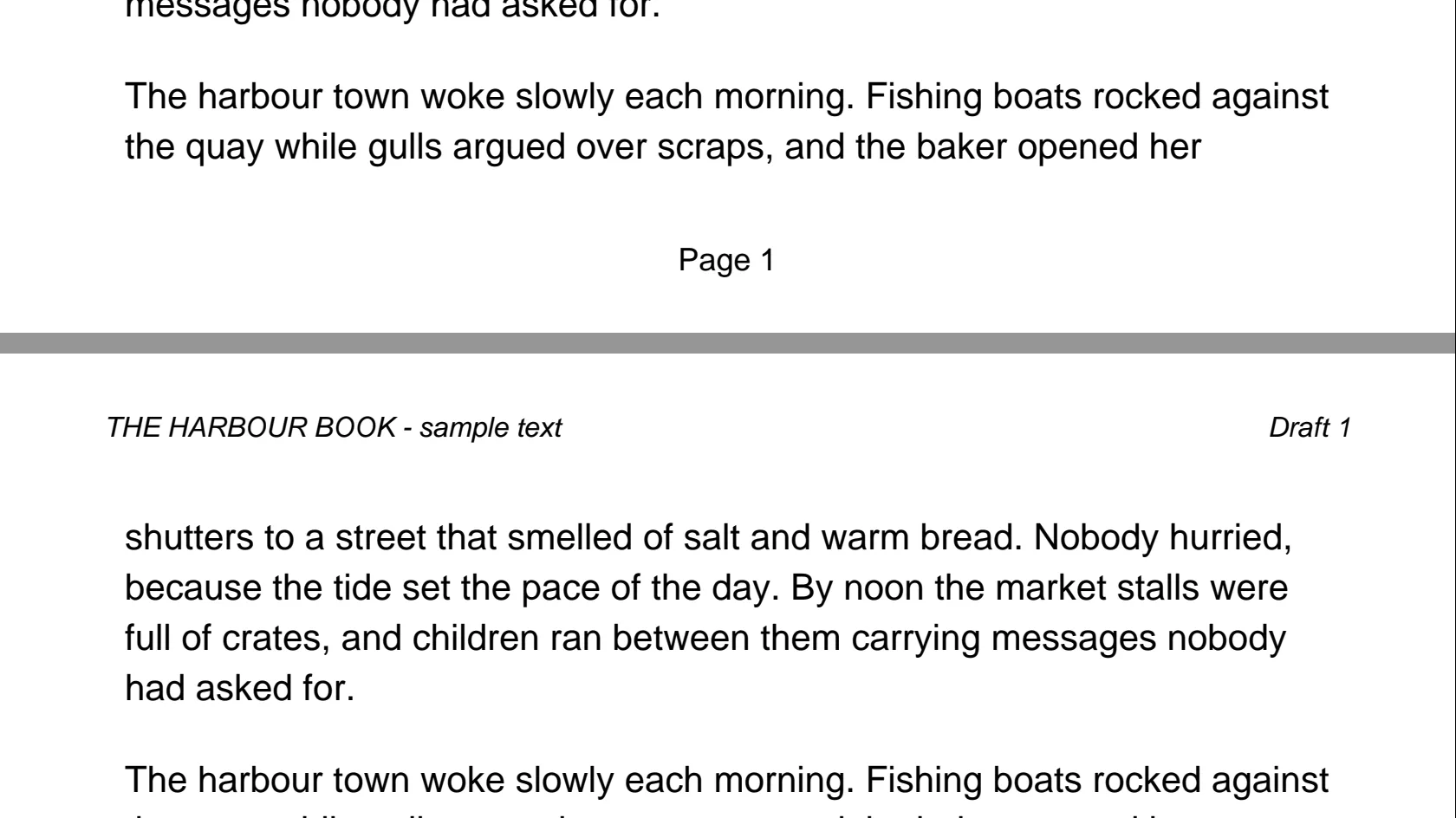
You get an EPUB that a reading app can resize and reflow. Running headers and page numbers from the PDF can end up inside the sentences, and our test below shows how.
To convert pdf to epub, add the PDF, keep EPUB as the output and download the result. The text is pulled out of the pages and rebuilt as reflowable text, so a reading app can change the font size. It suits a text-based book with one column. In our test a 12-page PDF became an EPUB in 7.9 seconds, but the running header and page numbers leaked into the sentences, and an image-only scan produced an EPUB with no text at all.
Transfers use HTTPS, and files converted on the free tier are deleted after 24 hours, so the result is not a long-term archive. Quality depends on the source file, so open the EPUB file once before you share it.
Need more PDF options? Open the PDF Converter hub.
PDF (Portable Document Format)
A PDF fixes every line at an exact spot on a page and does not record where paragraphs, headings or columns begin. To make the text reflow, the converter has to guess those boundaries, which is where most problems start.
EPUB (Electronic Publication)
A reflowable ebook: a ZIP package of XHTML chapters with a table of contents. In our test the converter wrote EPUB 2.0, an older revision of the standard. The current one is EPUB 3.3 from the W3C. We only checked the file structure and did not open the file on a device.
A 12-page A5 text PDF (17,602 bytes) made by us, with a running header, page numbers, a figure and bookmarks, converted on indox.org
In our test the output was reflowable XHTML, not a fixed-layout copy of the pages. A reading app can change the font size and margins, and the lines wrap again.
Our sample PDF had three bookmarks, one per chapter, and the EPUB got a table of contents with the same three entries. We did not test a PDF without bookmarks.
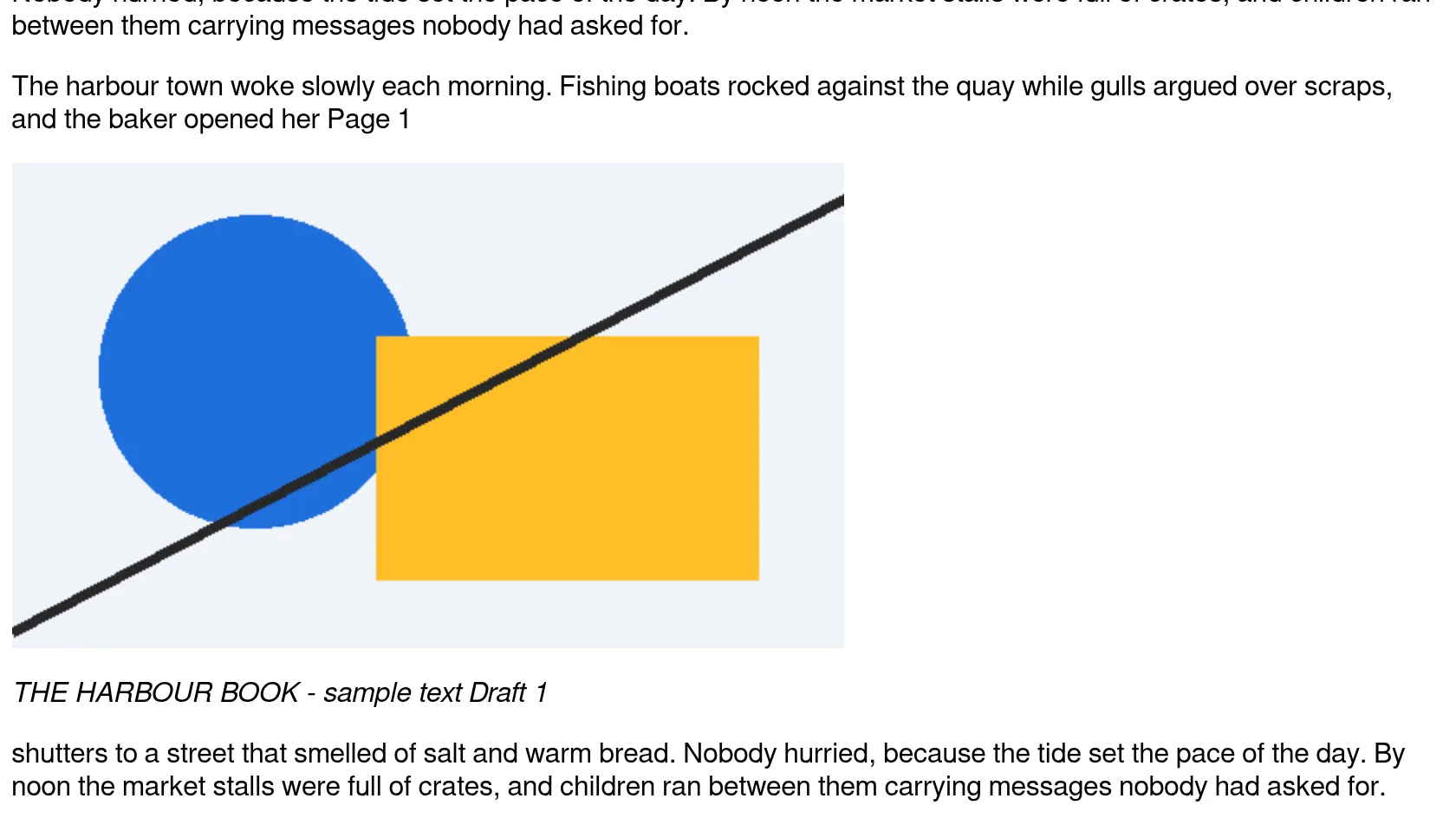
The figure in our sample was kept as an embedded PNG, and the caption text stayed beside it.
The two-column chapter in our sample came out in the right order. A real journal paper with footnotes and narrow columns can behave differently, so treat this as one data point.
| Kind of PDF | What to expect | What to do |
|---|---|---|
| Text book, one column, no running header | The best case. Text reflows, and bookmarks became a table of contents in our test | Convert it and check the first chapter |
| Book or report with a running header and page numbers | Headers and page numbers leaked into the text 12 times out of 12 pages in our test | Convert it, then clean the text in an ebook editor, or export from the source document without headers |
| Two-column paper | Our sample kept reading order, but the calibre manual says multi-column input is not supported | Convert a page or two first, and read figures and tables in the PDF |
| Scanned or photographed pages | The EPUB holds page images and no text | Run OCR on the PDF first, or use the PDF itself |
| Slides, forms, tables, math | Layout is the content, and it does not survive reflow | Keep the PDF, or use PDF to DOCX to edit it |
Open the PDF and try to select a sentence with the cursor. If you can select it, the text layer exists. If you can only select the whole page as one block, the PDF is a picture and the EPUB will hold page images.
Drop the file on the box or choose it from your device, keep EPUB as the output and start. In our test a 12-page PDF took 7.9 seconds from the click to Completed.
Open the EPUB in your reading app. Look at the first chapter for stray headers and page numbers, then open the table of contents, and change the font size to confirm the text reflows.
You hand over a PDF and get an EPUB without installing anything. This page also says what the converter does badly. We measured it on a sample with a running header, page numbers, a figure and bookmarks, and we show the result as it came out.
The upload box shows the live size limit before you add a file. Signing in raises it; a paid plan does not change it.
PDF in, EPUB out. Pick another output on the converter if you need a different format.
Files are encrypted in transit over HTTPS and processed on indox infrastructure.
Free-tier files are kept for 24 hours after the job finishes, then deleted automatically.
| What you see | Why | What to do |
|---|---|---|
| Page numbers and a title appear inside sentences | The PDF header and footer are plain text on every page, and the converter reads them as body text | Remove them in an ebook editor, or convert from the source file if you still have it |
| The EPUB has page pictures and no selectable text | The PDF was a scan with no text layer | Run OCR on the PDF, then convert again |
| Chapter titles look like bold body text | The converter did not mark them as headings | Mark the headings in an ebook editor |
| No table of contents | The PDF probably has no bookmarks | Add bookmarks to the PDF, or build the table of contents in an ebook editor |
| The reading app complains about the file | Our sample had 6 validator errors, none fatal | Try another reading app, or repair the file in an ebook editor |
| Compared on | EPUB | |
|---|---|---|
| Layout | Fixed: every line has an exact position on a page | Reflowable by default: the text fits the screen and the reader's font size |
| Structure | Pages; paragraphs and headings are not recorded | ZIP package of XHTML chapters with a table of contents |
| Best for | Print, forms and exact page appearance | Reading on phones and e-readers |
| Standard | ISO 32000 | Maintained by the W3C; EPUB 3.3 is the current version |
| Converting between them | Needs the converter to guess paragraphs and headings | Reverse direction: see EPUB to PDF |
Facts checked on November 4, 2026
No tool matches that search.
Yes for a text PDF. In our test the EPUB was reflowable XHTML, not a fixed-layout copy, so a reading app can change the font size and the lines wrap again. A scanned PDF is the exception, because its EPUB holds page pictures that do not reflow.
EPUB is an open standard, and reading apps and most e-readers support it. We checked the file with epubcheck but did not open it on a device, and we did not test Kindle. Check your device's documentation before you rely on it.
A PDF does not mark a header or a footer as separate from the body, so the converter reads them as text. In our test the header, Draft 1 and the footer each appeared 12 times in 12 pages, and about 20 sat inside a sentence. The calibre manual describes the same behaviour.
If the PDF has bookmarks, probably. Our sample had three bookmarks and the EPUB got three entries. We did not test a PDF without bookmarks, and the calibre manual says tables of contents are not supported for PDF input, so treat it as something to check.
The conversion runs, but the result is not useful. Our 12-page scan finished with no warning, and the EPUB held 12 page images and 0 words. The converter has no OCR step, so run OCR first if you want text.
The converter has to guess the reading order from where text sits on the page. In our sample the two-column chapter came out in order, but the calibre manual says multi-column documents are not supported, so check a real paper before you trust it.
The page showed no size limit when we ran it, and we only tried small files. A very large file may take long enough to hit a processing time limit. We make no promise about a maximum size.
We did not test one, so we cannot say what happens. Remove the password in a PDF viewer first if you have the right to do so.
Select a sentence in the PDF. A single column of real text, with no running header, converts best. Scans, tables, math, right-to-left text and layouts with several columns are the likely problems.