Files other than PDF are converted first. Signing in raises the size limit.
You add
One PDF
You set
Nothing to set
You get
Each script listed, with its place in the file
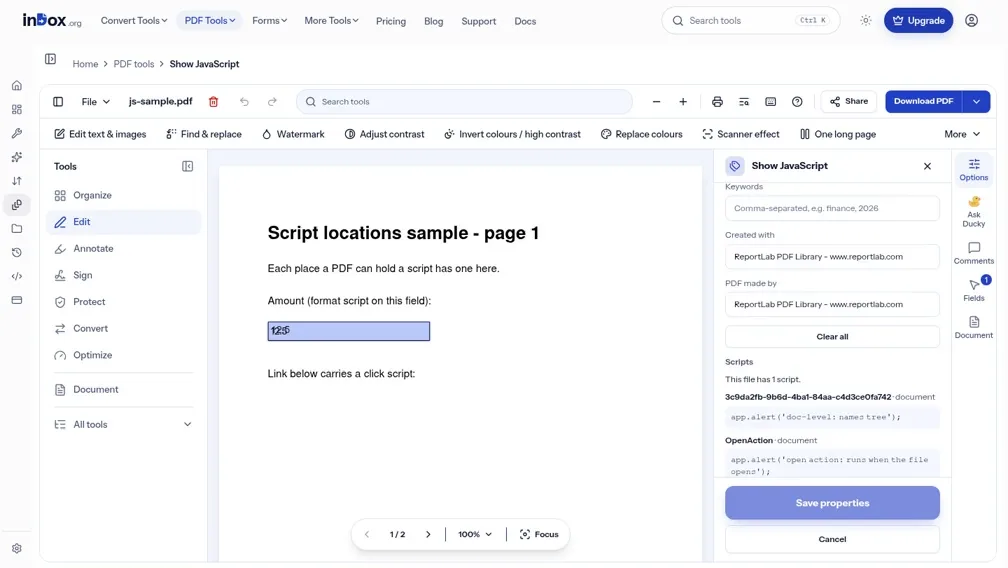
A PDF can carry JavaScript that a desktop reader may run when the file opens, when a page opens, or when you click or fill in something. Most PDFs have none. This page is for anyone who wants to see what a PDF's scripts say before opening it in a desktop reader, such as the person who got an unexpected attachment, someone checking a form, or a developer tracing a calculation. It opens the Properties panel in the editor. The panel's Scripts row has a Show the scripts button that lists each script with its location in the file and its code as plain text. The code is only displayed, never run. In our test on 5 November 2026 the panel listed all five scripts of a sample we made, in 3.6 seconds from the click, and the first one carried a long code in place of a readable name. The panel is shared with the file's pages, size and details. It lists JavaScript only: it is not a malware scanner, and it does not judge whether a script is harmful. To remove scripts, use Sanitize PDF. A file with a password has to be unlocked first.
Our own 2-page PDF, 5,411 bytes, with one script in each of five places
Scripts in the fileour own count, made before the upload
5 scripts
Scripts listed by the panelname, location and code for each, none run
5 scripts
Upload to the Scripts rowin our test
6.3 s
Click to the full listin our test
3.6 s
Downloads offeredthe input file was unchanged
0 files
Measured on indox.org on 5 November 2026: an anonymous run on a PDF we made, with scripts in five places. We counted the scripts ourselves first, then pressed Show the scripts. This page changes nothing, so there is no before and after to compare.
What can you do when you show a PDF's JavaScript?
See each script and where it sits
The list gives every script a name, a location such as document, and its code. The engine reads six places: the document-level scripts, the open action, the document's additional actions, each page's additional actions, link and button actions, and form field actions.
Read the code on screen
Show the scripts prints the code in the panel as text. There is no file to download and open in an editor.
See the file's other facts
The panel also shows pages, file size, attached files and the document details, so you can judge the file as a whole.
Know how to remove them
The panel's own note says scripts can run when the file opens and that Sanitize takes them out.
What showing JavaScript keeps and changes
Stays the same
The whole file, scripts included.
Every property and every page.
The file you have on your device.
Changes
Nothing. The scripts are only displayed, and in our test no download was offered.
Show scripts, remove them, or look at something else
You want to
Use
What it does
Read a PDF's scripts without changing the file
UseThis page
What it doesLists each script with its location and code, and runs none
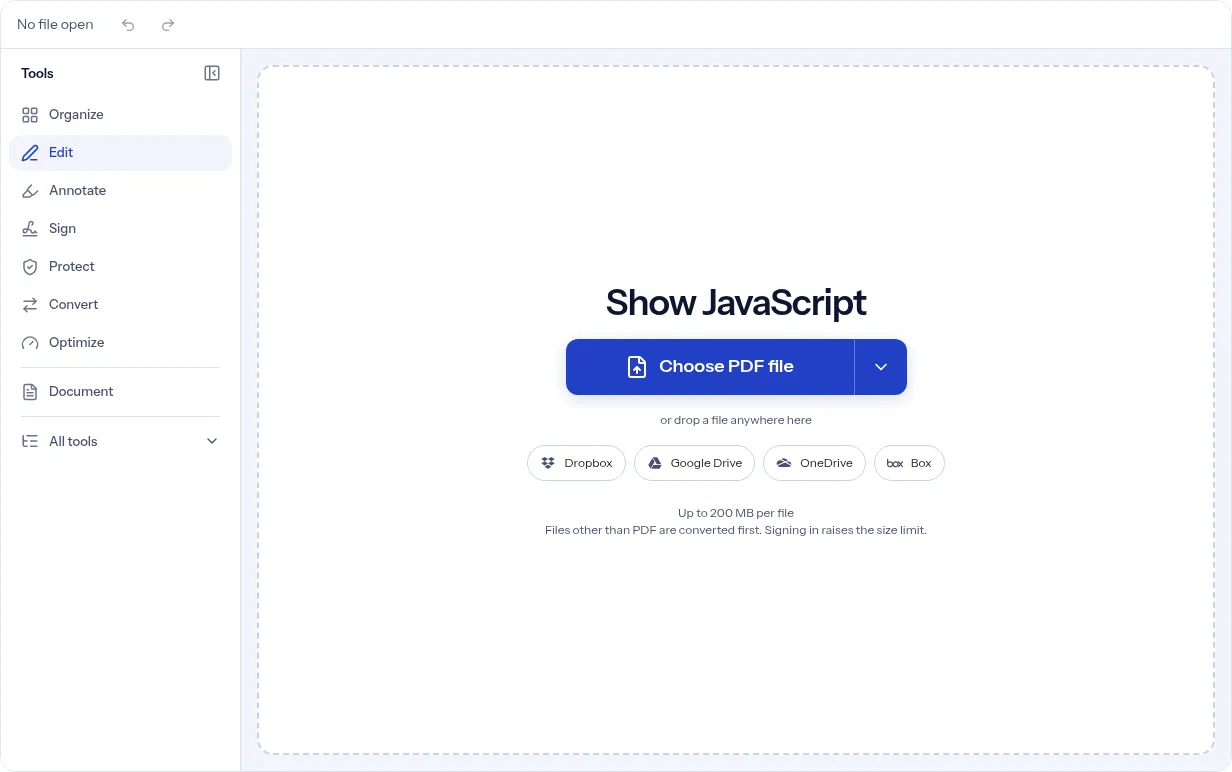
Add the PDF in the upload area. The Properties panel opens and reads the file.
1 / 3
2
Press Show the scripts
Find the Scripts row in the panel and press Show the scripts.
2 / 3
3
Read each script
Each entry gives a name, where it sits in the file and the code. To get rid of the scripts, use Sanitize PDF.
3 / 3
Why show PDF JavaScript with indox?
Checking a PDF for scripts used to mean downloading a text file and opening it elsewhere. Here the scripts are listed on screen, each with its place in the file, and nothing runs. The tool displays what the file holds. It does not judge whether the code is harmful and it does not remove anything.
Each script listed with its location
Code shown on screen, nothing to download
The code is displayed, never run
Pages, size and details in the same panel
A pointer to Sanitize for removal
What are the limits when you show a PDF's JavaScript?
File size
A visitor who is not signed in can check a PDF of up to 200 MB, within a daily free allowance. A signed-in account can upload up to 200 MB per file.
Where it runs
The scripts are read on indox's server with a PDF parser that never runs them, so the PDF is uploaded over HTTPS. If you are not signed in, the upload and the result are deleted 24 hours after the job finishes. A signed-in account keeps them in its history until you delete them, for at most 180 days, and you can choose 24 hours or 30 days instead. Either way indox keeps a record of the job, such as the file name and its status, not the file.
Limits worth knowing
Showing a script does not remove it. In our test on 5 November 2026 the panel offered no download and the file was unchanged, so every script stays in your PDF. To get a copy without scripts, use Sanitize PDF.
In our test on 5 November 2026 the first script was listed under a long code (3c9da2fb-9b6d-4ba1-84aa-c4d3ce0fa742) instead of a readable name. That code is the key the file stores the script under. Read the location and the code below it to tell the scripts apart.
This page is the shared Properties editor, so it has no result screen of its own. In our test its main button still read Save properties. To get a PDF without scripts, use Sanitize PDF.
The engine looks in six places: document-level scripts, the open action, the document's additional actions, each page's additional actions, link and button actions, and form field actions on the page. It does not read XFA form scripts, RichMedia or 3D scripts, scripts inside attached files, or actions on bookmarks. For those, check the file in a desktop tool.
Our test used one two-page sample with five scripts, and we did not run a file without scripts or a locked file. Other files can behave differently.
Only JavaScript is listed. Other actions a PDF can carry, such as opening a web address or launching a file, are not shown, and fonts, images and attached files are not checked for exploits.
The panel shows scripts and does not decide whether they are harmful. Reading the code is up to you.
A password-protected file must be unlocked first.
When the result is not what you expected
What you see
Why
What to do
The first script has a long code as its name
WhyThe code is the key the file stores a document-level script under
What to doRead the location and the code below it. The name is not a label a person chose.
The panel's main button says Save properties
WhyThis page is the shared Properties editor and only reads the scripts
What to doThere is nothing to download here. Use Sanitize PDF for a copy without scripts.
A script you know is in the file is not listed
WhyIt sits in a place this page does not read, such as XFA, RichMedia, 3D or an attached file
What to doCheck the file in a desktop tool. See List attachments for attached files.
Add the PDF here and press Show the scripts in the Properties panel. It says This file has no scripts, or gives the number it found and lists each script with its location and its code as text on screen. Nothing is run.
Does it run the scripts?
No. The code is displayed as text only. In our test on 5 November 2026 no script dialog appeared.
Does it remove the scripts?
No. In our test the file was unchanged and no download was offered. Sanitize PDF removes scripts.
Where in the PDF does it look for scripts?
In six places: document-level scripts, the open action, the document's additional actions, each page's additional actions, link and button actions, and form field actions on the page. It does not read XFA, RichMedia or 3D scripts, scripts in attached files, or actions on bookmarks.
Is a PDF with scripts dangerous?
Not necessarily. Harmless files can carry scripts. Didier Stevens, who writes PDF analysis tools, notes that an open action or additional actions run when the file is viewed, and that this combined with a script is very suspicious. Reading what the code does is the safe first step.
Can it tell me whether a PDF has malware?
No. It lists the JavaScript in the file and shows its code, which is one common sign to look for. It does not scan fonts, images or attached files for exploits, does not list actions that open a web address or launch a file, and does not judge the code. For a suspicious file, also run a malware scanner, and use Sanitize PDF to strip the scripts.
Do I need an editor or a download?
No. Add the PDF and press Show the scripts, and the code appears in the panel. There is no file to download and no separate editor to buy.
Why does it say my file has a password?
Properties cannot be read from a locked file. Unlock the PDF first.
Why is the first script named with a long code?
In our test the first script was a document-level one, and it was listed under the key the file stores it under, a code like 3c9da2fb-9b6d-4ba1-84aa-c4d3ce0fa742. It is not a name chosen by a person. The location and the code beneath it tell you what it is.
Do I need an account to check a PDF for JavaScript?
No. It works without signing in, within a daily free allowance and a 200 MB cap per file. Signing in raises the cap to 200 MB.
What happens to the PDF I upload?
It is sent to indox over HTTPS and read by a parser that does not run the scripts. If you are not signed in, the upload is deleted 24 hours after the job finishes; with an account it stays in your history until you delete it. The file on your device is not changed.