Turn left, 180° or right
Three buttons turn the pages you chose: Turn left, Turn 180° and Turn right. Turns add up, so Turn right twice gives a half turn, and Reset puts every page back. Pick Turn 180° for pages that went into a scanner upside down.
or drop a file anywhere here
Files other than PDF are converted first. Signing in raises the size limit.
This page is for anyone whose scanned, photographed or exported PDF has some pages sideways or upside down and who wants a corrected file to keep. Rotating a PDF turns its pages in quarter turns so that sideways or upside-down pages read the right way up. Your file opens as a grid of page thumbnails beside a Rotate panel. Pick the pages you want, or choose All pages, then press Turn left, Turn 180° or Turn right. Turned pages show their new direction in the grid right away, and nothing in the file changes until you press the Rotate button. The page content is left alone, so text stays selectable and images are not redrawn. What changes is the direction each page is shown in. You download a new PDF with the same pages in the same order. A scan that is tilted by a few degrees needs a deskew tool, because rotation here works in quarter turns only.
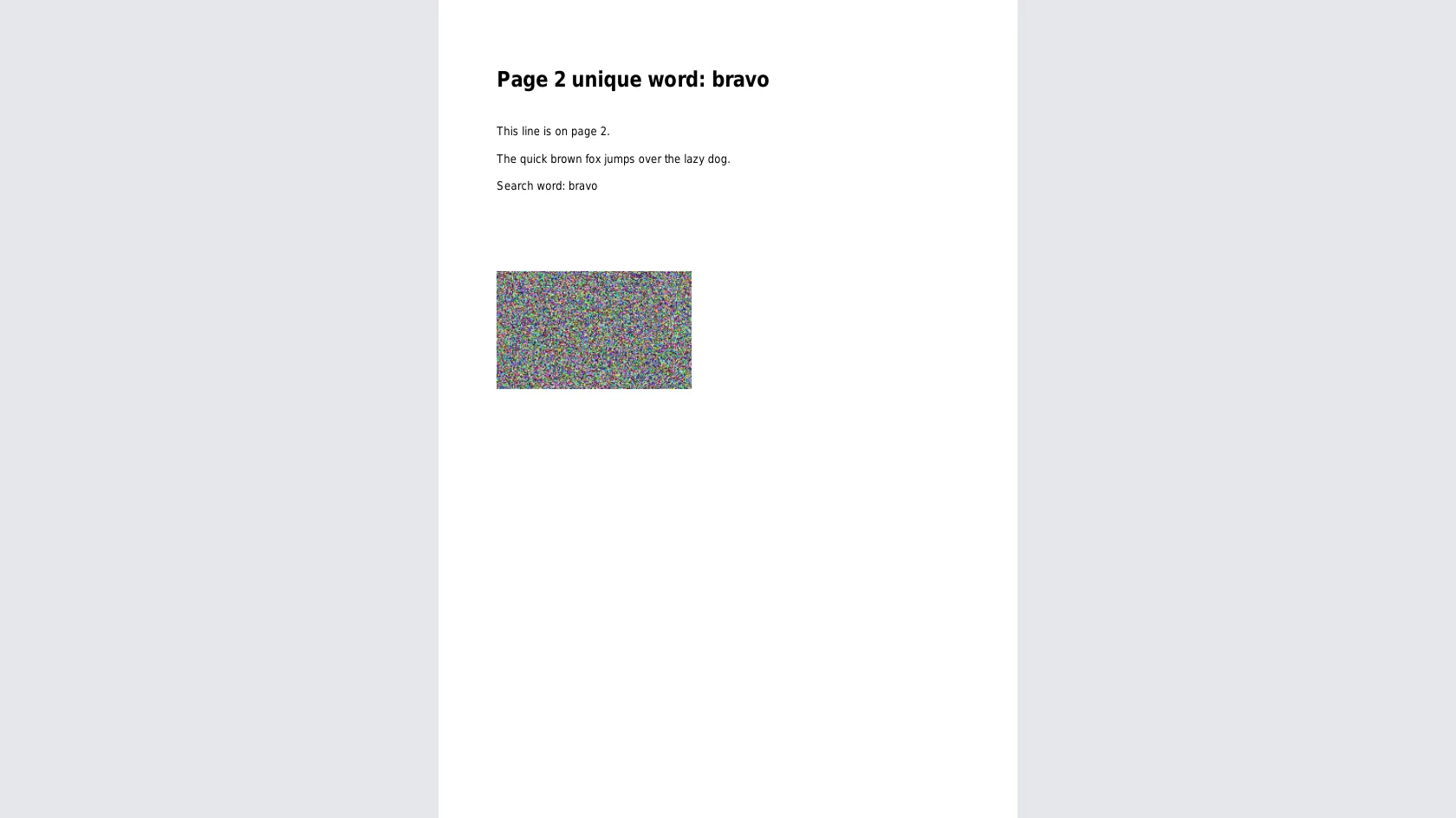
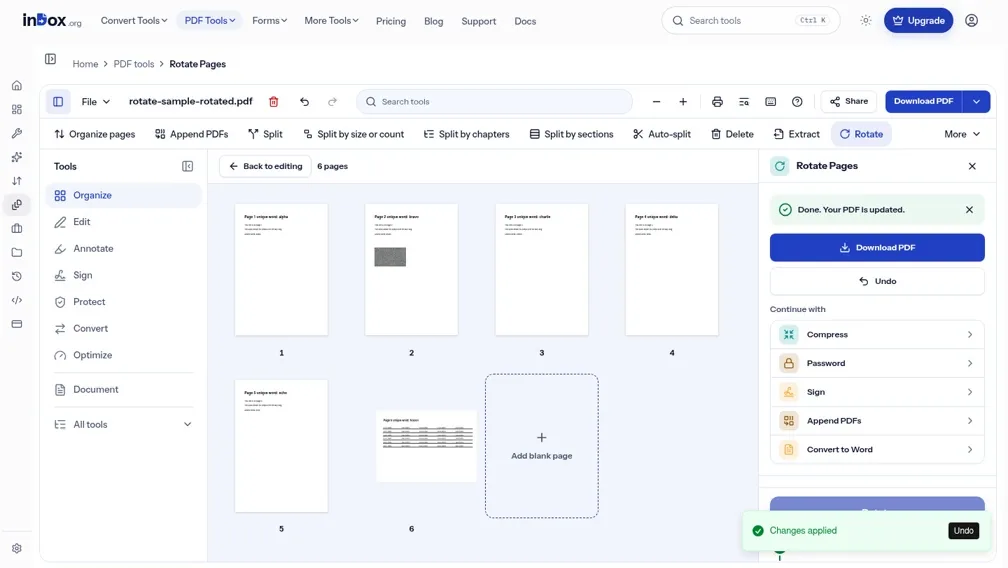
A 6-page test PDF we made (96 KB), with pages 2 and 4 stored sideways, rotated on indox.org

Three buttons turn the pages you chose: Turn left, Turn 180° and Turn right. Turns add up, so Turn right twice gives a half turn, and Reset puts every page back. Pick Turn 180° for pages that went into a scanner upside down.
Click thumbnails in the grid, use the quick picks Odd pages, Even pages, Select all, Invert selection and Clear selection, or type pages in Pages to turn, such as 1-3, 5 or 8- for page 8 to the end. Persian digits work. Under Turn, choose the selected pages or All pages.
The tool starts from a copy of your document and changes only the rotation setting of the pages you turn. Pages stay in the same order, and none are added or removed. In our test all 6 bookmarks of the sample were still there. Our test did not check form fields or attached files, so check those after rotating.
A page number past the last page, or an entry the box cannot read, shows a message under Pages to turn, and your pick stays as it was. Correct the list or click the thumbnails instead. Nothing runs from a list the tool could not read.
| The page looks | Choose | Why |
|---|---|---|
| Turned onto its right side, so the top points left | Turn right | A turn to the right brings the top back to the top. |
| Upside down | Turn 180° | A half turn puts it the right way up. |
| Turned onto its left side, so the top points right | Turn left | A turn to the left is a quarter turn counterclockwise, which puts the top back on top. |
| Only a few pages are wrong | The turn, plus the pages | Pick only those pages in the grid, or type them in Pages to turn, for example 2, 5-6. The other pages stay as they are. |
Drop the file on the upload box at the top of this page, or click the box to browse. The tool takes one PDF per job, and it opens as a grid of page thumbnails.
Click thumbnails or type pages in Pages to turn. Choose the selected pages or All pages, then press Turn left, Turn 180° or Turn right. The grid shows each turn right away.
Press Rotate. The panel shows the job's progress, then the steps: upload, the work and getting the result. Cancel stops the job and leaves the file unchanged. When it finishes, press Download PDF to save the file, or Undo to take the change back.
Sideways pages usually come from a scanner or a phone camera, and the fix should last. indox writes the new direction into the PDF itself, so a viewer that honours the page rotation setting opens the pages upright. In our test, Poppler rendered the turned pages upright. You pick pages by clicking thumbnails or by typing them, which is quick when you already know that pages 4 and 9 are the sideways ones, and the grid shows each turn before you save. A list the tool cannot read shows a message instead of running, so you never receive a file where only some of the pages you picked turned. We rotated one file without an account or a payment. The turn is written on indox's server, and when you are not signed in your PDF and the rotated copy are deleted there after 24 hours.
| What you see | Why | What to do |
|---|---|---|
| A message appears under Pages to turn | A page number is past the last page, or an entry cannot be read | Correct the list. Use numbers and ranges such as 1-3, 5 or 8-, or click the thumbnails. |
| Some pages turned the wrong way | The turn adds to the direction each page already had | Press the opposite turn for those pages, or press Reset before you press Rotate. |
| The scan is tilted by a few degrees | Rotation works in quarter turns only | Straighten it in a scanner or image program first, or crop its edges with Crop PDF. |
| The file asks for a password | It is password-protected | Enter its password when the editor asks. Rotate runs with it, or remove it for good with Unlock PDF. |
| The pages are still in the wrong order | Rotation does not move pages | Change the order with Reorder Pages. |
| A page looks right in one program and wrong in another | Some programs ignore the page rotation setting, or turn only the view | Open the downloaded file, not the one you were viewing, in a second program. If one program still shows it wrong, check that program's own rotate or view settings. |
| The rotation vanished after you closed the PDF in a viewer | The viewer's rotate command changed only the view and was not saved | Rotate the pages here and download the new PDF. The turn is written into that copy. |
| The new file is a different size | The file is saved again and its streams can be encoded differently | This is expected. In our test 95,888 bytes became 77,412 with identical decoded content. Compare the pages to confirm they look right. |
| A signature box sits in the wrong place after rotating | The box may not follow a page's rotation | Check the signed pages before you send the file. |
Sources are listed under References. indox uses the first column.
| Compared on | Set the page rotation value | Rewrite the page content | Turn the view in a viewer |
|---|---|---|---|
| Where the turn is stored | In the page's Rotate entry, a clockwise multiple of 90 degrees | Inside the page's drawing instructions | On screen only, unless the program saves the file |
| Angles | Multiples of 90 degrees | Any angle, which is how a slightly crooked scan is straightened | Depends on the program |
| Effect on text and images | Not redrawn. In our test the decoded content was identical | Content is rewritten and every position changes | None on the file |
| Reopening the file elsewhere | Stored in the file. Programs that read the Rotate entry show it | Stored in the file as part of the content | Lost unless the program writes it into the file |
| Used by indox | Yes | No | No |
A sheet feeder or a phone scan often saves some pages sideways or upside down. Pick those pages, choose the turn, and the document reads top to bottom again.
Wide tables and charts exported in landscape can sit sideways inside a portrait paper. Turn only those pages so they are readable on screen.
Invoices, contracts and forms should open upright before they go to a client or into an archive. The direction is saved in the file you download, so the recipient does not have to fix it.
Facts checked on November 5, 2026
Click that page's thumbnail, or type its number in Pages to turn. For odd or even pages use the quick picks Odd pages and Even pages. Press Turn left, Turn 180° or Turn right, then press Rotate. The other pages keep their direction. In our test, turning pages 2 and 4 of 6 left pages 1, 3, 5 and 6 unchanged.
Press Turn left. It turns the pages you chose a quarter turn counterclockwise.
The new direction is written into the PDF you download, as the rotation setting of each turned page. In our test the setting changed on pages 2 and 4 and Poppler showed them upright. We checked one renderer, not every viewer, so open the file in the program you will use. Before you press Rotate, Reset puts every page back, and after the job Undo is available.
The tool changes the direction a page is shown in and leaves the text and images as they are. In our test the decoded page content, the embedded image and the extracted text were identical before and after. The file is saved again, so its size can change: our 95,888-byte sample came out at 77,412 bytes because its streams were encoded differently, with the same decoded data.
Yes. Turns apply per page, so select some pages and press Turn right, select others and press Turn 180°, then press Rotate once.
No, only 90, 180 and 270 degree turns are available, so a page that is off by a few degrees stays that way.
A message such as Page 12 is past the last page (10) appears under Pages to turn, and your pick stays as it was. Fix the list and carry on.
No. We rotated a 6-page file without signing in. Signed out, a daily free allowance applies and the PDF can be up to 200 MB. Signing in raises that to 200 MB.
Many viewers have a rotate command that turns only the view on screen. Unless the program saves the file, the page keeps the direction written in it. Rotate the page here, download the new PDF and open that copy: the turn is stored in the file.
Our sample pages 2 and 4 were stored at 270. After one turn to the right they were stored at 360, not 0. The PDF page rotation entry is a multiple of 90 degrees, so 360 is valid, and Poppler rendered those pages upright.