Files other than PDF are converted first. Signing in raises the size limit.
You add
One PDF
You set
Stamp text or an image, how it looks and where it goes, and which pages
You get
The PDF with the stamp on the pages you chose
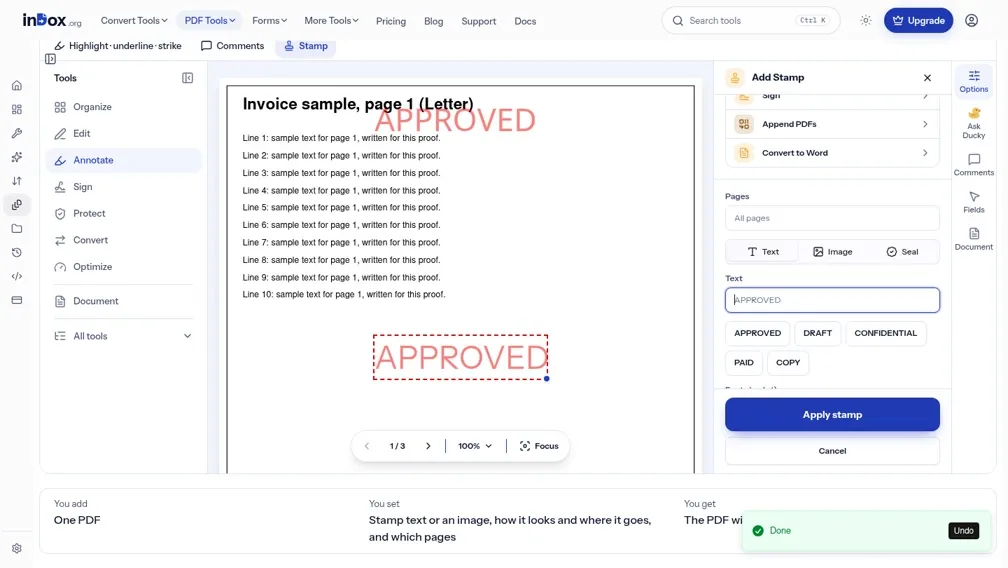
Use this page to mark a finished PDF once, with APPROVED, DRAFT, PAID or a logo, without installing software. A PDF stamp is a mark placed on a page to show a status or an owner. Add your PDF and choose the Text, Image or Seal tab. For text, pick one of the common stamps (APPROVED, DRAFT, CONFIDENTIAL, PAID, COPY) or type your own. For an image, choose a PNG or JPEG from your device. Then set the position on a nine-spot grid, the rotation, the opacity and which pages get the stamp, and press Apply stamp. The panel draws a dashed box for the stamp before you apply it, and Undo takes the stamp off again while you are in the editor. In our test the stamp became part of each page, not a separate annotation. It is suited to files whose pages are all one size: on a file with mixed page sizes the stamp landed in different places in our test, so check every page of the result.
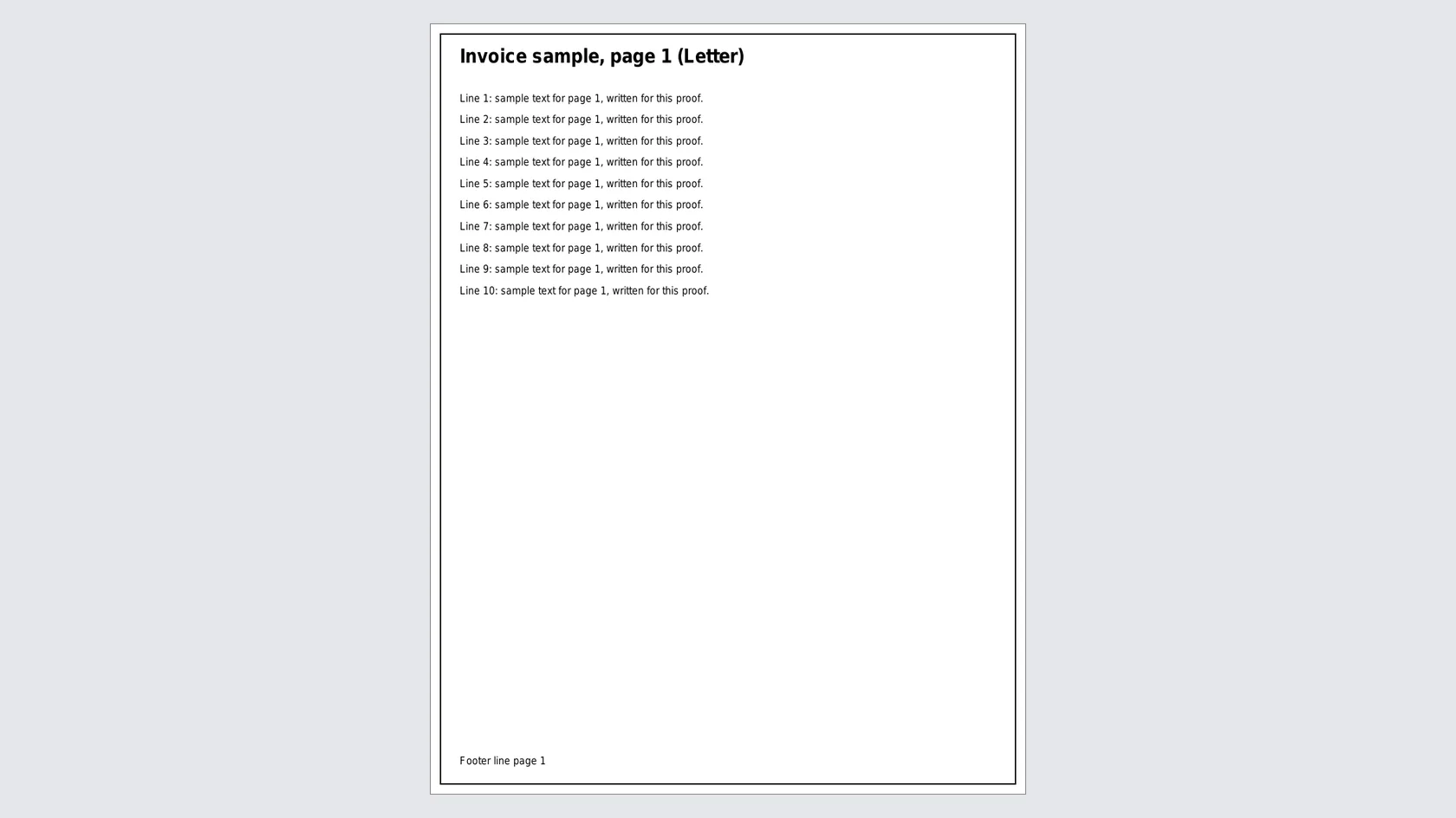
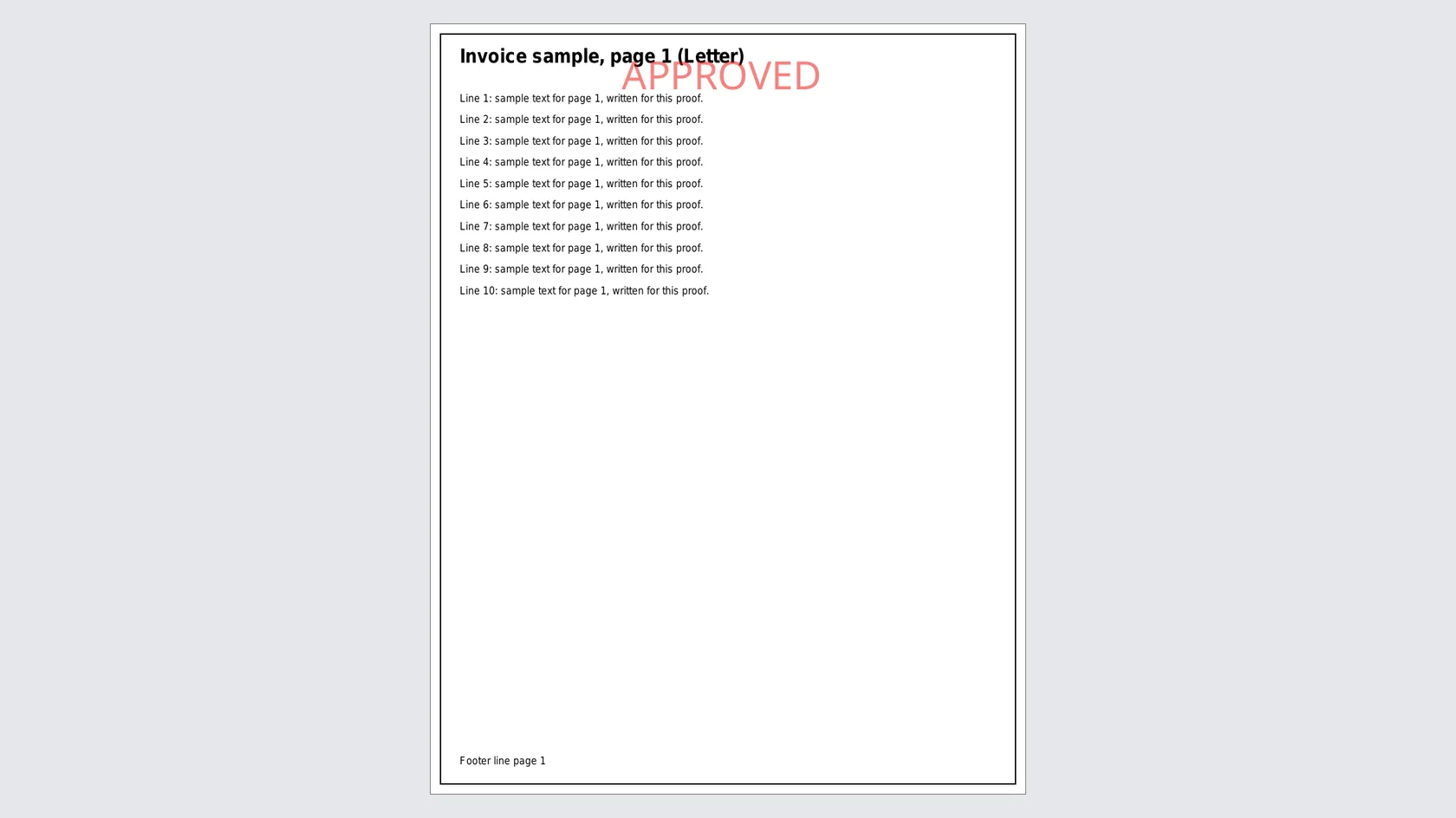
A three-page PDF with Letter, A4 and 300 × 400 pt pages, stamped APPROVED on indox.org
Page 1, Lettergap from the top edge, stamp inside the page
38.2 pt
Page 2, A450 pt lower than on page 1
88.6 pt
Page 3, 300 × 400 ptstamp entirely off the page, no warning shown
off the page
Position 9, Lettergap from the bottom edge, inside all 3 pages
78.5 pt
Page 1 beforePage 1 stamped
Measured on indox.org on 5 November 2026: APPROVED, 40 pt, red, 50% opacity, position 2, all pages, anonymous. The slider shows page 1 only, where the stamp landed correctly. It covers part of the heading. On page 3 it did not land at all.
What can you do when you add a stamp to a PDF?
Pick a common stamp or type your own
Common stamps (APPROVED, DRAFT, CONFIDENTIAL, PAID, COPY) fill the text box with one click, and the box stays free for any other words. Text in Persian, Arabic and other scripts works too: indox draws it as an image on the page.
Stamp an image instead
On the Image tab, choose a PNG or JPEG from your device, such as a logo or a scanned seal. An image stamp has its own height box, from 8 to 300 pt and 40 pt to start, and the font size box applies to text only.
Make a company seal
The Seal tab draws a company seal from a name and an optional second line, such as Approved or a registration number. Pick a round, rectangle or badge shape and an ink colour, and set its size from 30 to 300 pt; it starts at 113 pt, about 4 cm.
Set colour, size, position, rotation and opacity
Text stamps come in red, blue, green, black or grey, with a font size that starts at 40 points. Position is a nine-spot grid that starts in the middle. Rotation is in degrees and starts at 0. Opacity is a slider from 5% to 100% that starts at 50%.
Stamp every page or only some
Leave Pages empty to stamp all pages, or type page numbers and ranges such as 1-2,5 to stamp only those. In our test we stamped all pages.
See the stamp before you apply it
A red dashed box shows where the stamp will land before you apply it, with a corner grip to resize it. If the box runs past a page edge, the panel says so and asks you to make it smaller or pick another position.
What stamping keeps and changes
Stays the same
The page count, the page order and the page sizes. Our 3-page sample stayed 3 pages, with the same three sizes.
The text and images already on the pages. The stamp is drawn over them and removes nothing.
The PDF on your device. You download a new copy.
Changes
The stamp goes on every page, or only on the pages you typed.
It sits at the grid spot you chose, with the rotation and opacity you set. On mixed page sizes it landed in different places in our test.
The stamp is page content with no annotation. Its opacity was 0.5 in our test, the default of 50%.
File size: 3,029 bytes became 7,319 bytes in our test, because the stamp text adds a font.
The stamp text can be extracted from the page like any other text.
Where the stamp is solid, it covers what is under it.
Which position for which file
Your file
Position
What we measured
Every page is the same size, a status stamp such as APPROVED or DRAFT
Position2, top centre
What we measuredOn a Letter page the stamp sat 38.2 pt from the top and inside the page. It can cover a title, so keep the default 50% opacity and check.
Pages of different sizes
Position9, bottom right
What we measuredInside all three pages of our sample, with gaps from 14.2 to 78.8 pt. Position 2 failed on the smaller pages.
Any other position
Position1, 3, 4, 5, 6, 7 or 8
What we measuredNot measured. Apply the stamp, then check every page.
How to add a stamp to a PDF in 3 steps
1
Add the PDF you want to stamp
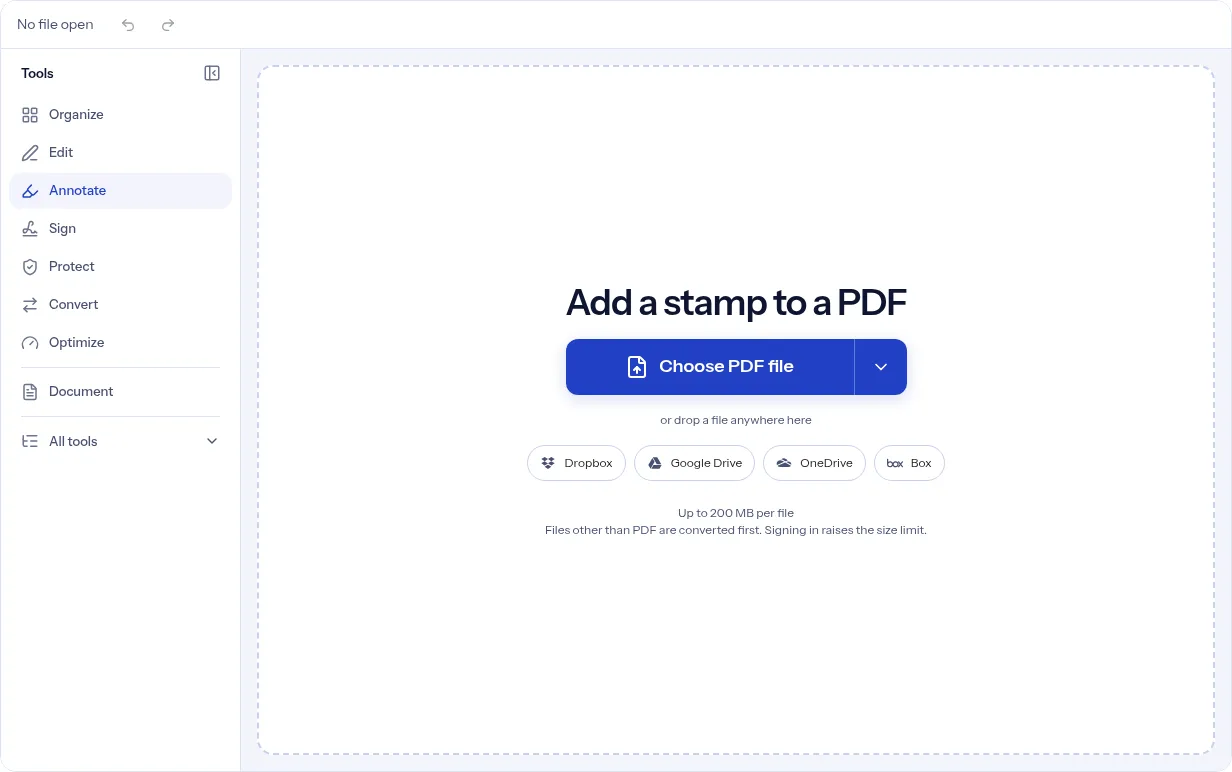
Drop the PDF on the upload area at the top of the page, or click to choose it: up to 200 MB when you are not signed in, or 200 MB with a signed-in account.
1 / 3
2
Choose the stamp and place it
On the Text tab, press a common stamp or type your own, then pick a colour and a font size. On the Image tab, choose a PNG or JPEG. On the Seal tab, type the company name. Then pick a position, a rotation, an opacity and, if you want, the pages.
2 / 3
3
Apply it and check every page
Press Apply stamp and scroll through every page of the result. On a file with mixed page sizes the stamp can land in the wrong place or fall off a smaller page with no warning. If a page is wrong, press Undo and try another position. When every page looks right, download the PDF.
3 / 3
Why stamp a PDF with indox?
The stamp panel puts the common cases one click away: APPROVED, DRAFT, CONFIDENTIAL, PAID and COPY, in a colour you pick, or an image of your own. You decide the position, rotation, opacity and which pages, and the panel shows a dashed box for the stamp before you apply it. Persian and other scripts work. We ran the tool ourselves on indox.org on 5 November 2026 and this page reports what we measured, including the cases where it fails. In that test we stamped without signing in and saw no limit in four runs. The PDF is uploaded over HTTPS and stamped on indox servers, not in your browser.
Common stamps in one click, or your own text
Text or an image, in the colour, size and place you set
Stamp all pages or only the ones you type
Persian and other scripts work
Tested without an account, and the failures are listed
What are the limits when you stamp a PDF?
File size
When you are not signed in, a PDF can be up to 200 MB, within a daily free allowance. A signed-in account can upload up to 200 MB per file. The server also caps the stamp text length, the font size and the rotation, and the panel names the cap when you pass it.
Where it runs
Your PDF, and the image or seal for an image stamp, are uploaded to indox's server, which stamps the pages and sends the file back; the dashed preview is drawn in your browser. If you are not signed in, the upload and the result are deleted 24 hours after the job finishes. A signed-in account keeps them in its history until you delete them, for at most 180 days, or for 24 hours or 30 days if you choose that. Either way indox keeps a record of the job, such as the file name and its status, not the file.
Limits worth knowing
Mixed page sizes (measured). In our test on 5 November 2026, we stamped APPROVED at position 2 on all pages of a 3-page PDF with a Letter page, an A4 page and a 300 × 400 pt page. The stamp sat 38.2 pt from the top on the Letter page, 88.6 pt from the top on the A4 page, and was completely off the 300 × 400 pt page, where we rendered no stamp pixels at all. The editor still said Done with no warning. The shifts match a position measured on page 1 and reused on the other pages. What to do: stamp files whose pages are all one size, or use position 9, which stayed inside all three pages in our test, and look at every page of the result before you send it.
A stamp does not hide or remove what is under it. The stamp is drawn over the page, so the text beneath stays in the file and can still be selected and copied. A stamp is not a redaction, so do not use one to cover private information.
The stamp becomes part of each page. In our test the output had no annotations, so annotation tools will not list the stamp and cannot take it off. Undo works only while you stay in the editor. Keep your original if you may need a clean copy.
We measured two of the nine positions, position 2 and position 9, on one sample. We did not measure the other seven, so check the page after you apply the stamp. Position is one of nine fixed spots, with no x and y fields.
Even at position 9 the corner is not evenly spaced. On the Letter page the stamp was 26.6 pt from the right edge and 78.5 pt from the bottom edge. Do not rely on it for an exact corner.
Persian and Arabic text is drawn as a picture. Our backend notes say its placement can sit a little lower than the preview shows. We did not measure that in this test, so check those pages.
An image stamp has to be a PNG or JPEG. The server sets the longest text, the biggest font size and the largest rotation, and the panel stops you with a message that names the limit.
One stamp is applied per run. For a second stamp, run it again.
When the stamp is not what you expected
What you see
Why
What to do
The stamp is missing from one or more pages, yet the editor says Done
WhyThe pages are different sizes. In our test the stamp kept page 1's position on every page, so on a smaller page it fell off
What to doUse a file with one page size, or position 9, which stayed on all three pages in our test. Check every page.
The stamp is lower or higher on some pages than on others
WhyMixed page sizes. On our A4 page it sat 50 pt lower than on the Letter page
What to doUse position 9, or stamp one page size at a time with Pages.
The text under the stamp can still be copied
WhyA stamp is drawn over the page and removes nothing
What to doDo not use a stamp to hide private text.
A tool that lists annotations does not show the stamp
WhyThe stamp is page content, not an annotation
What to doNothing to fix. To take it off, go back to your original file.
A message asks for text or an image
WhyThe Text tab has no text, or the Image tab has no image
What to doType text or press a common stamp. On the Image tab, choose a PNG or JPEG.
A message names a limit
WhyThe server sets a maximum for text length, font size and rotation
What to doUse shorter text or a smaller number.
The cover page is stamped too
WhyPages was empty, which stamps every page
What to doType the pages to stamp, for example 2-10.
Stamp from indoxIn the page content. Our output had 0 annotations on 3 pages
Stamp annotationA separate object that floats on top of the page
Can annotation tools remove it
Stamp from indoxNo, because it is page content
Stamp annotationYes, it is an object of its own
Flatten step needed to make it permanent
Stamp from indoxNo, it is permanent when you download
Stamp annotationYes, it has to be merged into the page first
Use when
Stamp from indoxYou send a finished copy and want the mark to stay
Stamp annotationReviewers should be able to move or delete the mark. For a word repeated across the page, use Watermark PDF
Who adds stamps to PDFs?
Office teams marking paperwork
Press PAID, or use your own seal as an image, and every page of a scanned invoice carries the mark in the same place.
Small businesses branding documents
A logo in a corner of each page ties a quote or a report to your company. Bottom right (position 9) stayed on the page in our test. We did not measure the other corners, so check the page.
Reviewers signing off drafts
An APPROVED or DRAFT stamp at a low opacity shows where a document stands without hiding the text underneath it.
When to add a stamp, and when to pick another tool
Putting a company logo in the same corner of every page of a report.
Marking each page of a scanned invoice PAID.
Adding DRAFT or CONFIDENTIAL to a document before it goes to a client.
Stamping an approval mark on only the pages that need it.
You want a word repeated across the page as a background. Watermark PDF is built for that.
Yes. On the Text tab, press APPROVED, DRAFT, CONFIDENTIAL, PAID or COPY, or type your own words. Then pick a colour and a font size.
Can I stamp an image, such as a logo?
Yes. On the Image tab, choose a PNG or JPEG from your device and set its height. The font size box applies to text only. To change the shape of a logo, resize the image before you choose it.
Can I add a company seal to a PDF?
Yes. On the Seal tab, type the company name and, if you want, a second line, then pick a round, rectangle or badge shape, an ink colour and a size. The seal is placed like any other stamp.
What do the nine positions mean?
They are a grid of three rows and three columns. The first row is the top of the page, the second the middle and the third the bottom. The stamp starts in the middle. We measured positions 2 and 9 only.
Does Persian or Arabic text work?
Yes. indox draws text in Persian, Arabic and other scripts as an image on the page, so it shows the way you typed it. Check the placement on those pages.
Can I leave some pages without the stamp?
Yes. Type the pages to stamp in Pages, such as 1-2,5. Leave it empty to stamp every page.
Why is my stamp missing or in the wrong place on some pages?
If the pages are not all the same size, the stamp can keep page 1's position on every page. In our test on 5 November 2026, a stamp at position 2 sat 38.2 pt from the top of a Letter page, 88.6 pt on an A4 page, and fell completely off a 300 × 400 pt page, with no warning. Use a file with one page size, or position 9, which stayed on all three pages in our test, and look at every page. Press Undo while you are in the editor to try again.
Is the stamp an annotation or part of the page?
In our test it was part of the page. The output had no annotations on any of its 3 pages, and the stamp text could be extracted from the page content. That makes it permanent for anyone who opens the downloaded file.
Does the stamp hide what is under it?
Only to the eye. The stamp is drawn over the page at the opacity you set, 50% by default, and the text under it stays in the file. For private information, a stamp is not a safe cover.
Do I need an account to add a stamp?
No. In our test on 5 November 2026 we stamped without signing in, four times. Stamping is free, and visitors who are not signed in have a daily free allowance.
Is my PDF uploaded?
Yes. The PDF is sent over HTTPS to indox and stamped on a server, not in your browser. If you are not signed in, the upload and the stamped file are deleted 24 hours after the job ends. Keep your original if you may need a clean copy. A signed-in account keeps them in its history instead.