Each detected table gets its own sheet
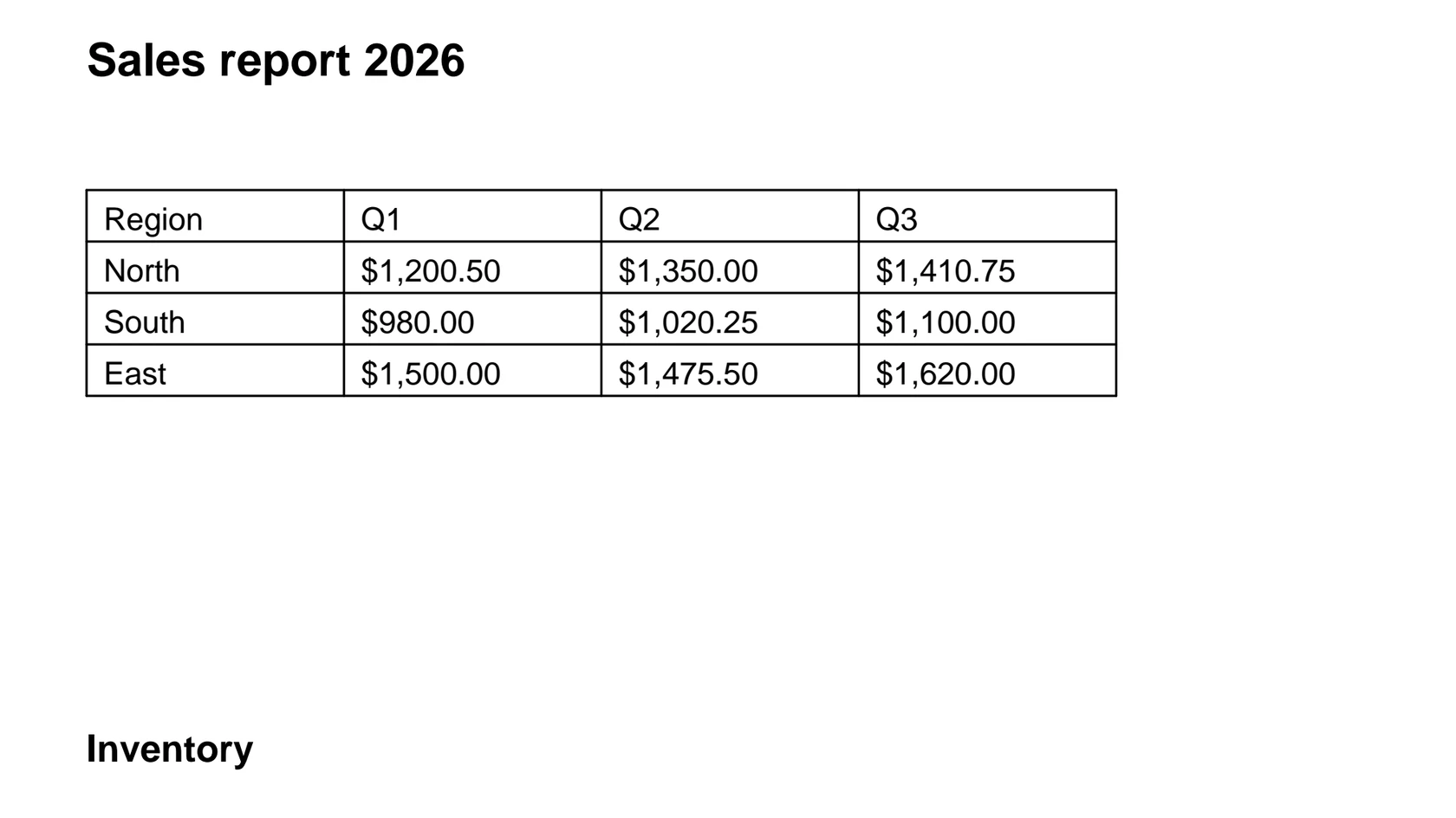
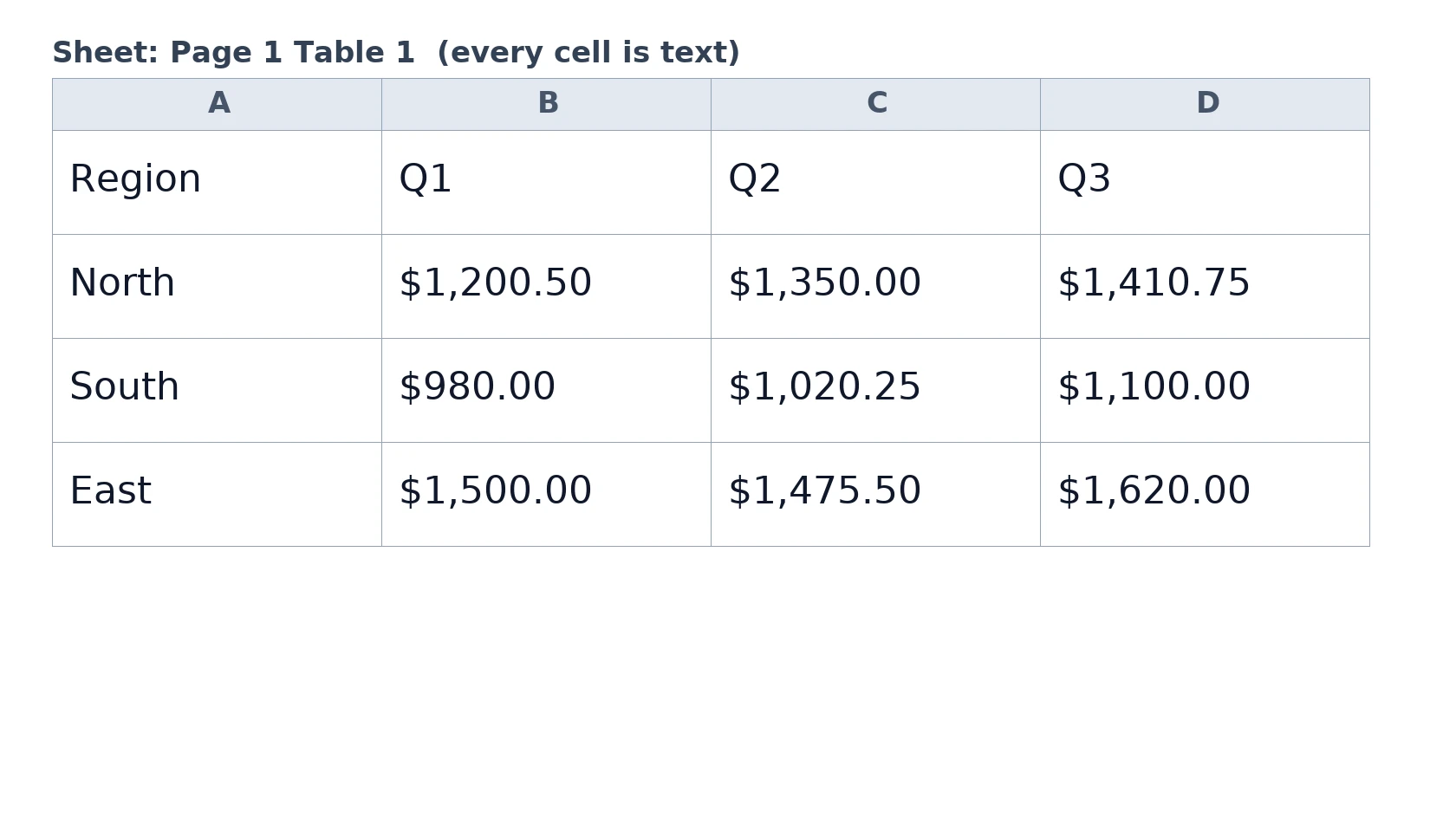
The converter finds tables in the PDF and writes each one to a separate sheet named after its page and position, such as Page 1 Table 2. In our test a two-page PDF with three tables gave three sheets.
Add a PDF with tables and get an XLSX workbook back, one sheet per table. It reads the text layer of the PDF, so scanned pages are not read.
To convert pdf to xlsx, add the PDF, keep XLSX as the output and download the workbook. In our test a 2-page sample PDF with three tables became an XLSX with three sheets in 4.3 seconds, but every cell was text, and a scanned PDF gave one empty sheet because there is no OCR.
Transfers use HTTPS, and files converted on the free tier are deleted after 24 hours, so the result is not a long-term archive. Quality depends on the source file, so open the XLSX file once before you share it.
Need more PDF options? Open the PDF Converter hub.
PDF (Portable Document Format)
A fixed-layout document format published as ISO 32000. Each page records the exact position of every character, image and line, usually with the fonts embedded, so it displays and prints identically in any reader and is awkward to edit.
XLSX (Office Open XML Workbook)
Excel's default workbook format, a zipped collection of XML files defined by the Office Open XML standard. Cells carry typed values, formulas and formatting, and a single file can contain many sheets along with charts, merged cells and named ranges.
A 2-page test PDF with three ruled tables and one unruled table, made by us, converted on indox.org
The converter finds tables in the PDF and writes each one to a separate sheet named after its page and position, such as Page 1 Table 2. In our test a two-page PDF with three tables gave three sheets.
By design, a page where no table is found becomes a sheet named Page N Text with one line of text per row, so a plain page does not vanish. We did not run a text-only page in our test, so check the first result.
The output is an ordinary XLSX workbook. Excel, LibreOffice Calc and Google Sheets open that format, and nothing needs to be installed to make it.
Drop the file on the box or choose it from your device. Open it first and try to select a line of text: if you can, it has a text layer and will convert.
Check that XLSX is the output format, then start. In our test it took 4.3 seconds from the click to Completed for a 2.8 KB file.
Open the workbook and look at the sheet tabs first. Compare the totals with the PDF, because tables with no ruled lines may be missing.
Select the number columns and use the green warning triangle, Text to Columns, or the VALUE function. What works depends on your region settings for commas and decimal points.
You hand over a PDF and take away an XLSX with the tables in cells, ready to sort and edit. The page lists what the conversion does not do, so you can tell before you start whether your document fits.
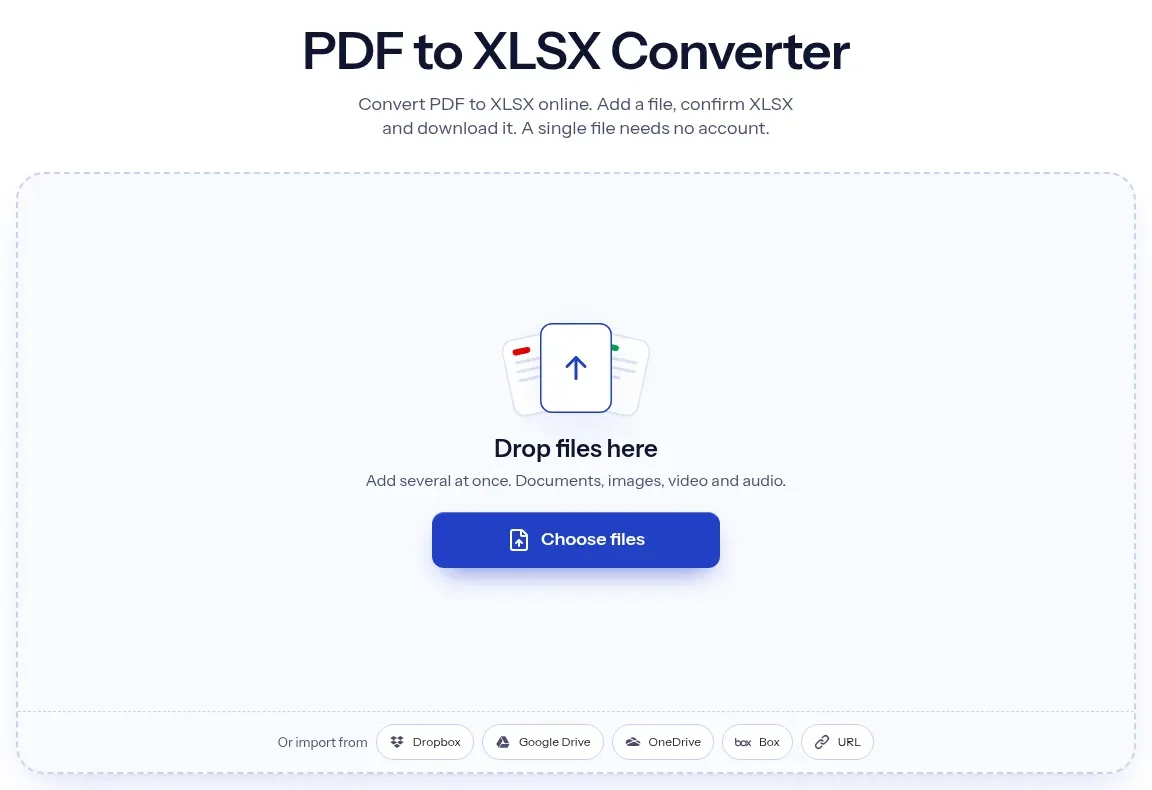
The upload box shows the live size limit before you add a file. Signing in raises it; a paid plan does not change it.
PDF in, XLSX out. Pick another output on the converter if you need a different format.
Files are encrypted in transit over HTTPS and processed on indox infrastructure.
Free-tier files are kept for 24 hours after the job finishes, then deleted automatically.
| What you see | Why | What to do |
|---|---|---|
| A sheet named Empty with no values | The PDF is an image and has no text layer | Run OCR, then convert the searchable PDF |
| Numbers will not sum | Every cell is text | Convert the columns in Excel with VALUE or Text to Columns |
| A table is missing | It has no ruled lines, so it was not detected | Copy it from the PDF, or convert a version with borders |
| Headings are missing | Text on a page with a table is dropped | Retype the heading in the sheet |
| A merged header is in one cell | Merged ranges are not kept | Merge the cells again in Excel |
| Compared on | XLSX | |
|---|---|---|
| Purpose | Fixed layout that looks the same everywhere | Cells you can sort, filter and calculate |
| Tables | Drawn as text and lines, with no table structure stored | Real rows and columns |
| Values | Text on a page | Typed values, such as numbers and dates |
| Editing | Awkward | Built for editing |
| Typical use | Reports, statements, forms | Analysis, bookkeeping, data work |
Facts checked on November 4, 2026
No tool matches that search.
Open the converter, add your PDF, keep XLSX as the output and download the workbook. Each table found becomes its own sheet. Open it in Excel and check it against the PDF.
The converter writes every cell as text. In our test all 33 non-empty cells were strings, including 120 and 4.25. A PDF stores glyphs, not number types, so Excel gets text. Use the green triangle, Text to Columns or VALUE to convert.
No. There is no OCR in this converter. In our test an image-only PDF gave a workbook with one sheet named Empty. Run OCR first to make the PDF searchable, then convert.
The converter writes plain cells and does not keep merged ranges. Our merged header landed in one cell with an empty neighbour. Text on a page that has a table, such as headings, is also dropped.
Tables are found from ruled lines. In our test a table drawn without lines on page 2 was not in the workbook. Add it by copying from the PDF, or convert a version of the document that has table borders.
We did not test it. Remove the password with the program that created the file, then convert.
XLSX is the modern Excel workbook format, a zipped set of XML files. XLS is the older binary format. This converter gives XLSX, and we saw no option for XLS.
In our test, four conversions as an anonymous visitor ran with no sign-in, paywall or limit message. The converter page states that free-tier files are deleted after 24 hours. Read that text on the page before you convert a sensitive document.
Open it and try to select a word with the cursor, or use search. If nothing highlights, it is an image of a page and has no text layer to convert.