Files other than PDF are converted first. Signing in raises the size limit.
You add
One PDF
You set
The watermark text and how it looks
You get
The PDF with the mark on every page
A PDF watermark is text stamped across the pages of a document to show its status or its owner. This tool stamps one line of your own text, such as Draft or Confidential, on every page of a PDF. It is for people who circulate drafts, send documents outside a team or share previews, and it gives a visible status mark with no protection. A small preview page shows the watermark as you set it. You set its size, color, opacity, angle and place, and choose whether it sits over the page or behind the content. Drop a PDF in the box above, type the text, press Add watermark and download the copy. The mark becomes part of each page, so keep your original. It is free: in our test on 4 November 2026 an anonymous run needed no sign-in.
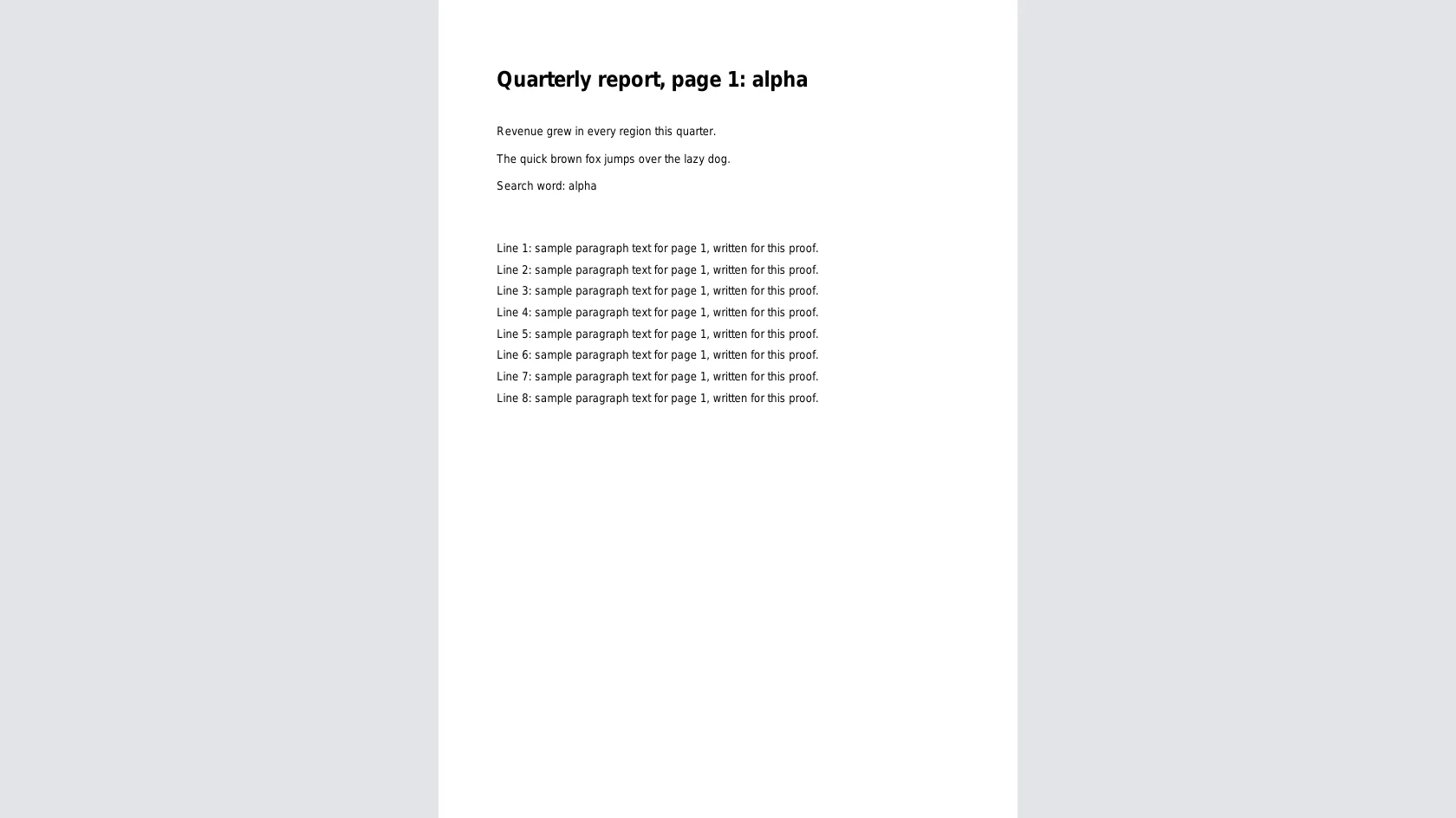
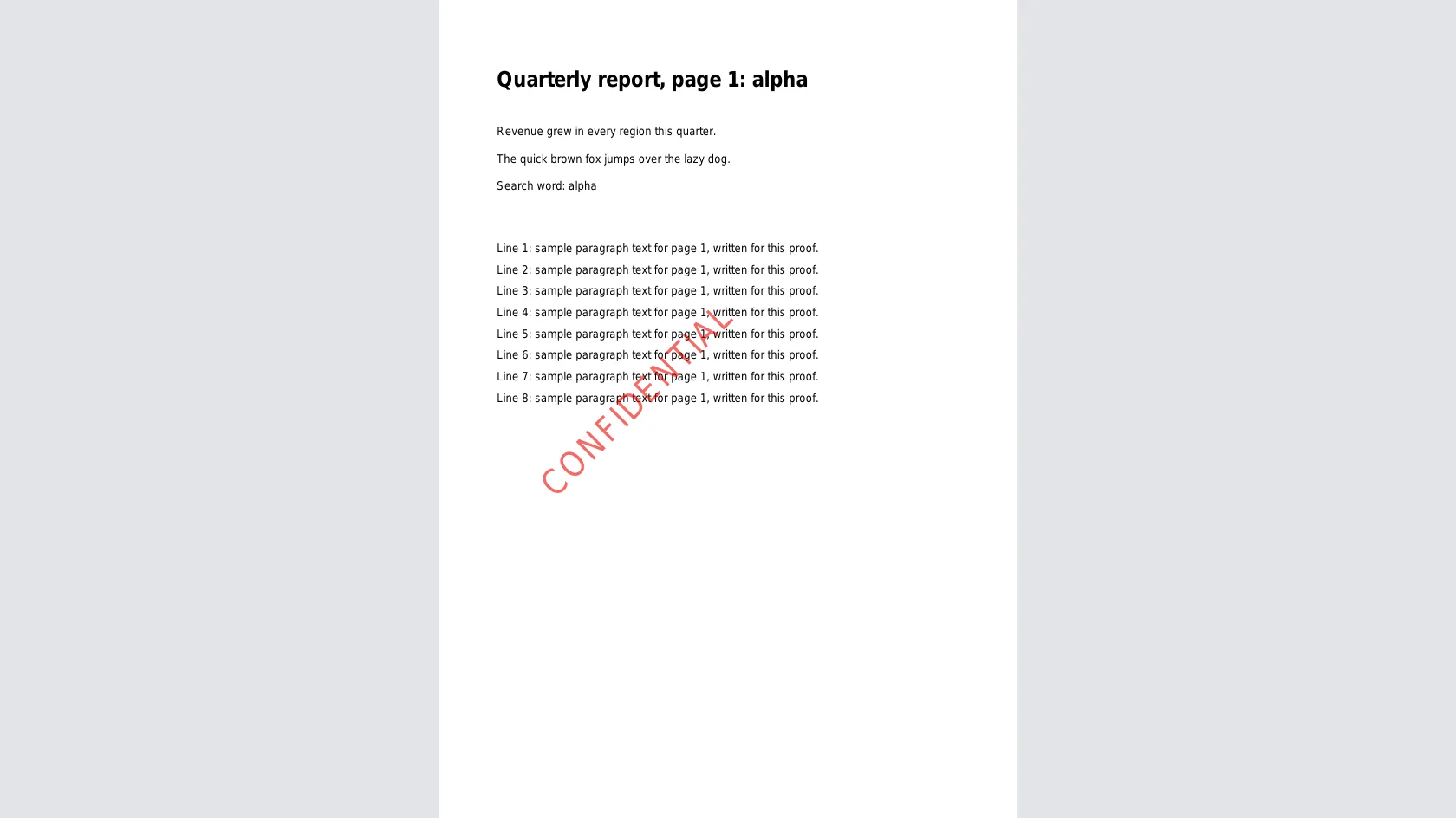
Our own 3-page A4 PDF with Helvetica text and one filled box (CC0), watermarked on indox.org
Original PDF3 pages
3.2 KB
With a Latin mark3 pages, 2.15 times the input
7.0 KB
With a Persian mark3 pages, 6.88 times the input
22.3 KB
Annotations addedon all 3 pages, before and after
0
OriginalWith the watermark
Measured on indox.org on 4 November 2026: CONFIDENTIAL in red, 60 pt, 60% opacity, diagonal, middle, over the page. Drag the handle to compare page 1 before and after. The mark sits left of and below the page center.
What can you do when you watermark a PDF?
Stamp your own text on every page
Type a short phrase in Watermark text and indox adds it to each page of the file. Latin text is drawn as text. Persian, Arabic and other scripts are shaped right to left where needed and drawn as a picture instead of selectable text; in our test a Persian phrase came out that way. The text is required.
Choose where it sits and how it tilts
Place puts the mark at the top, in the middle (the default) or at the bottom of the page. Angle offers Level, Diagonal (the default) and Upright.
Control size, color and opacity
Size (pt) starts at 36. The mark is drawn on a fixed sheet that is then fitted to 60 percent of the page width, so on an A4 or Letter page the letters print at about 60 percent of the Size you set. Colour is one of five dots and starts at grey. Opacity runs from 5 to 100 percent and starts at 60.
Put the mark behind the content
Under Layer, choose Behind the content and the page's own text and images draw over the mark. Choose Over the page, the default, and the mark sits on top.
What watermarking keeps and what it changes
Stays the same
Text you could select before the stamp stays selectable.
Page order, page count and page size.
Your original, which keeps its clean pages.
Page annotations: in our test every page had none before and none after, so the mark is not an annotation.
Changes
The same line of text is stamped on every page. There is no page range.
Latin text is drawn as vector text. In our test a Persian mark was accepted and drawn as a picture, so it is not selectable text.
It is merged into the page content, either over it or, with Behind the content, under it.
Size, color, opacity, angle and place come from the panel. The default is a diagonal, grey, 60% opaque mark in the middle.
The mark is not a separate layer, so you cannot switch it off later.
The file gets larger: 3.2 KB became 7.0 KB with a Latin mark and 22.3 KB with a Persian mark in our test.
Which settings for which watermark
You want
Set
Note
A diagonal DRAFT across each page
SetPlace Middle, Angle Diagonal
NoteThese are the starting values.
A small status line at the foot
SetPlace Bottom, Angle Level, a smaller Size
NoteKeeps the middle of the page clear.
A mark that does not hide the text
SetA lower Opacity, or Behind the content
NoteOpacity runs from 5 to 100 percent and starts at 60.
A watermark on a scanned PDF
SetKeep Over the page
NoteA mark under a full-page scan image is usually hidden by it.
A colored mark
SetPick one of the five Colour dots
NoteThe default is grey.
A Persian or Arabic mark
SetType it in Watermark text
NoteIn our test a Persian mark was accepted and drawn as a picture. The file grew more than with a Latin mark.
How to watermark a PDF in 3 steps
1
Upload one PDF
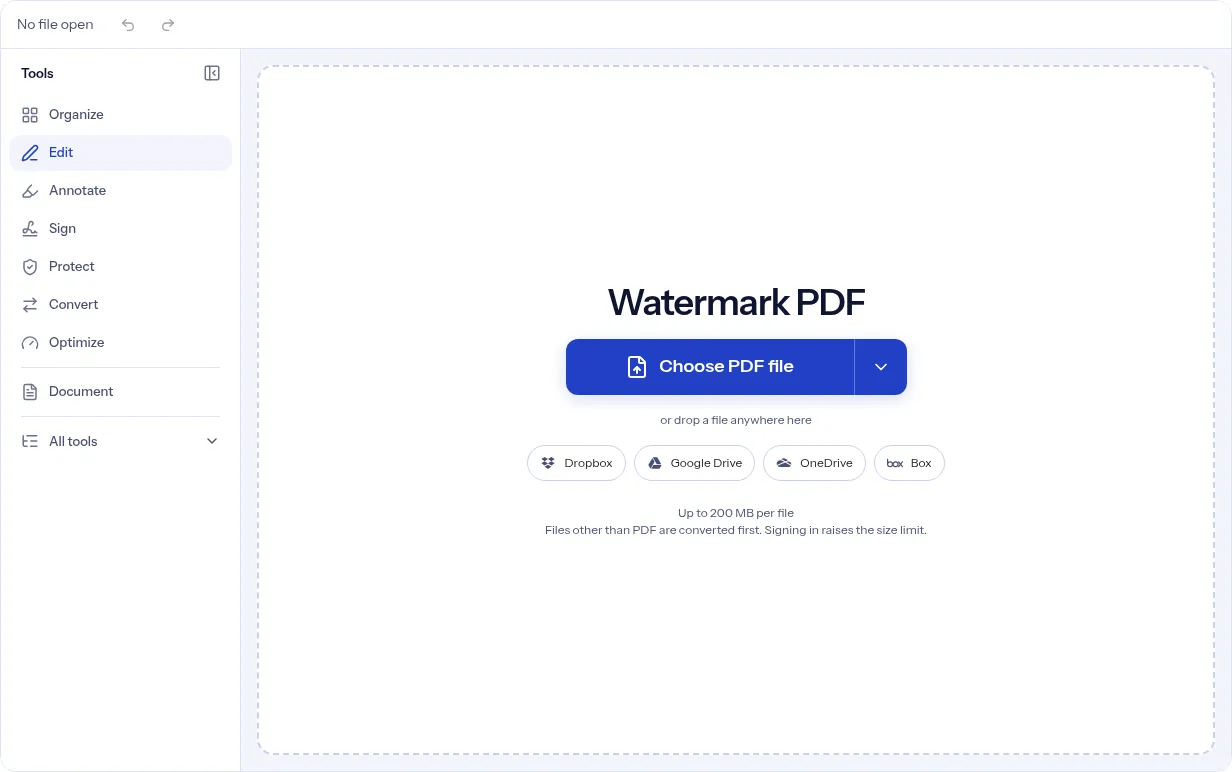
Drop a PDF on the box at the top of the page or click it to choose a file.
1 / 3
2
Type the text and set the options
Fill in Watermark text, then adjust Size, Colour, Opacity, Angle and Place while the preview page shows the result. Choose Behind the content under Layer if the mark should sit under the text.
2 / 3
3
Add it and check the first page
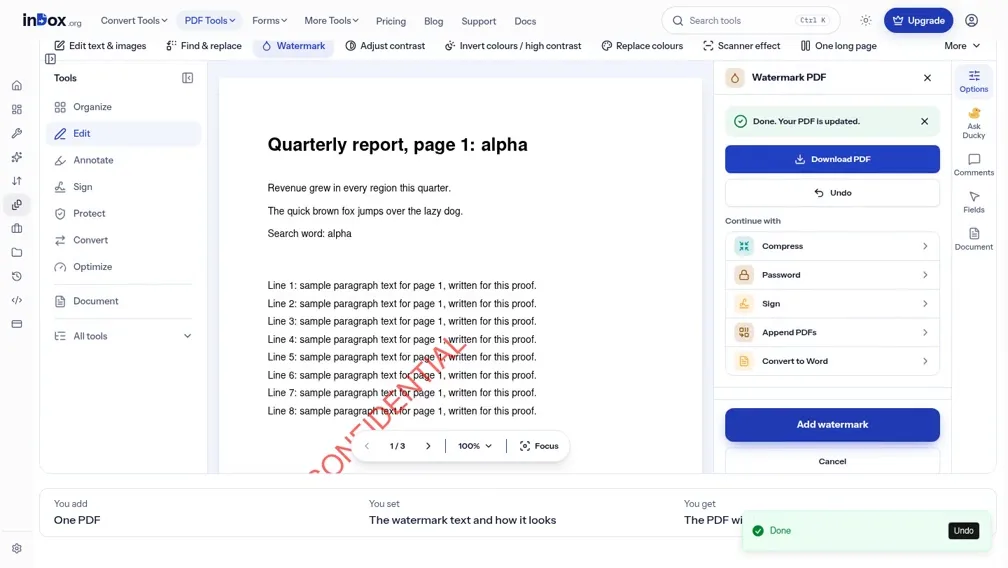
Press Add watermark. The button fills with the job's progress and the steps show under it. Cancel stops a running job and leaves your file unchanged. When it shows Done. Your PDF is updated., press Download PDF, or Undo to go back. If the mark looks too large or too faint, undo and set new values.
3 / 3
Why watermark a PDF with indox?
You get seven controls, and each one makes a change you can see in the preview: the text, its size, its color, how see-through it is, its angle, where it sits, and whether it goes over or under the content. The defaults produce a diagonal grey mark in the middle of the page, so most files need only the text. In our test a Latin mark was drawn as vector text, which stays sharp when you zoom, and a Persian mark was drawn as a picture. The output was larger than the input, so this tool will not make a PDF smaller.
The same text mark on every page in one run
Top, middle or bottom placement
Size, color, opacity and angle settings, with a preview
Option to place the mark behind the page content
No account required for a single PDF
What are the limits when you watermark a PDF?
File size
A visitor who is not signed in can watermark a PDF of up to 200 MB, within a daily free allowance. A signed-in account can upload up to 200 MB per file.
Where it runs
Your PDF is uploaded to indox's server, the mark is drawn into each page there, and the stamped copy comes back to the editor. If you are not signed in, the upload and the stamped copy are deleted 24 hours after the job finishes. A signed-in account keeps them in its history until you delete them, for at most 180 days, and you can choose 24 hours or 30 days instead. Either way indox keeps a record of the job, such as the file name and its status, not the file.
Limits worth knowing
The watermark is one line of text. Latin letters are drawn as text. In our test Persian letters were accepted and drawn as a picture, so that mark cannot be selected or searched as text. Arabic and other scripts outside the Latin set take the same picture route. This tool has no font choice, no line breaks, no image or logo option and no tiling across the page.
The mark goes on every page. You cannot limit it to a page range or leave the cover page clean.
A tilted mark can sit off center. In our test a diagonal Latin mark with Place set to Middle sat left of and below the page center. Check the first page, and adjust Place or Angle if it drifts toward an edge.
On a scanned PDF, a mark placed behind the content is usually hidden by the full-page image, as the pdfcpu documentation also warns. Keep Over the page for scans. We did not run a scanned file or the Behind the content layer in our test.
A watermark is ordinary page content. It does not stop copying or printing, and a PDF editor can cover or delete it. The watermark becomes part of each page and indox has no tool that removes one, so keep your original file for a clean copy.
The output is larger than the input. In our test a 3-page, 3.2 KB PDF came back at 7.0 KB with a Latin mark and at 22.3 KB with a Persian mark. Expect a bigger file, not a smaller one.
In our test the download request came 5.6 s after the job started, and the Done message appeared after 7.1 s in a second run. Your time depends on the file and the load.
A character that none of indox's fonts can draw makes the job fail with Couldn't apply that to this file. Try other settings or another file. Remove that character and try again.
When the result is not what you expected
What you see
Why
What to do
The watermark is hard to see
WhyOpacity is low or the color is close to the page
What to doRaise Opacity or pick a color that contrasts with the page.
It covers the text
WhyThe mark sits on top and is quite opaque
What to doLower Opacity, or choose Behind the content under Layer.
It sits off center
WhyIn our test a tilted Latin mark at Middle sat left of and below the page center
What to doAdjust Place or Angle and check the preview and the first page.
You cannot see it on a scan
WhyThe page image hides a mark placed behind the content
What to doRun it again with Over the page selected.
The editor asks for a password before you can add the mark
WhyThe PDF is protected, and the editor needs the password to open it
What to doType the password. The stamped copy may come back unprotected, so run Protect PDF on it if needed.
The file is bigger than the original
WhyThe mark and its transparency are stored in the page content
What to doExpect growth: 3.2 KB became 7.0 KB in our test. To shrink it afterward, use Compress PDF.
A Persian mark cannot be selected
WhyIt is drawn as a picture, not as text
What to doThis is expected. Latin text is drawn as selectable text.
Couldn't apply that to this file appears
WhyA character in the text has no font indox can draw it with
What to doRemove or replace that character and run it again.
Where the mark livesIn the page content, shown by every viewer and on paper
How it is removedA PDF editor has to edit or cover the page content. There is no annotation to delete.
Best forA visible status such as Draft or Confidential
Watermark annotation (PDF 1.6)
Where the mark livesA separate annotation object, printed at a fixed size and position whatever the paper size
How it is removedDeleting the annotation takes it out without touching the page content
Best forFiles where the mark must print at one fixed size. This tool does not add this kind.
Mark made of pixels
Where the mark livesA picture in the page. Our Persian test mark was one.
How it is removedIt cannot be found or selected as text, so an editor works on the picture
Best forScripts the Latin font cannot draw
Password restrictions
Where the mark livesNo visible mark. They limit what a viewer allows.
How it is removedNot a mark at all. Set them with Protect PDF.
Best forLimiting copying or printing, which a watermark cannot do
Who watermarks PDFs?
Teams circulating drafts
You send a proposal or policy out for review and want every page to say Draft. One run stamps the whole file, so nobody mistakes it for the final version.
Businesses sharing sensitive documents
You send price lists, reports or contracts outside the company. Stamp Confidential or the recipient's name on each page so a forwarded copy shows where it came from.
Creators sending previews
You share sample chapters, sheet music or design proofs before payment. A visible mark across each page makes the preview less useful as a finished copy.
When to watermark a PDF
Marking a contract as Draft until both sides sign.
Adding a client's name to each copy of a report you send out.
Labeling internal documents Confidential before a meeting.
Stamping Sample across pages you share before a sale.
Add the PDF, type your text in Watermark text, adjust Size, Colour, Opacity, Angle and Place while the preview updates, then press Add watermark and download the copy. It costs nothing, and one PDF needs no account.
How do I watermark a PDF on a Mac?
Open this page in Safari, Chrome or another browser on the Mac and follow the same steps. Nothing has to be installed, and the stamped PDF downloads like any other file.
Can I use an image or logo as the watermark?
This tool stamps text only. For an image or a logo, the Add Stamp tool takes an image file you upload.
Can I watermark only some pages?
The mark lands on every page of the file. To mark part of a document, pull those pages out with Extract Pages and watermark that file.
Can I remove the watermark later?
indox has no tool that removes it, because the mark becomes part of each page. Keep the original PDF and stamp it again if you need a different mark.
Can I add an invisible watermark?
Not fully. The lowest Opacity is 5 percent, so the mark stays faintly visible, and a Latin mark is stored on each page as text that a PDF editor can find and delete.
How do Size, Colour and Angle work together?
Size sets how large the letters are in points. Colour is one of five dots: red, blue, green, black and grey, with grey selected to begin with. Angle turns the line to Level, Diagonal or Upright, and Place puts it at the top, middle or bottom. Check the preview, because a long phrase at a large size can run past the page edge.
Will the watermark cover my text?
At the starting opacity of 60 percent the mark is see-through, so text under it still shows. On dense pages, lower Opacity or choose Behind the content under Layer so the text draws on top.
Can I watermark a password-protected PDF?
Yes, if you know the password. The editor asks for it when you open the file, and the watermark then runs on the opened file. The stamped copy may come back without the password, so open it and run Protect PDF again if it needs one.
Is the watermark part of the page or an annotation?
Part of the page. In our test on 4 November 2026 every page had 0 annotations before and after, and the word CONFIDENTIAL could be extracted as text from the page content. To remove it, a PDF editor has to edit or cover the page content.
Will the file get bigger?
Yes. In our test a 3-page PDF of 3.2 KB came back at 7.0 KB with a Latin mark and at 22.3 KB with a Persian mark. Your file will grow by a different amount.
Does a Persian or Arabic watermark work?
Yes. Text outside the Latin set is shaped so letters join and run right to left, then drawn as a picture. In our test a Persian phrase was accepted and drawn on all 3 pages. As a picture, it cannot be selected or searched as text.