Choose 2, 4, 9 or 16 pages per sheet
Two pages stay large. Nine and sixteen fit a whole deck on a few sheets for an overview. Each choice is drawn as a small sheet with its page slots, and 4 is selected when the panel opens.
or drop a file anywhere here
Files other than PDF are converted first. Signing in raises the size limit.
Pages per sheet, also called N-up, puts several pages of a document together on one sheet of paper. Handouts and proof prints use it: at 4 per sheet, a 16-page file comes back as 4 sheets. Your PDF opens in the indox editor. In the Pages per sheet panel you pick 2, 4, 9 or 16, and each choice is drawn as a small sheet with its page slots. The panel opens on 4. Before you run it, it tells you the result, for example that 12 pages go on 3 sheets. The only other option is a border around each page. Text gets smaller the more pages share a sheet, so check the result before a big print run. The layout is made on indox's server, and the editor lists Pages per sheet as a tool for a tablet or computer screen.
Two pages stay large. Nine and sixteen fit a whole deck on a few sheets for an overview. Each choice is drawn as a small sheet with its page slots, and 4 is selected when the panel opens.
Before you run it, the panel says how many pages go on how many sheets, for example 12 pages on 3 sheets. You do not have to do the division yourself.
Tick Draw a border around each page to outline every page on the sheet. It is off by default.
The tool lays out the document as it is and has no page range. To leave pages out or change their sequence, use Remove pages or Reorder pages first.
| You want | Pages per sheet | Check after |
|---|---|---|
| Two pages for reading or marking up | 2 | Each page gets less room than on its own sheet, so check the text. |
| Slide handouts or a quick reading copy | 4 | Print one sheet and read the smallest text on it. |
| A compact proof of a longer file | 9 | Small print may be hard to read at this size. |
| An overview of many pages to find one | 16 | Treat it as a thumbnail sheet. Body text may be too small to read. |
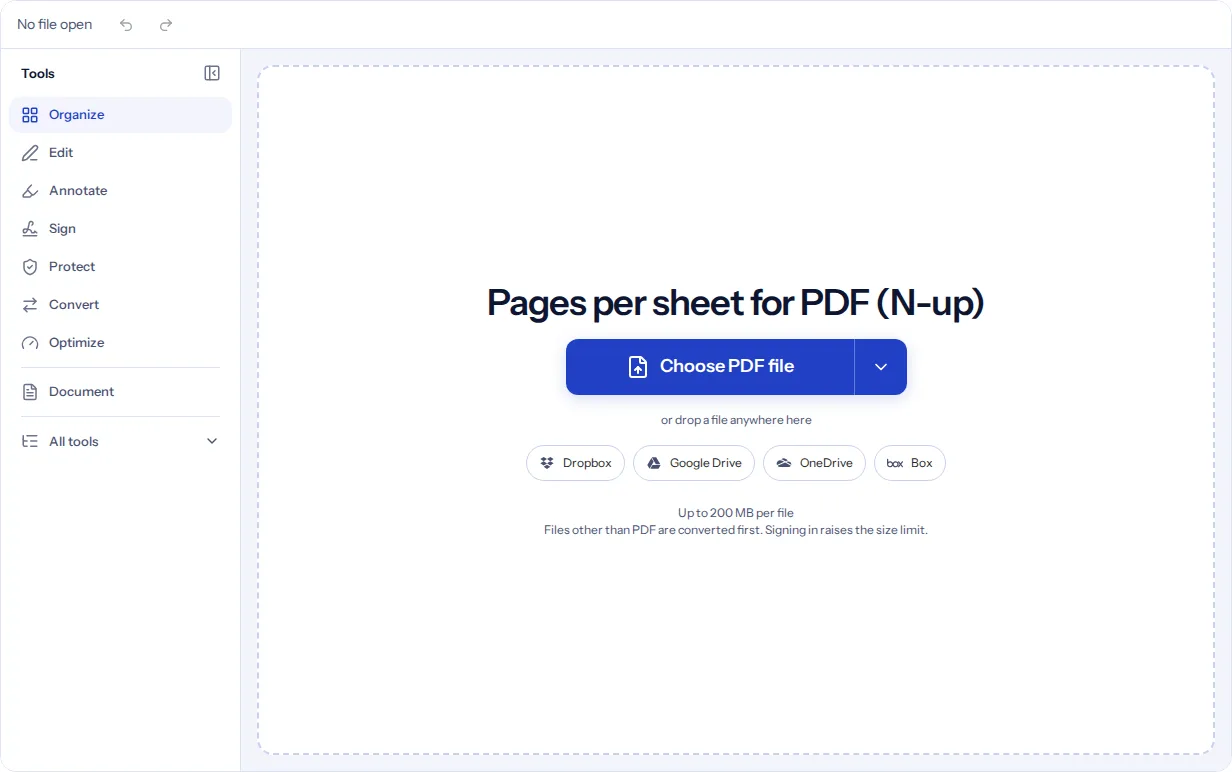
Drop a PDF on the upload area at the top of the page, or click to choose one. Every page goes into the layout, so remove the pages you do not want first.
Pick 2, 4, 9 or 16 in the Pages per sheet panel and read how many sheets the result will have. Tick Draw a border around each page if you want outlines.
Press Lay out pages. A message says how many pages are now on how many sheets, for example 12 pages on 3 sheets, 4 to a sheet. Look at the first sheet, then download and print.
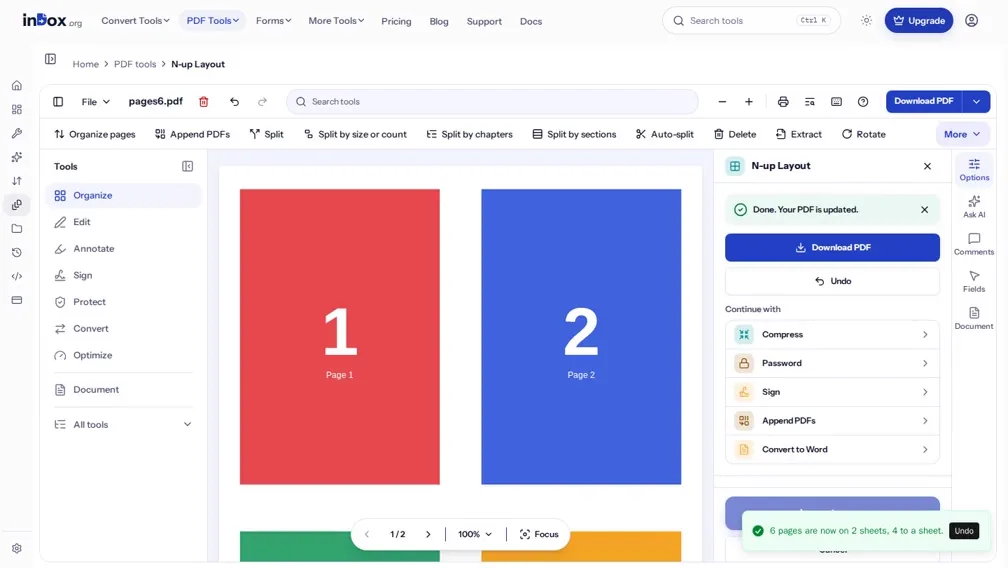
The panel shows the choices as small sheets, so you see the layout before you run it, and it tells you how many sheets the result will have. Text stays selectable and images are kept, so the result is a normal PDF. The panel is plain about its limits: text gets smaller as more pages share a sheet, and some items are not kept. You can lay out one PDF without an account. The layout runs on indox's server, which deletes your PDF and the result after 24 hours when you are not signed in.
| What you see | Why | What to do |
|---|---|---|
| The text is too small to read | The more pages share a sheet, the smaller each one is drawn | Choose a smaller number per sheet and print one sheet to test. |
| The last sheet has empty slots | The page count does not divide evenly by the number per sheet | That is expected. To fill the sheets, drop pages you do not need with Remove Pages. |
| Links or comments are missing | Comments, links, bookmarks and attached files are not kept | Use the result for printing and keep your original for anything interactive. |
| You wanted a folded booklet | Pages per sheet does not reorder pages for folding | Use Booklet. |
Slides printed two or four to a sheet make a handout that learners can write on, using fewer sheets than one slide per page.
Sixteen pages on one sheet show the flow of a booklet or deck at a glance, which helps when checking page order and repeated layouts.
Drafts, receipts and reference pages do not need a full sheet each. Two or four per sheet saves paper.
Facts checked on November 1, 2026
N-up means N pages placed on one sheet. 2-up is two pages per sheet, 4-up is four, and so on.
You can choose 2, 4, 9 or 16. The panel opens on 4.
Before you run it, the panel tells you, for example that 12 pages go on 3 sheets. To work it out yourself, divide the page count by the pages per sheet and round up. Twenty pages give 5 sheets at 4 per sheet and 3 sheets at 9.
It draws a border around each page on the sheet. It is off until you tick it.
No. The panel has no setting for paper size, orientation, page order or margins. If you need a specific paper size, run Scale Pages on the result.
No, only 2, 4, 9 and 16 are available.
Choose 2 here, press Lay out pages and download the PDF. Then print it double-sided from your own print dialog, because this tool lays out the pages but does not print. Print one test sheet first to check which way your printer flips the paper.
That depends on your document. The more pages share a sheet, the smaller the text gets, so check the result before a big print run. Text stays selectable and images are kept.
Comments, links, bookmarks and attached files are not kept. Keep your original for those.
One PDF needs no account; signed out, a daily free allowance applies. On a phone, the editor's tool list shows Pages per sheet needs a larger screen, so use a tablet or computer. When you are not signed in, your PDF and the result are deleted from indox's server 24 hours after the job.