Stack the whole document
Every page goes onto one tall page in its original order, with page 1 at the top and no page breaks.
or drop a file anywhere here
Files other than PDF are converted first. Signing in raises the size limit.
This tool joins the pages of one PDF into a single long page. It is for people who want to scroll a whole document without page breaks, for example on a phone or tablet, and it suits reading on a screen, not printing. Open your PDF in the editor, choose One long page and press Make one long page. It has no options. In our test on 5 November 2026, a 6-page A4 file became one page 595.28 by 5,051.34 points with the text still selectable, but its 2 links, 3 bookmarks and 1 form field were gone. A result taller than 14,400 points (200 inches) cannot be made: the panel shows a warning and keeps the button off. In our test an 18-page A4 file was refused as too tall. When a run finishes, a message says how many pages are now one long page, with an Undo button. To join several PDF files into one file, use Merge PDF. For several pages on each printed sheet, use N-up PDF layout. The long page is made on indox's server, and the editor lists One long page as a tool for a tablet or computer screen.
A 6-page A4 test PDF made by us (8,628 bytes), joined on indox.org without signing in
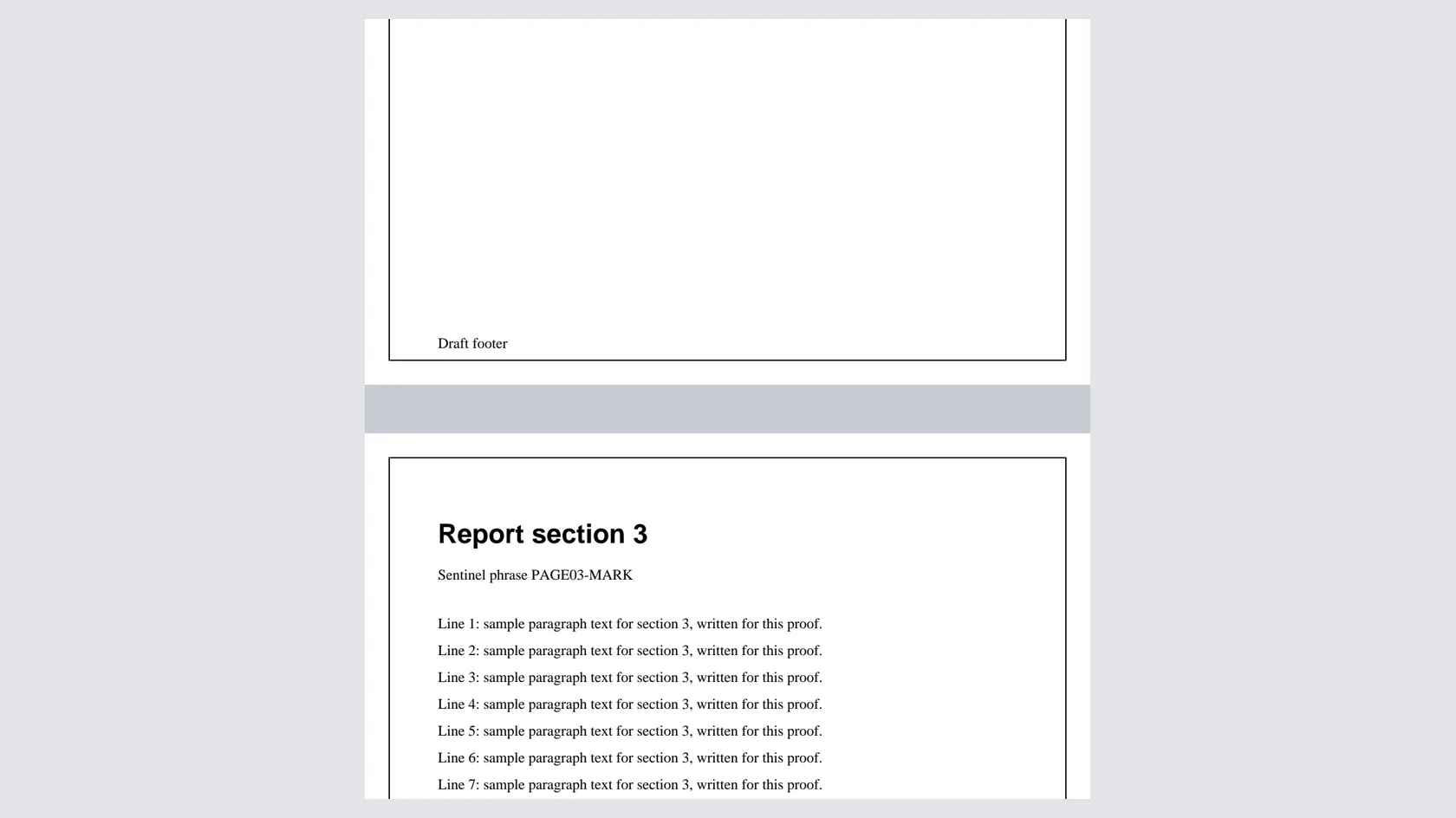
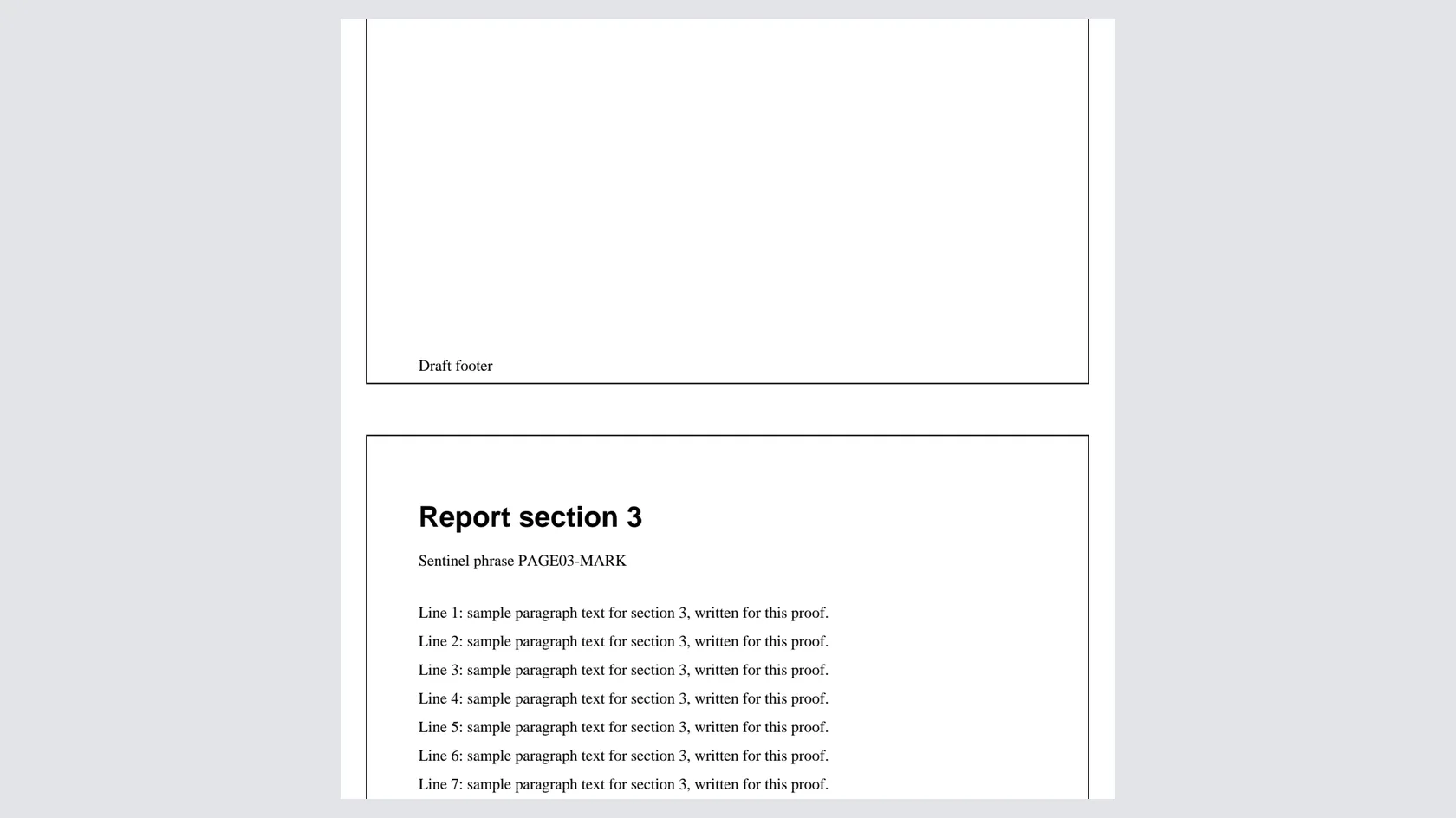
Every page goes onto one tall page in its original order, with page 1 at the top and no page breaks.
There are no options. One button, Make one long page, runs it.
If the stacked page would pass 200 inches, the panel shows a warning and Make one long page stays off. In our test an 18-page A4 file was refused as too tall, so remove pages first.
When it finishes, a message says how many pages are now one long page and gives you an Undo button, so you can go back to the pages.
Drop a PDF on the upload area at the top of the page, or click to choose one. It opens in the editor. Delete or reorder pages first if you want, because every page goes onto the long page. Keep the file under about 17 A4 pages, since a taller result is refused. A one-page file cannot be stacked, so the button stays disabled and the panel says why.
Choose One long page. There is nothing to set. If the result would be taller than 200 inches, the panel shows a warning and the button stays off. Remove pages until it fits.
Press Make one long page. A message says how many pages are now one long page. In our test on 5 November 2026, a 6-page file was done 4.1 seconds after the click. Check it, then download the PDF, or press Undo to go back.
The panel does one job and tells you what to expect before you run it: it shows a warning when the page would be taller than 200 inches, and its notice lists what the long page leaves out. You get a PDF with real text, not a picture of the pages, and Undo is one click away. In our test the join added no gap between pages. You can make one long page without an account. The page is built on indox's server, which deletes your PDF and the long page after 24 hours when you are not signed in.
| What you see | Why | What to do |
|---|---|---|
| Links or form fields do not work in the long page | They are removed. In our test, 2 links and 1 form field went to 0, with no warning after the run | Keep the original for anything interactive and use the long page for reading. |
| The bookmarks panel is empty | Bookmarks are removed. In our test, 3 bookmarks went to 0 | Use the original file when you need to jump by bookmark. |
| The panel warns that the page is taller than 200 inches | The pages added together pass 14,400 points, and Adobe Acrobat and some other readers cut off pages that tall | Remove pages you do not need with Remove pages, or make a long page from each part of the file. |
| A message says 'These pages are too tall to join into one page. Use fewer pages.' | The result would be over 14,400 points. In our test, 18 A4 pages (15,154 points) were refused | Use about 17 A4 pages or fewer, or split the job into parts. |
| The long page is far taller than a sheet of paper | Its height is the sum of every page's height | Print from the original file, or put several pages on each sheet with N-up PDF layout. |
| The button is disabled | The file has only one page, or its pages together are taller than 200 inches | Add a PDF with at least 2 pages, or remove pages until the warning goes away. |
| Compared on | One long page | N-up PDF layout | Merge PDF |
|---|---|---|---|
| What it does | Stacks the pages of one PDF into one tall page | Puts several pages of one PDF on each sheet | Joins several PDF files into one file |
| Made for | Reading on a screen without page breaks | Printing several pages on one sheet | Keeping separate documents in one file |
| Pages after | 1 (6 pages became 1 in our test) | Fewer pages, each holding several of the originals | The pages of all the files together |
| Open it | This page | N-up PDF layout | Merge PDF |
One page you scroll through has no page breaks to cut a paragraph or a table in half.
A long page lets a reviewer scroll a whole draft in one go.
A page printed to PDF in slices reads better as one continuous strip.
Facts checked on November 5, 2026
Add the PDF, choose One long page and press Make one long page. There are no options. When it finishes, a message says how many pages are now one long page. Keep it to about 17 A4 pages or fewer.
No. It joins the pages of a single PDF into one long page. To join several files into one PDF, use Merge PDF.
No, the tool takes every page. Delete the pages you do not want first, then make the long page.
No. There are no options, and the pages sit one after another with no gap. To cut white space, trim the margins with Crop PDF first.
It is made for reading on screen. One tall page does not fit a sheet of paper. Print your original PDF, or use N-up PDF layout to put several pages on a sheet.
indox refuses a result taller than 14,400 points (200 inches). In our test on 5 November 2026, 18 A4 pages (15,154 points) were refused as too tall. 17 A4 pages come to 14,312 points, so about 17 is the most. The 200-inch figure is the implementation limit listed for PDF 1.7. Adobe Acrobat and some other readers cut off taller pages, and a PDF can ask for more with the UserUnit setting, which macOS Preview ignores.
Comments, links, bookmarks, form fields and attached files are not kept. In our test, 2 links, 3 bookmarks and 1 form field went to 0, and the result showed no warning about it. What each page draws stays, and so does the text.
Yes, in our test on 5 November 2026. The long page held real text, and the 6 sample words from the 6 pages came out in order when we extracted the text. Our sample had no scanned pages, so a scanned PDF still needs OCR to have text.
Yes. When it finishes, a message with an Undo button appears. Press it to bring back the pages. Keep your original file as well.
One run needed no account in our test; signed out, a daily free allowance applies. On a phone, the editor's tool list shows One long page needs a larger screen, so use a tablet or computer. When you are not signed in, your PDF and the long page are deleted from indox's server 24 hours after the job.