Check the file first
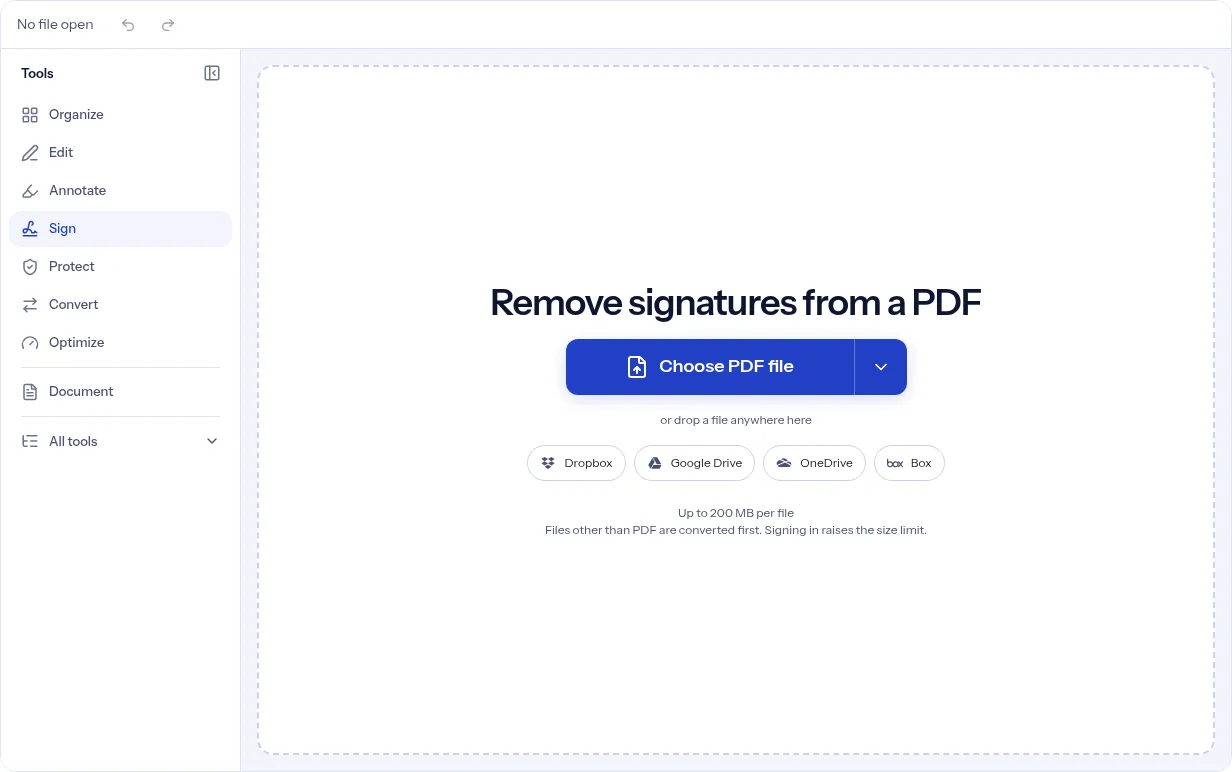
The panel looks for certificate signatures as soon as the file is open. If it finds none, it says there is nothing to remove and does not run.
or drop a file anywhere here
Files other than PDF are converted first. Signing in raises the size limit.
A certificate signature is a digital signature stored inside a PDF. A PDF reader checks it and warns when the file has changed since it was signed, which gets in the way when the document still has to be edited. Add the PDF and indox first checks it for certificate signatures. It lists each signer, asks you to confirm that you have the right to remove them, and then gives you an unsigned copy. Signatures drawn or typed on the page are not certificate signatures and stay where they are. It is for anyone who needs an unsigned copy of a PDF they are allowed to change, for example to fix a typo in a signed draft or to hand a file to a system that cannot verify the signature. It is free and needs no account.
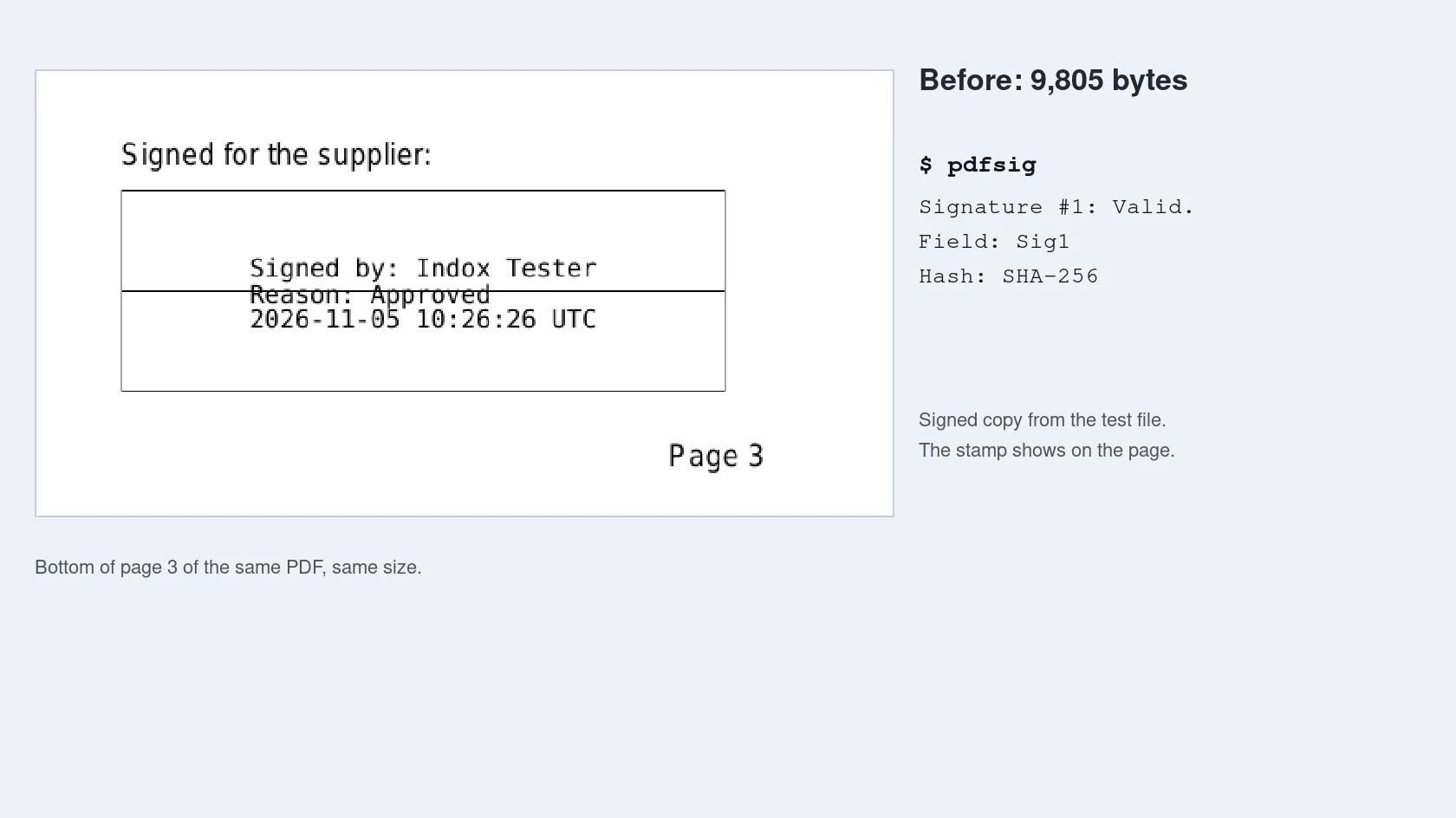
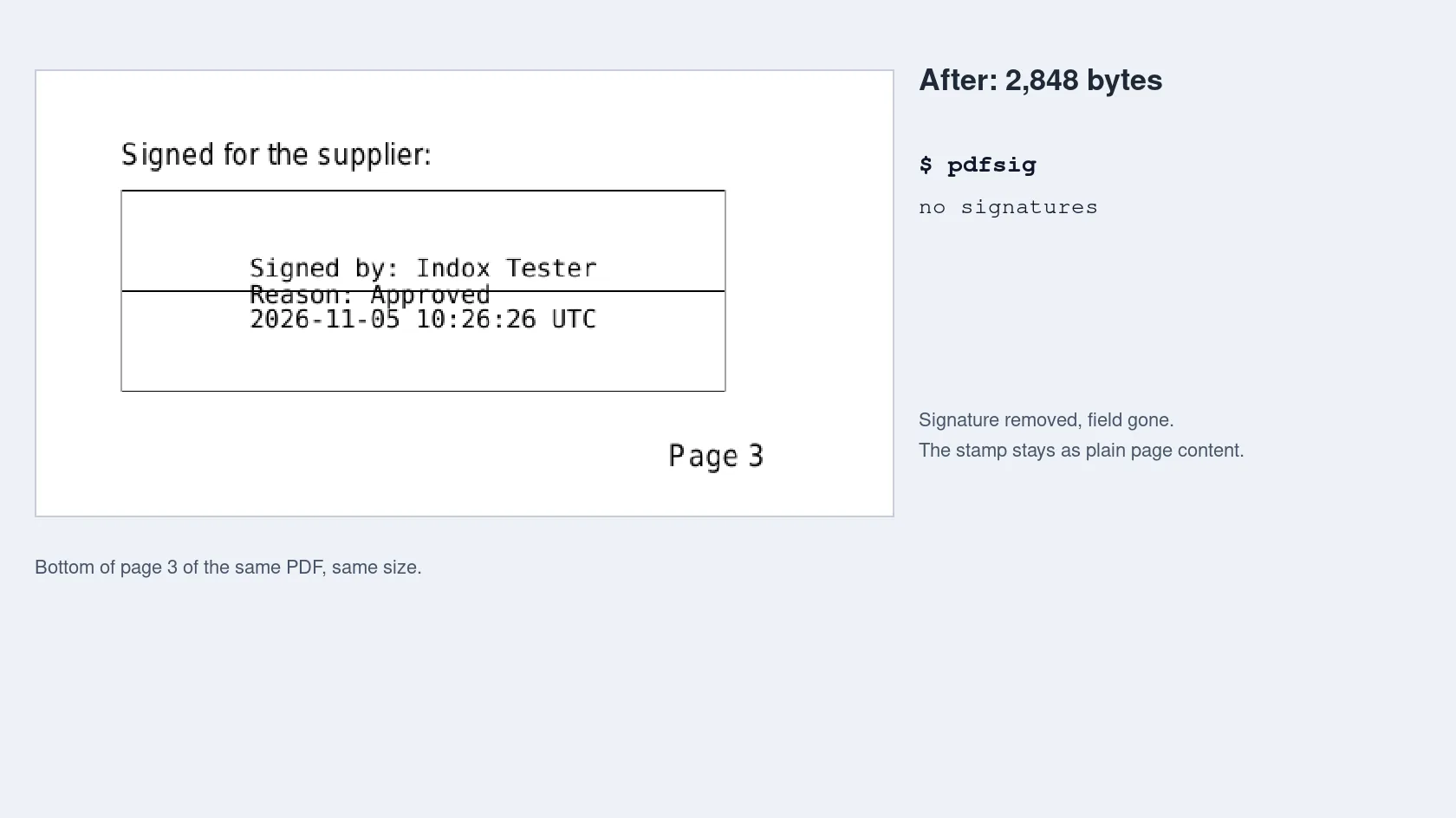
Our own 3-page test PDF with one certificate signature and a visible stamp, run on indox.org
The panel looks for certificate signatures as soon as the file is open. If it finds none, it says there is nothing to remove and does not run.
A file with signatures shows how many it has and lists each signer by name, with the date when there is one. A signature with no name shows as Unnamed signer.
Tick I have the right to remove these signatures to enable the button. The panel warns that the copy becomes unsigned, so nobody can check who signed it or whether it changed since.
When the removal finishes, the panel closes and a Done message offers Undo, which brings the signed file back. Open the panel again and it says how many signatures were removed and that this copy is unsigned.
Drop it on the upload area at the top of the page, or click to choose it. The area takes one PDF at a time.
Wait for the check to finish and read the signers it lists. Then tick I have the right to remove these signatures.
Press Remove signatures. When the panel closes, a Done message offers Undo. Download the unsigned PDF, then open it in a PDF reader and look at its signature panel to confirm.
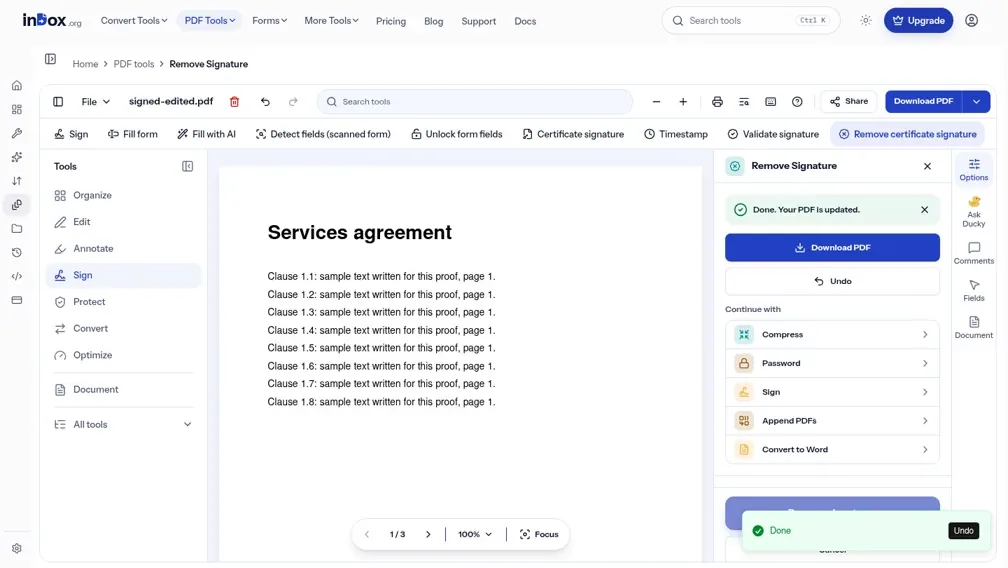
The panel checks the file first, shows you what it found, and runs only on a file that has certificate signatures. You are not asked for the signer's password or certificate, only for your confirmation that you may remove them. Undo brings the signed file back while you stay in the editor. It is free: in our test it ran without an account, and signed out a run counts against a daily free allowance.
| What you see | Why | What to do |
|---|---|---|
| The signature still shows on the page | It was drawn or typed on the page, which is not a certificate signature | Use Edit text & images or Redact to take it off. |
| The page still looks signed, with a stamp, name and date | The stamp is page content and stays after the signature is removed | Use Edit text & images or Redact to take the stamp off. |
| The panel says no certificate signatures were found | The file has none, so there is nothing to remove | Check that you opened the right file. A drawn signature is not a certificate signature. |
| The panel says it could not check the file | The check could not read the signatures | Tick the box to remove any it has, then check the copy in a PDF reader. |
| The Remove signatures button is greyed out | The box is not ticked, or the file has no certificate signatures | Tick I have the right to remove these signatures. If the panel says none were found, there is nothing to do. |
| You need the document signed again | The removal makes the copy unsigned | Sign the unsigned copy with Sign a PDF with a certificate. |
| A strict checker still reports a certification on a certified file | The copy keeps a /Perms /DocMDP entry that points to the removed signature | Ask for the unsigned original if you have it, or sign again with Sign a PDF with a certificate. |
| The copy has a different file size than the signed original | The file is rewritten. In our test it went from 9,805 to 2,848 bytes | Compare the pages in a PDF reader. In our test text, fonts and page count matched. |
| Method | What happens to the signature | Use it when |
|---|---|---|
| Remove certificate signatures (this tool) | The certificate signature and its field are removed. A visible stamp stays as page content | You need an unsigned copy to edit or to give to a system that cannot verify the signature |
| Flatten a PDF | Turns form fields into fixed page content, as PDFBox flatten does. Our test did not include a signed file | You want fields fixed in place and do not need the signature handled |
| Edit text & images or Redact | Does not touch a certificate signature. It changes what is drawn on the page | The thing to remove is a drawn or typed signature, or the visible stamp |
| Go back to the unsigned original and sign again | There is no signature to remove. You add a new one with Sign a PDF with a certificate | You still have the file from before it was signed |
| Change the signed file in a reader and save | The signature covers the file as it was signed, so a reader can report that it changed. ISO 32000 lets edits be added to the end of a file | The signer will sign the new version again anyway |
A typo turned up after the PDF was signed, and the signature now stands in the way of the fix. Strip it, make the correction and have the corrected version signed again.
A records or upload system flags PDFs whose signatures it cannot verify. Keep the signed originals in your archive and submit unsigned copies where the system asks for them. Remove a signature only on a file you are allowed to change.
You need the same document with and without a signature to see how your software reacts. Sign a sample with Certificate Sign, then remove the signature here.
Facts checked on November 5, 2026
Add the signed PDF on this page, wait for the list of signers, tick I have the right to remove these signatures and press Remove signatures. Then download the unsigned copy. It is free, and the page works in any browser on Windows, a Mac or Linux, with nothing to install.
It removes the certificate signatures stored in the file, and in our test the signature field went with them. Those are the digital signatures that a PDF reader lists in its signature panel.
No. The panel asks only for your confirmation that you have the right to remove the signatures. It has no field for a certificate, a key or a password.
No. Signatures drawn or typed on the page stay. A visible stamp that a certificate signature left on the page stays too, as plain page content. Use Edit text & images or Redact to take those off.
No. The change is made to a copy, and the signed file on your computer or phone is not touched. In the editor, Undo brings the signed version back.
No. The panel lists the signers so you can see what is there, but the removal covers every certificate signature in the file.
The panel says no certificate signatures were found, so there is nothing to remove, and it does not run.
Open the panel again: it says how many signatures were removed and that the copy is unsigned. You can also open the downloaded copy in a PDF reader and check that its signature panel is empty. In our test, the command-line checker pdfsig reported no signatures in the copy.
No account is needed; a single job ran without signing in during our test. Signed out, each file can be up to 200 MB and counts against a daily free allowance. The file reaches indox over HTTPS and is processed on indox servers. Signed out, it is deleted with the result 24 hours after the job finishes.
In our test it did. A PDF certified with the no-changes setting (DocMDP) was accepted, and the copy showed no signatures. The copy still held a certification entry pointing to the removed signature, so a strict checker may still notice it.
Technically yes, because the panel asks only for your tick that you may. indox does not check your right to do it, so remove signatures only from files you may change, and keep the signed original.