One CSV for each ruled table
In our test the 3-page sample gave two files: statement_p1_t1.csv with 7 rows by 4 columns and statement_p2_t1.csv with 5 rows by 4 columns.
You get the tables drawn with lines in your PDF as plain CSV text, one file per table, ready for a spreadsheet import or a script.
To convert pdf to csv, add the PDF, keep CSV as the output format and download the result. The converter finds tables that are drawn with ruling lines and writes each one as CSV text. In our test a 3-page statement gave two CSV files, one per ruled table. A table without lines on page 3 was missing, and a scanned PDF gave an empty file.
Transfers use HTTPS, and files converted on the free tier are deleted after 24 hours, so the result is not a long-term archive. Quality depends on the source file, so open the CSV file once before you share it.
Need more PDF options? Open the PDF Converter hub.
PDF (Portable Document Format)
A fixed-layout format with no table object. A table is only text and lines placed on the page, so a converter has to infer the rows and columns from where the lines and words sit.
CSV (Comma-Separated Values)
Plain text where each line is a row and commas separate the columns. A field that holds a comma, a quote or a line break is wrapped in double quotes, as RFC 4180 describes. Spreadsheets, databases and scripts all read it, but it carries no formatting, formulas or sheets.
A 3-page test statement PDF (3,491 bytes) made by us, converted on indox.org without signing in
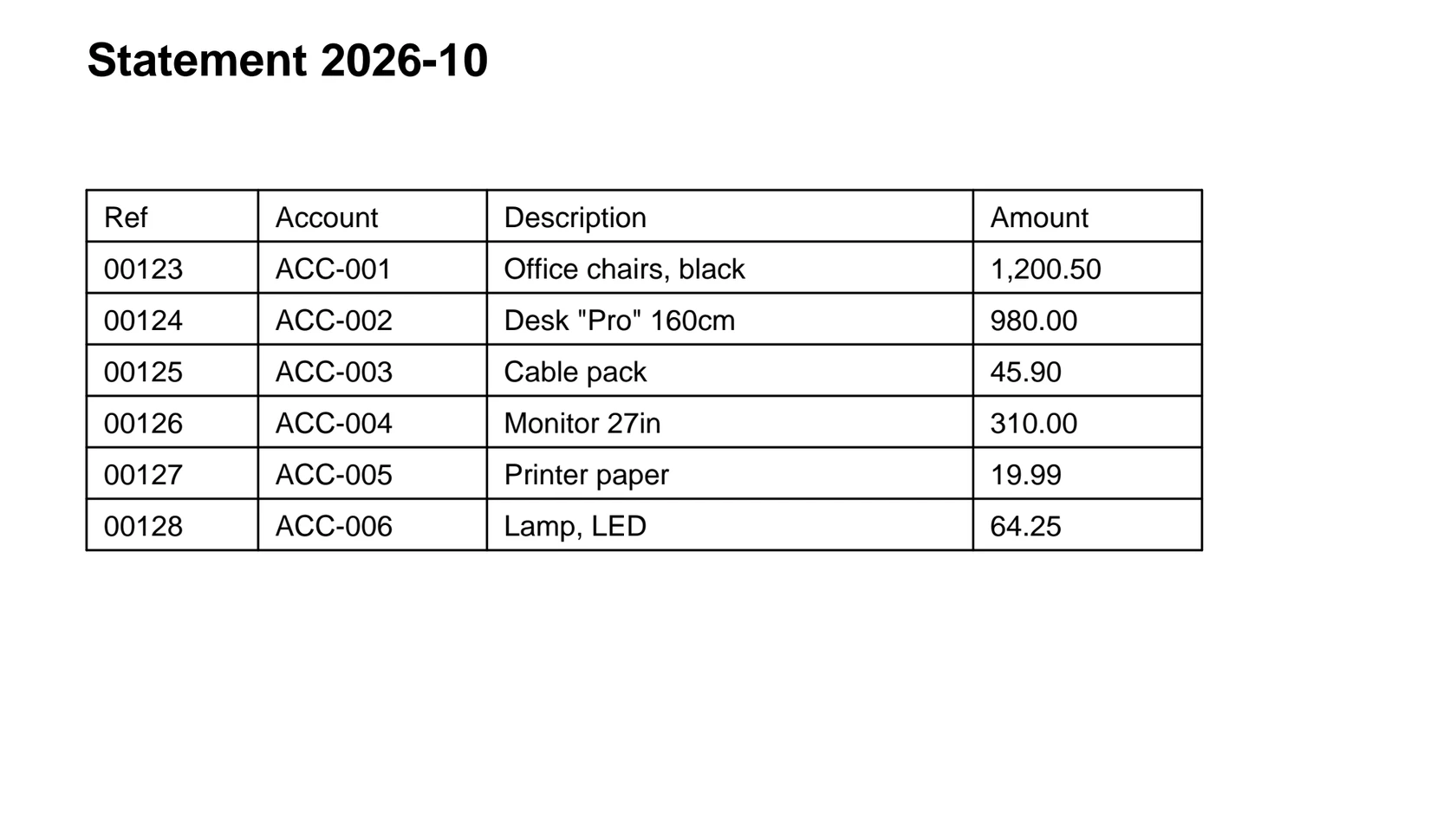
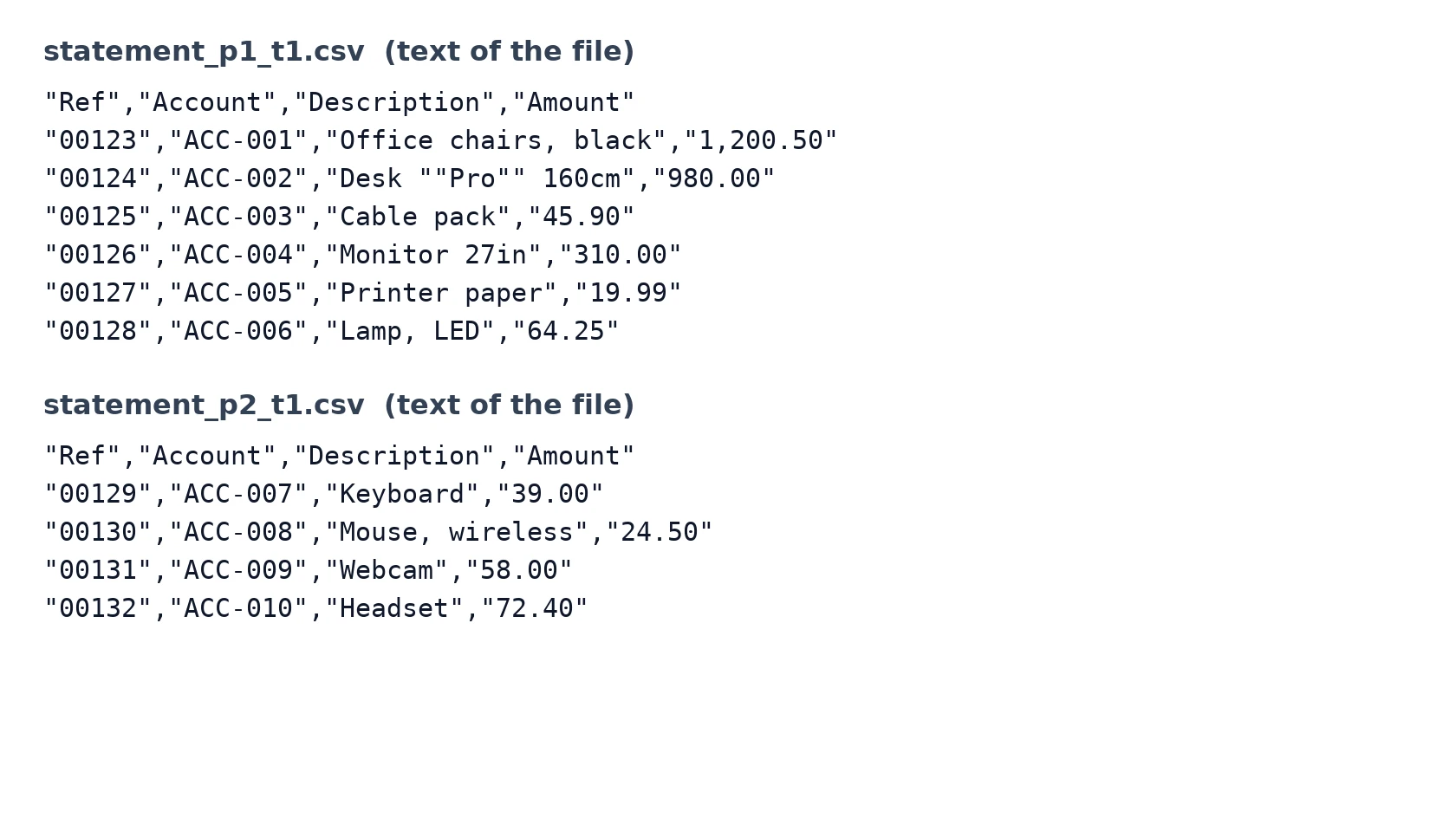
In our test the 3-page sample gave two files: statement_p1_t1.csv with 7 rows by 4 columns and statement_p2_t1.csv with 5 rows by 4 columns.
A reference such as 00123 kept its leading zeros and an amount such as 1,200.50 kept its thousands comma, because every value is written as quoted text. Nothing is turned into a number or a date.
In our test every field was wrapped in double quotes and a quote inside a field was doubled, as in "Desk ""Pro"" 160cm". The file was UTF-8 with CRLF line ends.
The table on page 2 repeated its header row, and that row is the first line of the page 2 file. Nothing is merged or removed for you, so you decide what to keep.
| You need | Pick | Why |
|---|---|---|
| Rows for an import tool or a script | PDF to CSV, this page | Plain text, no sheets or formatting |
| A workbook to open and edit by hand | PDF to XLSX | A spreadsheet file instead of text |
| Editable text with its layout | PDF to DOCX | A Word document |
| A scanned PDF | OCR first | This converter does not read images |
Drop the PDF on the box or choose it from your device. Use a PDF made by software, with the table drawn with lines. Keep the original.
Check that CSV is the output format, then start the conversion and wait for it to finish. In our test a 3-page, 3,491-byte statement took 4.3 seconds from the click to Completed.
In our test the download was a ZIP archive, although the browser named it with .csv. Open it as an archive, then check each CSV against the PDF: the row count, the repeated header and any table that is missing.
You hand over a PDF and take away plain CSV files for the tables that have drawn lines. You install nothing on your computer. The page tells you before you upload what to expect: one file per ruled table, no reading of scans, and tables without lines can be missing.
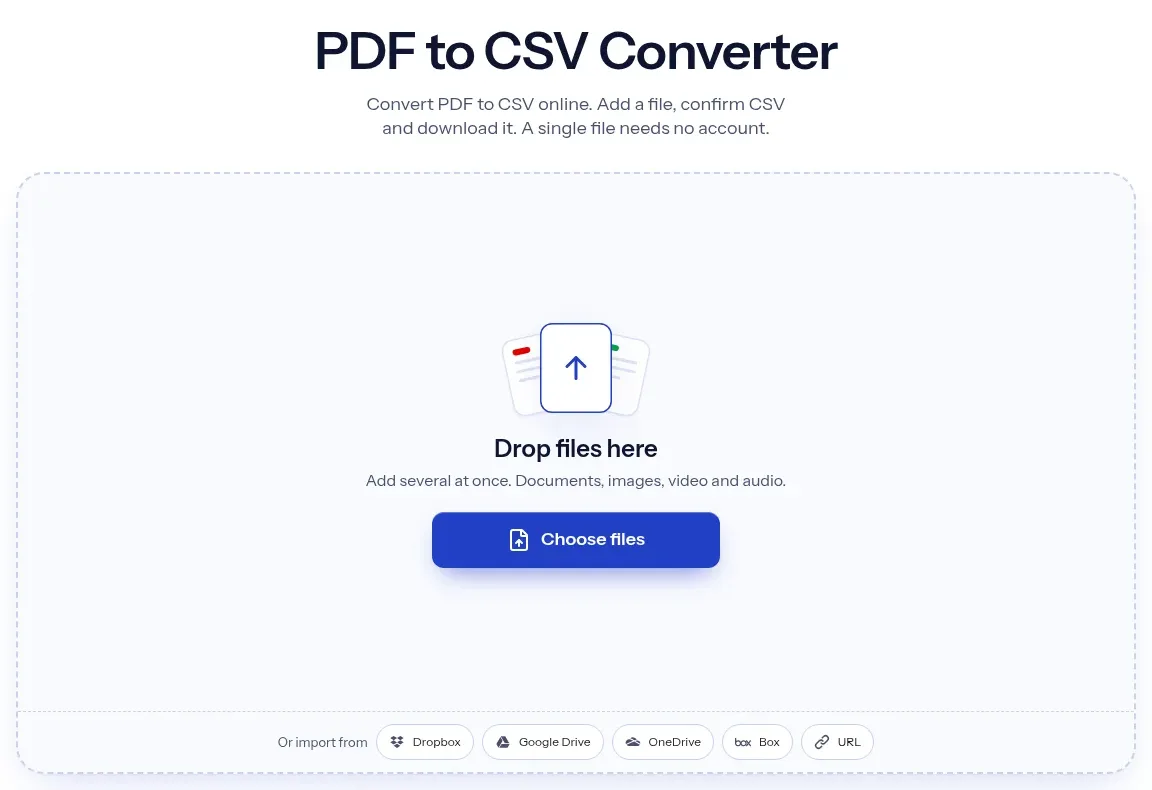
The upload box shows the live size limit before you add a file. Signing in raises it; a paid plan does not change it.
PDF in, CSV out. Pick another output on the converter if you need a different format.
Files are encrypted in transit over HTTPS and processed on indox infrastructure.
Free-tier files are kept for 24 hours after the job finishes, then deleted automatically.
| What you see | Why | What to do |
|---|---|---|
| The CSV is empty or 0 bytes | The PDF is a scan with no text layer; in our test it finished as Completed with an empty file | Run OCR on the PDF first, then convert it again |
| A table is missing | Tables without drawn lines were not found in our test | Export the PDF again with grid lines on, or copy the table by hand |
| The download will not open as a CSV | In our test the download was a ZIP archive named with .csv | Rename it to .zip or open it with an archive tool |
| A header row appears inside the data | A repeated page header is the first row of that page's file | Delete the extra header rows before you stack the files |
| Leading zeros vanish in the spreadsheet | The CSV keeps them as text, but a spreadsheet can convert them on opening | Import the file and set the column to text |
| Compared on | CSV | |
|---|---|---|
| What it stores | Pages with text, lines and images placed at exact positions | Rows of plain text separated by commas |
| Tables | No table object; a table is text and lines on the page | Rows and columns are the whole format |
| Formatting | Fonts, colours and layout are kept | None; only the text of each field |
| Standard | ISO 32000 | RFC 4180, an informational description with no formal specification |
| Converting between them | Rows and columns must be inferred from the page | Cannot restore the original page layout |
No tool matches that search.
Add the PDF to the converter in your browser, keep CSV as the output and download the result. Nothing is installed. Open the download and check each CSV against the PDF.
For tables drawn with lines in a PDF made by software, the rows and columns in our test matched the sample: 7 by 4 on page 1 and 5 by 4 on page 2, with leading zeros and commas intact. We tested one small sample, so check each file, especially amounts and merged cells.
No. CSV is plain text, so fonts, colours, borders and column widths are dropped. Only the cell text is kept, as quoted strings.
Yes, in one PDF. In our test each ruled table on each page became its own CSV file inside one download, so a 3-page document gave two files. A table without ruling lines gave no file.
Not with this converter. It has no OCR, and in our test a scanned PDF finished as Completed with a 0-byte file. Run OCR on the scan first, then convert the searchable PDF.
You do not install anything. Our test ran without signing in and we saw no limit, quota or paywall, but we tested only small files and a few runs, so we cannot promise the same for large files or heavy use.
In our test the file was named with .csv but was a ZIP archive holding one CSV per table. Open it with an archive tool, or rename it to .zip, and the CSV files are inside.
The converter finds tables by their ruling lines. A table aligned only with spaces had no lines in our test and left no file. If your PDF table has no lines, export it again from the program that made it or copy it by hand.
The CSV holds them as text, as in "00123". A spreadsheet may still convert the value to a number when you double-click the file, so import it and set that column to text.