WEBP to PDF Converter

Add a WebP image and get a one-page PDF back. An animated WebP gives its first frame only.

To convert webp to pdf, add the .webp file, keep PDF as the output format and download the result. In our test, a 24 KB WebP became a one-page pdf of 1.4 MB, about 59 times larger, because the PDF stores the pixels without WebP's compression. An animated WebP gives its first frame only.

Transfers use HTTPS, and files converted on the free tier are deleted after 24 hours, so the result is not a long-term archive. Quality depends on the source file, so open the PDF file once before you share it.

Need more PDF options? Open the PDF Converter hub.

FromWebPLossyTransparency

WebP (Web Picture format)

Google's image format for the web, released in 2010. One file type covers lossy photos, lossless graphics, alpha transparency and animation, usually at a smaller size than JPG or PNG. All current browsers display it, though desktop software support is uneven.

ToPDFLossless

PDF (Portable Document Format)

A fixed-layout document format published as ISO 32000. Each page records the exact position of every character, image and line, usually with the fonts embedded, so it displays and prints identically in any reader and is awkward to edit.
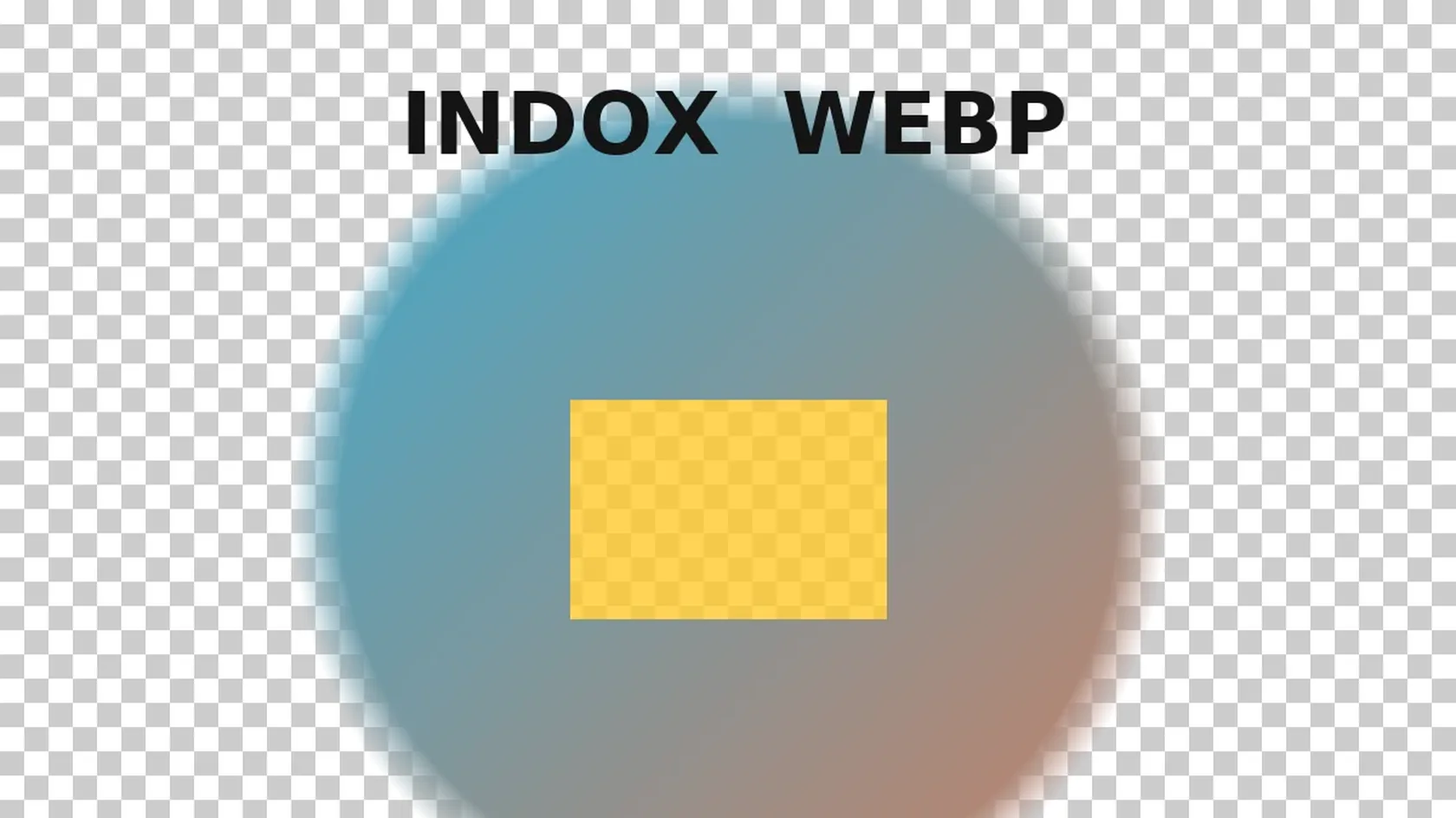
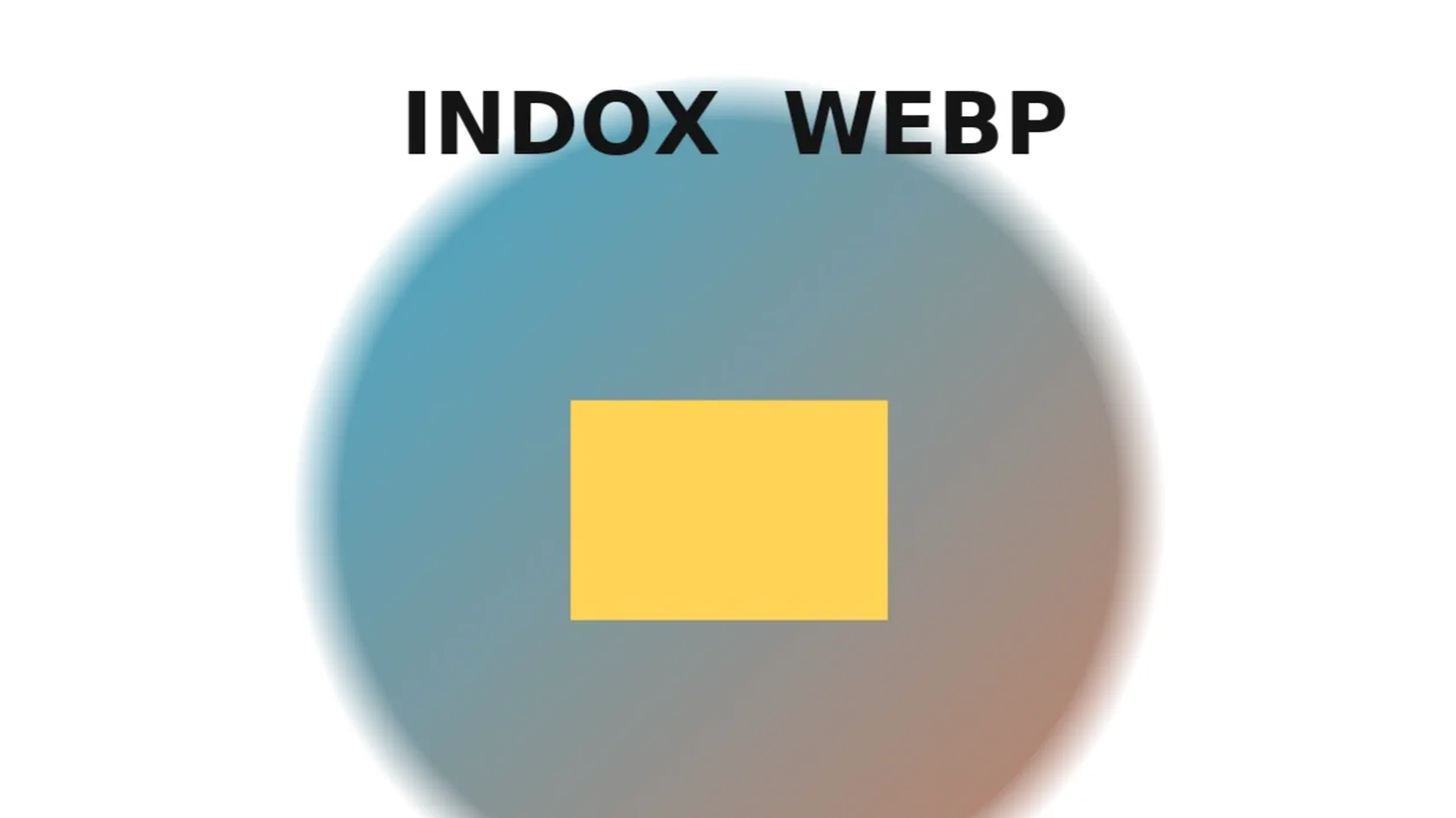
A 1200 × 800 px lossy WebP with transparency, made by us, converted on indox.org

WebPthe original, lossy with transparency
24 KB
PDFfrom indox, one page, about 59 times larger
1.4 MB
Animated WebP12 frames, 640 × 360 px
48.6 KB
PDF of the animationone page, frame 1 only
46.6 KB
Top part of the transparent WebP shown on a checkerboard, so the see-through areas are visible
The same pixels in the PDF page made by indox, with the transparent areas now on a white background
Measured on indox.org on 5 November 2026: the WebP we uploaded and the PDF page we downloaded. Drag the handle to compare the same pixels, first on a checkerboard and then on the white PDF page.

Why use indox to convert WEBP to PDF?

Transparency is kept, and shows on a white page

In our test a WebP with transparent corners came out as a PDF where the transparency is stored as a separate soft mask. A transparent corner pixel rendered white, not black, and semi-transparent edges blended with white.

Animated WebP behaviour, measured

Pages that rank for this search disagree about animated files, so we measured it: a 12-frame animated WebP gave a one-page PDF showing frame 1. PDF has no animation, so the other frames are not in the file.

No software on your side

The conversion runs on indox servers, so it works the same on Windows, Mac, Linux, Android and iPhone. You do not need an image editor that understands WebP.

The page size is explained

The PDF page follows the pixel size of the image at 300 pixels per inch. A 1200 × 800 px image gave a 288 × 192 pt page, which is 4 × 2.7 inches. You can see why the page looks small before you print it.

What happens to your WebP

Stays

  • Your original WebP, which is not touched
  • The pixel size, 1200 × 800 px in our test
  • The picture, as the single page of the PDF
  • The transparency, kept as a soft mask

Changes

  • Page: sized from the pixels at 300 ppi, 288 × 192 pt for 1200 × 800 px
  • File size: 24 KB became 1.4 MB, about 59 times larger
  • Animation: only the first frame of an animated WebP is kept
  • Background: transparent areas appear on a white page
  • Format: a document page instead of a web image

How do I convert WEBP to PDF online?

  1. 1

    Add your WebP file

    Drop the file on the box or choose it from your device. Keep the original WebP: the PDF cannot be turned back into it.

  2. 2

    Confirm PDF, then start the conversion

    Check that PDF is the output format on the converter, then start the conversion. In our test it took 3.3 seconds from the click to Completed, for a still file and for an animated one.

  3. 3

    Download the PDF and open it once

    Save the PDF and open it before you send it. Look at the page size and the background, and for an animated source check that the frame shown is the one you wanted.

What do I get from indox's WEBP to PDF converter?

You hand over one WebP image and take away a one-page PDF. The page tells you before you convert what happens to transparency, to animation and to file size, because we measured each of them on indox.org.

  • One PDF for the WebP you add, in a few clicks
  • Nothing installed on Windows, Mac or a phone
  • Transparency and animated files measured in a real run
  • Your original WebP is left as it was
The indox WebP to PDF converter: drop a file or choose one to convert it to PDF

What are the limits for WEBP to PDF?

Size

The upload box shows the live size limit before you add a file. Signing in raises it; a paid plan does not change it.

Formats

WEBP in, PDF out. Pick another output on the converter if you need a different format.

Privacy

Files are encrypted in transit over HTTPS and processed on indox infrastructure.

Deletion

Free-tier files are kept for 24 hours after the job finishes, then deleted automatically.

Limits worth knowing

  • One WebP gives one PDF. We converted a single file per job and did not test joining several WebP images into one PDF. To combine pages, convert each image and merge the PDFs afterwards.
  • An animated WebP gives its first frame only. The other frames are not in the PDF, so export the frame you want first if it is not frame 1.
  • The PDF is much larger than the WebP. We saw 24 KB become 1.4 MB with a smooth image; check the size before you email or upload the file.
  • Transparent areas become white on the page. If you need a coloured or transparent background, the PDF is not the right container for that picture.
  • No text recognition is added. A screenshot of text stays a picture, so you cannot select or search the words.
  • We tested one lossy still image and one animated lossless file, both made by us. A lossless WebP, a very large image or a noisy photo were not tested, and PDF/A output was not tested.

When the result is not what you expected

What you seeWhyWhat to do
Only one picture from an animated WebPPDF has no animation and the first frame is usedExport the frame you want as a still image first, then convert it
The PDF is far bigger than the WebPThe PDF stores pixels with simple run-length coding, not WebP compressionKeep the WebP for the web and use the PDF only where a PDF is required, or try WebP to JPG if a smaller image is enough
Transparent areas look whiteThe page is white and the alpha is a soft mask over itPlace the image on the background colour you want before converting
The page looks small in a print dialogThe page is sized at 300 ppi, so 1200 px is 4 inches wideScale to fit in the print dialog, or use a larger image
A form still rejects the fileThe form may limit size or page countCheck its limit; the PDF is much bigger than the WebP

What do the free and paid plans add?

Free

  • All converters
  • Daily credit refresh
  • Email support

Basic

  • Access to all features
  • AI Extract
  • Priority conversions
  • Email support
Highest priority

Premium

  • Everything in Basic
  • Highest priority queue
  • Priority support

Pay-As-You-Go

  • No subscription
  • Credits never expire
  • Opt-in auto-refill
  • Access to all features
See prices

WebP vs PDF: what is the difference?

Compared onWebPPDF
What it isAn image format for the webA fixed-layout document format
PagesOne image, or the frames of one animationOne or many pages, none animated
TransparencyAlpha channel in the image itselfPossible as a soft mask, shown on the page background
SizeSmall, with lossy or lossless compressionLarger when it holds a plain image, as in our test
Where it opensBrowsers; desktop support is unevenPractically every reader, printer and upload form
Typical useWeb pages and saved web imagesForms, printing, signing and sharing

Who can use a WEBP to PDF converter?

  • People who saved a picture and got WebP

    Browsers often save images from the web as WebP. When an office form, a printer or a mail attachment rule wants a PDF, converting gives you a file that opens everywhere.

  • Anyone preparing a document from images

    A scan of a receipt, a screenshot of a booking or a design proof often ends up as WebP. A one-page PDF is easier to attach, print and sign than a WebP.

  • Designers and developers with WebP assets

    A PDF of a web graphic works as a quick proof for a client who cannot open WebP. The page size rule below tells you what size it will print at.

When to use it

  • Attaching a saved WebP image to an application form that accepts PDF only.
  • Printing a web graphic from a program that cannot open WebP.
  • Sending a WebP design proof to a client as a file anyone can open.
  • Turning a WebP screenshot into a PDF page that you merge with other documents.

Where can I read more about converting files?

Sources

Facts checked on November 5, 2026

Do it all with indox

View all 94 tools

WEBP to PDF FAQs

How do I convert WebP to PDF for free?

Open the converter, add your WebP file, keep PDF as the output and download the result. You do not need to install anything. In our test we used no account and saw no limit message for a single file.

What happens to an animated WebP?

You get a one-page PDF showing the first frame. Our 12-frame test file gave a single page, and the picture matched frame 1. A PDF cannot play animation, so the other frames are dropped.

What happens to transparency in a WebP?

The transparency is stored in the PDF as a soft mask, and the page itself is white. A transparent corner pixel rendered white in our test. A viewer or printer shows your picture on that white page.

Why is the PDF bigger than my WebP?

WebP compresses the picture, and the PDF in our test stored the pixels with run-length coding only. Our 24 KB WebP became a 1.4 MB PDF. How much larger it gets depends on the picture; a plain gradient compresses better than a detailed photo.

What size will the PDF page be?

The page follows the pixel size of the image at 300 pixels per inch. In our test 1200 × 800 px gave a 288 × 192 pt page, and 640 × 360 px gave 153.6 × 86.4 pt. Multiply pixels by 72 and divide by 300 to get points.

Can I put several WebP images into one PDF?

This converter takes one file per job, and we did not test a multi-file upload. Convert each WebP, then join the PDFs with a merge tool.

Does the conversion lower the picture quality?

The PDF in our test held the pixels with a lossless filter, so the conversion adds no new loss. If the WebP was lossy, its artifacts are still in the picture.

Is my file processed on my device or on a server?

On a server: the conversion runs on indox servers. The result page in our test said that files on the free tier are deleted after 24 hours; read the current wording on the page before you rely on it.

Can I get editable text from the PDF?

No. The PDF holds the image as a picture, and no text recognition is added. Run OCR on the PDF if you need selectable text.