Transparency stays in the PNG
We counted the transparent pixels before and after. The numbers matched, and every colour and alpha value was identical, for a lossless WebP and for a lossy one. Soft edges and cut-out shapes arrive as they were.
Add a WebP file and get a PNG back that keeps its transparency. The PNG is usually larger, and an animated WebP becomes one still frame.
To convert webp to png, add the .webp file, keep PNG as the output and download the result. In our test, a 30.5 KB lossless webp with transparency became a 171.1 KB png with the same pixels and the same transparent areas, because PNG stores every pixel without loss and does not shrink as far as WebP.
Transfers use HTTPS, and files converted on the free tier are deleted after 24 hours, so the result is not a long-term archive. Quality depends on the source file, so open the PNG file once before you share it.
WebP (Web Picture format)
Google's image format for the web, released in 2010. One file type covers lossy photos, lossless graphics, alpha transparency and animation, usually at a smaller size than JPG or PNG. All current browsers display it, though desktop software support is uneven.
PNG (Portable Network Graphics)
A lossless raster format with a full alpha channel. It preserves every pixel it is given and supports transparency, which makes it the usual choice for logos, screenshots, and any image with sharp edges or text.
Three WebP test files we drew ourselves, two with transparency and one animated, converted on indox.org
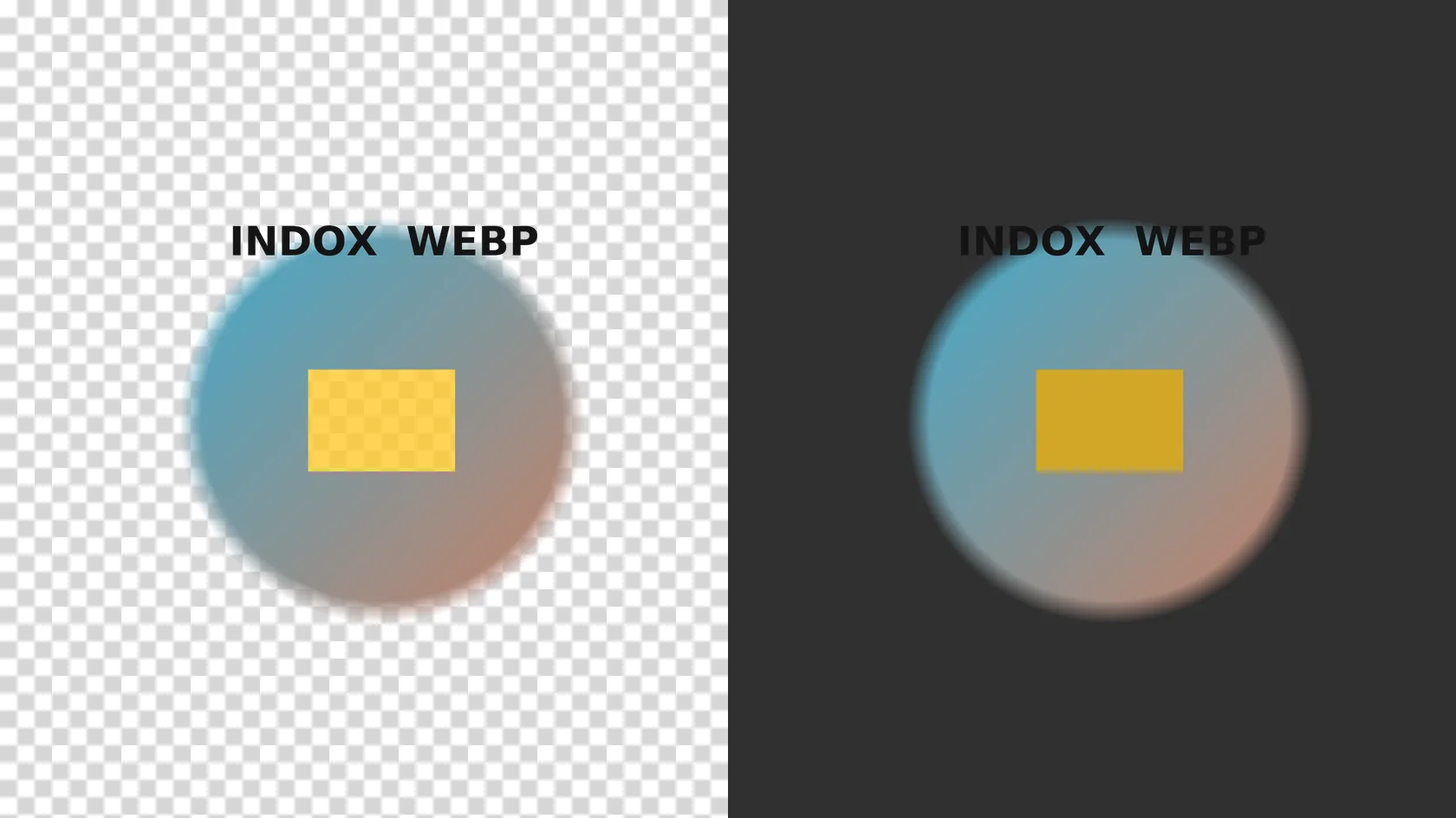
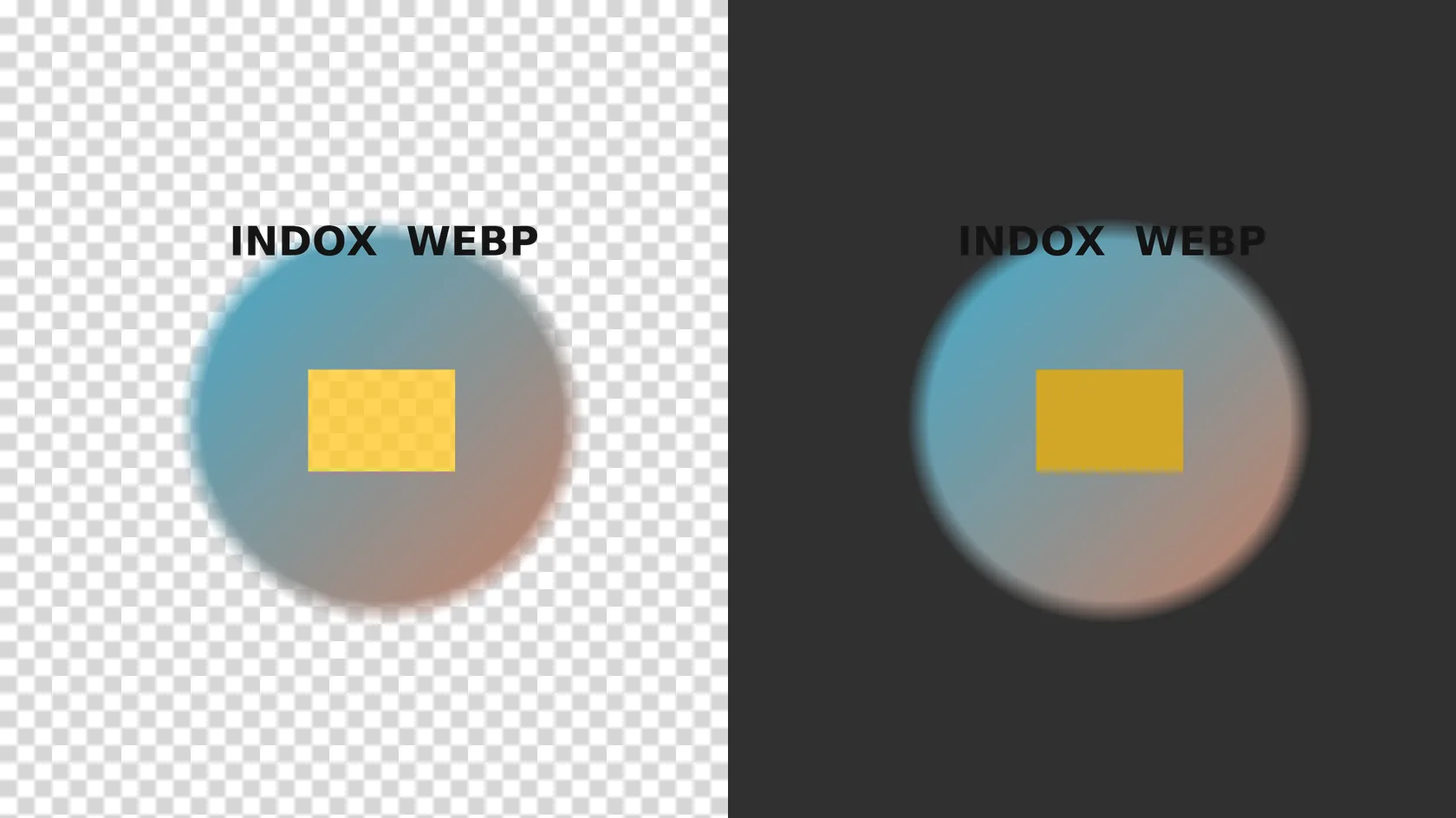
We counted the transparent pixels before and after. The numbers matched, and every colour and alpha value was identical, for a lossless WebP and for a lossy one. Soft edges and cut-out shapes arrive as they were.
A 1200 × 800 px WebP gave a 1200 × 800 px PNG. The conversion runs on indox servers, so it works the same on Windows, Mac, Linux, Android and iPhone, in any browser.
We converted three files anonymously on 4 November 2026 and saw no account prompt, limit message or paywall. Limits can change, so read the converter page if a file is refused.
An animated WebP does not become an animated PNG here. We tested a 12-frame file and got one PNG of the first frame. The page says so before you convert, so you can keep the WebP if you need the motion.
| You need | Choose | Why |
|---|---|---|
| A logo or cut-out with a transparent background | PNG | JPG cannot store transparency, so it fills the area with a colour |
| A photo in a small file | JPG | Lossy JPG is far smaller than PNG for photographs |
| Sharp text or line art | PNG | Lossless storage keeps edges clean |
| The animation itself | Keep the WebP | Our PNG holds the first frame only |
Drop the file on the box or choose it from your device. Keep the original WebP: it is smaller, and the PNG cannot give that size back.
The converter shows no extra settings for this pair, so you only start the conversion. In our test it took 3.3 to 3.4 seconds from the click to Completed.
Save the PNG and open it in an editor that shows a checkerboard for transparency. If you added an animated WebP, expect the first frame only.
You hand over a WebP file and take away a PNG that opens in editors, forms and documents that reject WebP, with the transparency still in place. The page tells you what a PNG cannot do before you convert, so you know whether it fits the job.
The upload box shows the live size limit before you add a file. Signing in raises it; a paid plan does not change it.
WEBP in, PNG out. Pick another output on the converter if you need a different format.
Files are encrypted in transit over HTTPS and processed on indox infrastructure.
Free-tier files are kept for 24 hours after the job finishes, then deleted automatically.
| What you see | Why | What to do |
|---|---|---|
| The animation is gone | The converter writes the first frame only, as a plain PNG | Keep the original WebP for the motion, or use the PNG as a still |
| The PNG is far bigger | PNG compresses without loss and WebP is built to be small | Use WebP to JPG if you need no transparency, or keep the WebP for web use |
| The background looks white or black | Some viewers paint transparency in a colour | Open the file in an editor that shows a checkerboard; the alpha is in the file |
| Edges look blocky or smeared | The WebP was lossy and the PNG keeps its flaws | Find the original source image and convert that |
| A site still rejects the file | Renaming .webp to .png does not change the contents | Upload the converted .png |
| A very large image fails | We did not test a maximum size | Make a smaller copy and convert that |
| Compared on | WebP | PNG |
|---|---|---|
| Compression | Lossy or lossless | Lossless only |
| Transparency | Yes, with an alpha channel | Yes, with an alpha channel |
| Animation | Yes | No in plain PNG; animated PNG is a separate extension |
| File size | Usually smaller | Usually larger: 5.6 to 9.8 times in our still-image test |
| Where it opens | All current browsers; desktop software is uneven | Practically every browser, editor and document tool |
Facts checked on November 4, 2026
No tool matches that search.
Open the converter, add your .webp file, keep PNG as the output and download the result. In our test the conversion took about three seconds, and there was nothing to install.
Yes in our test. The count of transparent pixels was the same in the WebP and the PNG, and the colour and alpha values matched exactly, for both a lossless and a lossy WebP. Open the PNG on a checkerboard to see it for yourself.
You get one still PNG of the first frame. Our 12-frame test file gave a single-frame PNG that was identical to frame one. It is a plain PNG, not an animated one, so keep the WebP if you need the motion.
For still images, yes, a lot. In our test a 30.5 KB lossless WebP became 171.1 KB and a 24.0 KB lossy WebP became 235.3 KB. The animated test file went the other way, 48.6 KB down to 3.6 KB, because only one frame is kept.
No quality is lost in the conversion, because PNG stores the decoded pixels without loss. It does not bring back detail that a lossy WebP already discarded, so those flaws stay.
Many sites send WebP to browsers because it is smaller, and saving an image stores the file the site delivered. The extension says .webp even when the picture looked like a PNG on the page. Converting gives you a real PNG.
WebP can be lossy or lossless and can be animated. PNG is always lossless and plain PNG has no animation. Both support transparency. WebP is usually smaller, while PNG opens in more software.
Choose PNG for transparency, logos, screenshots and line art. Choose [JPG](/convert/webp-to-jpg) for photos where a smaller file matters and no transparent area is needed, since JPG cannot store transparency.
In our anonymous test on 4 November 2026 we did not sign in and saw no limit or paywall message. Check the converter page for the limits that apply when you use it.