Static and animated GIFs both work
A single-frame GIF gives a PNG of the picture. An animated GIF gives a PNG of its first frame. In both cases you get one file, with no ZIP and no animation.
Add a GIF and get one still PNG back. An animated GIF gives you its first frame, and transparent areas stayed transparent in our test.
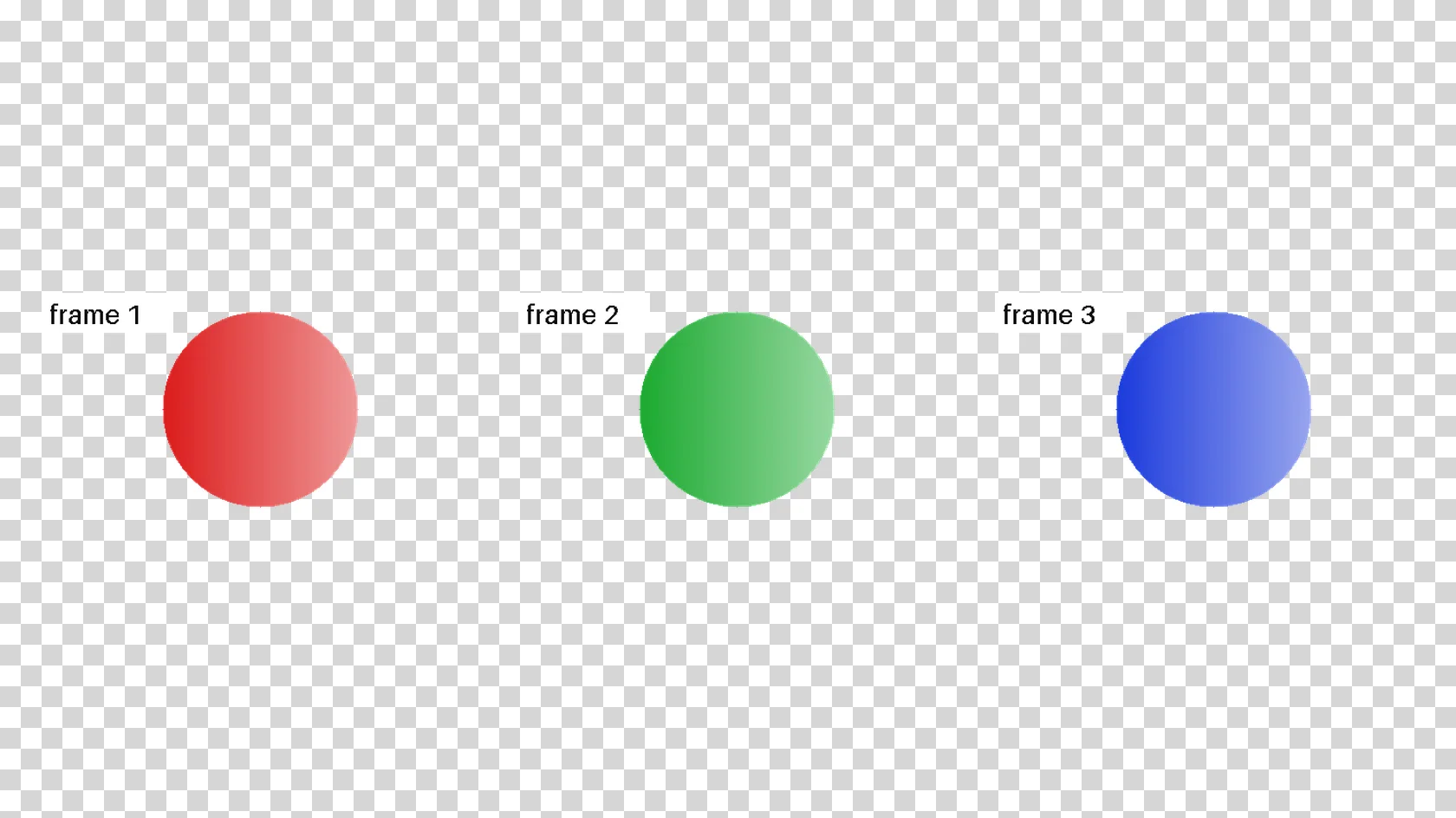
To convert gif to png, add the .gif file, keep PNG as the output format and download the result. In our test, an animated GIF with 3 frames and 19.6 KB became one 2.7 KB png of its first frame, with the transparent background intact, because this converter returns a single still image.
Transfers use HTTPS, and files converted on the free tier are deleted after 24 hours, so the result is not a long-term archive. Quality depends on the source file, so open the PNG file once before you share it.
GIF (Graphics Interchange Format)
A raster format that can hold several frames in one file, which is why it became the usual container for short looping clips. Each frame uses a palette of 256 colours or fewer and is compressed losslessly with LZW. Timing is stored per frame in hundredths of a second, and a pixel can be marked transparent, but only fully on or off. There is no sound and no partial transparency.
PNG (Portable Network Graphics)
A lossless raster format with a full alpha channel. It preserves every pixel it is given and supports transparency, which makes it the usual choice for logos, screenshots, and any image with sharp edges or text.
A 3-frame animated GIF with a transparent background, 480 × 270 px, converted on indox.org
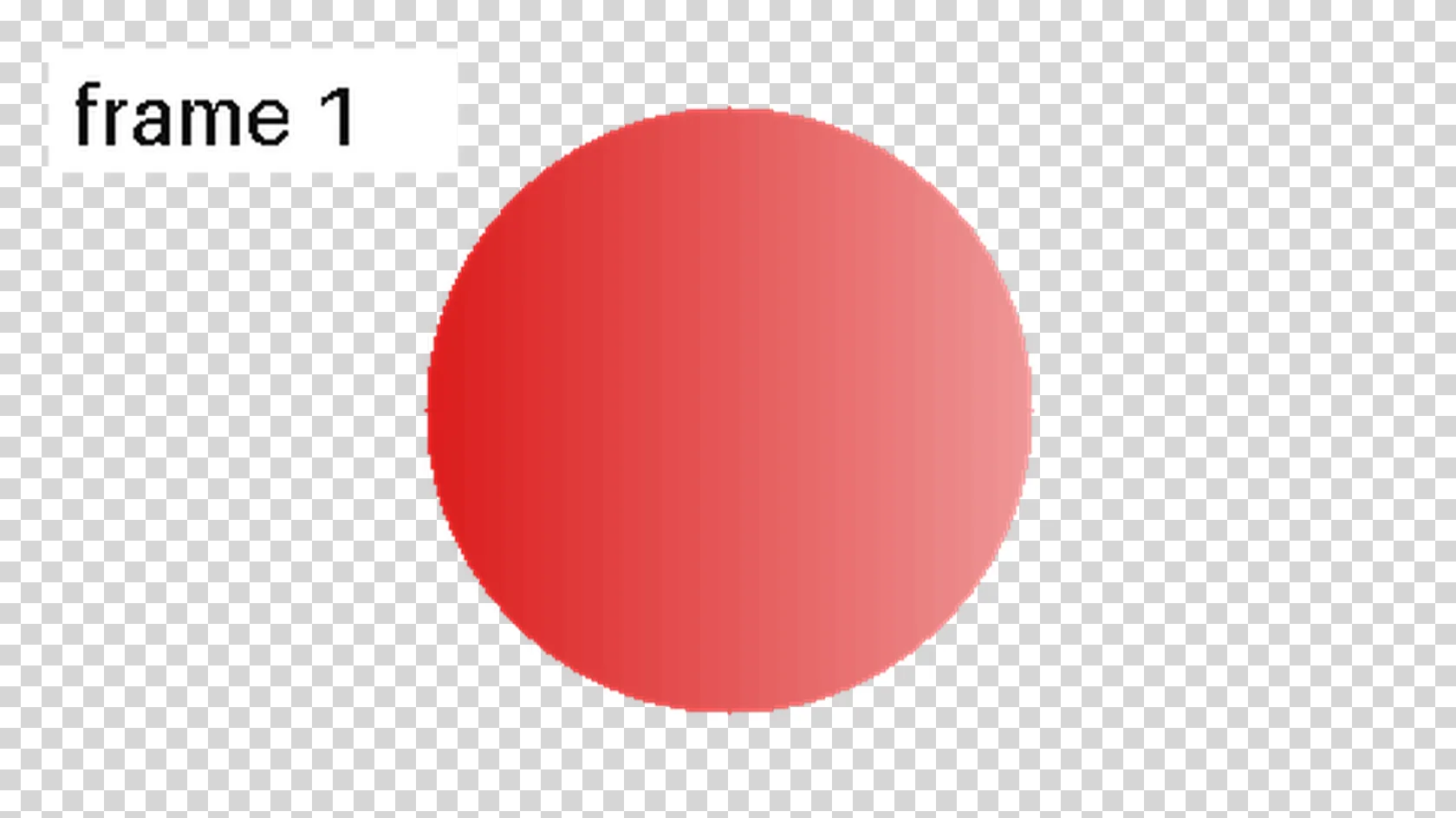
A single-frame GIF gives a PNG of the picture. An animated GIF gives a PNG of its first frame. In both cases you get one file, with no ZIP and no animation.
JPG has no transparency, so a GIF with a see-through background usually goes to PNG instead. In our test every transparent pixel of the GIF was still transparent in the PNG.
The conversion runs on indox servers, so it works on Windows, Mac, Linux, a Chromebook, Android and iPhone. You do not need an image editor or a command-line tool.
Drop the .gif file on the box or choose it from your device. Keep the original GIF if you may need the animation later, because the PNG cannot be turned back into it.
Check that PNG is the output format on the converter and start the conversion. In our test it took 3.2 seconds from the click to Completed.
When the status shows Completed, use Download and save the file. Open it over a coloured or checkered background to see that the transparent areas are still clear, and remember that it shows the first frame only.
You hand over a GIF and take away one clean PNG of its first frame, with transparency kept. The page tells you before you convert what you will not get: no animation and no other frames.
The upload box shows the live size limit before you add a file. Signing in raises it; a paid plan does not change it.
GIF in, PNG out. Pick another output on the converter if you need a different format.
Files are encrypted in transit over HTTPS and processed on indox infrastructure.
Free-tier files are kept for 24 hours after the job finishes, then deleted automatically.
| What you see | Why | What to do |
|---|---|---|
| The PNG does not move | A PNG holds one still image and the converter takes frame 1 | Use GIF to MP4 to keep the motion as a looping video |
| I need other frames than the first | The converter has no frame picker and gives one file | Split the GIF into frames with ImageMagick or Pillow, then use the frame you want |
| Transparent areas look black or white | Your viewer paints a background behind the picture | Open the PNG over a checkerboard or in an editor, since the alpha channel is there |
| A site still rejects the file | Renaming the extension does not change the contents | Upload the converted .png, or use GIF to JPG if the form wants JPG |
| The picture looks rough or banded | The GIF had only 256 colours and PNG cannot add more | Go back to a higher-quality original if you have one |
| Compared on | GIF | PNG |
|---|---|---|
| Colours | 256 or fewer per frame | Full colour, with an alpha channel |
| Transparency | Each pixel is fully on or off | Smooth transparency is possible |
| Animation | Several frames in one file | One still image in the file |
| Compression | Lossless, with a palette | Lossless |
| Typical use | Short looping clips and simple graphics | Logos, screenshots, stills and anything with sharp edges |
Facts checked on November 5, 2026
No tool matches that search.
Open the converter, add your GIF, keep PNG as the output and download the result. You do not need an image editor or any software on your computer.
No. This converter returns one still PNG, and in our test it had no animation data. To keep the motion, convert the GIF to video with GIF to MP4.
The first one. In our test the PNG matched frame 1 of the GIF exactly, while frames 2 and 3 looked different from it. There is no option on the page to choose another frame.
Yes, in our test. The 92,648 transparent pixels of the GIF were transparent in the PNG as well, in the same places, and the alpha values were only fully clear or fully solid, as in the source.
Not here. The converter gives one PNG of the first frame and no ZIP or numbered sequence. For all frames you need a tool that splits a GIF into frames, such as ImageMagick or a Pillow script.
It was in our test: 19.6 KB became 2.7 KB, about 7 times smaller. That drawing used flat colours, so a different GIF can give a different result, and a PNG can also come out larger.
Optimized GIFs store later frames as partial patches, but frame 1 is complete. Our optimized test file gave exactly the same PNG as the plain one. The one case we could not test is a GIF whose first frame itself sits at an offset.
When we ran it, the page text for the free tier said converted files are deleted after 24 hours. Terms can change, so read the current text on the converter page before you rely on it.
Choose PNG when the GIF has a transparent background, flat colours, sharp edges or text. Choose JPG only for a photo-like picture where a small file matters more than transparency, and see GIF to JPG for that.
Yes. The converter runs in the browser, so on Android or iPhone you add the file, convert it and save the PNG.