Chapters become PDF bookmarks
In our test the 12 chapters and two sub-entries of the book's contents list became 15 bookmarks, so a PDF reader lets you jump from chapter to chapter.
You get a PDF of your AZW3 book: fixed pages you can print, send or open on any device, with no Kindle app needed.
To convert azw3 to pdf, add the AZW3 file, keep PDF as the output format and download the result. The book changes from reflowable text into fixed pages, so it no longer adapts to the screen. In our test a 42 KB book with 12 chapters became a 17-page PDF of 164 KB with 15 bookmarks. A book locked with DRM, as many Kindle Store titles are, cannot be converted.
Transfers use HTTPS, and files converted on the free tier are deleted after 24 hours, so the result is not a long-term archive. Quality depends on the source file, so open the PDF file once before you share it.
Need more PDF options? Open the PDF Converter hub.
AZW3 (Kindle Format 8)
Amazon's Kindle Format 8, introduced in late 2011 with the Kindle Fire. It holds reflowable HTML and CSS, supporting a subset of HTML5 and CSS3, inside a container that also carries a backwards-compatible MOBI layer. It is proprietary and can be locked with DRM. Amazon's newer KFX format has since replaced it for many Kindle Store books.
PDF (Portable Document Format)
The fixed-page format for printing, sharing and archiving. A PDF keeps every line on the page where it was placed, embeds its fonts and opens on almost any computer, phone, tablet or browser.
A 42 KB AZW3 test book with 12 chapters, made by us with calibre, converted on indox.org
In our test the 12 chapters and two sub-entries of the book's contents list became 15 bookmarks, so a PDF reader lets you jump from chapter to chapter.
The cover, a PNG figure with transparency, a JPEG figure and a bordered table all appeared in the PDF, and the table kept its borders.
Every font in our test PDF was embedded as a subset, so the pages look the same on a computer that lacks those fonts.
In our test a Table of Contents page was appended as the last page of the PDF, after the book's own pages.
We converted anonymously. We saw no sign-in, quota or payment prompt during our four test conversions.
| If you | Use | Because |
|---|---|---|
| Need a specific page size, margins or page numbers | Calibre on your computer | Its ebook-convert tool exposes paper size, margins and page numbers, while indox uses the defaults |
| Have one or two DRM-free books and no software | This page | You add the file in the browser and install nothing |
| Bought the book with DRM | Keep it in the Kindle app | Converters, including this one, cannot open DRM-locked files |
| Want a book that still reflows on other e-readers | AZW3 to EPUB | EPUB is an open format that most e-readers open |
Drop the AZW3 file on the box or choose it from your device. Use a copy without DRM, such as a book you wrote, a public-domain title or a file from your own Calibre library.
Check that PDF is the output format, then start the conversion and wait for it to finish. In our test a 42 KB book took 9.9 seconds from the click to Completed, and a 14 KB Persian book took 7.4 seconds.
Save the PDF and look at the cover, a page with a figure, a table and the bookmarks panel before you print or send it. Keep the AZW3 as your master copy.
You hand over an AZW3 file and take away a PDF with fixed pages, embedded fonts and chapter bookmarks. Nothing is installed on your computer. The page says up front that DRM-protected books cannot be converted and that the layout comes from Calibre's defaults.
The upload box shows the live size limit before you add a file. Signing in raises it; a paid plan does not change it.
AZW3 in, PDF out. Pick another output on the converter if you need a different format.
Files are encrypted in transit over HTTPS and processed on indox infrastructure.
Free-tier files are kept for 24 hours after the job finishes, then deleted automatically.
| What you see | Why | What to do |
|---|---|---|
| The conversion fails | The file may be protected with DRM or damaged, and indox does not remove DRM | Use a DRM-free copy, such as a book you wrote or a public-domain file |
| The cover looks stretched | The converter draws the cover across the whole first page | Accept it for reading, or use Calibre on your computer where you can control the layout |
| A caption sits on a different page | Fixed pages break wherever the text runs out | Check the pages you plan to print and edit the source book if it matters |
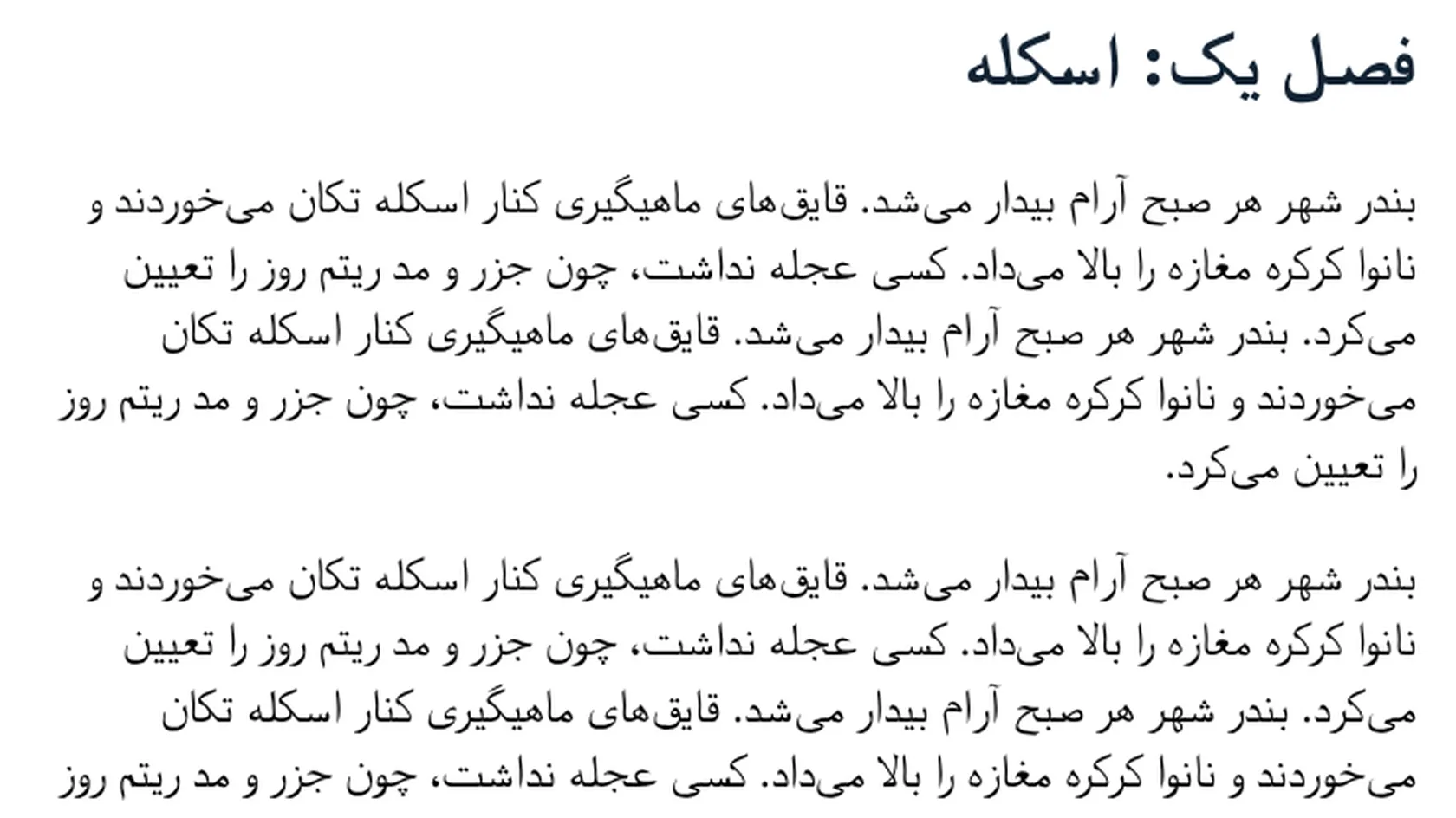
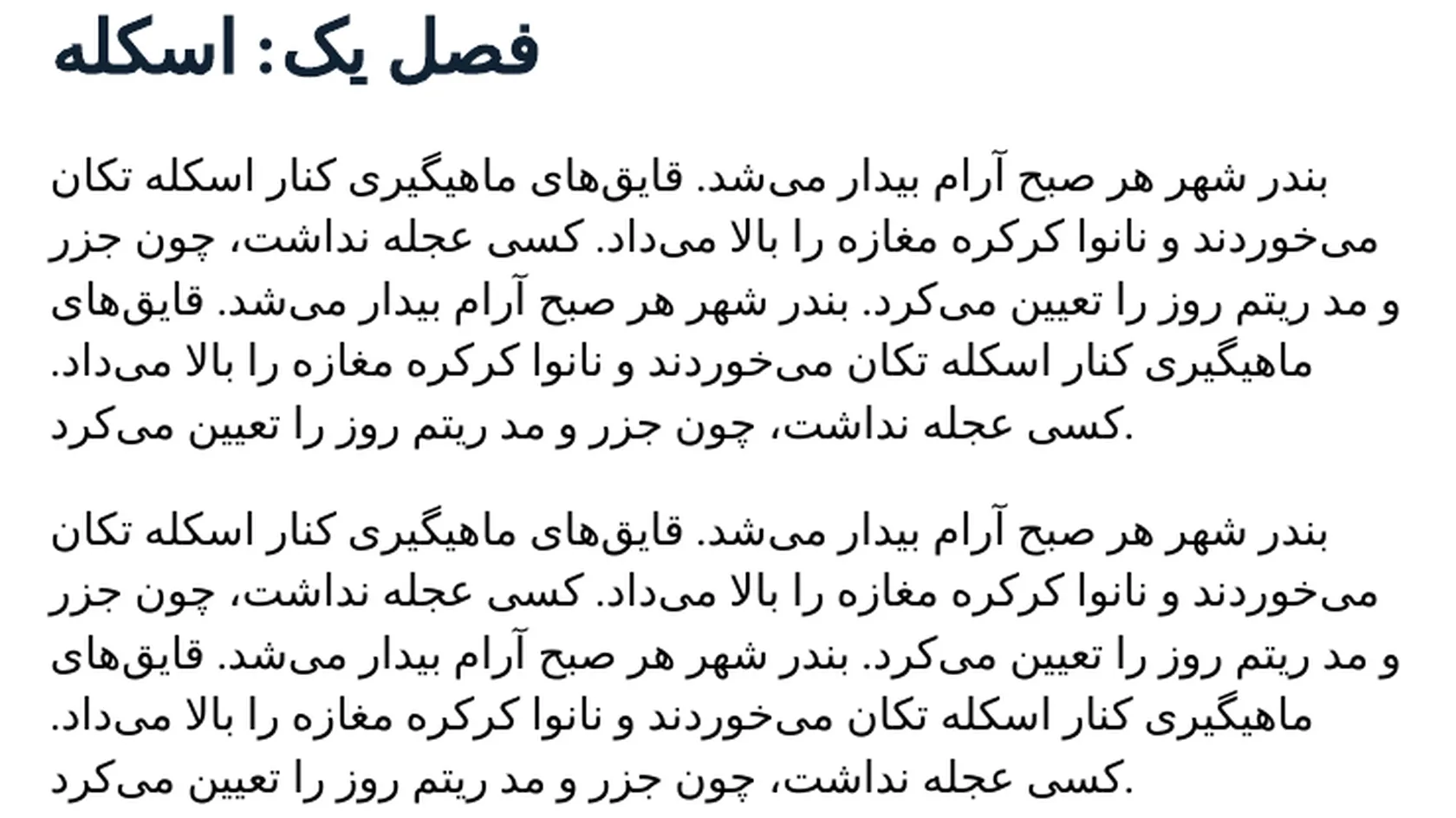
| Persian paragraphs lean left and the final period looks misplaced | The converter does not right-align the text or place the full stop correctly | Use the PDF for reading, and check the last line of each paragraph |
| You want to keep the book reflowable | A PDF is always fixed | Convert to AZW3 to EPUB instead |
| Compared on | AZW3 | |
|---|---|---|
| Layout | Reflowable text that fits the screen and the reader's font size | Fixed pages with a set size and set line breaks |
| Owner | Amazon's proprietary Kindle Format 8, introduced in 2011 | An open ISO standard maintained for decades |
| DRM | Can be locked with DRM, which blocks conversion | Not relevant to this converter, which only reads DRM-free input |
| Opens in | Kindle devices and apps, calibre | Almost every computer, phone, tablet and browser |
| Best for | Reading on a Kindle | Printing, sending and archiving fixed pages |
Facts checked on November 5, 2026
No tool matches that search.
Add the AZW3 file to the converter in your browser, keep PDF as the output and download the result. Nothing is installed. The file must be free of DRM.
Mostly, with changes. In our test the chapters, the images, the table borders and the fonts came through, and the chapters became bookmarks. The text is set into fixed US Letter pages, the cover was stretched and one caption moved to its own page.
No. A file locked with DRM cannot be read by the converter, and indox does not remove DRM. If you own the book, keep reading it in the Kindle app or device that holds its licence.
During our test we used the page anonymously for four conversions and saw no sign-in, quota or payment prompt. We did not test beyond that, and limits can change, so the page itself is the final word.
In our test a 42 KB book with 12 chapters took 9.9 seconds from the click to Completed. A 14 KB Persian book took 7.4 seconds. A larger book will take longer.
Kindle devices and Kindle apps open AZW3 files, and so does the free calibre ebook manager. Most other readers do not, which is the usual reason to convert it to PDF or EPUB.
AZW3, also called KF8, is Amazon's proprietary format from 2011 and can carry DRM. EPUB is an open standard that most e-readers except Kindle open. For a PDF of an EPUB book, use [EPUB to PDF](/convert/epub-to-pdf).
The letters are shaped and joined correctly and the word order is right. In our test the paragraphs were left-aligned and the final period of each paragraph appeared at the wrong end of the last line, so check the result before you print it.
In our test the first page held only the cover image, and one page held only a seven-word figure caption. We saw no blank pages. We have not tested comics or image-only books.