Real Word structure you can edit
Headings become Word heading styles, so the navigation pane and a table of contents work. Pipe tables become native Word tables, and lists become real numbered or bulleted paragraphs you can edit.
Add a Markdown file and get a Word document back. Headings, lists, tables and code become real Word elements.
To convert md to docx, add the .md file, keep DOCX as the output format and download the result. In our test, a 1.4 KB Markdown file became a 12.3 KB docx in 4.3 seconds, with Word heading styles and two native tables.
Transfers use HTTPS, and files converted on the free tier are deleted after 24 hours, so the result is not a long-term archive. Quality depends on the source file, so open the DOCX file once before you share it.
MD (Markdown)
A plain-text file where headings, lists, links, tables and code are marked with ordinary punctuation such as # and *. It has no page size, fonts or page breaks, so a reader or converter decides how it looks. Markdown is a family of dialects rather than one standard: CommonMark and GitHub Flavored Markdown are the best known.
DOCX (Office Open XML Document)
The default Microsoft Word format since Word 2007, a ZIP package of XML parts defined by the Office Open XML standard. Text reflows to fit the page, printer and fonts available, so the same file can paginate differently on two computers.
A Markdown test file with headings, two tables, a code block, a footnote and an embedded image, converted on indox.org
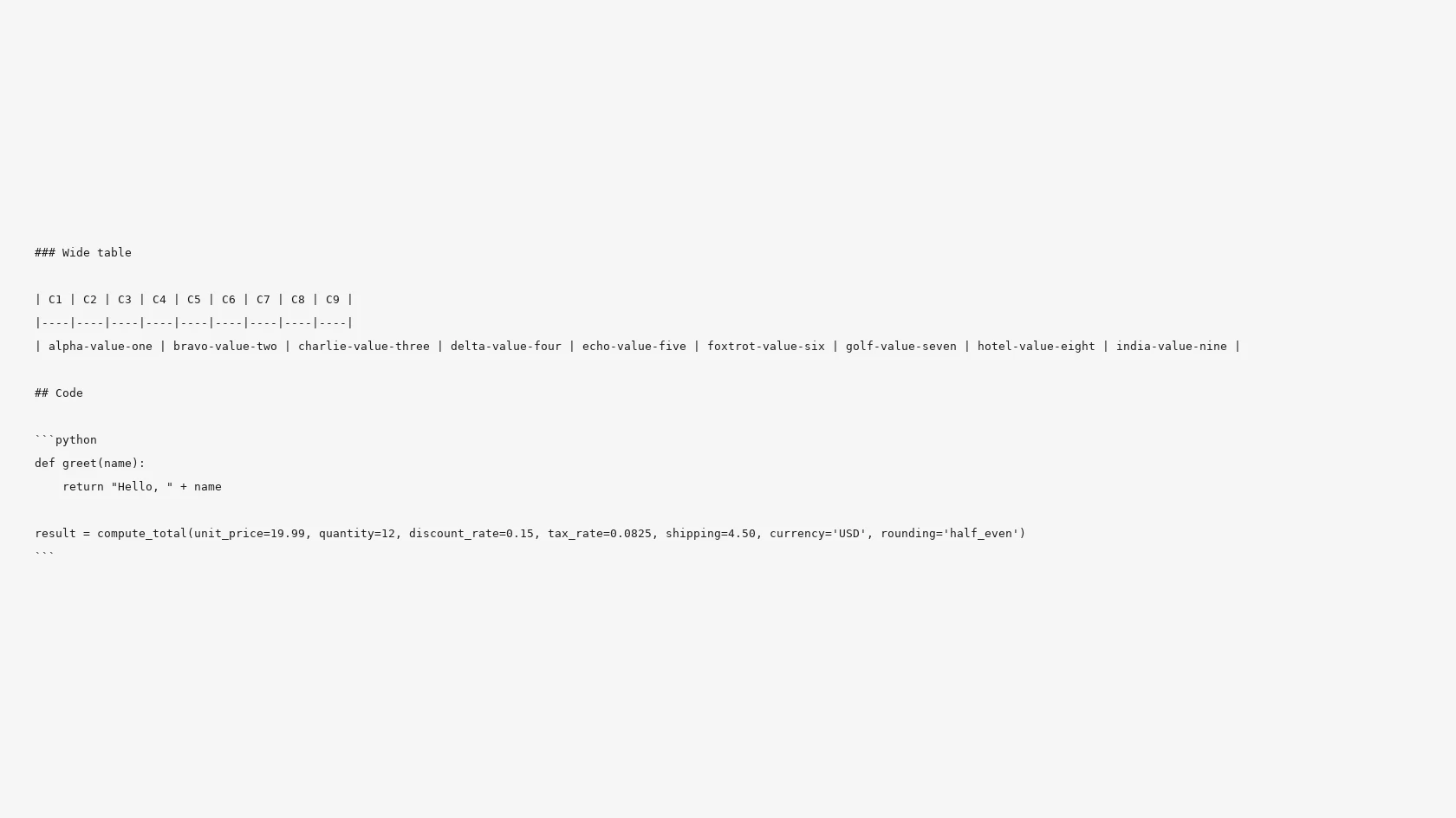
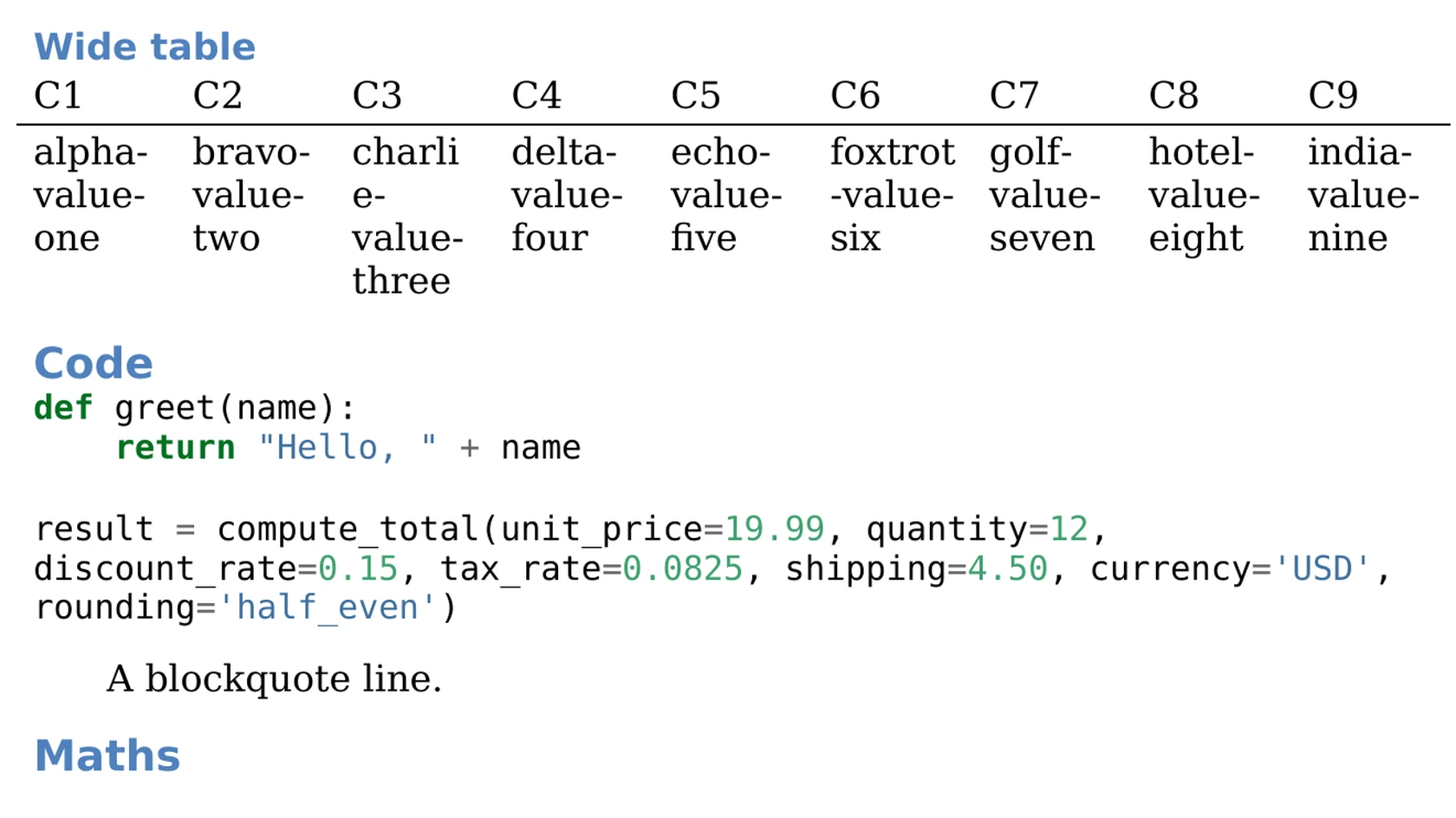
Headings become Word heading styles, so the navigation pane and a table of contents work. Pipe tables become native Word tables, and lists become real numbered or bulleted paragraphs you can edit.
In our test a Markdown footnote became a real Word footnote, a link became a hyperlink, and bold, italic, strikethrough, inline code, subscript and superscript were all kept.
Web images and raw HTML do not convert as you might expect. This page lists them before you start, so you can tell whether the Word file fits the job.
The conversion runs in the browser on indox servers. We converted anonymously, without an account, on the page itself.
Drop the .md file on the box or choose it from your device. Use the .md extension: in our test a .markdown file did not get DOCX as a target and the conversion did not start.
Check that DOCX is the output format, then start the conversion. In our test it took 4.3 seconds from the click to Completed.
Open the file in Word, LibreOffice or Google Docs and check images, wide tables and any raw HTML before you send it on.
You bring a Markdown draft and take away a Word document that colleagues can edit and comment on. The page lists which parts of Markdown survive, so you can decide before converting whether the result fits.
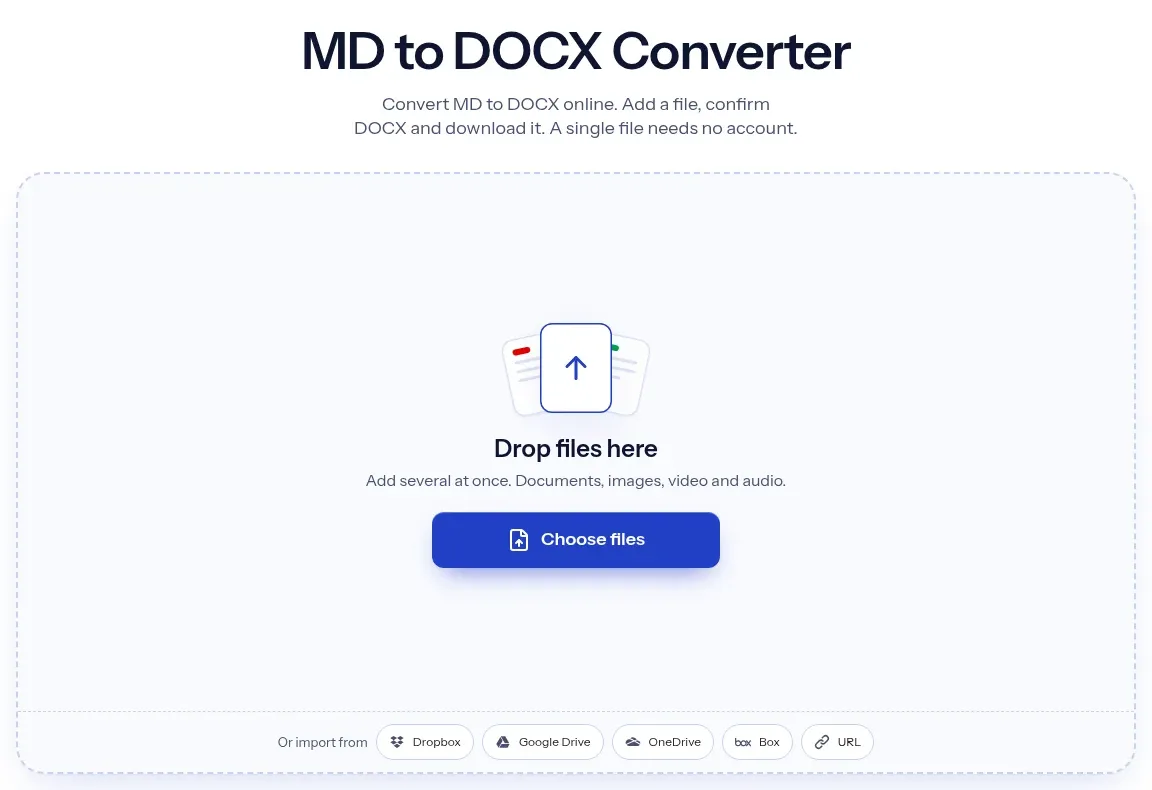
The upload box shows the live size limit before you add a file. Signing in raises it; a paid plan does not change it.
MD in, DOCX out. Pick another output on the converter if you need a different format.
Files are encrypted in transit over HTTPS and processed on indox infrastructure.
Free-tier files are kept for 24 hours after the job finishes, then deleted automatically.
| What you see | Why | What to do |
|---|---|---|
| Pictures are missing | Remote and local image paths become alt text only | Embed the image as a data:image URI, or insert it in Word after converting |
| HTML tags appear as text | Raw HTML is not interpreted | Replace the HTML with Markdown and convert again |
| A .markdown file will not convert | Only the .md extension worked in our test | Rename the file to .md and add it again |
| A wide table looks cramped | Wide tables are fitted to page width with equal columns | Split the table, or widen columns in Word |
| Formulas look empty | Math becomes Word equations that some viewers do not draw | Open the file in Word and check, or write the formula as an image |
| You need a PDF instead | DOCX is for editing | Use MD to PDF, or DOCX to PDF after editing |
| Compared on | MD | DOCX |
|---|---|---|
| What it is | A plain-text file with punctuation marking headings, lists and tables | A zipped Word package with styles, fonts and page layout |
| Looks | No fonts or page size; the reader decides | Fixed styles, margins and pagination |
| Editing | Any text editor, easy to diff | Word, LibreOffice and Google Docs, with comments and tracked changes |
| Images | Linked from a URL or file path | Stored inside the file |
| Typical use | Notes, READMEs and drafts | Documents that colleagues review and sign off |
Facts checked on November 4, 2026
No tool matches that search.
Open the converter, add your .md file, keep DOCX as the output and download the result. In our test this worked without signing in, and nothing had to be installed.
Yes. In our test, pipe tables became native Word tables with their column alignment kept. A table with many columns is fitted to the page width with equal columns, so very wide tables become tight.
A fenced code block becomes a Source Code paragraph with syntax colours, and long lines wrap. Inline code keeps a monospace character style.
A remote image link or a local path becomes its alt text only. An image given as a data:image URI is embedded in the DOCX. To keep a picture, embed it in the Markdown that way or insert it in Word afterwards.
No. In our test, HTML tags did not become formatting. They appeared as visible text in the Word file. Replace them with Markdown before converting.
Yes. Headings come out as Word heading styles, Heading 1 to Heading 3 in our test, so the navigation pane works and you can insert a table of contents in Word.
Yes. A footnote became a real Word footnote and a link became a hyperlink in our test. A plain URL without angle brackets stays ordinary text.
No. Task list items became ordinary bullets with ballot box characters. Replace them with Word checkboxes by hand if you need them clickable.
The file is read as Pandoc Markdown, which includes pipe tables, footnotes and strikethrough. Markdown has no single standard, so unusual dialect syntax may not convert exactly.
Yes. The result is a standard DOCX file. Upload it to Google Docs or open it in LibreOffice to edit. We rendered ours in LibreOffice for the comparison above, and Word may paginate differently.