MD to HTML Converter

You get an .html file holding only the converted content: headings, lists, tables and links as plain HTML tags, with no page wrapper and no styling.

To convert md to html, add your Markdown file, keep HTML as the output and download the result. The output is an HTML fragment, not a finished web page. It has no doctype, head, body or stylesheet, so you paste it into a page or template of your own. In our test a 787-byte md file became a 2,150-byte html file in 3.3 seconds, and raw HTML written inside the Markdown was removed.

Transfers use HTTPS, and files converted on the free tier are deleted after 24 hours, so the result is not a long-term archive. Quality depends on the source file, so open the HTML file once before you share it.

FromMDLossless

MD (Markdown)

A plain-text file where headings, lists, links, tables and code are marked with ordinary punctuation such as # and *. It has no page size, fonts or page breaks, so a reader or converter decides how it looks. Markdown is a family of dialects rather than one standard: CommonMark and GitHub Flavored Markdown are the best known.

ToHTMLLossless

HTML (HyperText Markup Language)

The markup language of the web. The converted file holds the content as tags such as h1, p, ul and table. Browsers draw those tags with their own default look unless you add a stylesheet.
A 787-byte Markdown sample note that we wrote, converted on indox.org

MDthe original, with front matter, a table, a task list and a python block
787 bytes
HTMLfrom indox, a 69-line fragment with 1 h1, 5 h2 and 1 table, converted in 3.3 s
2,150 bytes
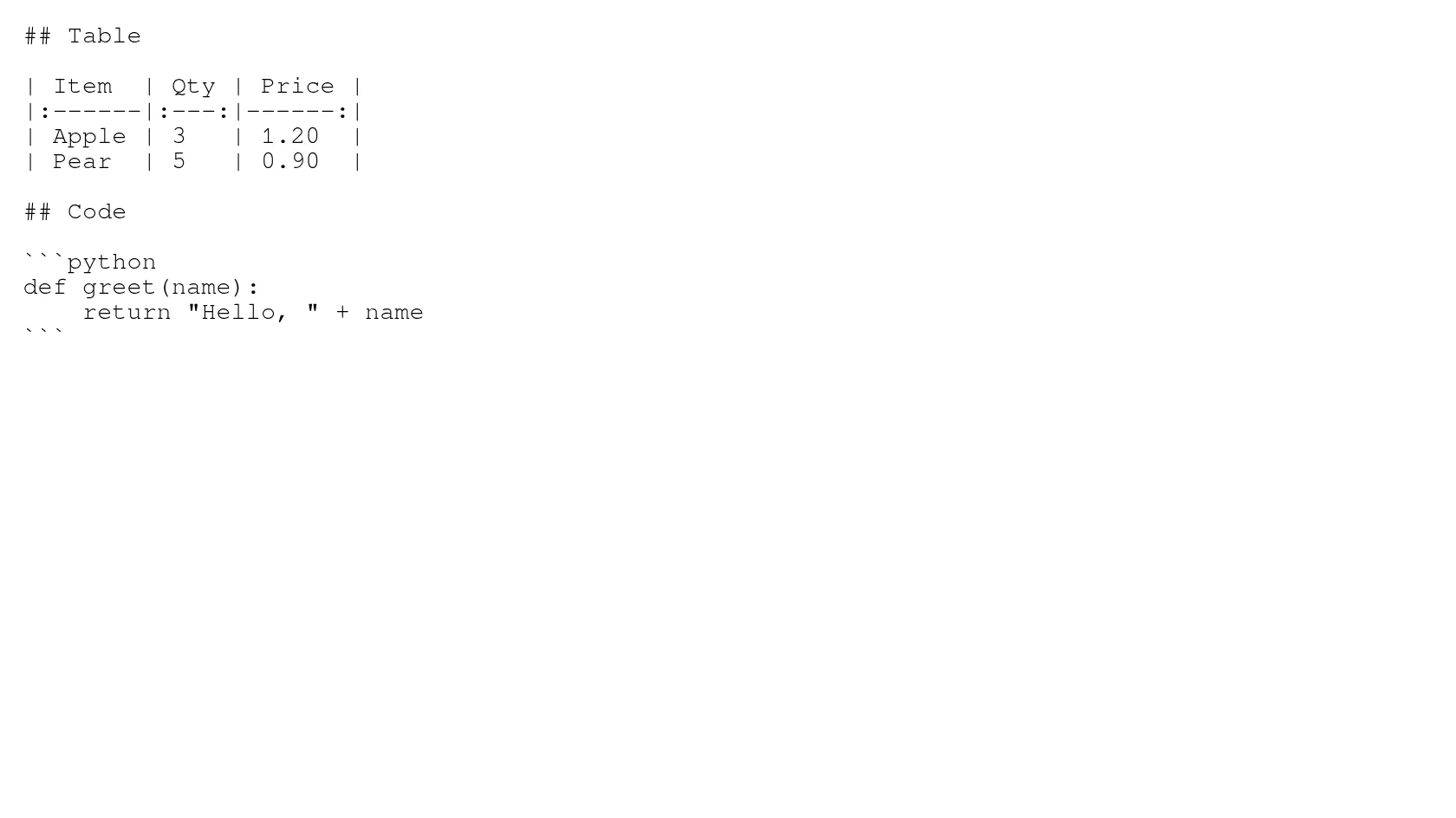
The table and code region of the Markdown source, shown as plain text
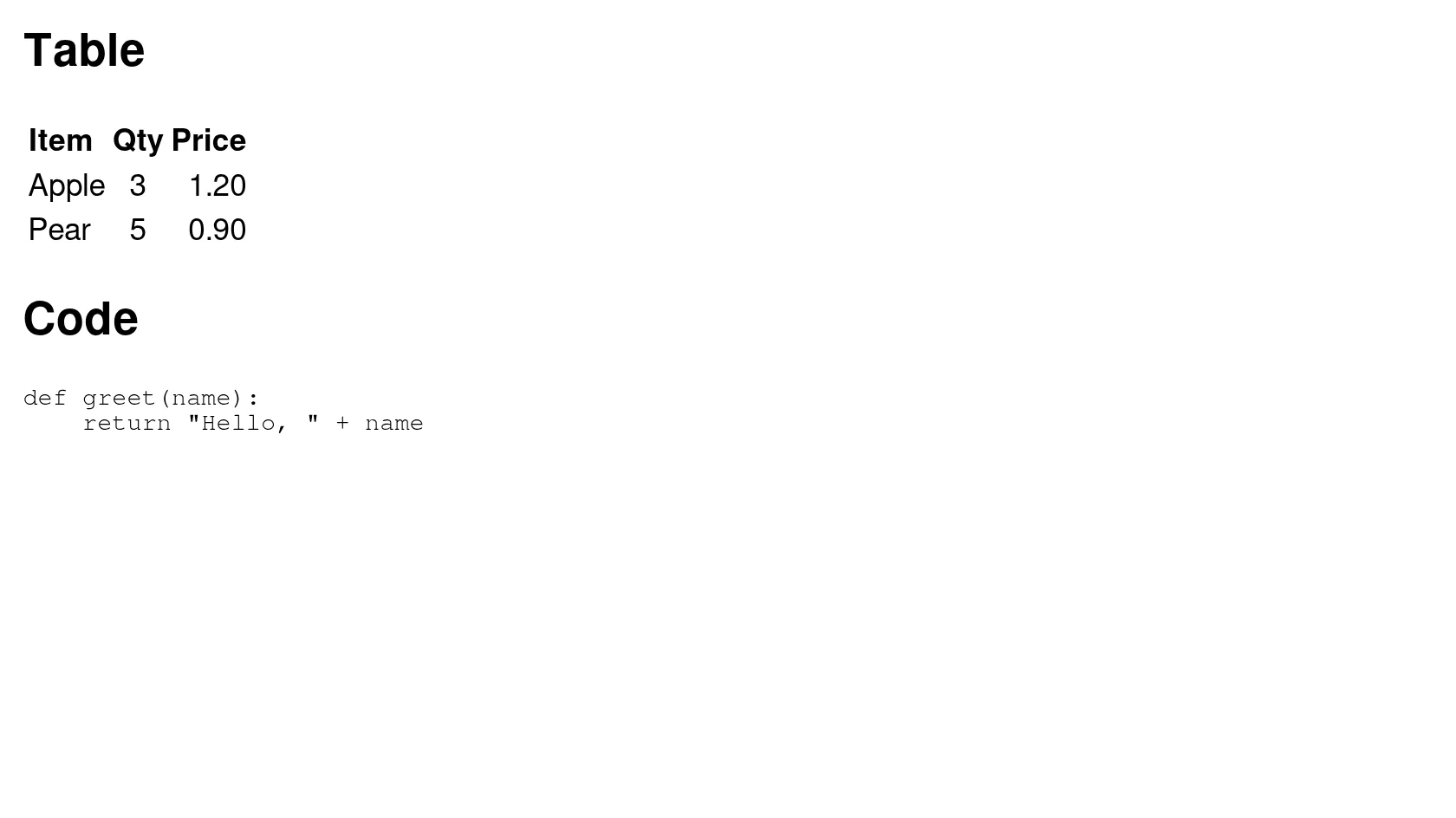
The same region as HTML from indox, drawn with browser defaults and no added CSS
Measured on indox.org on 4 November 2026: the Markdown we uploaded and the HTML we downloaded. Drag the handle to compare the table and code region, as source against the HTML shown with browser defaults.

Why use indox to convert MD to HTML?

The Markdown structure becomes real tags

In our test headings became h1 and h2, a pipe table became a table with rows, nested and ordered lists became li items, a block quote became blockquote and links became a elements. The same file has 1 h1, 5 h2, 8 li and 5 links in the output.

Task lists, strikethrough and footnotes carry over

A task list became a list with disabled checkboxes, one of them ticked. Text in double tildes became a del tag, and a footnote became a footnotes section with a link back to the reference.

Table alignment is kept

Columns marked left, centre or right in the Markdown table came out with a text-align style on their cells, so the alignment survives without any stylesheet.

Code blocks keep their language markup

A fenced python block became a pre element with the code split into token spans carrying class names. No stylesheet comes with it, so the code shows uncoloured until you add colours for those classes.

What happens to your Markdown

Stays

  • Your original .md file, which is not touched
  • Headings, lists, tables, links and block quotes as HTML tags
  • Table column alignment, as a text-align style
  • The order of everything in the document

Changes

  • The file becomes a fragment with no doctype, head or body
  • Raw HTML in the Markdown is removed, a lone closing tag leaving visible text
  • YAML front matter is dropped
  • A remote image is replaced by its alt text
  • Code is marked with classes but has no colours

How do I convert MD to HTML online?

  1. 1

    Add your Markdown file

    Drop the .md file on the box or choose it from your device. A one-off conversion needs no account. In our test a visitor who was not signed in converted a file without being asked to sign in.

  2. 2

    Keep HTML as the output and convert

    Check that HTML is the output format, then start the conversion and wait for Completed. In our test that took 3.3 seconds for the 787-byte sample.

  3. 3

    Download the HTML and put it in a page

    Save the .html file and paste its contents into your page, template or content system, then link your own stylesheet. Opened alone, the file shows plain browser defaults.

What do I get from indox's MD to HTML converter?

You hand over a Markdown file and take away the HTML for it, with nothing to install and no command line. The page tells you before you upload what the output is: a bare fragment, without styling, from which raw HTML and front matter are removed.

  • HTML tags for headings, lists, tables, links and code
  • Nothing to install, no terminal commands
  • Results measured on a real sample file
  • A plain list of what is dropped or left unstyled
The indox MD to HTML converter: drop a Markdown file or choose one to convert it to HTML

What are the limits for MD to HTML?

Size

The upload box shows the live size limit before you add a file. Signing in raises it; a paid plan does not change it.

Formats

MD in, HTML out. Pick another output on the converter if you need a different format.

Privacy

Files are encrypted in transit over HTTPS and processed on indox infrastructure.

Deletion

Free-tier files are kept for 24 hours after the job finishes, then deleted automatically.

Limits worth knowing

  • The output is a fragment with no CSS. Paste it into a page that has its own styles, or it will show in browser defaults.
  • The converter reads Pandoc's Markdown. We checked tables, task lists, strikethrough, footnotes and fenced code. Syntax that belongs to other dialects, such as extra extensions from Kramdown or MyST, was not tested and may not convert.
  • A web address written in plain text was not turned into a link in our test. Wrap it in angle brackets or write it as a Markdown link.
  • Raw HTML, a lone closing tag excepted, is removed on purpose, so a Markdown file that relies on inline HTML will lose that part.
  • We did not test a large file, so this page makes no claim about the biggest file that converts.

When the result is not what you expected

What you seeWhyWhat to do
The page looks plain, with no stylingThe output is a fragment with no CSSPaste it into a page that links your own stylesheet
Code has no coloursToken classes are written but no stylesheet is suppliedAdd CSS for the classes, or a highlighter, in your page
Some of my HTML is missingRaw HTML is removed during conversionRewrite that part in Markdown syntax
A stray closing tag shows as textA lone closing div is left as visible text after its opening tag is droppedRemove the HTML wrapper from the Markdown and style it in your page
I need a PDF insteadThe output here is HTMLUse MD to PDF

What do the free and paid plans add?

Free

  • All converters
  • Daily credit refresh
  • Email support

Basic

  • Access to all features
  • AI Extract
  • Priority conversions
  • Email support
Highest priority

Premium

  • Everything in Basic
  • Highest priority queue
  • Priority support

Pay-As-You-Go

  • No subscription
  • Credits never expire
  • Opt-in auto-refill
  • Access to all features
See prices
Related conversionsMD to PDF

MD vs HTML: what is the difference?

Compared onMDHTML
What it isA plain-text file marked with punctuation such as # and *Tagged text that a browser turns into a page
StandardSeveral dialects, with CommonMark as a written specMaintained web standard
StylingNone; the reader or converter decidesTags carry structure; looks come from CSS
Where it opensAny text editor; a viewer shows the formattingBrowsers, email tools and CMS editors
Converting between themOur output is a bare fragmentPaste it into a page that has a stylesheet

Who can use a MD to HTML converter?

  • Writers publishing a README or notes to a website

    A README, changelog or set of notes written in Markdown has to reach a site, a wiki or a CMS as HTML. This gives you the content as tags to paste into a template you already have.

  • Newsletter and email authors

    You draft in Markdown and need HTML for an email tool. Tables come out as plain table tags and the styling is yours to add, because an email client decides what styles it keeps.

  • People who keep notes in Markdown but do not use a terminal

    A note app export or an old .md file can be turned into HTML once, with no Pandoc install. It suits a single file, not a whole documentation build.

When to use it

  • Turning a project README into HTML for a documentation page.
  • Getting the HTML for a blog post drafted in Markdown, to paste into a CMS.
  • Making an HTML table from a Markdown pipe table.
  • Checking what HTML a piece of Markdown produces before you build a site around it.

Where can I read more about converting files?

Sources

Facts checked on November 4, 2026

Do it all with indox

View all 94 tools

MD to HTML FAQs

How do I convert md to html?

Add the .md file, keep HTML as the output and download the result. You get an .html file with the converted content. Open it in an editor and paste it into your page or template.

Is markdown to html the same as md to html?

Yes. md is the usual file extension and Markdown is the name of the format, so both searches mean the same conversion and give the same file.

Do I get a full web page or a fragment?

A fragment. In our test the output had no doctype, no html, head or body tags and no stylesheet. It holds only the converted content, so wrap it in a page of your own.

Will tables, task lists and footnotes work?

In our test, yes. A pipe table became a table with its column alignment kept, a task list became disabled checkboxes, and a footnote became a footnotes section. We checked those on one sample file, so a very different Markdown dialect may behave differently.

Why is my code not coloured?

The converter marks keywords and strings with class names on span tags, but it does not send a stylesheet. Add CSS for those classes in your page, or use a highlighting library that you already trust.

What happens to HTML I wrote inside the Markdown?

It is removed. In our test an opening div tag was dropped, a stray closing tag appeared as visible text, and inline b and script tags were shown as escaped text instead of running. Use Markdown syntax for what you need.

What happens to the front matter at the top of my file?

It is dropped. In our test the YAML block, title included, did not appear in the HTML, so add the page title yourself.

Can I convert HTML back to Markdown?

This page goes one way, from Markdown to HTML. For other outputs from the same Markdown file, see MD to PDF and MD to DOCX.