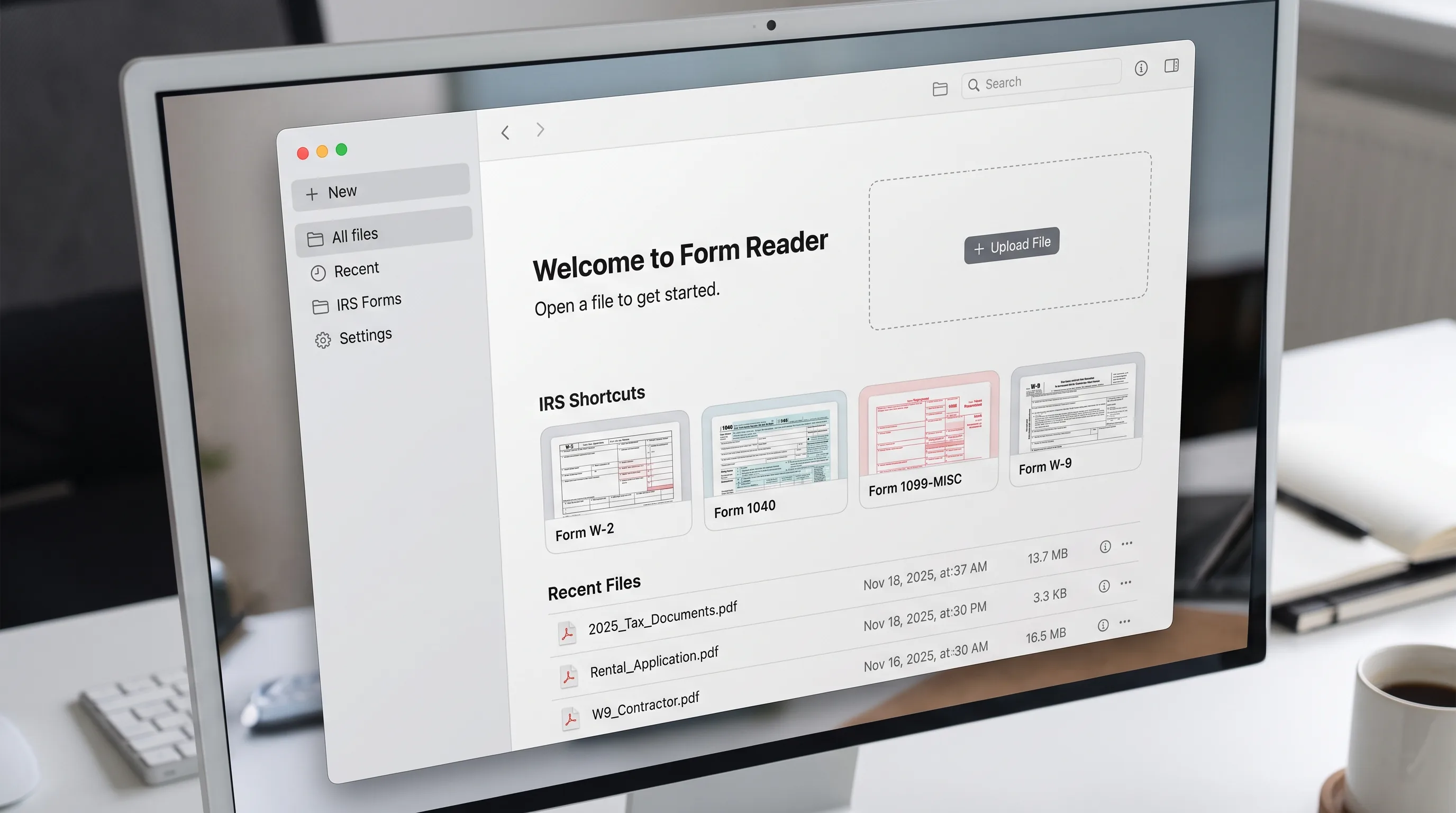
Open a file from where it is
Choose a PDF from your device, paste a link or paste from the clipboard, or scan pages with your phone. Start from a blank IRS form such as a W-9, W-4, 1040 or 1099-NEC, or open a recent file.
PDF form reader and editor workspace
Choose a PDF, Word, Excel, PowerPoint, image, HTML, email or text file from your device, a link or the clipboard.
Files other than PDF are converted first. Signing in raises the size limit.
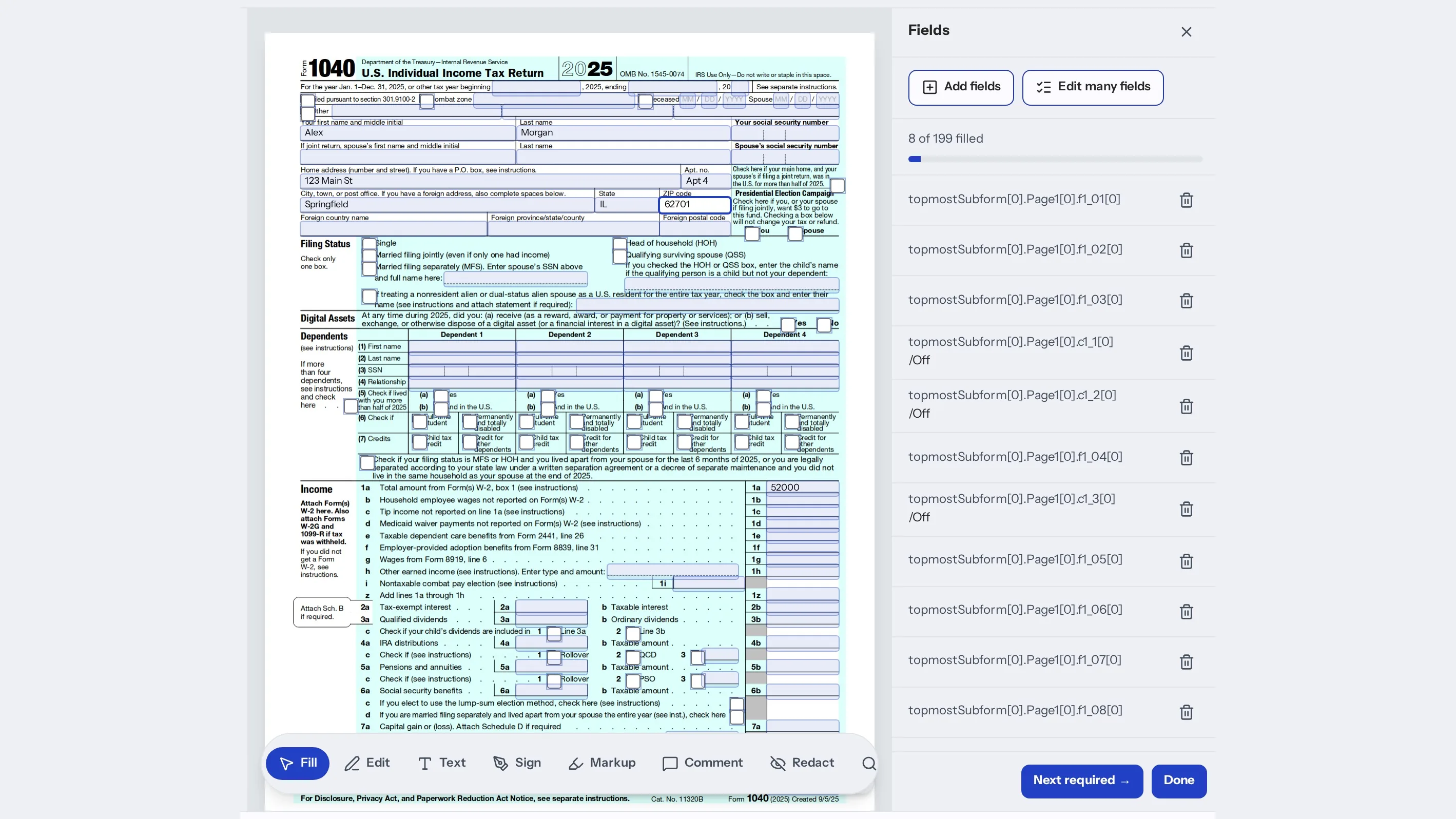
Form Reader opens a PDF in your browser and finds its fields so you can fill them by typing on the page. Press Tab to move to the next field, watch the count of fields left and sign when you reach the signature line. You can also edit text, mark up, redact, organize pages and ask AI to fill or check the form. Open your own file or start from a blank IRS form, then download the PDF when you finish.
Choose a PDF from your device, paste a link or paste from the clipboard, or scan pages with your phone. Start from a blank IRS form such as a W-9, W-4, 1040 or 1099-NEC, or open a recent file.
Type directly on the page and press Tab for the next field. The fields panel shows how many are filled, how many need a check and how many are required, and a click jumps to the field.
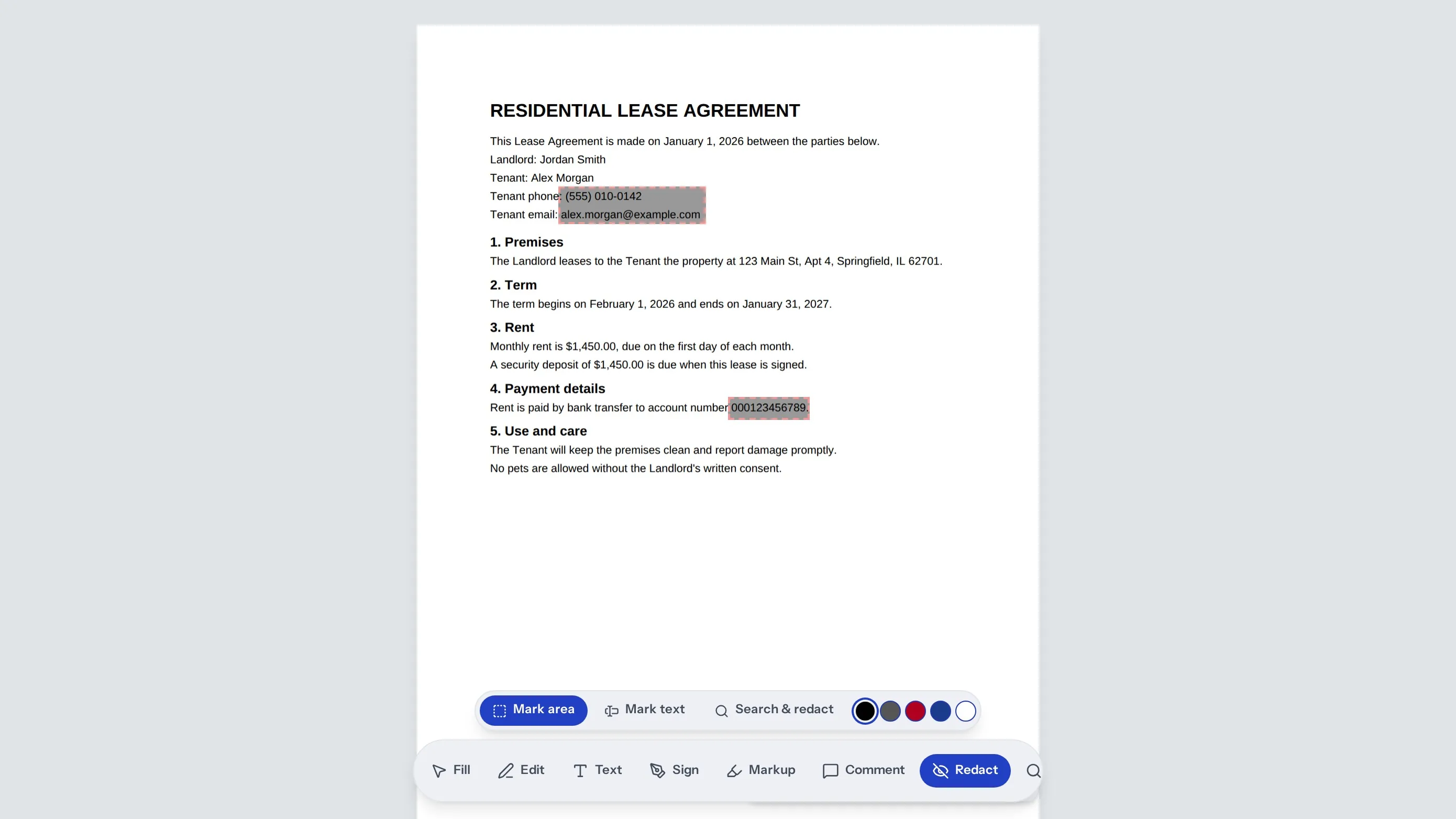
Sign with a drawn, typed, uploaded or camera signature. Highlight, underline or strike text, leave comments, search the document and redact what should not be shared, all in the same editor.
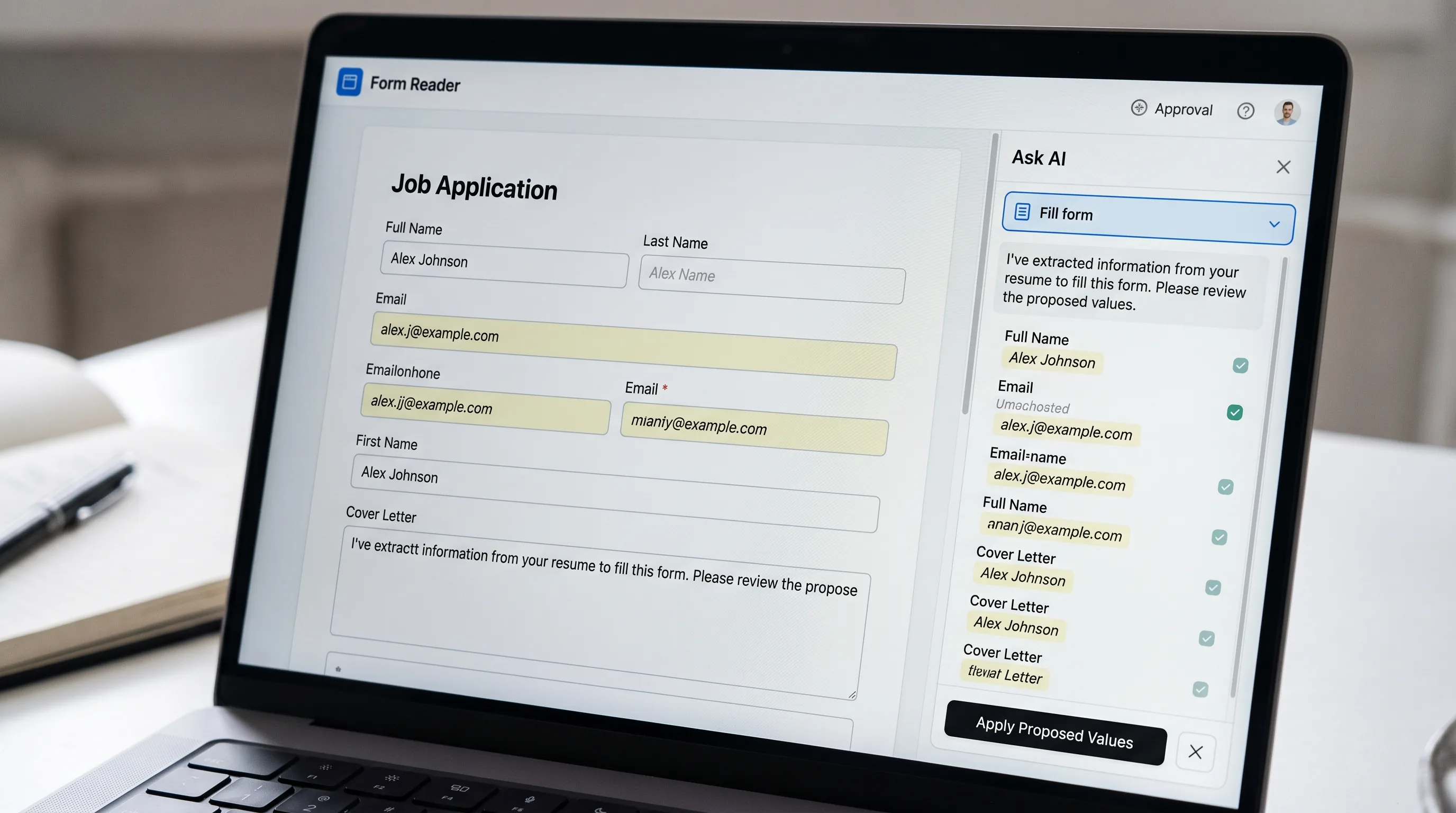
AI can fill a form from a W-2, last year's return or a few answers, suggest comments or check the numbers. It only suggests. You accept each value, and every AI change can be undone.
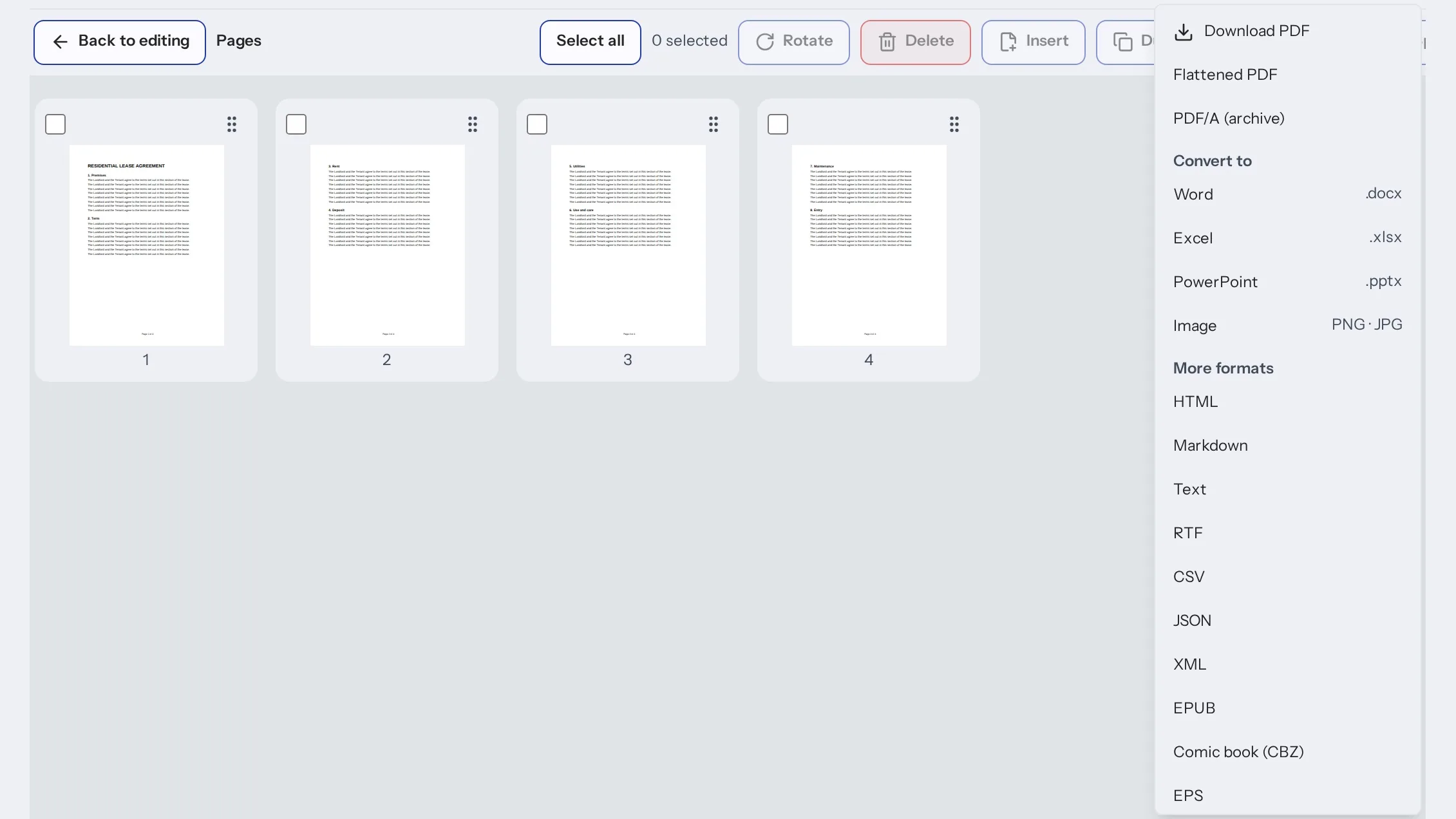
Reorder, rotate, delete or split pages, compress the file with a size estimate and compare two PDFs. Then download the PDF or export it to another format from the Download menu.
Choose a file, paste a link, scan with your phone or start from a blank IRS form.
Type in the fields, press Tab for the next one and use the toolbar to sign, mark up or redact.
Review the fields panel for anything marked to check, then download the PDF.
Everything happens on the page you are looking at. The fields panel keeps count of what is filled, what needs a check and what is required, so you can see what is left before you sign.
Fill with AI proposes values from the documents you add. Nothing counts until you accept it, and every AI change can be undone. Read each value against the source before you sign or submit.
AI can be wrong. When it answers a question about the PDF, check the page it cites, and check the numbers yourself on tax and legal forms.
Before AI reads a PDF, you are asked to allow it. The pages are sent to indox AI to answer, suggest or propose edits. You can turn AI off in settings.
Some files will not open. A password-protected PDF asks for the password. A damaged PDF can be repaired into a new copy, and your original is not changed. Other file types are converted to PDF first, and a file that is too large or protected can fail to convert.
A PDF with no fillable fields has nothing to detect. Draw a box on the page to add a field.
Form Reader does not file your return or check that a form is the right one for your situation.
The forms library lists IRS and USCIS forms by topic. Open one in Form Reader and fill it online.

You have a W-9, a W-4 or a government form to complete. Fill it on the page, check the fields panel and download the finished PDF.

You send and receive forms often. Fill, sign and redact in one place without printing anything.

A form is password-protected or will not open cleanly. Unlock it with the password or repair it into a new copy, then fill it in.
Yes. Open the PDF, type on the page, press Tab to move between fields, sign if the form needs it and download the finished PDF.
Your own PDF, or a blank IRS form such as a W-9, W-4, 1040 or 1099-NEC from the shortcuts in the editor. The forms library lists IRS and USCIS forms by topic.
PDFs open directly. Word, Excel, PowerPoint, JPG and PNG images, HTML, Markdown, email, eBooks, comics, SVG and text files are converted to PDF first.
You add a W-2, last year's return or answer a few questions, and AI proposes values for the fields. You review every value before it counts, and each AI change can be undone.
Only if you allow it. Before AI reads a PDF you are asked first, and the pages are then sent to indox AI. You can turn AI off in settings.
The editor asks for the password. Enter it to open the file, or choose another file.
Press Repair. indox tries to rebuild it as a new copy and leaves your original file unchanged.
Yes. Use the Sign tool in the toolbar and place your signature on the signature line. The fields panel shows whether the form is still unsigned.
Yes. The Redact tool marks the areas to hide, and you can search the document to find every place a name or number appears.
Edit text, mark up, comment, search, organize pages, compress the file, compare versions, ask AI about the document and download the result.
You can open a PDF directly without one. Other file types are converted first, and signing in raises the size limit for conversions.
No. Form Reader helps you fill and sign the PDF. You submit it yourself, and you are responsible for checking that it is correct.
No tool matches that search.