Files other than PDF are converted first. Signing in raises the size limit.
You add
One PDF
You set
A page size and a content scale
You get
A PDF with resized pages
Resizing a PDF changes the size of its pages to a paper size you choose. A document laid out for A4 can be turned into Letter for a printer in North America, and a large A3 sheet can be brought down to A4. On this page you add one PDF, pick a size under Page size and, if you need it, change Scale content (%). The panel shows the size you pick in millimetres and inches, and it opens on A4. The choice is applied to every page of the file. You download a new PDF, while the copy on your device keeps its old page size. Use it when you must print or file a PDF on a paper size it was not made for and the file only needs the right page size. It is a poor fit for a file whose links, bookmarks or form fields must still work afterwards, because in our test on 5 November 2026 all three were dropped.
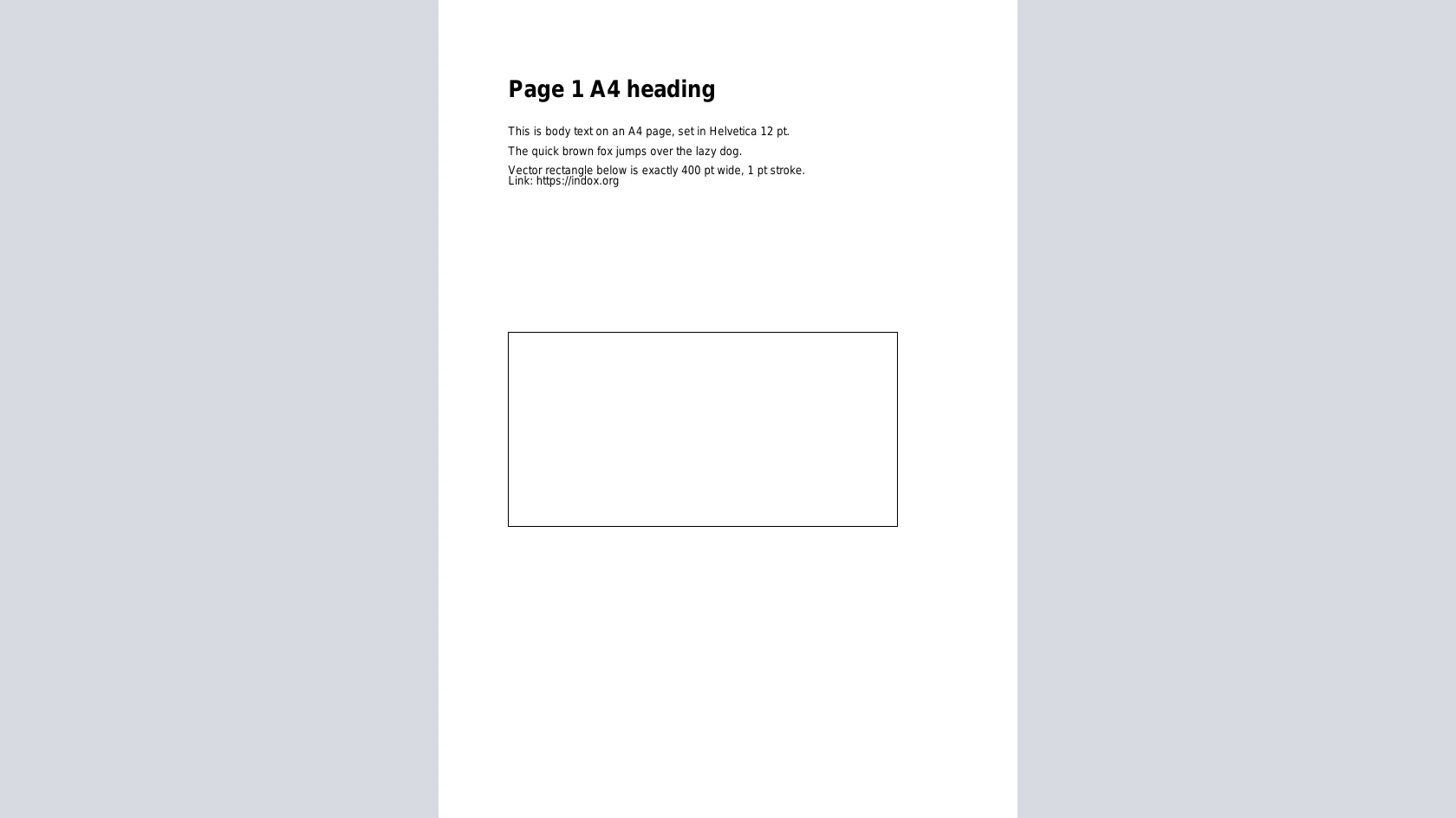
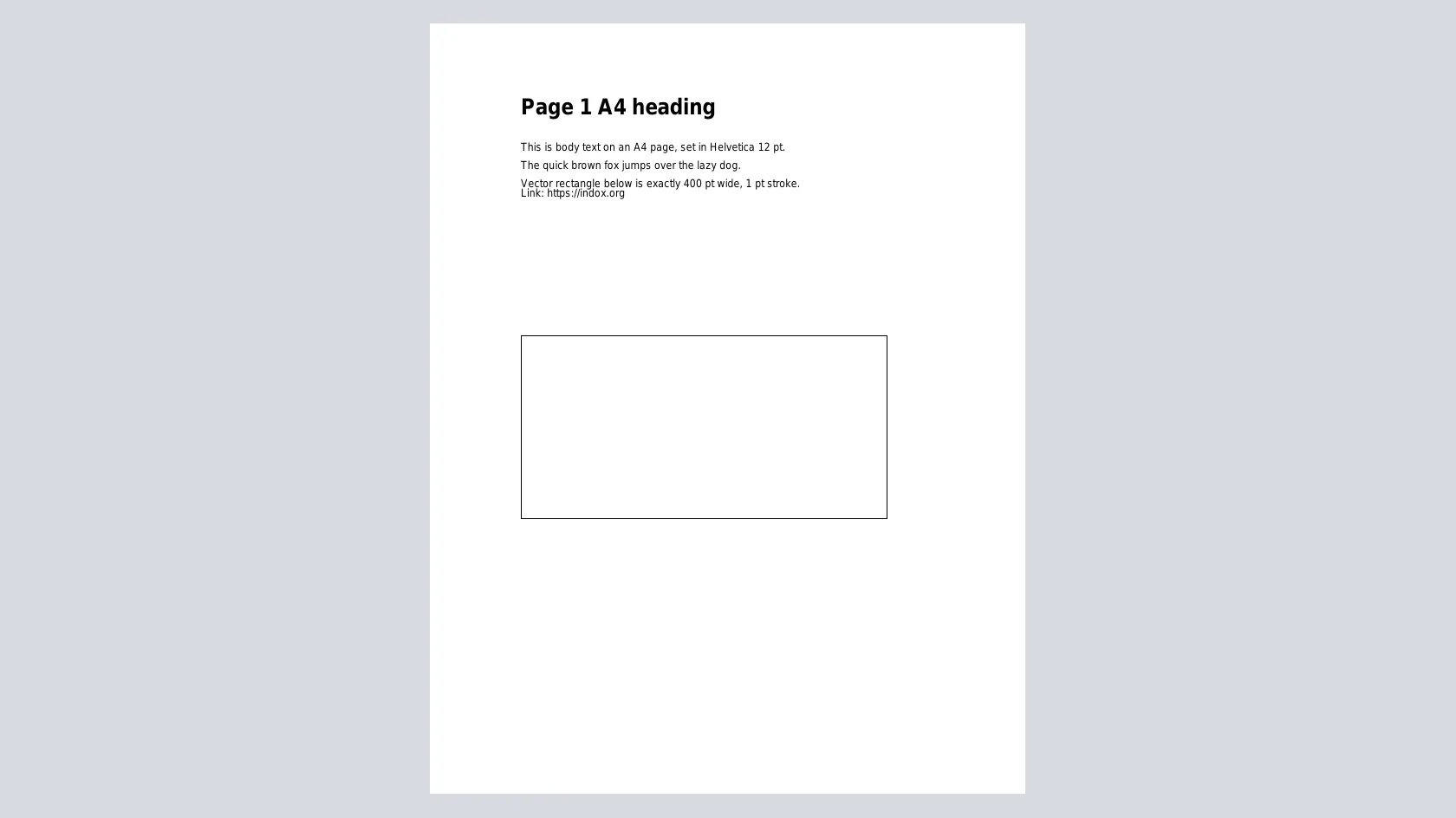
A 3-page test PDF we made (A4, A3 landscape, Letter), resized to Letter at 100 percent on indox.org
Input file3 pages, 3 bookmarks, 1 link, 1 form field
682 KB
Result fileLetter at 100 percent, 3 pages, all 612 × 792 pt, text still text, 7.2 s from click to Done
543 KB-20%
A4 page, content scale12 pt text became 11.29 pt, a 400 pt line became 376.3 pt
94%
A3 landscape page, content scale12 pt text became 6.17 pt
51%
Letter page, content scaleunchanged, the 300 ppi image stayed at 300 ppi
100%
A4 originalLetter from indox
Measured on indox.org on 5 November 2026: the 3-page test PDF we uploaded and the Letter copy we downloaded. Drag the handle to compare page one. The result lost the sample's link, bookmarks and form field; see the limits.
What can you do when you scale PDF pages?
Pick from nine paper sizes, or keep the size
Page size offers Keep each page's size, A4, A3, A5, Letter and Legal, and under More sizes A0, A1, A2 and A6. It opens on A4. The panel shows the chosen size in millimetres and inches, for example A4 as 210 × 297 mm (8.3 × 11.7 in).
Resize the whole document at once
The size you choose applies to all pages, because there is no page range. A file that mixes page sizes comes back with one size from the first page to the last when you pick a fixed size such as A4 or Letter.
Scale the content
Scale content (%) takes a number from 10 to 500 and starts at 100. At 100 the content is as large as the new page fits. Lower makes it smaller and higher makes it bigger. Keep each page's size is meant to scale only the content, but on a file with mixed page sizes it gave every page the size of the first page in our test (see the limits). The panel now warns you when the open file mixes page sizes.
Catch a pointless run before it starts
A scale outside 10 to 500 is flagged and no job starts. If you keep each page's size at 100%, the tool refuses the run because nothing would change.
What scaling keeps and what it changes
Stays the same
Page count and page order. In our test, 3 pages went in and 3 came out.
Text stays text. In our test the words and characters on each page were unchanged and the fonts stayed the same, so nothing was turned into a picture.
The proportions of each page's content. It is scaled evenly, never stretched.
Image sharpness at a scale of 100. The 300 ppi image on the Letter page was still 300 ppi.
The file on your device. You download a scaled copy.
Changes
Every page becomes the paper size you chose. In our test every page came out 612 by 792 points.
Each original page is drawn onto the new page at the largest size that fits, then multiplied by the content scale. A4 onto Letter came out at 94 percent and A3 landscape onto Letter at 51 percent.
The content is centered. When the shapes differ, empty bands appear on two sides.
A content scale above 100 enlarges the content past the fit, so its edges can fall outside the page.
Links, bookmarks and form fields are removed, and a typed form value goes with the field.
Keep each page's size gives every page the size of the first page on a mixed file.
Which size and scale factor for which job
You want to
Page size
Scale content (%)
Print an A4 document on US paper
Page sizeLetter
Scale content (%)100
Print a US Letter document on A4 paper
Page sizeA4
Scale content (%)100
Bring an A3 sheet down for a desktop printer
Page sizeA4
Scale content (%)100. A3 landscape came out at about half size in our test
Make a file with mixed page sizes uniform
Page sizeA fixed size such as A4, never Keep each page's size
Scale content (%)100
Leave a margin around the content
Page sizeThe size you need
Scale content (%)Below 100
Fill the page more
Page sizeThe size you need
Scale content (%)Above 100, but check that the edges stay inside
How to scale PDF pages in 3 steps
1
Upload your PDF
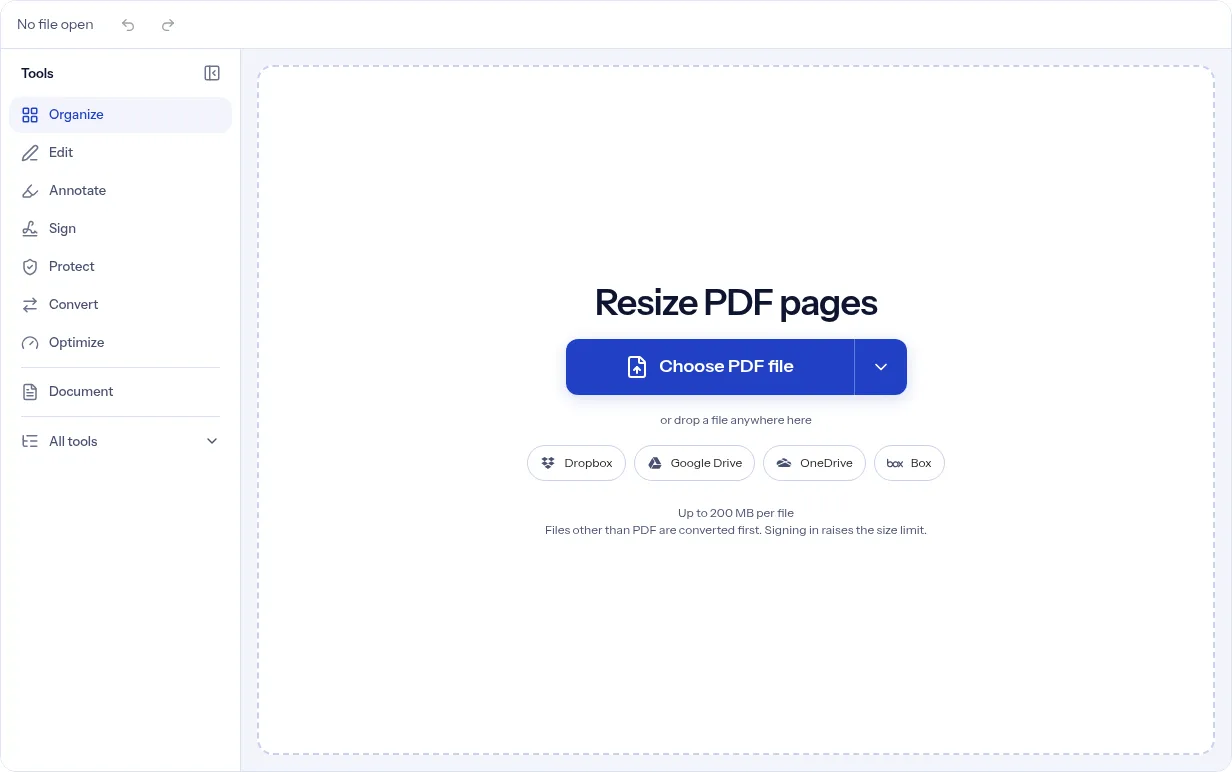
Drag the PDF you want to resize onto the upload box, or press Choose file. Scaling runs on one document at a time.
1 / 3
2
Choose Page size and Scale content
Open Page size and pick the paper you need, for example Letter, or Keep each page's size. Keep Scale content (%) at 100, or type a number between 10 and 500.
2 / 3
3
Resize and download
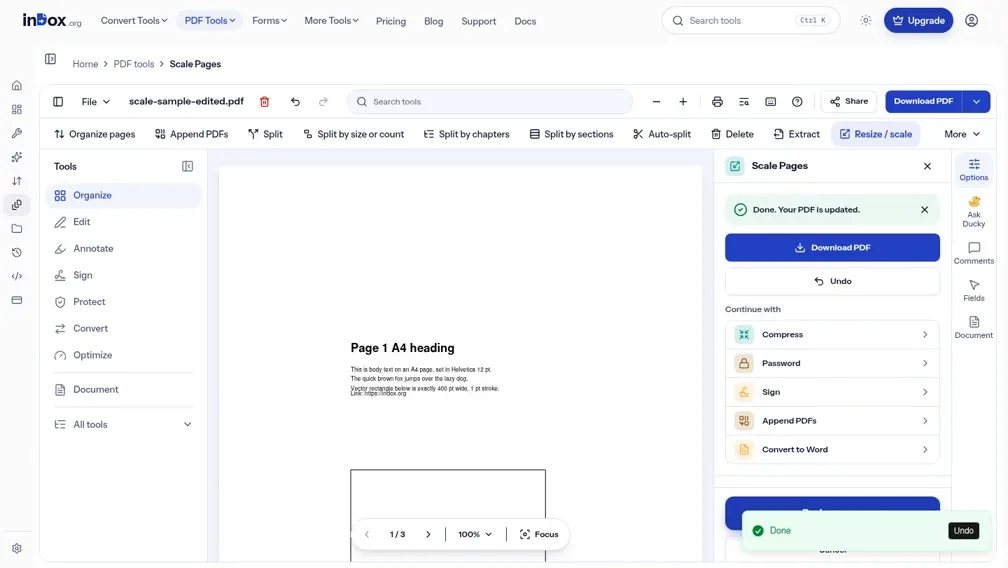
Press Resize pages. The button fills with the job's progress and the steps show under it. Cancel stops a running job and leaves your file unchanged. When it shows Done. Your PDF is updated., press Download PDF, or Undo to go back, then open a few pages to check the fit.
3 / 3
Why scale PDF pages with indox?
Two settings decide the whole job, and both are on screen before you start: a page size and a content scale. The size list covers the ISO A series from A0 to A6 plus Letter and Legal, so one tool handles a switch in either direction between the two paper systems, and the panel shows each size in millimetres and inches. A scale outside the allowed range is flagged before the job starts. A single file runs without an account. The resize runs on indox's server, which deletes your PDF and the resized copy after 24 hours when you are not signed in. The tool stops here: it resizes all pages at once, with no custom dimensions, no orientation switch and no page range, and it drops links, bookmarks and form fields. We ran it on 5 November 2026 with our own three-page sample; the Letter route worked and Keep each page's size did not behave as its label said, and the panel now warns about that case.
Nine paper sizes, or keep each page's size
Content scale from 10 to 500 percent
The same size on every page
One file without an account
Signed-out uploads deleted after 24 hours
What are the limits when you scale PDF pages?
File size
Not signed in, the PDF can be up to 200 MB, within a daily free allowance. A signed-in account can upload up to 200 MB per file. Scale content takes 10 to 500 percent.
Where it runs
Resize pages sends the PDF to indox's server, which places every page on the paper size you picked and returns the file to the editor. If you are not signed in, your PDF and the resized copy are deleted 24 hours after the job finishes. A signed-in account keeps them in its history until you delete them, for at most 180 days, or for 24 hours or 30 days if you choose that. Either way indox keeps a record of the job, such as the file name and its status, but not the file.
Limits worth knowing
Form fields are lost, and so is what was typed in them. In our test on 5 November 2026, a file with one filled form field (Sample Name) resized to Letter at 100 came back with no form field, and the text Sample Name was gone from the page. If the filled form matters, print or send your original and use the resized copy only where the form is not needed.
Links and bookmarks are removed. In our test the link on page one and all 3 bookmarks were gone in both runs, and the panel did not say so. Rebuild the bookmarks in the result with Edit TOC, and add the links again, or keep using the original where they must work.
Keep each page's size changes the page size on a mixed file. In our test on 5 November 2026, a file with A4, A3 and Letter pages run with Keep each page's size and a scale of 60 came back with every page at A4, the size of the first page. The panel now shows a red warning when you pick Keep each page's size on a file whose pages differ in size. Choose a fixed size such as A4 or Letter instead, which gave one uniform size in our test, or run pages of one size at a time after Extract pages.
Large pages shrink a lot. In our test an A3 landscape page fitted onto Letter portrait came out at 51 percent, so its 12 pt text became 6.17 pt. There is no orientation setting, so turn a landscape page with Rotate PDF before you resize it, then check that the text is still readable.
The list has fixed sizes. You cannot type custom dimensions.
Every page gets the same size. To resize part of a document, pull those pages out with Extract pages and scale that file.
Keeping each page's size at 100% is refused, because nothing would change. Change the scale or pick a page size.
A password-protected PDF asks for its password when it opens in the editor, and Resize pages sends that password with the job. Our test file had no password.
When the result is not what you expected
What you see
Why
What to do
Empty bands on the sides or at the top and bottom
WhyThe new size has a different shape from the old one, and the content is fitted without stretching
What to doThis is expected. Pick the size that matches the original shape, or crop afterwards with Crop PDF.
Content is cut off at the edge
WhyA content scale above 100 pushes it past the page
What to doRun it again with a scale of 100 or less.
Landscape pages came out small
WhyThe size is applied in its portrait shape, and a wide page is fitted into it. An A3 landscape page came out at 51 percent in our test
What to doThe tool has no orientation setting. Turn the pages first with Rotate PDF, then resize.
Links stopped working
WhyThe tool dropped the link annotations in our test
What to doAdd the links again in an editor, or use the original file where they must work.
Bookmarks are gone
WhyThe outline was dropped in our test, 3 bookmarks became 0
How do I change a PDF page size to Letter, 8.5 x 11 inches?
Choose Letter under Page size, leave Scale content (%) at 100 and press Resize pages. In our test on 5 November 2026 every page of the download measured 612 by 792 points, which is 8.5 by 11 inches, and A4 content was drawn at 94 percent so the text got slightly smaller.
Which page sizes can I choose?
Keep each page's size, A4, A3, A5, Letter and Legal, and under More sizes A0, A1, A2 and A6. A4 is selected when the page opens.
What does Scale content do?
It scales what is on each page. It starts at 100 and accepts 10 to 500. At 100 the content is as large as the new page fits, lower makes it smaller and higher makes it bigger.
Can I enter a custom width and height?
No. The tool offers the listed paper sizes and has no field for your own dimensions, so sizes such as 11 x 17 inches are not available here.
Can I resize only some pages?
No, the size applies to all pages. Use Extract pages to pull out the ones you need, then scale the extract.
Can I keep the page size and only scale the content?
The label says yes, but check the result. On a file with mixed page sizes, Keep each page's size gave every page the size of the first page in our test, and the panel now warns about that. Choose it only for a file whose pages already share one size, and set Scale content (%) to something other than 100, because at 100 the tool refuses the run.
What happens if I type a scale outside 10 to 500?
The panel asks for a scale from 10% to 500% and no job starts.
Do I need an account, and how long are files kept?
One file runs without an account. Signed out, a daily free allowance applies and the PDF can be up to 200 MB; signed in, up to 200 MB. When you are not signed in, the PDF you add and the scaled result are deleted from indox's server 24 hours after the job.
What happens to links, bookmarks and form fields?
They are removed. In our test the link, the 3 bookmarks and the form field with its typed value were all missing from the result. Keep the original file where they matter.
How do I make pages of different sizes the same size?
Pick a fixed size such as A4 or Letter and run the whole file. In our test a file with A4, A3 and Letter pages came out with every page at Letter. Do not use Keep each page's size for this, because it gave every page the size of the first page.
Does changing the page size make the PDF file smaller?
That is not what this tool is for. It changes the paper size of each page and the scale of what is drawn on it, not the number of megabytes. To make the file itself smaller, use Compress PDF.