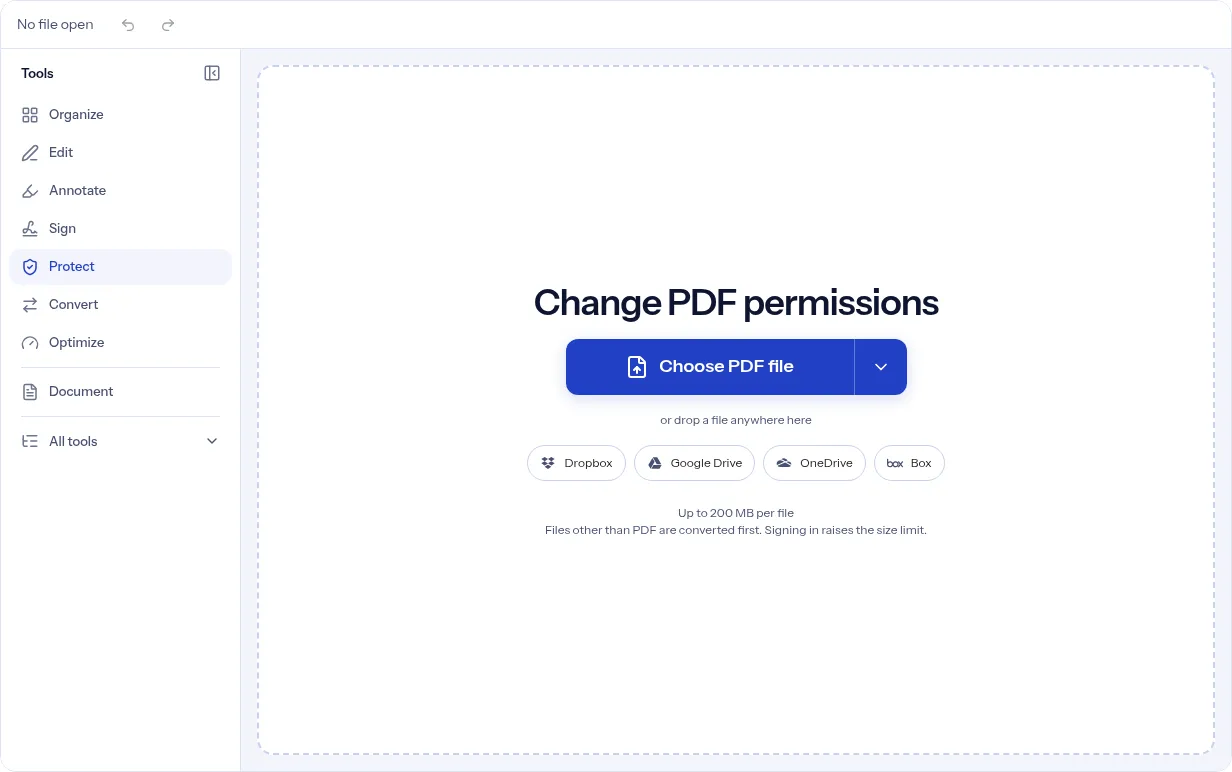
Files other than PDF are converted first. Signing in raises the size limit.
You add
One PDF
You set
A permissions password, the actions to switch off, and an optional password to open
You get
A PDF with those limits set, encrypted with AES-256
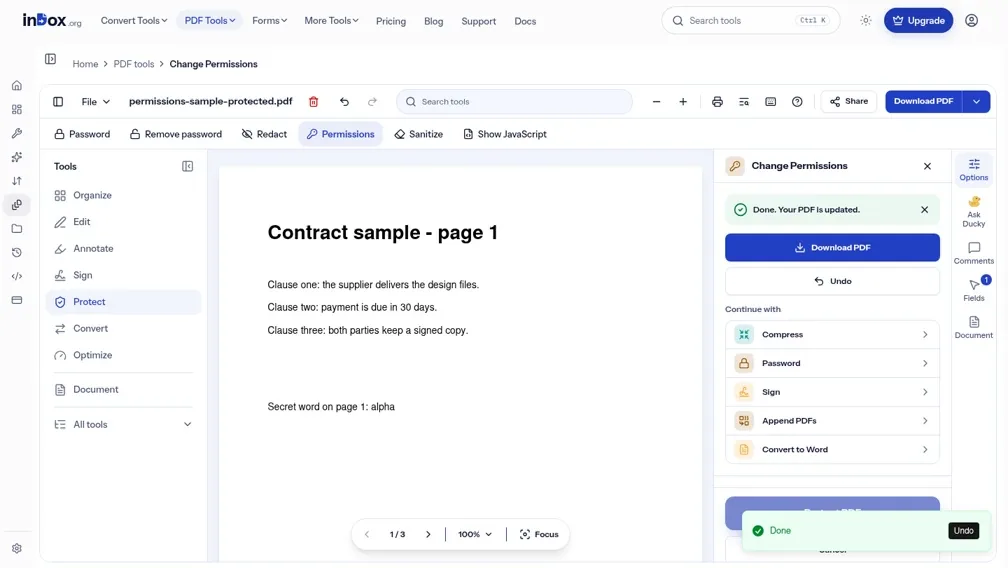
Change PDF permissions sets what people may do with a PDF once it is open: print, copy text and images, edit the content, add comments, fill in forms, and add, remove or turn pages. It opens the same panel as Protect PDF, with Also limit what people can do already switched on. Type a Permissions password, untick the actions to block, and press Protect PDF. Password to open is optional. Leave it empty and anyone can open the file, but only the Permissions password lifts the limits. Type one and the file also asks for it on opening. Permissions are not encryption of the content: without a password to open, anyone can read the file, and some PDF readers ignore the limits. Only a password to open keeps the content private. This page is for anyone who wants to send a PDF that most readers will treat as no-print, no-copy or no-edit, without making the recipient type a password. It does not hide content or remove limits from a file; Unlock PDF does that.
Our own 3-page A4 PDF, English text, one form field, 5,365 bytes, not encrypted before
Original PDF3 pages, one form field, not encrypted
5,365 bytes
Print and Copy off, no password to openabout 4.0 s from click to Done; AES-256, version 5 revision 6; opens with no password; print and copy not allowed
6,563 bytes+1,198 bytes
All six off, password to openabout 4.1 s; a blank or wrong password failed, the open password worked; print, copy and edit not allowed
6,563 bytes+1,198 bytes
Measured on indox.org on 5 November 2026: limiting our own sample without signing in. Page 1 rendered identically before and after, so there is no before/after slider.
What can you do when you change PDF permissions?
Choose which actions to switch off
Six checkboxes list print, copy text and images, edit the content, add comments, fill in forms, and add, remove or turn pages. All six start ticked, meaning allowed. Untick what you want to block. At least one must be unticked.
Set a permissions password
The Permissions password is what lifts the limits later, so you need it. It must differ from the Password to open, and the panel tells you if it does not.
Add a password to open, or not
Password to open is optional here. Leave it empty and anyone can open the file. Fill it in, repeat it in Confirm password, and readers also ask for it before showing the file.
Know what limits cannot do
The panel states that some PDF readers ignore these limits and that the password to open is what keeps the file private. The file is encrypted with AES-256.
What changing permissions keeps and what it changes
Stays the same
Page content and page order.
The file on your device. You get a new copy in the editor.
The text of all 3 pages and the form field: in our test both were still in the copy, and page 1 rendered identically to the original.
Changes
The copy is encrypted with AES-256. qpdf reported version 5, revision 6 in our test.
The actions you unticked are switched off for readers that honor limits.
Unticking Print also switched off high-quality printing in our test.
The actions you left ticked stay allowed. Extraction for screen readers stayed allowed too.
With a Password to open, readers ask for it before showing the file.
File size: our 5,365-byte sample became 6,563 bytes.
Which passwords to fill in
You want
Fill in
What the copy does
Limits on a file anyone can open
Fill inA Permissions password and your unticked boxes, with Password to open empty
What the copy doesAnyone can open and read it. Readers that honor limits refuse the actions you unticked.
Limits on a file that also needs a password
Fill inA Permissions password, your unticked boxes, and a Password to open with Confirm password
What the copy doesReaders ask for the password to open, then apply the limits.
How to change PDF permissions in 3 steps
1
Add your PDF
Drop one PDF on the upload area at the top of the page, or click to choose it.
1 / 3
2
Set the limits
The panel opens with limits on. Type a Permissions password and untick the actions to block. Add a Password to open and repeat it in Confirm password only if you want the file to need one.
2 / 3
3
Press Protect PDF and download
The button fills with the job's progress. When it says Done, the editor holds the changed copy: press Download PDF, or Undo to go back. Try printing or copying in your PDF reader to check, knowing some readers ignore the limits. In our test the button went from the click to Done in about 4 seconds.
3 / 3
Why change PDF permissions with indox?
Every action has its own named checkbox, and ticked always means allowed, so you cannot read the boxes backwards. The panel will not accept a setup that limits nothing or that reuses the open password as the permissions password. It also says plainly that readers may ignore limits and that without a password to open the content is readable by anyone. It is free, and you can do this without signing in, within a daily free allowance.
Six named actions, ticked means allowed
Permissions password required, open password optional
Refuses a setup that limits nothing
Says plainly that some readers ignore limits
Undo brings back the unlimited file
What are the limits when you change PDF permissions?
File size
A visitor who is not signed in can set permissions on a PDF of up to 200 MB, within a daily free allowance. A signed-in account can upload up to 200 MB per file.
Where it runs
Your PDF and the passwords you set are sent to indox's server, where the limits are written and the copy is encrypted with AES-256, then sent back to the editor. If you are not signed in, the upload and the changed copy are deleted 24 hours after the job finishes. A signed-in account keeps them in its history until you delete them, for at most 180 days, and you can choose 24 hours or 30 days instead. Either way indox keeps a record of the job, such as the file name and its status, not the file.
Limits worth knowing
Permissions are requests that PDF readers honor. Some readers ignore them, and anyone who gets past one can print, copy or edit.
In our test a copy with Copy unticked still gave up its text to a command-line tool, poppler's pdftotext, with no password. The pypdf and pdfium libraries also opened it. These are libraries, not the readers most people use, so they show the limits are flags and say nothing about Acrobat, a browser or a phone.
With no password to open, the content is not private. Anyone can open and read the file.
indox has no way to recover a forgotten Permissions password. Keep your original until you have tested the copy.
The Permissions password must differ from the Password to open, and at least one action must be unticked.
The panel offers six actions. It has no separate setting for screen-reader access or high-quality printing. In our test, unticking Print also switched off high-quality printing, and extraction for screen readers stayed allowed.
Do this last. Compress, watermark or number the pages first, then set the permissions on the final copy.
When the limits are not what you expected
What you see
Why
What to do
Protect PDF stays off
WhyNo Permissions password, nothing unticked, or the two passwords differ. With every box ticked the panel says: Switch off at least one thing people can do.
What to doA line under the boxes names a mismatch, a reused password or nothing switched off. If no line shows, type a Permissions password.
The panel says to use a different password
WhyThe Permissions password is the same as the Password to open
What to doChoose a different Permissions password.
Printing or copying still works in some programs
WhySome readers ignore limits
What to doAdd a Password to open if the content must stay private.
Anyone can still open the file
WhyPassword to open was left empty
What to doThis is how limits without an open password work. Add a Password to open if you want one.
Needs a password to open and you wanted none
WhyA Password to open was typed
What to doRun it again on your original with that box empty. See also Protect PDF.
A command-line tool or library still reads the text with Copy off
WhyIn our test poppler's pdftotext printed the text, and pypdf and pdfium opened the copy with no password
What to doThe limits are flags. Add a Password to open if the content must stay private.
Print is unticked and high-quality printing is blocked too
WhyIn our test qpdf reported both low and high-resolution printing as not allowed after Print was unticked
What to doThis is expected. The panel has no separate setting for high-quality printing.
What it stopsA reader cannot show the file without the password
What it does not stopWhoever has the password can do everything. In our Protect PDF test all permissions stayed allowed.
Limits and no password to open (this page)
What it stopsReaders that honor the flags refuse the actions you unticked
What it does not stopAnyone can open and read the file. In our test a command-line tool printed the text with Copy off. Per the qpdf manual, the reading software enforces restrictions, not the encryption.
Limits and a password to open (this page)
What it stopsThe file cannot be shown without the open password, and the unticked actions are flagged off
What it does not stopAfter opening, the limits are still flags that a reader may ignore.
What it stopsTakes the password off a copy, when you know it
What it does not stopIt adds no protection.
Who changes PDF permissions?
Teams sharing a read-only draft
You want reviewers to read a draft on screen without printing or copying it. Untick Print and Copy text and images, leave Password to open empty, and share the file.
Authors and consultants
You send a report to a client and would rather it was not edited. Untick Edit the content, knowing a reader that ignores limits will still allow it.
Staff handling forms
You circulate a form that people should print but not change. Untick Edit the content and Add, remove or turn pages, and leave Print and Fill in forms ticked.
When to change PDF permissions
When a draft should be read on screen and not printed.
When a report should be read but not copied or edited.
When a form should be filled in but its pages left alone.
When you also want a password to open, set in the same step.
When the file is final and you want a limited copy to send out.
No. Permissions are flags that a PDF reader is asked to follow. The content stays readable by anyone unless you also set a Password to open.
Can I restrict printing without a password to open?
Yes. Leave Password to open empty, type a Permissions password and untick Print. Anyone can open the file, and only the Permissions password lifts the limit.
How do I change PDF security settings without the password?
If the PDF already has limits and opens without a password, take them off first with Remove restrictions on the Unlock PDF page, which needs no password, then set new limits here. A file that asks for a password when it opens needs that password before anything can change.
Which actions can I switch off?
Print, copy text and images, edit the content, add comments, fill in forms, and add, remove or turn pages. At least one must be switched off, or the button stays off.
Will every PDF reader obey the limits?
No. The panel warns that some readers ignore them. In our test a command-line tool, poppler's pdftotext, printed the text of a copy with Copy unticked, and pypdf and pdfium opened it with no password. Those are libraries, not the readers most people use, and our test did not cover Acrobat, a browser or a phone.
Can I switch off screen-reader access?
In our test it did not. Extraction for screen readers stayed allowed with Copy unticked, and the panel has no setting for it. Unticking Print also switched off high-quality printing.
Does it change my pages or form fields?
In our test the text of all 3 pages and the form field were still in the copy, and page 1 rendered identically to the original. The file is rewritten and encrypted, so its size changes: 5,365 bytes became 6,563.
What is the permissions password for?
It is what lifts the limits later. It must differ from the password to open. To limit actions on a file anyone can open, it is the only password you fill in.
How is this different from Protect PDF?
It is the same panel. Change permissions opens it with Also limit what people can do already on. Protect PDF opens it with limits off and a password to open required.
What if I forget the permissions password?
indox has no way to recover it. Keep your original file. To remove a password you know from a copy, use Unlock PDF.
Do I need an account?
No sign-in is needed to get the changed copy. Signed out, each file can be up to 200 MB and counts against a daily free allowance.