See what is locked first
The panel reads the form when the file opens and shows the count, such as Locked fields: 3 of 4. You know what will change before you press anything.
or drop a file anywhere here
Files other than PDF are converted first. Signing in raises the size limit.
A PDF form can mark its fields as read-only. The boxes are there and may already hold answers, but a reader will not let you type in them. Add your PDF and it opens in the indox editor. The Unlock form fields panel reads the form in your browser and says how many fields are locked, for example Locked fields: 3 of 4. Press Make fields editable and every locked field accepts typing again. Answers already in the fields stay. This tool does not remove a password, and it does not lift a permission limit such as no form filling. Those are different locks, and the panel tells you to use Remove password or Permissions for them (Unlock PDF and Change Permissions on this site). The count is a guide: in our test it was one lower than the real number of locked fields. This page is for people who must type in a form that refuses input, and for owners who locked a template and no longer have the editable source. One form runs without an account. Use it on forms you own or have permission to change.
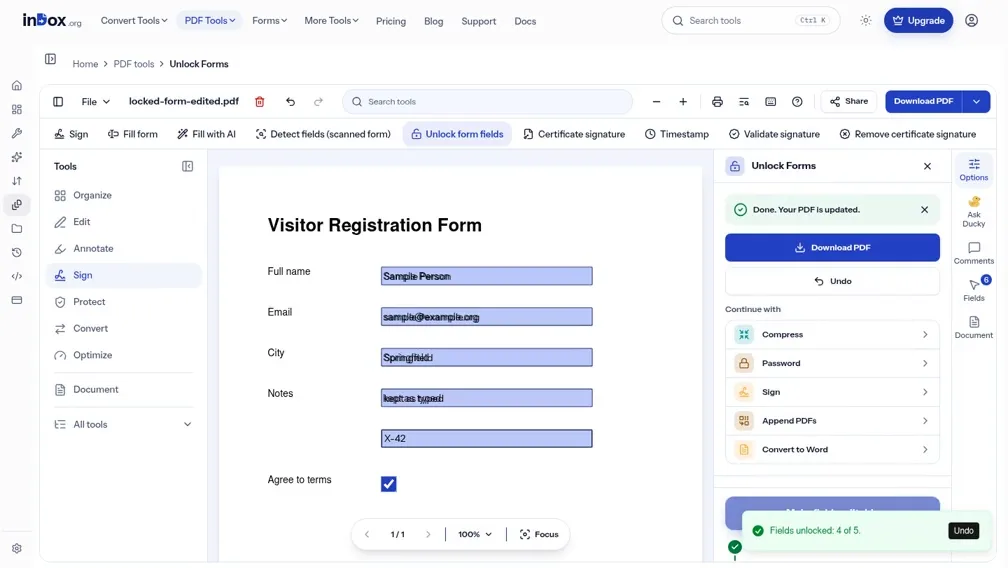
A one-page sample form with 6 fields, 5 of them read-only, unlocked on indox.org
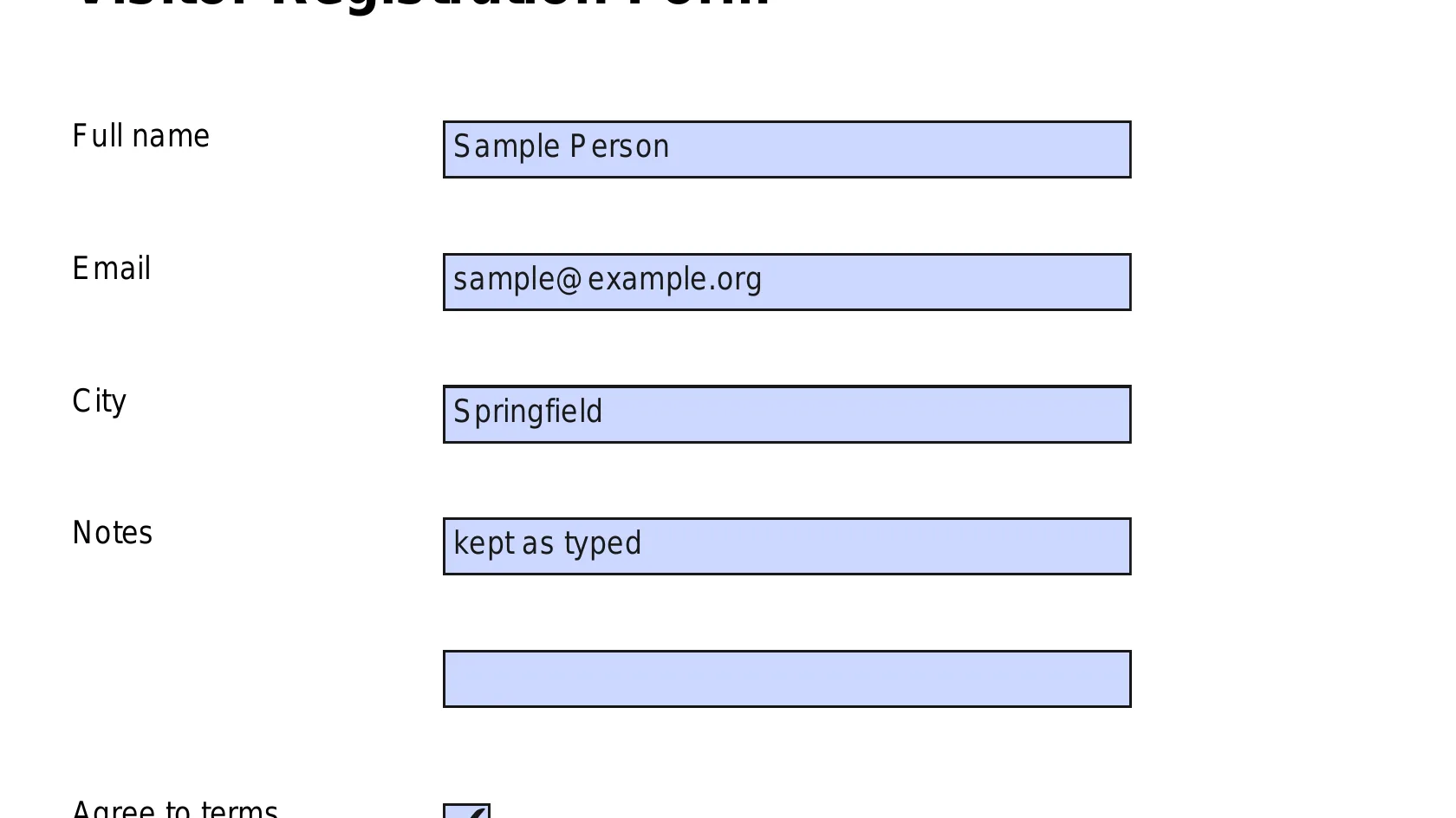
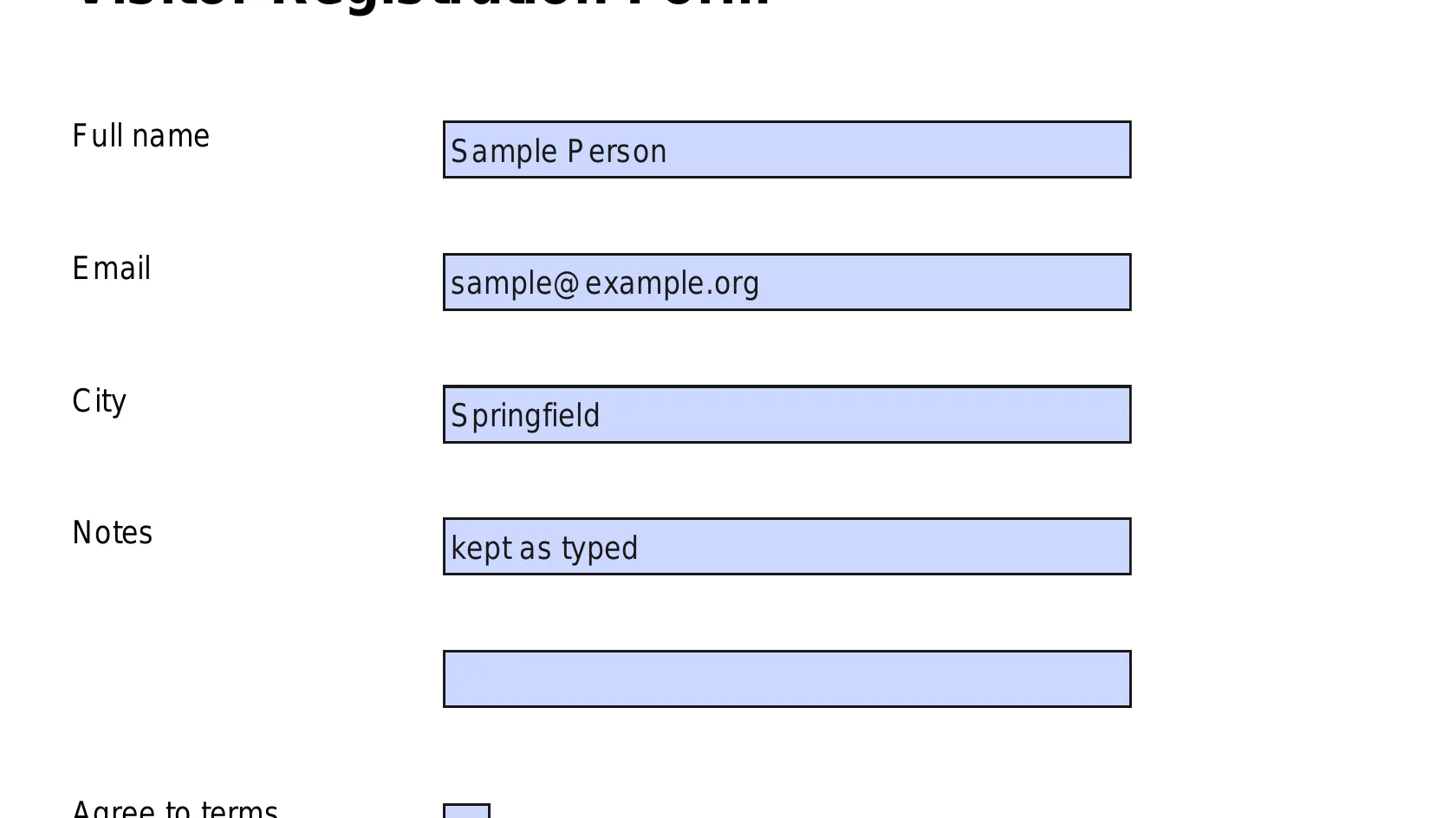
The panel reads the form when the file opens and shows the count, such as Locked fields: 3 of 4. You know what will change before you press anything.
One button, Make fields editable, clears the read-only flag on all locked fields at once. There is no per-field choice.
Values in the fields stay as they are, and the form's content is untouched.
When the fields are unlocked, the panel shows Fill in the form, which opens the Fill form tool in the same editor.
Drop the form on the upload area, or click to choose it. It opens in the editor, and the Unlock form fields panel reads the form and shows how many fields are locked.
If the form has a digital signature, the panel warns that unlocking breaks it. Tick Unlock them anyway only if you accept that.
When the panel says Fields unlocked, press Fill in the form to type your answers, or download the file.
Several different locks can stop you from typing into a PDF form, and it is easy to try the wrong fix. The panel counts the locked fields first, so you can tell whether read-only fields are the problem at all. If they are not, it names the right tool: Remove password for a password, Permissions for a permission limit. When fields are locked, one button unlocks them and your answers stay. A signature warning comes before the run, not after. It is free: you can unlock a form without an account, within a daily free allowance. The file reaches indox over HTTPS, and if you are not signed in it is deleted with the result 24 hours after the job.
| What you see | Why | What to do |
|---|---|---|
| The button is disabled | The file has no form fields, or none is locked | Read the panel message. For a scanned or flattened PDF there is nothing to unlock. |
| The panel says Couldn't read this form's fields first. You can still unlock them. | The check that counts locked fields could not read the form | Press Make fields editable anyway, then open the result and try typing in a field. |
| The file asks for a password | A password is a different lock. In our test the editor showed This PDF is password-protected and did not offer Make fields editable | Enter the password to open the file, or use Remove password first, then unlock the fields. |
| The panel counts fewer locked fields than the form has | The count can leave out a field that is hidden on the page. In our test it said 4 of 5 for 5 read-only fields | Trust the result, not the count: in our test all 5 read-only fields were unlocked. |
| Fields are editable but filling is blocked | A permission limit is a different lock | Use Change permissions. |
| There are no fields in a form that clearly has boxes | It may be built only with XFA, which indox strips | Re-save the form with standard fields, then try again. |
| The signature shows as invalid | Unlocking fields breaks a digital signature | Keep the signed original and work on the unlocked copy. |
| A field is still marked Required | Unlocking clears only the read-only flag. Required is a separate flag and stays as authored | This is expected. The field now accepts typing and still has to be filled in. |
| Values look drawn twice in the editor preview after unlocking | In our test the preview showed the saved value and the live field text a few pixels apart | The downloaded PDF did not show this in our test. Check the file you download, not the preview. |
| Lock | Where it lives in the PDF | What to use on indox |
|---|---|---|
| Field read-only flag | A flag on each form field, set by whoever built the form | Unlock form fields, this page |
| Signature field lock | A lock entry on a signature field, applied when the form is signed. It can lock the remaining fields | Unlock form fields removes the lock entry and breaks the signature, per the engine's source. Keep the signed original |
| Document permissions | Permission settings in the file's encryption, such as no form filling | Change permissions |
| Open password | A password needed to open the file at all | Remove password |
| Scanned or flattened PDF | The fields no longer exist, so there is nothing to unlock | Nothing restores the fields. Keep the editable original, or re-create the form |
An office sent a form whose boxes will not take typing, and you have to complete it. Unlock the fields, then fill them in.
You locked a template's fields before publishing it and no longer have the editable source. Unlock a copy to revise it.
A saved form has locked fields and one entry is wrong. Unlock a copy, fix the value and keep the original on file.
Facts checked on November 5, 2026
It makes the read-only form fields editable again. The panel shows how many fields are locked, and one button, Make fields editable, unlocks all of them.
There are five common causes: the author set the read-only flag on the fields, a signature was applied and the remaining fields were locked on save, the document permissions block form filling, the PDF needs a password to open, or the PDF was scanned or flattened and has no fields left. This tool handles the first one and, for a signed form, the second. For the others, the panel points to Remove password or Permissions.
No. A password and a permission limit such as no form filling are different locks. Use Remove password for the first and Change permissions for the second.
No. The button clears the read-only flag on every locked field.
Yes. In our test all 6 typed values were identical afterward, the two Required fields stayed Required and the field hidden on the page stayed hidden. Only the read-only flag was cleared.
The file has no form fields, or none of them is locked. The panel says which. Forms built only with XFA are not supported, because indox strips XFA and the file arrives with no fields.
Unlocking the fields breaks the signature. The panel warns you, and the unlock only runs after you tick Unlock them anyway.
Yes. The unlocked file replaces the one in the editor, and Undo brings back the locked version.
No. Unlocking a form is free and needs no account; signed out, it counts against a daily free allowance and each file can be up to 200 MB. The file reaches indox over HTTPS, and if you are not signed in it is deleted with the result 24 hours after the job.
Press Fill in the form in the panel to open the Fill form tool, type your answers, and use Flatten PDF when they are final.