See what is in the file first
As soon as the file opens, the panel lists the counts of comments, highlights and drawings, links and form fields. Hidden annotations are not counted.
or drop a file anywhere here
Files other than PDF are converted first. Signing in raises the size limit.
Annotations are the things added on top of a PDF page after it was made: comments, highlights, drawings and other review markup. This page is for anyone who has a reviewed PDF and needs a clean copy to publish, print or send out. Your file opens in the indox editor, and the Remove annotations panel reads it in your browser and lists what it holds as counts: comments, highlights and drawings, links, and form fields. One button, Remove annotations, removes the comments, highlights, underlines, text boxes, stamps, ink, lines, shapes, links and file attachments from every page. You cannot pick a type or a page, so you cannot keep some notes and delete others. Form fields are different: in our test on 5 November 2026 they stayed in the file with the answers typed into them, even though the panel counts them. Page text and images stay too.
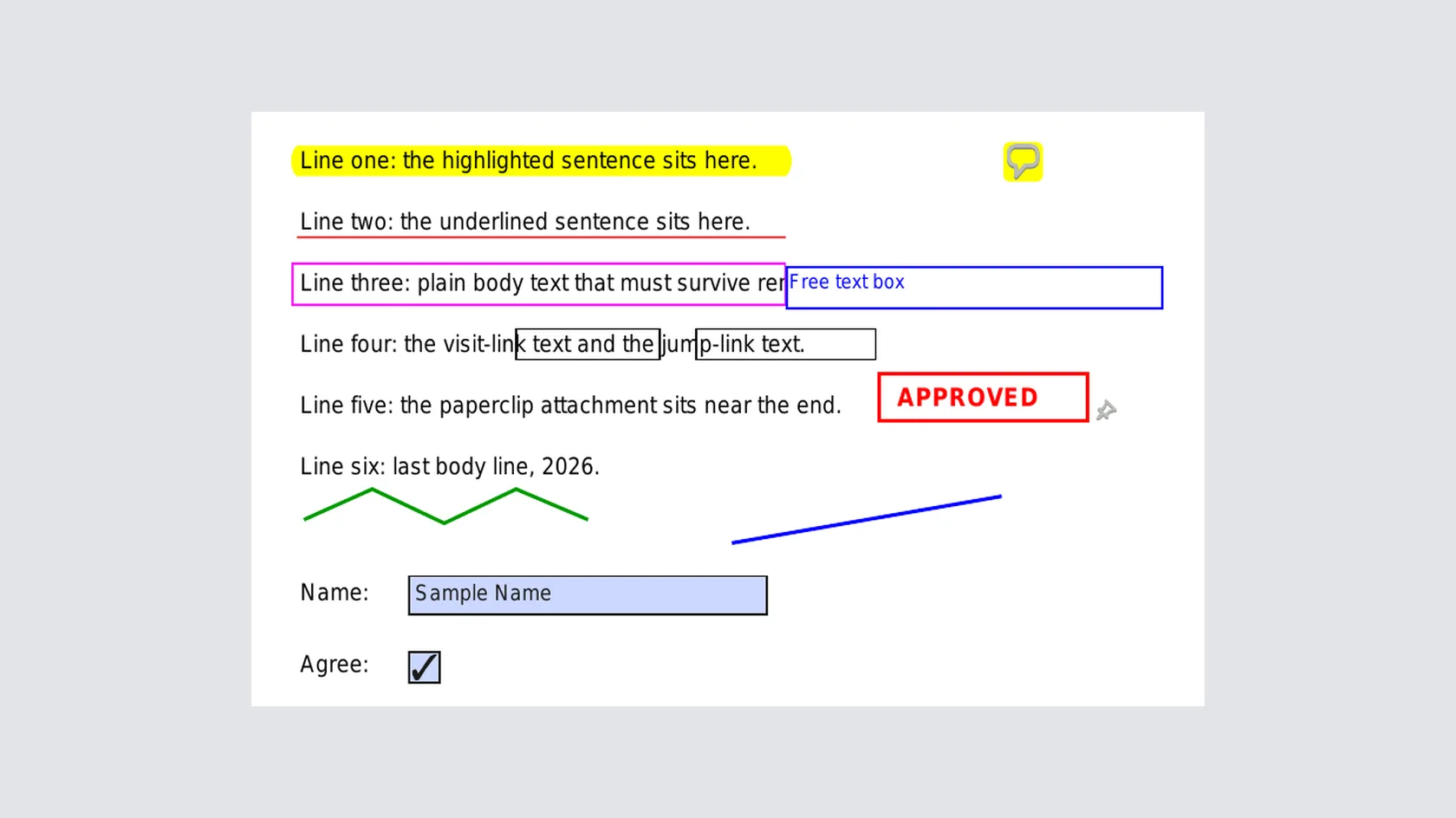
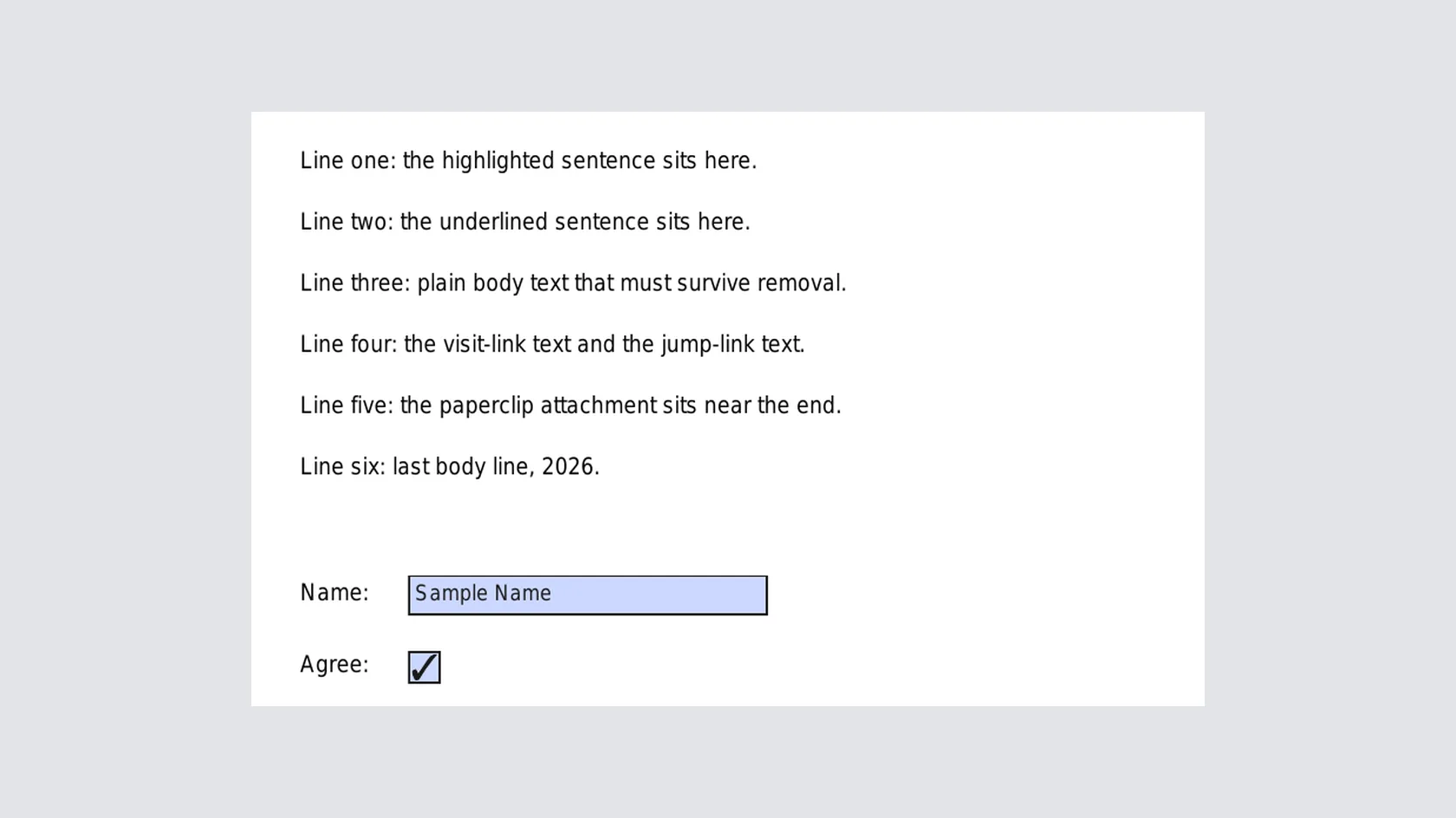
Own sample PDF, one page with 14 annotations and 2 form fields, run on indox.org
As soon as the file opens, the panel lists the counts of comments, highlights and drawings, links and form fields. Hidden annotations are not counted.
Remove annotations works on all pages at once, so a long review copy with notes on every page is cleared in one go. In our test it took about 4 seconds from the click to the done message.
Body text and images stay, and so do form fields with their answers. Text that sat inside a removed text box or stamp goes with it.
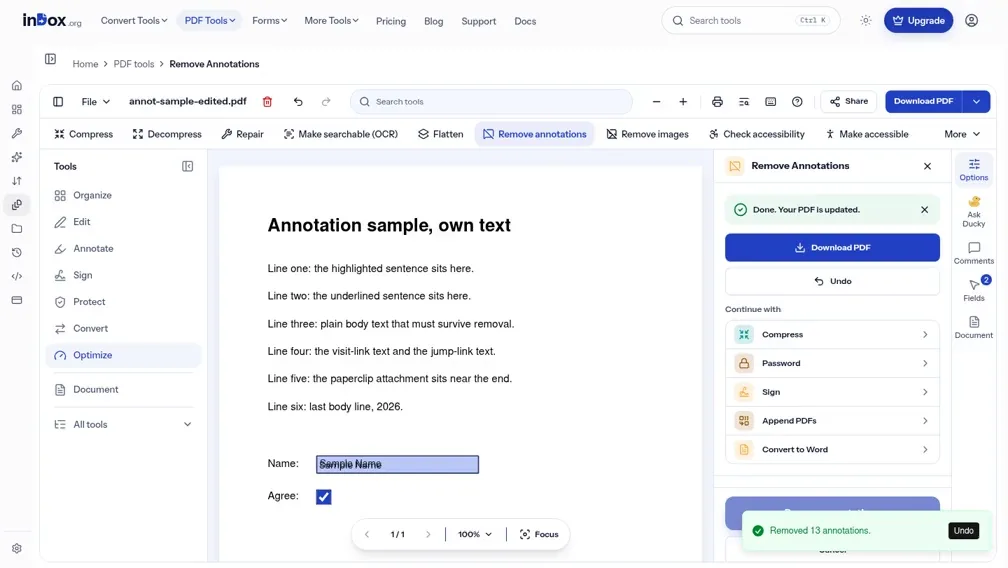
When it is done, a message says how many annotations were removed, with an Undo button, and the Download PDF button gives you the cleaned copy. The original on your device is not touched.
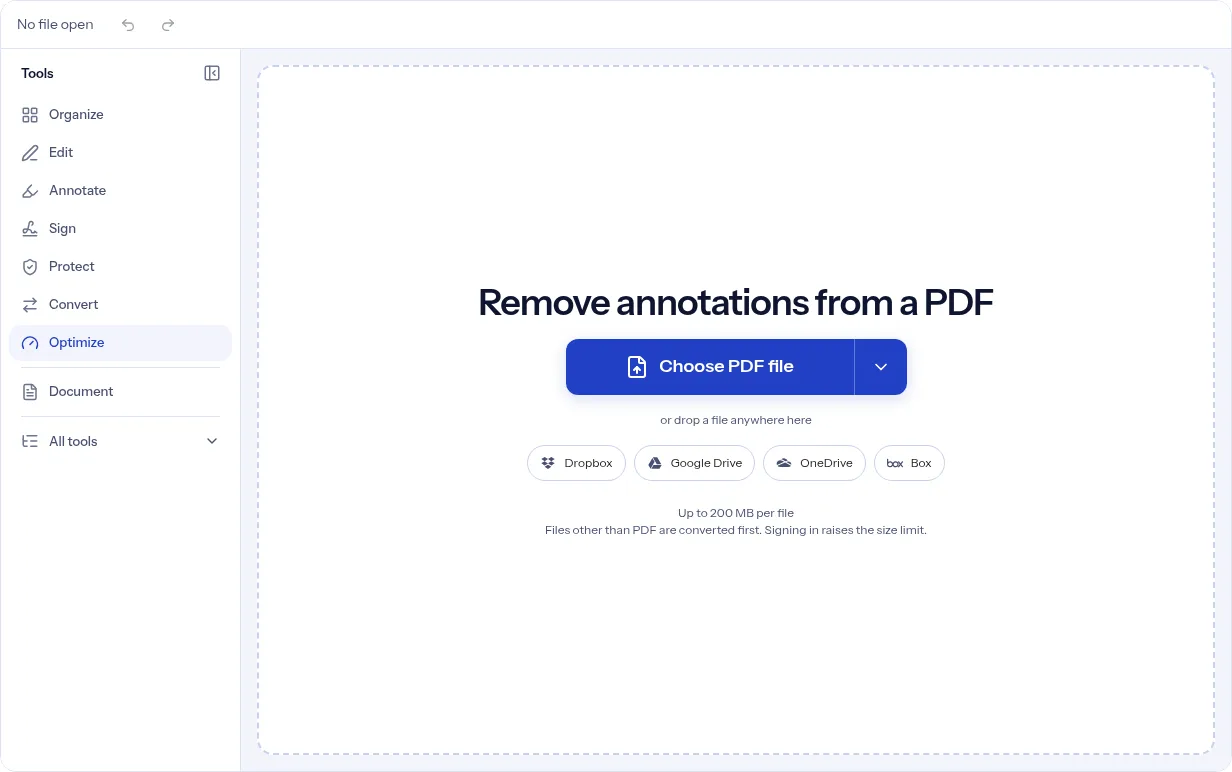
Drop a PDF on the upload area at the top of the page, or click to choose one: up to 200 MB when you are not signed in, or 200 MB with a signed-in account. It opens in the editor with the Remove annotations panel beside it.
Read the counts of comments, highlights and drawings, links and form fields. The form fields are listed but stay in the file. If you want their answers turned into plain page content, press Flatten instead. If the file has a digital signature, tick Remove them anyway to go ahead.
The panel closes and a message says how many annotations were removed, with an Undo button. Page through the file to confirm the notes are gone, then press Download PDF.
Deleting notes by hand means selecting each one and removing it, page after page. This panel counts them for you, then clears every page with one button. It also warns you before a digital signature is touched. It leaves form fields and their answers in the file. When the file has form fields, it offers Flatten instead, which turns them into page content. It is free and works without an account. The file reaches indox over HTTPS. If you are not signed in, the upload and the result are deleted 24 hours after the job ends.
| What you see | Why | What to do |
|---|---|---|
| Links stopped working | Links are removed with the rest of the annotations | Keep the original for clickable use, and add the links again in the source program if you need them. |
| Form boxes and typed answers are still there | This tool leaves form fields and their answers in the file | Press Flatten instead to turn them into page content, or clear the answers in the program that made the form. To fill a form, use Fill PDF Form. |
| The button is disabled | The file has no comments, highlights, drawings or links, or only form fields, which stay | There is nothing to remove. Hidden annotations are not counted. |
| A warning about a digital signature | Removing annotations breaks the signature | Tick Remove them anyway if that is fine, or keep the signed original. We did not measure whether the signature validates afterward. |
| A mark is still visible after the removal | It is part of the page drawing, for example after the PDF was flattened | The panel only removes annotations. Edit the source file to remove marks that are drawn on the page. |
| The tool rejects the file | The PDF is password-protected | Remove the password with Unlock PDF, then run this tool again. |
| Text from a text box or stamp is gone from the page | Those marks are annotations, and their words belong to the mark | Keep the original if you need that text, or use Flatten PDF to make it part of the page. |
| If you want to | Use | What happens to the marks and the form answers |
|---|---|---|
| Delete the comments, highlights, stamps, ink and links | Remove annotations (this page) | In our test, 12 marks were removed and the 2 form fields stayed with their answers. |
| Keep the marks visible but fixed on the page | Flatten PDF | Annotations become page content, so there is nothing left to remove afterward. |
| Delete only some notes and keep others | The program that added them | indox removes all annotations at once and has no tool to delete single ones already in the file. |
| Clean hidden data out of the file | Sanitize PDF | Aimed at hidden data inside the file rather than visible marks. We did not run it for this page. |
| Fill in a form before you send it | Fill PDF Form | Form fields stay in the file, so answers are changed or added there. |
The final PDF still carries the review team's comments and highlights. Strip them before the document goes to readers outside the team.
A paper or textbook chapter is covered in your own highlights and notes, and you want a clean copy to share or print.
Internal remarks on a contract or policy must not travel with the file. Remove the annotations, then read through the clean copy, including any form answers, before it leaves the office.
Facts checked on November 5, 2026
In our test it removed comments with their pop-ups, highlights, underlines, text boxes, stamps, ink, lines, shapes, web links, page-jump links and file attachments, on every page. The panel lists the counts before you press the button. Hidden annotations are not counted.
No. There is no choice by type or by page, and indox has no tool that deletes single annotations already in a file. If some notes must stay, delete the others in the program that added them, and keep your original.
No. Links are removed. The words or the address stay on the page, but clicking them does nothing.
They stay. In our test on 5 November 2026 the text field and the ticked checkbox were still in the file after the run, with their answers, even though the panel counts them. To turn them into plain page content, press Flatten instead or use Flatten PDF.
The panel shows a warning that removing annotations breaks the signature, and the removal only starts after you tick Remove them anyway. We did not measure whether a signature still validates afterward, so keep the signed original.
Body text stays the same. Text that was inside a removed text box or stamp is removed with it.
The file has no comments, highlights, drawings or links to remove, or its only annotations are form fields, which stay. The button is disabled in both cases.
The result replaces the file in the editor and you download it as a new copy. Your original on your device is not touched. Keep it if you may need the notes later.
No account is needed, and removing annotations is free; visitors who are not signed in have a daily free allowance. The file reaches indox over HTTPS. If you are not signed in, the upload and the result are deleted 24 hours after the job ends. A signed-in account keeps them in its history instead.
Not directly. The tool rejects encrypted files. Use Unlock PDF first, then remove the annotations.