Four ready-made pairs
Cream, Sepia, Soft blue and Dark each set a background and a text color in one click. Cream is selected when the panel opens.
or drop a file anywhere here
Files other than PDF are converted first. Signing in raises the size limit.
To change a PDF's background color, open it here, pick a ready-made pair or set Background and Text with the two color pickers, and press Replace colours. A new background is painted behind every page and the text is drawn again on top in your text color. The original text is not removed: it stays in the file under the new text, with its first colors. The panel opens on Your own colours with Cream, a soft off-white page with dark gray text, and offers three more pairs: Sepia, Soft blue and Dark. A sample line changes as you pick, before you run anything. The panel measures the contrast ratio of your pair, the measure the WCAG guidelines use, and blocks the run when it is under 3:1. Pictures keep their colors. The change applies to the whole document, and Undo brings the original back. It suits a PDF made of text that you want to read in other colors. It does not produce a clean file with only the new colors, so read the limits below first. For a quick dark copy with white, yellow or green text, switch the panel to High contrast.
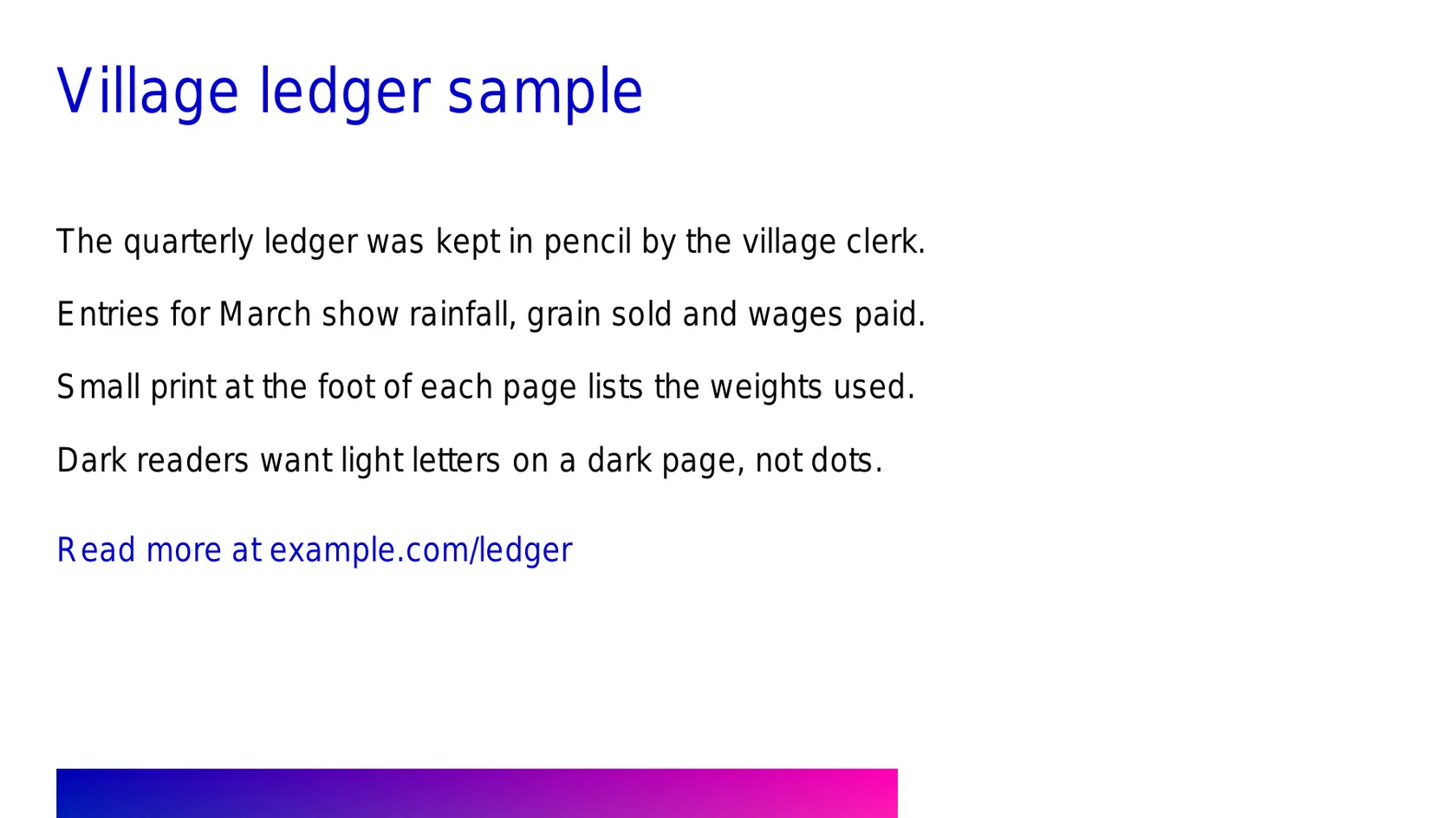
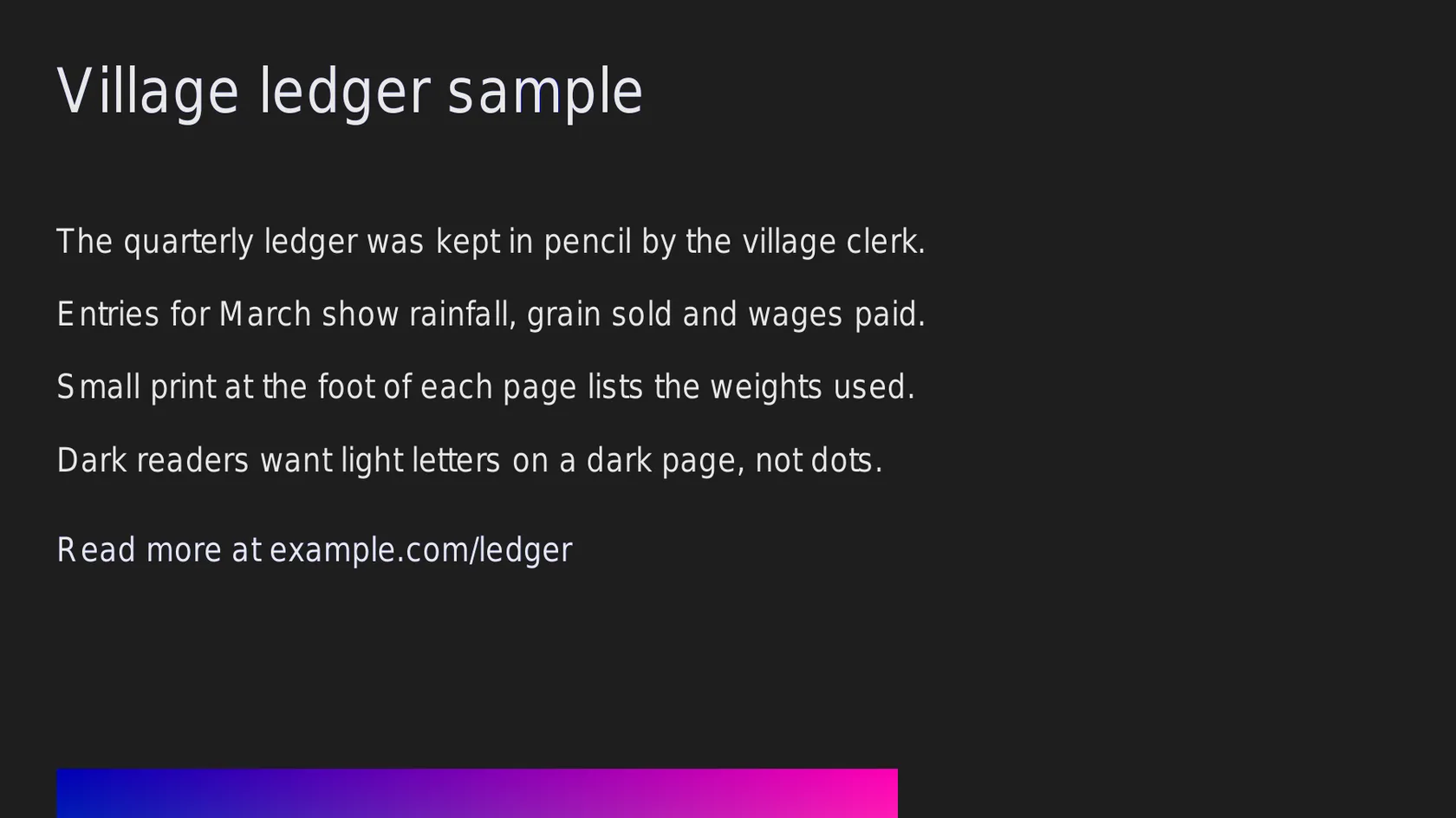
Our own 2-page A4 test PDF: blue title and link, black text, one picture per page. Dark pair, anonymous run.
Cream, Sepia, Soft blue and Dark each set a background and a text color in one click. Cream is selected when the panel opens.
Background and Text each have their own color picker. Set one or both to any color, and the sample and the contrast check update.
A line of sample text is shown in your pair, so you see the combination before it touches the file.
The panel says Easy to read with the contrast ratio, or Hard to read when the ratio is under 3:1. In that case Replace colours stays disabled until you pick colors further apart.
| You want | Background | Text color |
|---|---|---|
| Easier reading on screen at night | A dark color, such as the Dark pair | A light color such as white or pale gray |
| A softer page for long reading | Off-white or cream, such as Cream or Sepia | Dark gray or brown instead of pure black |
| A page with less ink for printing | White | Black or dark gray |
| Text that stays readable for everyone | Any | A pair with strong contrast. WCAG asks for 4.5:1 for normal-size text, and the panel's floor is 3:1. |
Drop the PDF into the upload area at the top of the page, or click to choose it: up to 200 MB when you are not signed in, or 200 MB with a signed-in account. It opens in the editor with the colors panel ready.
Select Cream, Sepia, Soft blue or Dark, or set Background and Text with the color pickers. Check the sample and the contrast line under it.
Press Replace colours. When the editor shows that the job is done, look through the pages, then press Download PDF, or Undo to go back.
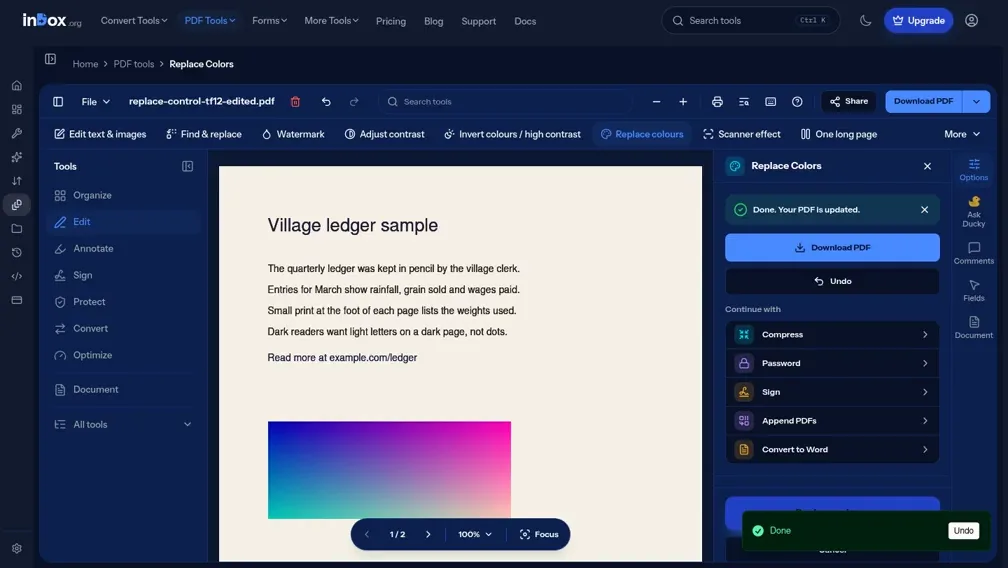
The readability check is part of the panel. Instead of leaving you to guess whether gray on cream will work, it measures the pair and stops you under 3:1, so you don't download a file you cannot read. The ready-made pairs are meant for reading, and the default is already a pair that changes the page, so one click gets a result. In our test the pictures came back pixel-identical, which keeps charts and photos accurate. Undo brings the original back. It is free, our run needed no account, and files move over HTTPS.
| What you see | Why | What to do |
|---|---|---|
| Copying text gives doubled letters | The original text stays in the file under the redrawn text | Copy the text from your original file. If you need a file that holds only the new colors, this tool does not make one. |
| The text is tiny dots, or the old black text did not change | The file sets its text at 1 pt and scales it in the page's drawing instructions, and the redraw does not follow that scaling | Press Undo. Try a copy of the file saved or exported another way, if you have the source. Which route fixes it was not part of our run, and an ordinary file recolored correctly in our test. |
| With a dark pair the page looks black on black | On a file like the one above, the original black text is not recolored | Press Undo and do not use a dark pair on that file. Check every page before you download. |
| The background does not change | The page holds a full-page picture or fill, such as a scan or a colored background, that covers the new background | This tool does not lift that picture or fill. For a dark page, Invert colours can flip it to light by turning each page into an image. If you can do without the images, take them out with Remove Images first. |
| Old text shows through around the new text | The original text stays underneath the redrawn text | Pick a text color close to the old one so the overlap is hard to see. |
| Some letters turned into asterisks | The font could not encode those characters and no standard font could draw them | Check the characters in the source file, or try a different file. |
| Replace colours is disabled | The pair is under 3:1 contrast and the panel says Hard to read | Pick colors further apart until the line says Easy to read. |
| Method | Changes the file | Text afterwards | Color control |
|---|---|---|---|
| Replace colours here | Yes, you download a new file | Still text, but the original stays under the new text, so copying gives doubled letters in our test | One background and one text color for the whole document |
| High contrast and Invert colours | Yes, you download a new file | See that tool's page | Fixed looks, such as white, yellow or green text on black |
| Change one color inside the page's drawing instructions | Yes | Stays real text, because only the color values change. PDF color operators such as rg, RG, g and k set the fill and stroke color (ISO 32000-1, section 8.6) | One color at a time, with a specialist tool. indox does not offer this |
| Save the pages as pictures in the new colors | Yes, a new file of pictures | Text can no longer be selected unless it is recognized again | Any colors, made outside indox |
Bright white tires the eyes over a long document. Cream or Sepia gives the page a warmer tone with dark text.
The Dark pair gives light text on a dark page. For white, yellow or green on black, use the High contrast mode of the same panel.
Set the colors yourself and watch the ratio. The panel will not let you run a pair under 3:1.
Facts checked on November 5, 2026
Open the PDF here, choose a ready-made pair or set Background with the color picker, press Replace colours, then press Download PDF. The steps are the same on a phone, because the editor runs in your browser.
In a PDF, a colored page background is itself drawn on the page, as a filled shape or a picture. This tool paints its new background behind the page content, so it recolors a white page but cannot turn an existing dark background white. For a dark page, Invert every colour, photos too, in High contrast, flips dark to light like a photo negative, but it turns each page into an image, so the text can no longer be selected.
The panel measures the contrast between your background and text. Under 3:1 it says Hard to read and disables the button. Pick colors further apart.
No. Photos, charts saved as pictures and other images keep their colors. In our test on 5 November 2026 the pictures in the result were pixel-identical to the original. Only the page background and the text are recolored.
Cream, a soft off-white background with dark gray text. Untouched, a run already changes the page.
Yes, the pickers take any color, and the panel tells you whether the pair is readable. Sepia, Soft blue and Dark are ready-made if you would rather not choose.
No. The panel recolors the whole document and has no page range.
The original text stays underneath the redrawn text. Pick a text color close to the old one to make the overlap hard to see.
High contrast offers fixed looks: white, yellow or green text on black, or black text on white. Your own colours lets you set both colors. Both are in the same panel, one switch apart.
It changes the file. The PDF is uploaded to indox's server and you download a new PDF in your colors. If you are not signed in, the upload and the result are deleted 24 hours after the job ends. Undo brings the original back in the editor, and your own copy on your device is not touched. A signed-in account keeps them in its history instead.
The text is still there, but the original text stays under the new text. In our test on 5 November 2026, extracting a line gave doubled letters. Copy from your original file when you need clean text.