Attach a file from your computer
Attach a file opens your file picker. The file you choose is stored inside the PDF, and the list updates. There is no link or address to type.
or drop a file anywhere here
Files other than PDF are converted first. Signing in raises the size limit.
A PDF attachment is a file stored inside the PDF, such as a spreadsheet, a contract draft or the source data behind a report. It travels with the document and appears in the attachments panel of a PDF viewer. Use this page when you need to send one PDF with a file inside it. It adds that file from your computer. The result is not an e-invoice (ZUGFeRD or Factur-X), and the file is not hidden, because anyone with the PDF can take it out. The panel lists the files already attached with a count, then Attach a file adds one file. A name that is already attached is refused, so a file can't silently replace another. Each file in the list can be renamed or deleted from its own row, and Download all attachments gives you a ZIP. In our test on 5 November 2026 we attached a 4,127-byte CSV and a 10 MB binary file to a 3-page PDF. Both came back byte-identical, and the page text did not change.
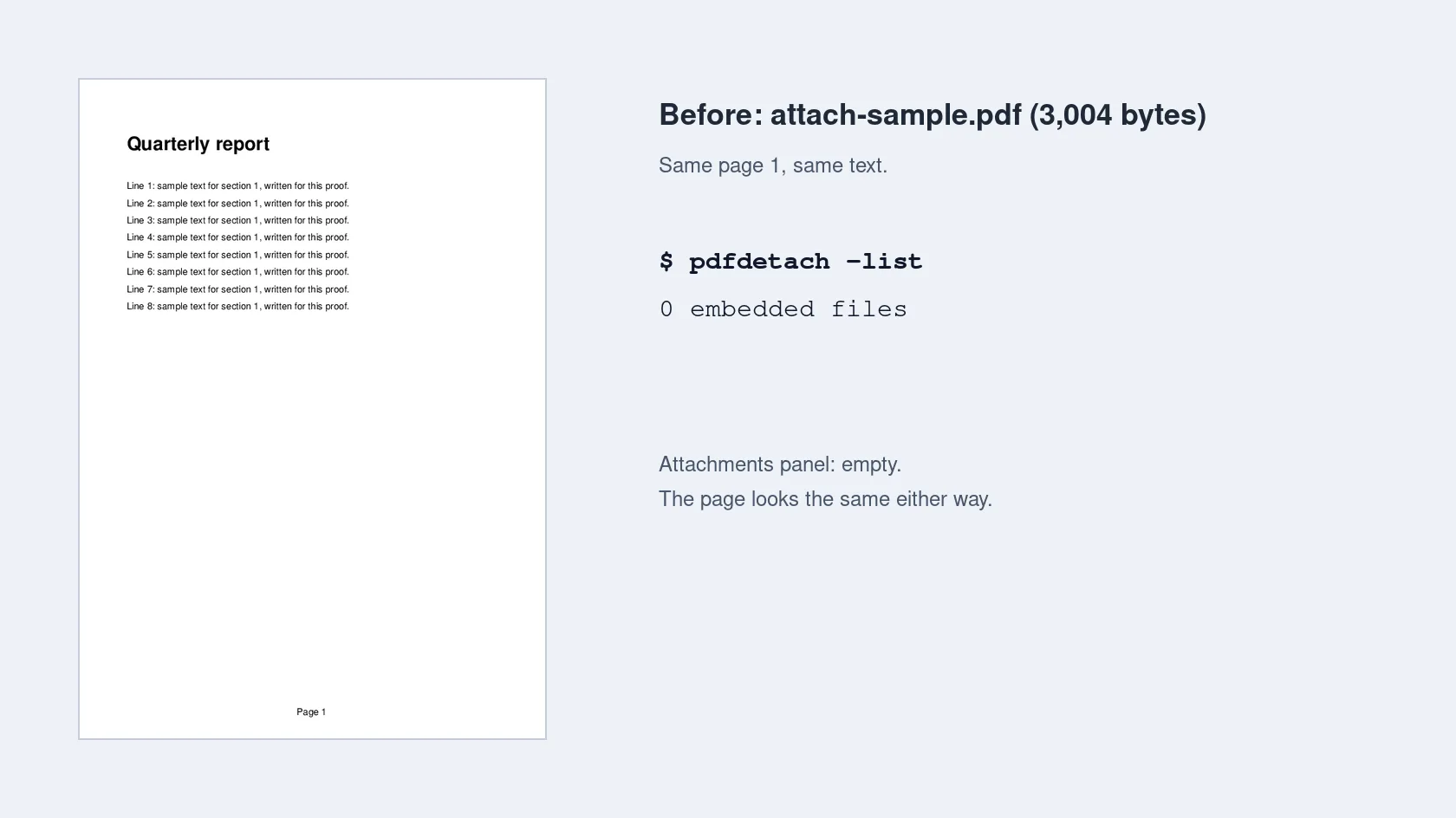
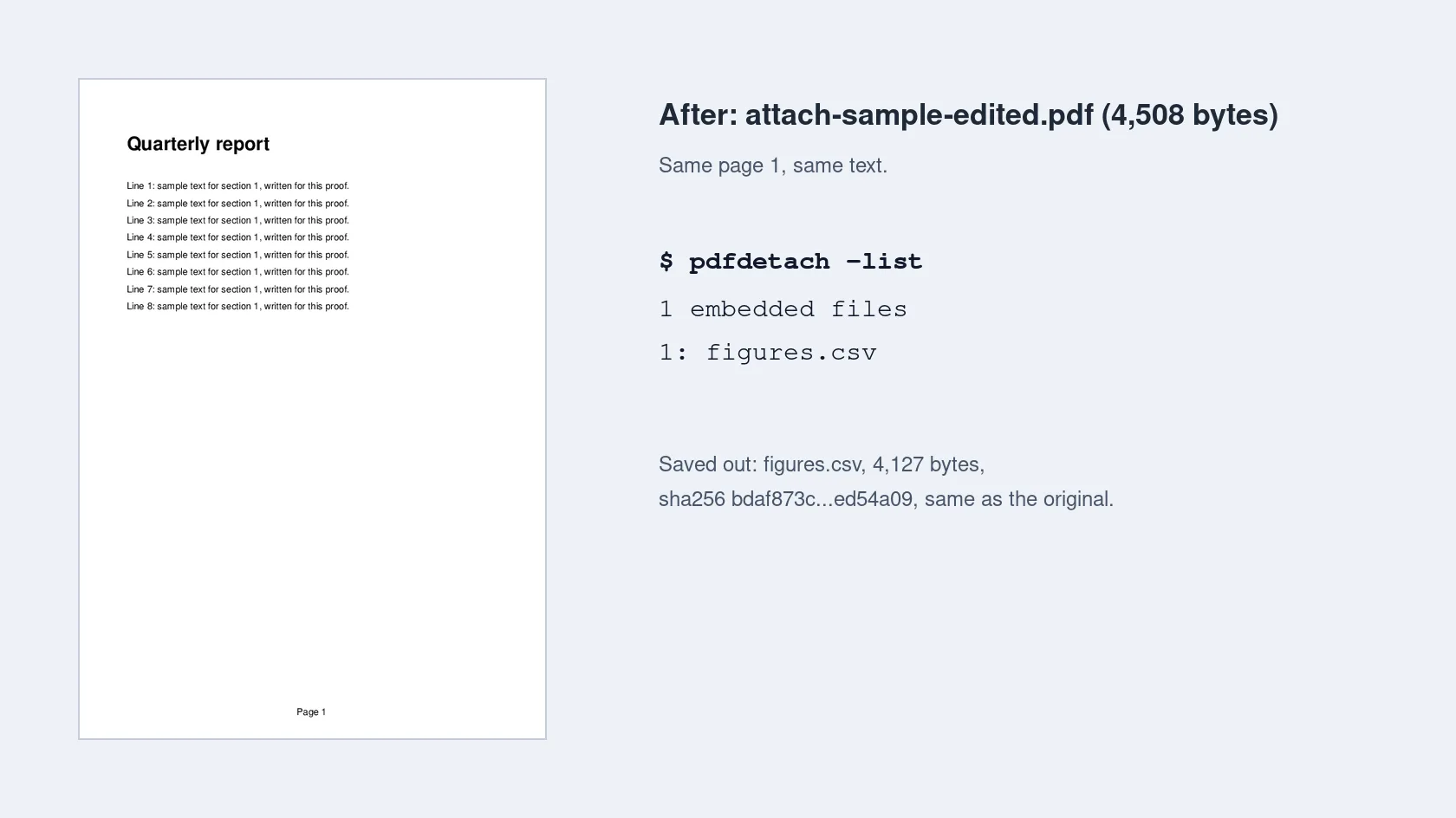
A three-page PDF we made (3,004 bytes) and a 4,127-byte CSV attached on indox.org
Attach a file opens your file picker. The file you choose is stored inside the PDF, and the list updates. There is no link or address to type.
If the PDF already has an attachment with that name, the panel refuses it and says: An attachment called that is already in this file. Rename or delete it first.
The panel lists every attached file and a count such as 2 attached files. If the PDF has none, it says This file has no attached files.
Each row has a rename and a delete button. A rename onto a name already in the file is refused. Download all attachments gives a ZIP of everything inside.
| You want to | Use | Keep in mind |
|---|---|---|
| Put a file inside the PDF | Attach a file | A name already attached is refused. |
| Change an attachment's name | The rename button on its row | A name already in the file is refused. |
| Remove an attachment | The delete button on its row | The row is removed from the list. |
| Save everything inside | Download all attachments | You get a ZIP. |
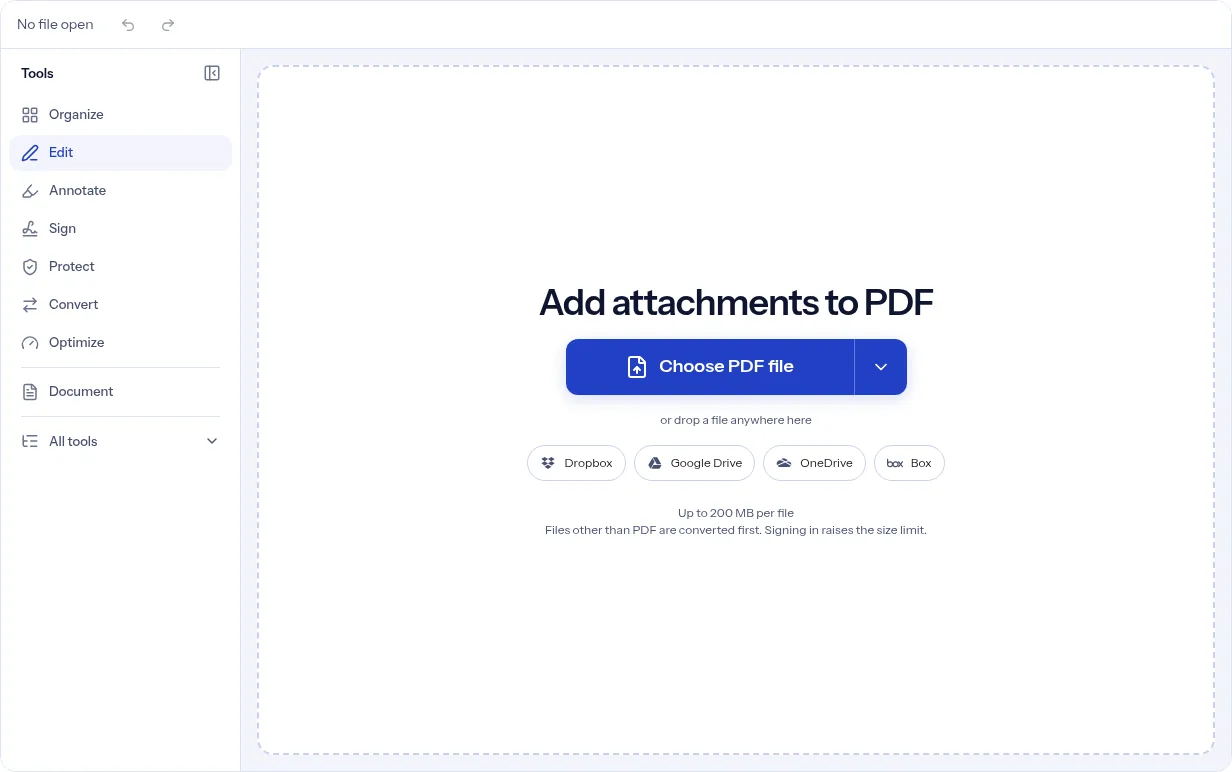
Drop the PDF into the upload area at the top of the page, or click to choose it. It opens in the editor with the Attachments panel ready, and the files already inside are listed.
Press Attach a file and choose the file on your computer. If its name is already attached, the panel says so and nothing changes; rename or delete the old one first.
Wait for the file to show as a row in the list with a Rename button, then press Download PDF. In our test that took 18 seconds for a 4 KB file and 33 seconds for a 10 MB file. Rename or delete a row if needed.
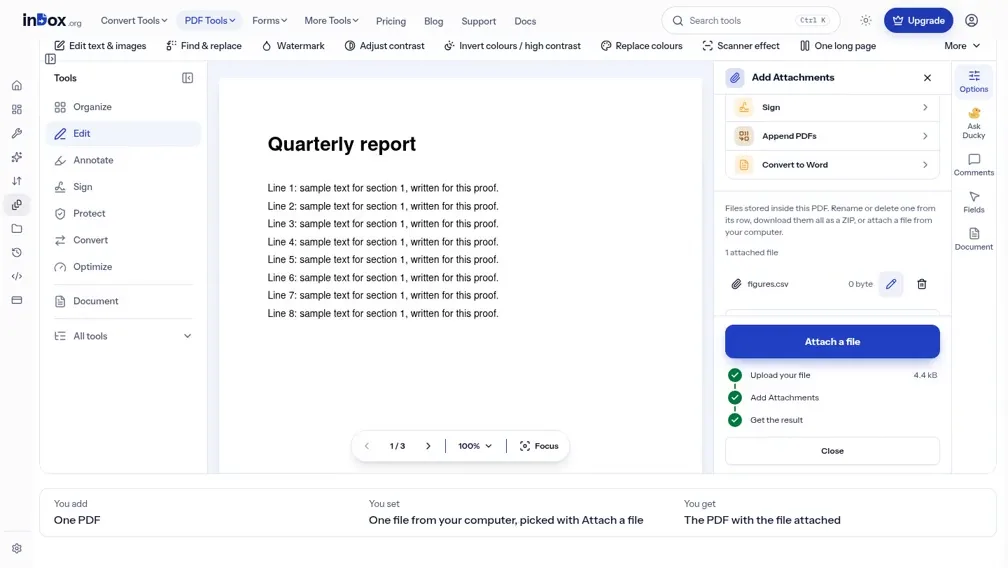
You see what is inside before you add to it, so you know whether the document already carries something with the same name. The panel refuses a clash instead of letting one file silently replace another, and every row can be renamed or deleted on the spot. Pages and text are not touched. Our own run on indox.org needed no account, and the attached file came back with the same sha256 hash as the original, so what the recipient extracts is what you attached. The attachment carries no size, date or file type, and the result is not a PDF/A-3 e-invoice.
| What you see | Why | What to do |
|---|---|---|
| Attach a file does nothing visible | The name is already attached | Read the message under the list. Rename or delete the existing attachment, then try again. |
| The panel says it couldn't update the attachments | The update failed | Try again. If it keeps failing, reload the PDF and attach the file again. |
| The attachment doesn't show in your PDF viewer | Some viewers hide the attachments panel by default | Open the attachments panel of your viewer, or check the list with List Attachments. We checked our own result with poppler's pdfdetach, not Adobe Acrobat. |
| You want the attachments out of the PDF | Attaching stores them inside | Use Extract Attachments to download them as a ZIP. |
| Your viewer shows a blank size or date for the attachment | The embedded file carries no size, date or file type | The file is intact. Extract Attachments gives it back byte-identical. |
| An e-invoice validator rejects the PDF | The result is not marked PDF/A-3 and has no associated-file link | This page cannot make a ZUGFeRD or Factur-X invoice. Use a tool that writes PDF/A-3 with the invoice XML. |
| No row appears after attaching | Attaching ran in the background and was still working | Wait. In our test the row took 18 seconds for a 4 KB file and 33 seconds for a 10 MB file. |
| Method | What the PDF stores | Fits |
|---|---|---|
| Embedded file (what this page adds) | The file's bytes in the attachment list. In our test no size, date or file type was recorded. | Sending a spreadsheet or a draft with a report. |
| PDF/A-3 associated file | The embedded file plus a MIME type, a modification date and a relationship, according to the Library of Congress. ZUGFeRD and Factur-X need it, according to pdflib. | E-invoices. This page does not produce it. |
| A link to the file | Only the web address. The file stays elsewhere. | A file that is large, changes often or must stay online. |
A report goes out as a PDF with the spreadsheet behind it attached, so the numbers travel with the words.
A signed form, a receipt and a note can live in one PDF instead of three files.
A contract draft can carry its schedule or its earlier version as attachments for the reviewer.
Facts checked on November 5, 2026
Open the PDF here, press Attach a file, choose the file on your computer, wait for its row to appear and download the result with Download PDF. The file is stored inside the PDF, and anyone who opens the attachments panel of their viewer can save it.
One at a time. Press Attach a file again for the next one. Each appears in the list.
The panel refuses it and says an attachment with that name is already in the file. Rename or delete the existing one first.
Yes, from its row in the list. A rename onto a name already in the file is refused.
No. The attachment sits beside the pages and is not drawn on them. In our test the text of the pages was identical before and after.
Yes. The panel lists every attached file with a count, and Download all attachments gives a ZIP of every file inside the PDF.
No. The panel attaches only a file picked from your computer, phone or tablet. Download the file first, then press Attach a file.
Some viewers hide the attachments panel by default, so open it in your viewer. In our test we confirmed the file with the poppler tool pdfdetach, and we did not check Adobe Acrobat. A blank size or date is possible because the embedded file carries none.
No. The file is stored as a document-level attachment in the PDF's attachment list, and our test found no paperclip annotation on a page. It is not marked as PDF/A-3, so it is not a ZUGFeRD or Factur-X invoice.
Any file type can be picked: a spreadsheet, an image, a Word file or another PDF. The PDF grows by about the size of the file. In our test a 10 MB binary file made a 3 KB PDF about 10 MB larger, and it came back byte-identical. Each upload is capped at 200 MB signed out and 200 MB signed in.
No. Attaching and downloading work without signing in, within a daily free allowance. Signing in raises the upload cap from 200 MB to 200 MB per file.
The PDF and the file you attach are uploaded to indox's server, where the file is embedded. If you are not signed in, the uploads and the new PDF are deleted 24 hours after the job finishes; with an account they stay in your history until you delete them.