Sign without bringing a certificate
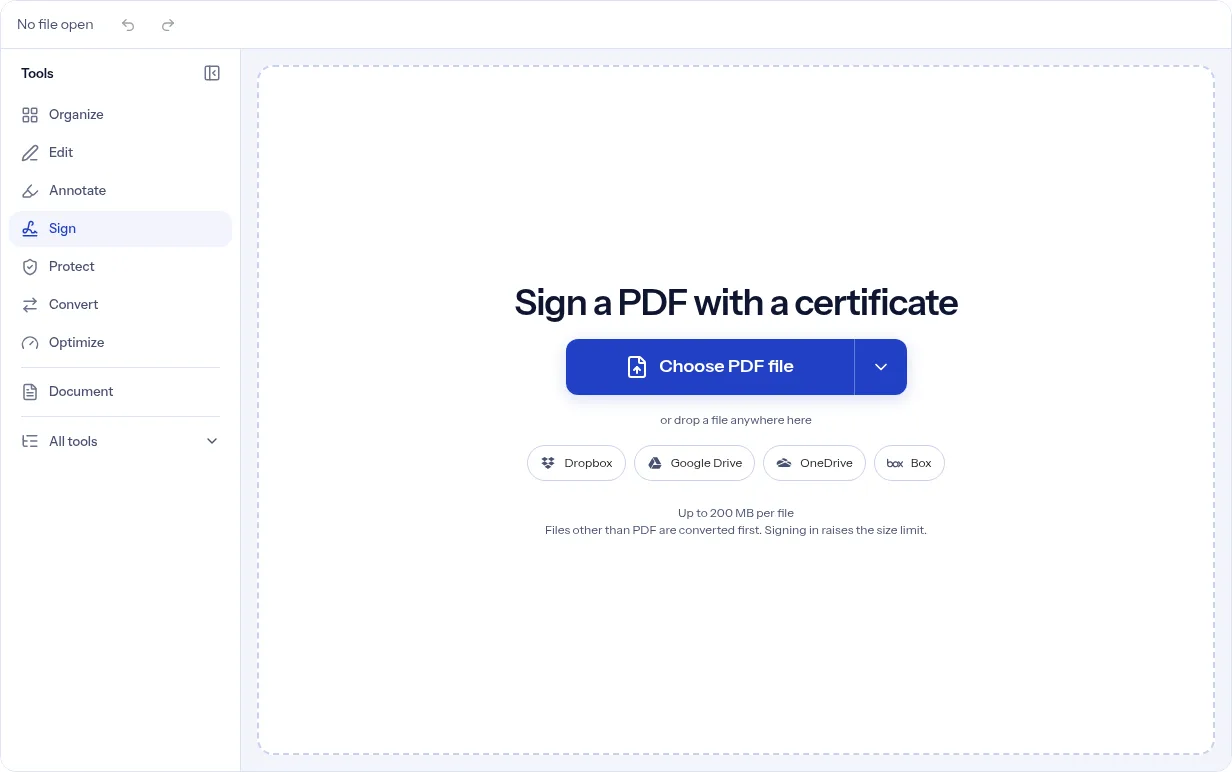
There is nothing to upload except the PDF. indox signs with a certificate it holds, and the panel tells you up front that readers will show the signature as not trusted.
or drop a file anywhere here
Files other than PDF are converted first. Signing in raises the size limit.
A certificate signature is a digital signature made with a certificate and stored inside the PDF. It lets a PDF reader tell whether the file changed after it was signed. This page is for someone with a finished PDF who wants later edits to show up, or a developer who needs a file with a real signature field. It does not prove who you are. To digitally sign a PDF here, add one PDF, fill in a reason, a location and a signer name if you want them recorded, and press Sign with certificate. indox signs with its own certificate, so PDF readers show the signature as not trusted: they do not know that certificate. The signature itself is invisible. By default the panel also writes a short note, Digitally signed by the signer name on the date, at the bottom right of the last page before it signs, so the signature covers the note. In our test the note landed at the bottom right of an upright last page, and on a last page rotated 90 degrees it ran down the left edge instead. Untick Show a signed-by note on the last page to leave the pages untouched. A trusted timestamp is added by default too. You cannot use your own certificate here, and the signer name is not checked. A PDF with a password is refused. Sign last, because any later change to the file breaks the signature. It is free and works without an account.
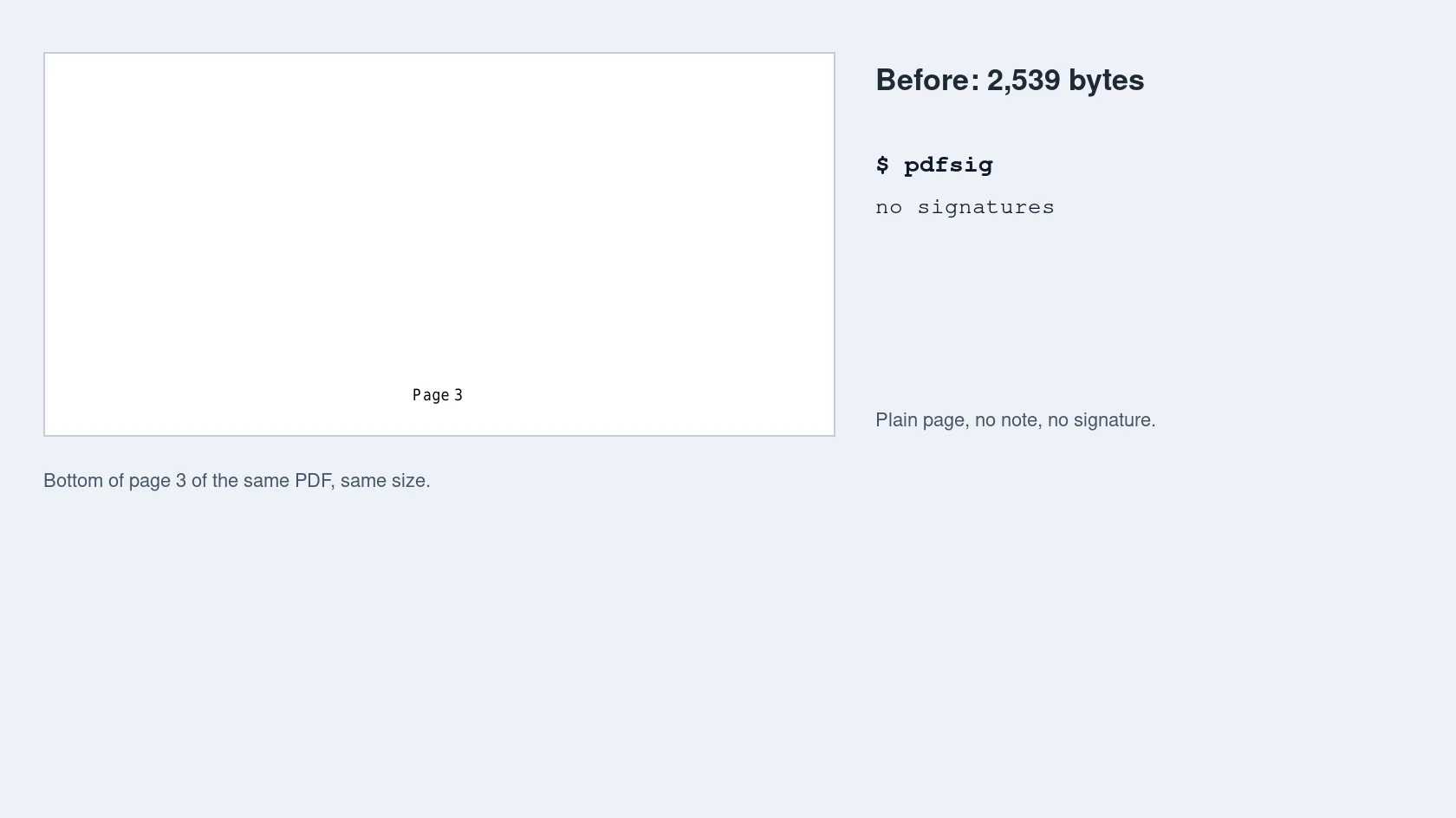
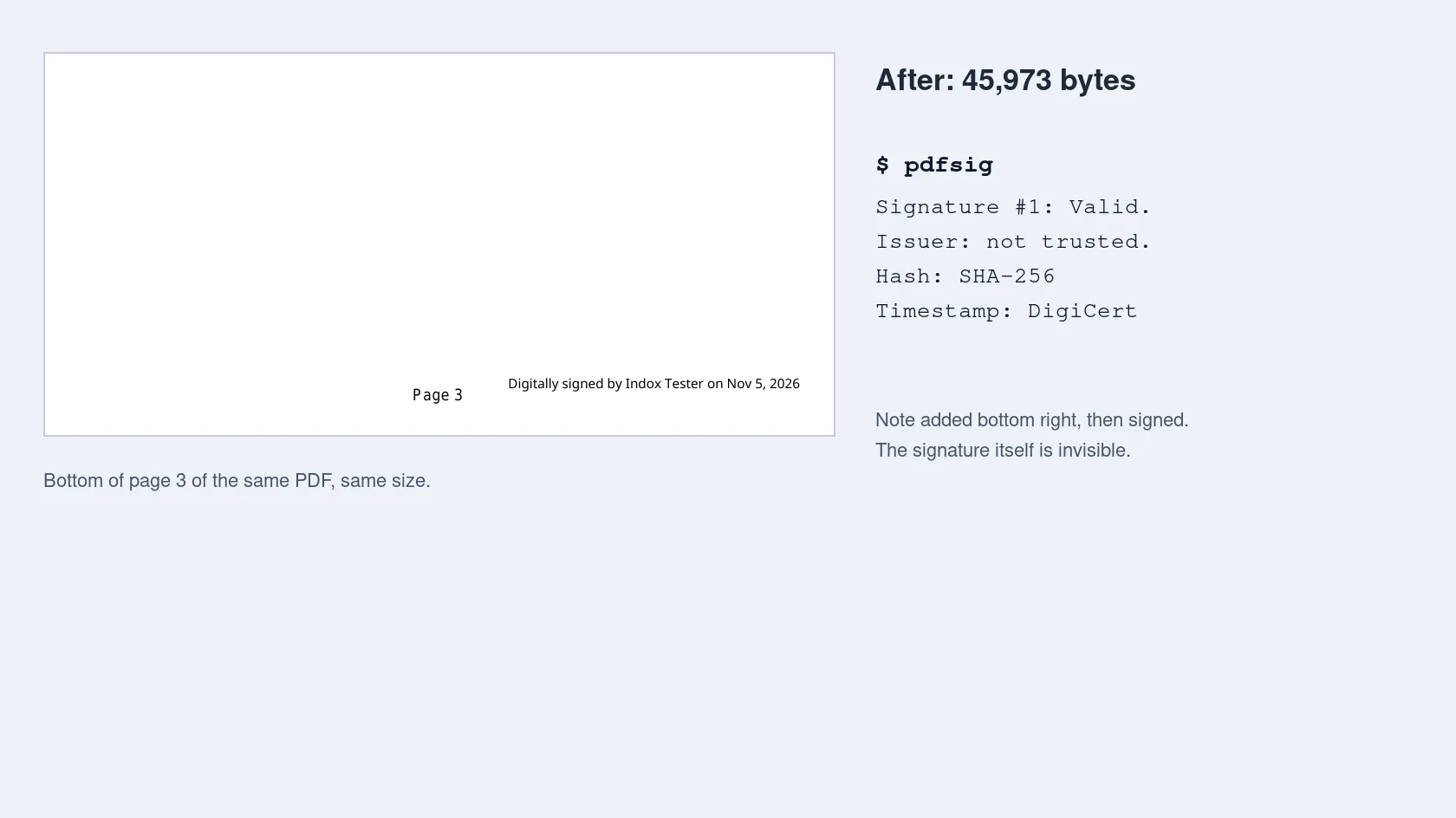
A 3-page A4 sample PDF with our own text (CC0), signed on indox.org with the default settings
There is nothing to upload except the PDF. indox signs with a certificate it holds, and the panel tells you up front that readers will show the signature as not trusted.
Three optional boxes feed the signature: Reason, Location and Signer name. The name appears in the signature details and is not verified. Empty boxes, the location included, fall back to indox's own wording, such as indox for the name and Signed by indox for the reason.
Add a trusted timestamp is ticked when the panel opens. A timestamp server records when the file was signed. Untick it to sign without one.
Show a signed-by note on the last page is ticked when the panel opens. It adds Digitally signed by your signer name on today's date at the bottom right of the last page, before signing, so the signature covers the note. With Signer name empty the note says indox. Untick it for no note.
A PDF with a password is refused, and the panel says to remove the password first. When signing succeeds, the panel says whether a timestamp was added, names the page that carries the note, and points you to your PDF reader's signature panel.
Drop the file on the upload area at the top of the page, or click to choose it. If it has a password, remove the password first.
Type a reason, a location and a signer name if you want them stored in the signature. All three are optional. Leave Add a trusted timestamp and Show a signed-by note on the last page ticked, or untick either.
Press Sign with certificate. When the panel says it is signed, look at the last page for the note and open your PDF reader's signature panel to see the signature, which shows as not trusted. Make this the last thing you do to the file.
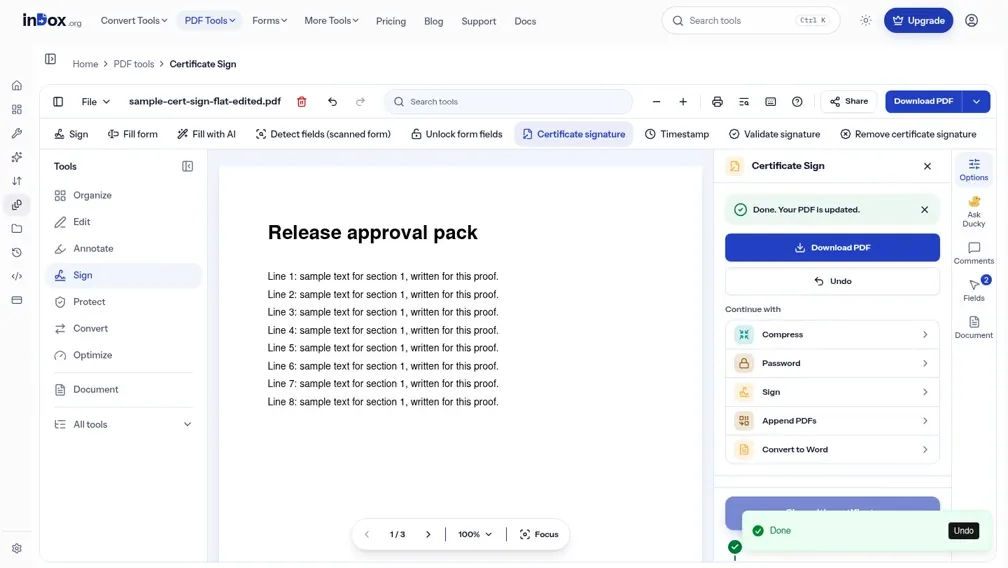
You do not need a certificate of your own, because indox signs with one it holds. That choice also sets what the signature says: it shows the file was signed through indox and lets a reader see whether it changed afterward, and it does not vouch for you as a person. The panel says so before you sign instead of leaving you to find the warning in your reader. The signed-by note gives readers of the page a visible sign, and because it is added before signing the signature covers it. A timestamp is added by default, and a protected PDF gets a clear message instead of a half-signed file. Certificate Sign is free: no plan is needed, and signed out a run counts against a daily free allowance.
| What you see | Why | What to do |
|---|---|---|
| The reader says the signature is not trusted | The certificate is indox's, and readers do not know it | This is expected, and the panel says so before you sign. The signature still shows whether the file changed. For identity checks by others, sign with a certificate from a certificate authority outside indox. |
| You see no signature on the page | The signature is invisible by design. Only the signed-by note is drawn, and only if it was ticked | Look at the bottom right of the last page for the note, and open the signature panel of your PDF reader for the signature. |
| The signature shows as broken | The file was changed after signing, for example by editing, Protect PDF or Change Permissions | Make signing the last step, and sign a clean copy again. |
| The panel says the file has a password | A signature cannot be applied to a protected file | Remove the password with Unlock PDF, then sign the open copy. |
| You only need a time marker | Certificate signing records a signer, not just a time | Use Timestamp PDF. |
| The note runs down the left edge instead of the bottom right | The last page is stored with a 90 degree rotation, and the note is placed on the unrotated page | The note is still on the page and readable. Untick it, or sign a copy whose last page is not rotated, if you need it bottom right. |
| pdfsig says Not total document signed for the first signature | The timestamp is appended after the first signature, so that signature stops before the end of the file. The second signature reaches the last byte | This is how the file is built. Check both signatures in the reader's signature panel. |
| A strict validator still says untrusted after you trust the certificate | The signing certificate has no key-usage extension, which some validators require | Readers that only check the issuer will keep showing not trusted. For a result strict validators accept, sign with a certificate from a certificate authority outside indox. |
| Method | What a reader can check | What it needs | Where |
|---|---|---|---|
| Certificate signature with a certificate issued to you | That the file is unchanged since signing and that the signer holds that certificate | A certificate from a certificate authority or your organisation | Not available here, because the panel cannot take a certificate |
| Certificate signature with the indox certificate | That the file is unchanged since signing. It does not show who signed, and readers list the certificate as not trusted | Only the PDF | This page |
| Timestamp only | That the file existed at a time, as attested by a timestamp server (RFC 3161) | Only the PDF | Timestamp PDF |
| A typed note on the page | Nothing. Anyone can type it and a reader cannot check it | Nothing | Not a signature |
You have an approved report and want any later edit to be detectable. Sign the final PDF and share the signed copy.
Your app or workflow has to handle documents that carry a certificate signature. Sign a sample here to get a file with a real signature field.
You distribute price lists, statements or policies as PDFs. A signed copy lets a recipient's PDF reader show whether the file was altered after indox signed it.
Facts checked on November 5, 2026
Add the PDF, fill in Reason, Location and Signer name if you want them recorded, keep Add a trusted timestamp ticked and press Sign with certificate. indox signs with its own certificate at no cost, and the signed copy replaces the file in the editor, ready to download. The page works in a browser on Windows or a Mac, with nothing to install.
The certificate belongs to indox. In our test it was self-signed and named indox document signing. PDF readers do not know it, so they show the signature as not trusted.
No. The panel takes one PDF, three optional text values and a timestamp tick box, and it has no field for a certificate or a key file.
Not the signature. It is stored in the file without a visible box. With Show a signed-by note on the last page ticked, which is the default, a line of text on the last page says Digitally signed by the signer name on the date. In our test it was at the bottom right of an upright page. Open your PDF reader's signature panel to see the signature.
No. A CAC signature uses the certificate stored on your card, read through a card reader on your computer. This panel cannot reach a card or take any certificate of yours; it signs only with indox's.
A page stored with a 90 degree rotation is drawn turned by readers. In our test the note on such a last page ran down the left edge of the displayed page instead of the bottom right. It stayed on the page and readable. Untick the note, or sign a copy whose last page is not rotated, if the position matters.
A reader trusts a signature only when it trusts the certificate behind it, and indox's certificate is not on a reader's trust list. In our test pdfsig printed Signature is Valid and Certificate issuer isn't Trusted for the same signature. The reader can still check whether the file changed after signing.
The first three are written into the signature as text a PDF reader can display. indox does not verify them, and an empty box falls back to wording that names indox. Add a trusted timestamp is on by default and has a timestamp server record when the file was signed. In our test the timestamp was a second signature from DigiCert's timestamp responder, which pyHanko reported as intact, valid and trusted.
Not directly. The panel says the file has a password and asks you to remove it first. Use Unlock PDF, then sign the open copy.
Any change to the file breaks the signature, and that includes Protect PDF and Change Permissions. Make signing the last step.
No. Certificate Sign is free and works signed out, within a daily free allowance, and in our test on 5 November 2026 we signed without signing in. Signed out, each file can be up to 200 MB.
That depends on the law where you are and on what the receiving party accepts, and this page cannot say. This tool signs with a certificate readers do not trust and does not check the signer name, so it is not proof of identity.