Drag the box or type the margins
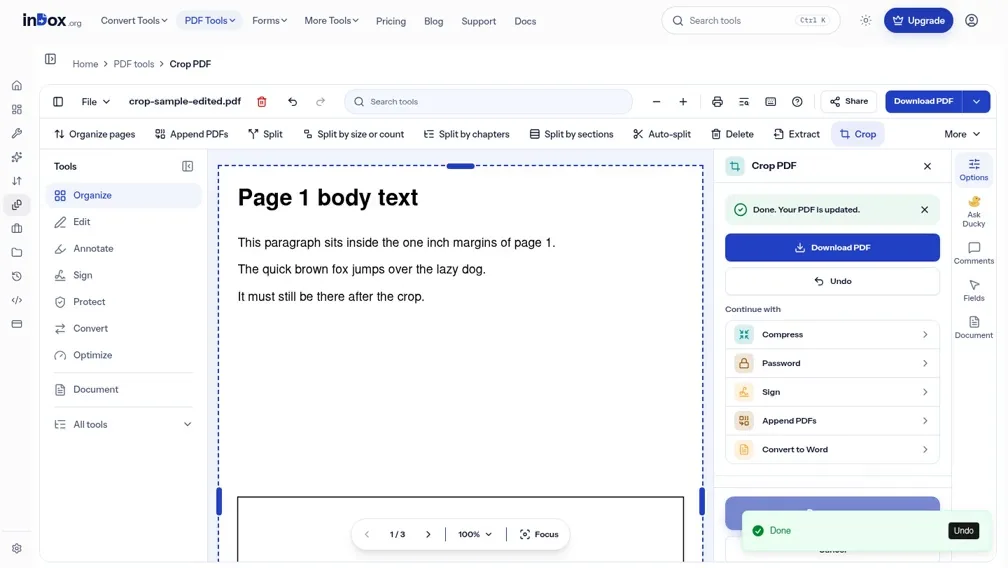
Drag any of the four blue edges of the box, or focus an edge and move it with the arrow keys (hold Shift for bigger steps). Or type the amount to cut in Left, Top, Right and Bottom. Both change the same box.
or drop a file anywhere here
Files other than PDF are converted first. Signing in raises the size limit.
Cropping a PDF moves the edges of a page inward so that margins, borders or unwanted strips fall outside the visible area. Here a dashed blue box appears on the pages and the area outside it is dimmed. Drag its four edges, or type how much to cut from the left, top, right and bottom in inches, centimetres, millimetres or points. The box and the fields stay in sync. You can crop all pages, odd pages, even pages or pages you type, such as 1-3, 5. The content that remains keeps its size and position. Cropping hides what lies outside the box and leaves it stored in the file, so use Redact when something has to be removed for good.
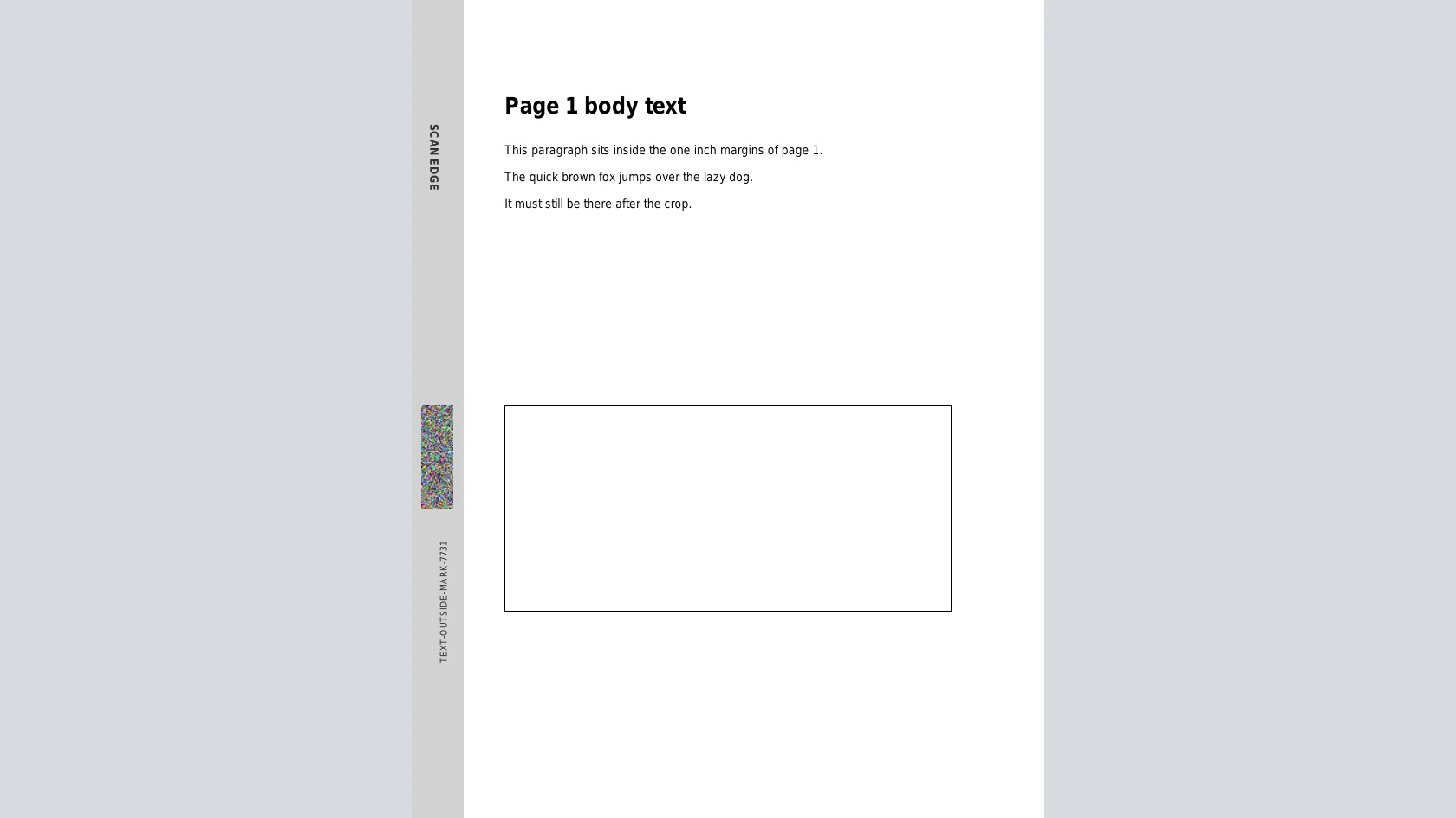
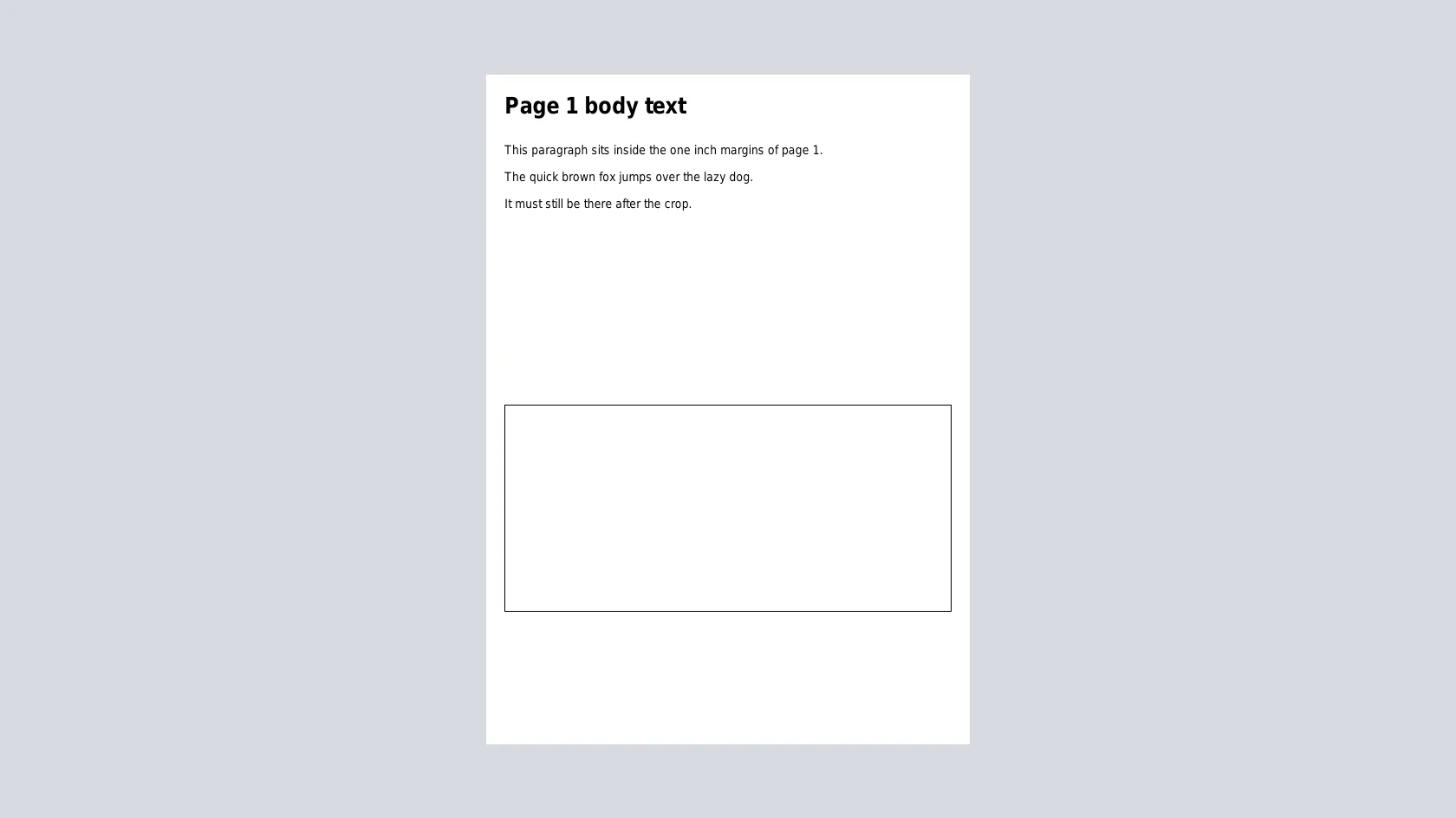
Our own 3-page US Letter PDF with a grey strip, a text mark and a picture along the left edge
Drag any of the four blue edges of the box, or focus an edge and move it with the arrow keys (hold Shift for bigger steps). Or type the amount to cut in Left, Top, Right and Bottom. Both change the same box.
Type margins in inches, centimetres, millimetres or points. The box and the fields stay in sync, and Reset margins clears them all.
Under Crop these pages, choose All pages, Odd pages or Even pages. To target part of the document, choose Pages I type and enter page numbers and ranges separated by commas, such as 1-3, 5.
The tool changes page boundaries and nothing else. Form fields, bookmarks and file attachments stay in the PDF, and the page count stays the same.
Put a PDF in the upload area at the top of the page by dropping it or by clicking to choose it.
Drag the blue edges of the box on the page, or type the amounts in Left, Top, Right and Bottom and pick a unit. Under Crop these pages, choose all, odd, even or type a range such as 1-3, 5.
Press Crop pages. The button fills with the job's progress, and the steps show under it. Press Cancel to stop a running job and leave your file unchanged. When it shows Done. Your PDF is updated., press Download PDF, or Undo to go back.
A visible box and exact margins work together. Drag the box to see what you keep, then type numbers when you need the same trim again, on every page and in every later file. You choose which pages are affected, and the rest of the document is left alone, including form fields, bookmarks and attachments. One document runs without an account. The crop is done on indox's server, and when you are not signed in your PDF and the cropped copy are deleted there after 24 hours. The panel also states the catch plainly: a crop hides content and does not erase it. Knowing that up front keeps you from sharing a file that still carries what you meant to remove.
| What you see | Why | What to do |
|---|---|---|
| Crop pages is greyed out | No edge has a margin above 0 | Drag an edge of the box or type a value above 0 for at least one edge. |
| Cut-off content can still be found | Cropping hides content and does not delete it. In our test a text extractor still returned it | For anything sensitive, use Redact Text instead of a crop. |
| A page that was cropped before lost more than expected | Margins are measured from the page's current visible edges, not its original size | Undo, then use smaller margins, or crop the original file. |
| A red message appears under Pages to crop | The list has a page past the last page, a range it cannot read, or nothing at all | Fix it, for example 1-3, 5, and press Crop pages again. |
| The file is only a little smaller, or not smaller | The hidden content is still stored. Re-saving can change the size slightly | Use Compress PDF when size is the goal. |
| The edge you expected is still visible on an e-reader or phone | The crop changes the page boundary, and a reader app may add its own margins | Check the result in the app you will use, and crop a little more if needed. |
| Method | What it changes | Is the cut-off content still in the file? | Use it when |
|---|---|---|---|
| Crop PDF (this tool) | Moves the page boundary inward, so the outside falls out of view | Yes. In our test the text and picture outside the box were still in the file | You only need the edge out of sight, such as a scan border or a wide margin |
| Redact Text | Turns every page into an image, as its own page describes | No, text under the boxes is gone, and no page text can be selected afterwards | The content must not be recoverable |
A scanned book or paper with wide margins shows tiny text on a tablet or e-reader. Trim the margins so the text fills more of the screen.
Scanners often leave a dark band or punch-hole shadows along one edge. Enter an inset for that edge to move it out of view.
Slides and handouts can carry a header strip or footer line you do not want on paper. Crop the top or bottom of the pages that have it.
Facts checked on November 5, 2026
Inches, centimetres, millimetres or points. There are 72 points in an inch, and the box and the fields stay in sync when you switch.
Under Crop these pages, choose All pages, Odd pages, Even pages, or Pages I type and enter numbers and ranges separated by commas, for example 1-3, 5.
No. In our test the page boundary moved, the content of every page was byte-identical to the original, and a text extractor still returned the text outside the box. Use Redact Text for anything sensitive.
Yes. A dashed blue box appears on the pages and the area outside it is dimmed. Drag its four blue edges, or focus one and use the arrow keys, with Shift for bigger steps.
Open this page in Safari or Chrome on the Mac and add the PDF. Drag the blue edges of the box or type the margins, choose the pages, then press Crop pages and Download PDF. Nothing needs installing, and the steps are the same on Windows.
Crop pages stays greyed out until at least one edge has a margin above 0, so an empty crop cannot run. If a finished crop looks unchanged, check the choice under Crop these pages: pages outside it keep their size.
The panel stops you before anything is sent. A number past the last page shows That page is past the last page, and a list it cannot read shows Type pages like 1-3, 5. Fix the entry and press Crop pages again.
Do not count on it. In our test the output was 17.4% smaller (12,367 bytes from 14,976), because the file was written again, and the hidden content was still stored. Use the compress tool when size is the goal.
Yes. When you open a password-protected PDF, the editor asks for its password, and the crop runs with that password. Our test file had no password, so check the result opens the way you expect.
In our test, yes, with a text extractor and with an editor that reads the page content. A viewer that clips to the page may not show it. Treat a cropped file as still holding everything it held before.
In our test, 4 seconds from pressing Crop pages to the Done message, for a 3-page file. Your time will depend on the file.