Works for the JPG you also call JPEG
JPG and JPEG are the same format, so searching for SVG to JPEG leads to the same converter. Add the file and you get a .jpg back.
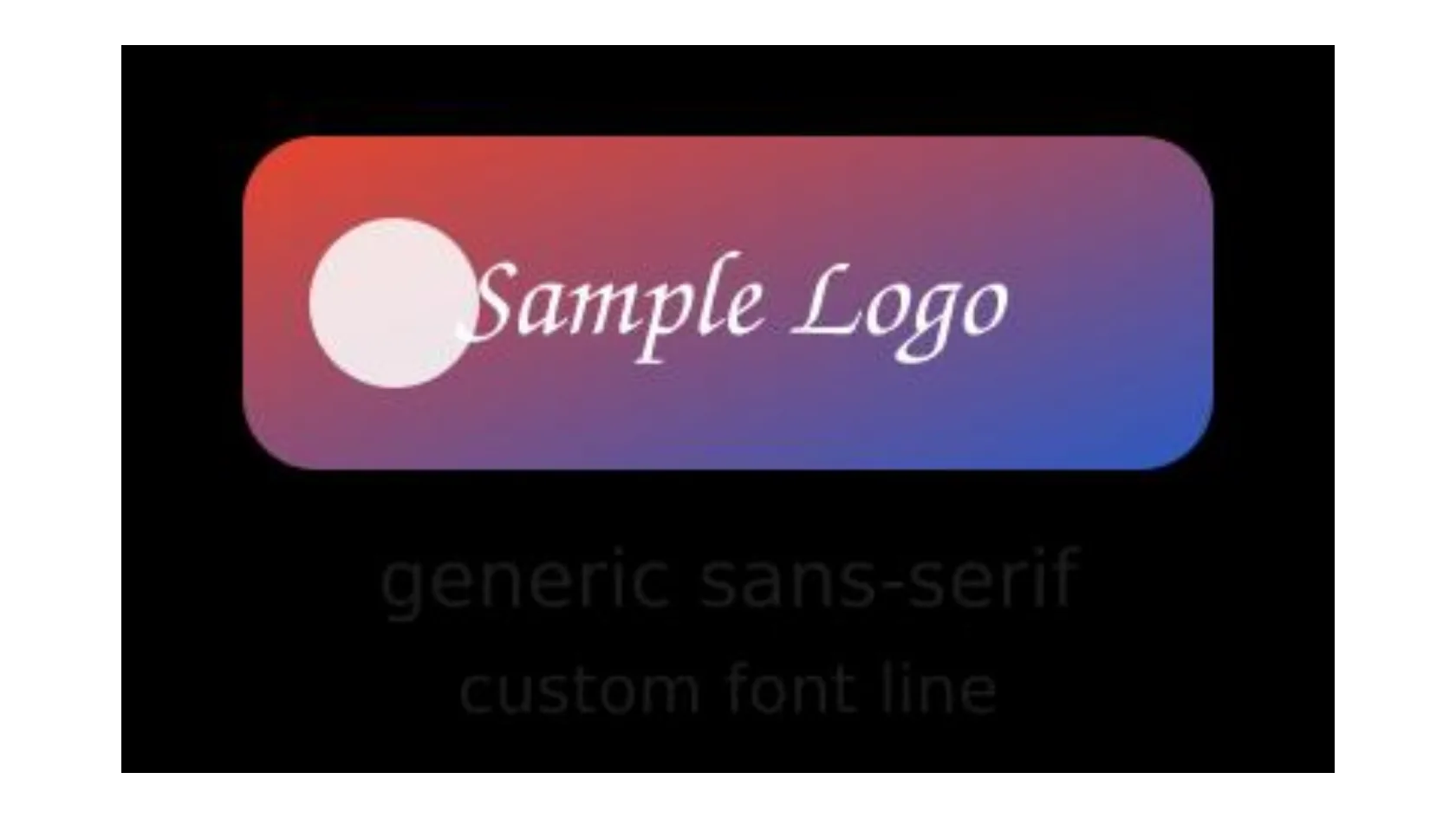
Add an SVG file and get a JPG back. A JPG has no transparency, and transparent areas turned black in our test, so give the drawing a background first.
To convert svg to jpg, add the .svg file, keep JPG as the output format and download the result. In our test, a 758 byte SVG with a transparent background became a 400 × 240 px jpg with black where the SVG was transparent, because a JPG cannot store transparency.
Transfers use HTTPS, and files converted on the free tier are deleted after 24 hours, so the result is not a long-term archive. Quality depends on the source file, so open the JPG file once before you share it.
SVG (Scalable Vector Graphics)
An XML-based vector format from the W3C. Shapes, paths and text are stored as drawing instructions, not pixels, so an SVG stays sharp at any size and can be styled with CSS, animated or scripted inside a browser.
JPEG (Joint Photographic Experts Group)
A lossy photo format from the early 1990s built on block-based DCT compression. It is limited to 8-bit standard dynamic range with no alpha channel, yet it opens in practically every editor, viewer, email client and content management system.
Two SVG files we wrote ourselves, one transparent and one with a white background, converted on indox.org
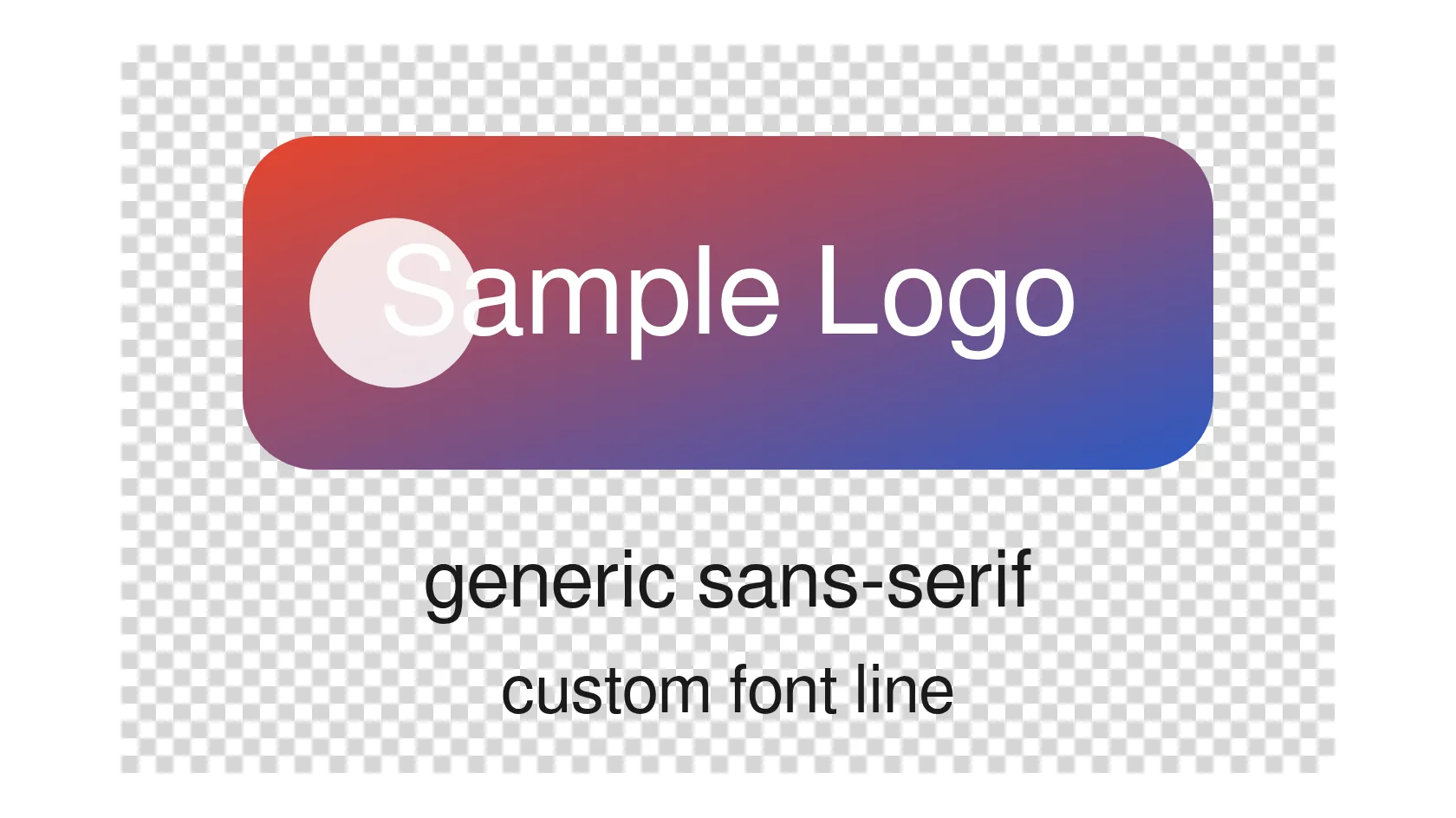
JPG and JPEG are the same format, so searching for SVG to JPEG leads to the same converter. Add the file and you get a .jpg back.
The conversion runs on indox servers, so you do not need Inkscape, Illustrator or a command line. It works from Windows, Mac, Linux, Android or iPhone.
We converted a transparent SVG and measured the corners of the result: pure black. This page explains how to avoid that with one line in your SVG.
The size comes from your SVG file, not from a setting. A drawing with only a viewBox came out small in our test, and the page shows what to change to get a bigger image.
| Your situation | Pick | Why |
|---|---|---|
| The target accepts JPG only | JPG | Add a background first so the empty areas are not black |
| You need transparency | PNG | JPG cannot store it |
| Sharp line art, icons or small text | PNG | JPG compression can leave blotches around hard edges |
| A gradient or photo-like illustration | JPG | JPG suits smooth colour changes and keeps the file compact |
If the drawing is transparent, add a background rectangle in your vector editor or a text editor, white for most uses. If you want a bigger image, add width and height attributes to the root svg tag, because we saw no size setting on the page.
Drop the .svg file on the box or choose it from your device, check that JPG is the output format and start the conversion. In our test it took 3.2 and 3.3 seconds from the click to Completed.
Open the JPG at full size. Check that the background is the colour you want, that text is readable and that no picture is missing. Keep the SVG for future edits.
You add an SVG and take away a JPG for the places that reject vector files, such as upload forms, slide tools and email. We converted real files on production and wrote down what happened, including the black background, so you can fix the SVG before you convert instead of after.
The upload box shows the live size limit before you add a file. Signing in raises it; a paid plan does not change it.
SVG in, JPG out. Pick another output on the converter if you need a different format.
Files are encrypted in transit over HTTPS and processed on indox infrastructure.
Free-tier files are kept for 24 hours after the job finishes, then deleted automatically.
| What you see | Why | What to do |
|---|---|---|
| The background is black | JPG has no transparency and the empty areas are filled with black | Add a white rectangle behind the artwork in the SVG, or use SVG to PNG to keep it transparent |
| Dark text or lines have vanished | They sit on the black fill | Give the drawing a light background, then convert again |
| The image is tiny | The size is taken from the viewBox when no width and height are set | Add width and height to the root svg tag |
| The text is in a different font | The converter uses its own fonts | Convert text to outlines in your vector editor, then convert |
| A picture inside the drawing is a plain area | Pictures linked from a web address are not loaded | Embed the picture in the SVG as data and convert again |
| Edges look blotchy | JPG compression discards fine detail | Use SVG to PNG for line art and text |
| Compared on | SVG | JPG |
|---|---|---|
| Content | Shapes, paths and text stored as drawing instructions | A fixed grid of pixels |
| Scaling | Stays sharp at any size | Gets soft when enlarged |
| Transparency | Supported | Not supported, empty areas must be filled |
| Compression | Compact text; can be gzip-compressed as .svgz | Lossy, discards fine detail |
| Text | Kept as text, drawn with whatever font is available | Baked into pixels in the font that was used |
| Typical use | Logos, icons, charts and diagrams on the web | Photos and widely accepted uploads and attachments |
Facts checked on November 5, 2026
No tool matches that search.
Open the converter, add your .svg file, keep JPG as the output format and download the result. If the drawing is transparent, add a background to the SVG first, because the transparent parts turn black.
A JPG cannot store transparency, so the empty parts of the SVG have to be filled with something. In our test the fill was black, with pixel values 0, 0, 0 at all four corners. Put a white or coloured rectangle behind your artwork in the SVG, or use SVG to PNG to keep the transparency.
The pixel size comes from the SVG. A file with only a viewBox of 400 × 240 gave a 400 × 240 px JPG in our test, and no enlargement was applied.
Set width and height on the root svg tag of the file, keeping the same viewBox. Our test file with width 800, height 480 and a 400 × 240 viewBox gave an 800 × 480 px JPG. We saw no size option on the page itself.
Text is drawn with fonts installed on the converter, not yours, so an unusual font name falls back to a similar default. Pictures linked from a web address are not loaded, and ours showed nothing in their place. Embed the picture in the SVG and convert text to outlines in your editor.
Yes. The shapes are fixed to pixels at one size, and then JPG compression discards fine detail. The file we downloaded used a quality of about 75. Flat colours, thin lines and small text show it most, so keep the SVG as your master.
Choose PNG if the logo needs transparency or has sharp edges and small text. Choose JPG when the target accepts only JPG, or when the artwork is a gradient or photo-like illustration and you want a compact file.
Yes. JPG is the shorter extension for the same JPEG format, so a search for SVG to JPEG is answered by the same conversion and you get a .jpg file.
We did not test .svgz, which is a gzip-compressed SVG. To be safe, unzip it to a plain .svg and convert that file.
Yes. The conversion runs on indox servers, so the file is uploaded. Read the notice on the converter page about how long files are kept, and do not upload a drawing you must keep private.