Real vector paths inside the SVG
Some converters wrap the PNG in an SVG file and call it a vector. We opened our result: it held 9 path elements, no image element and no base64 data, so the shapes can be edited and scaled.
Add a PNG and get back an SVG built from traced colour paths. Flat logos and icons work best; soft shadows and photos do not.
To convert png to svg, add the PNG file, keep SVG as the output format and download the result. In our test, a transparent 800 × 600 logo of 17,613 bytes became an svg of 7,958 bytes made of 9 traced paths with no embedded picture, and its transparent background stayed transparent.
Transfers use HTTPS, and files converted on the free tier are deleted after 24 hours, so the result is not a long-term archive. Quality depends on the source file, so open the SVG file once before you share it.
PNG (Portable Network Graphics)
A lossless raster format with a full alpha channel. It preserves every pixel it is given and supports transparency, which makes it the usual choice for logos, screenshots, and any image with sharp edges or text.
SVG (Scalable Vector Graphics)
An XML-based vector format from the W3C. Shapes, paths and text are stored as drawing instructions, not pixels, so an SVG stays sharp at any size and can be styled with CSS, animated or scripted inside a browser.
A transparent 800 × 600 PNG logo with a soft shadow, converted on indox.org
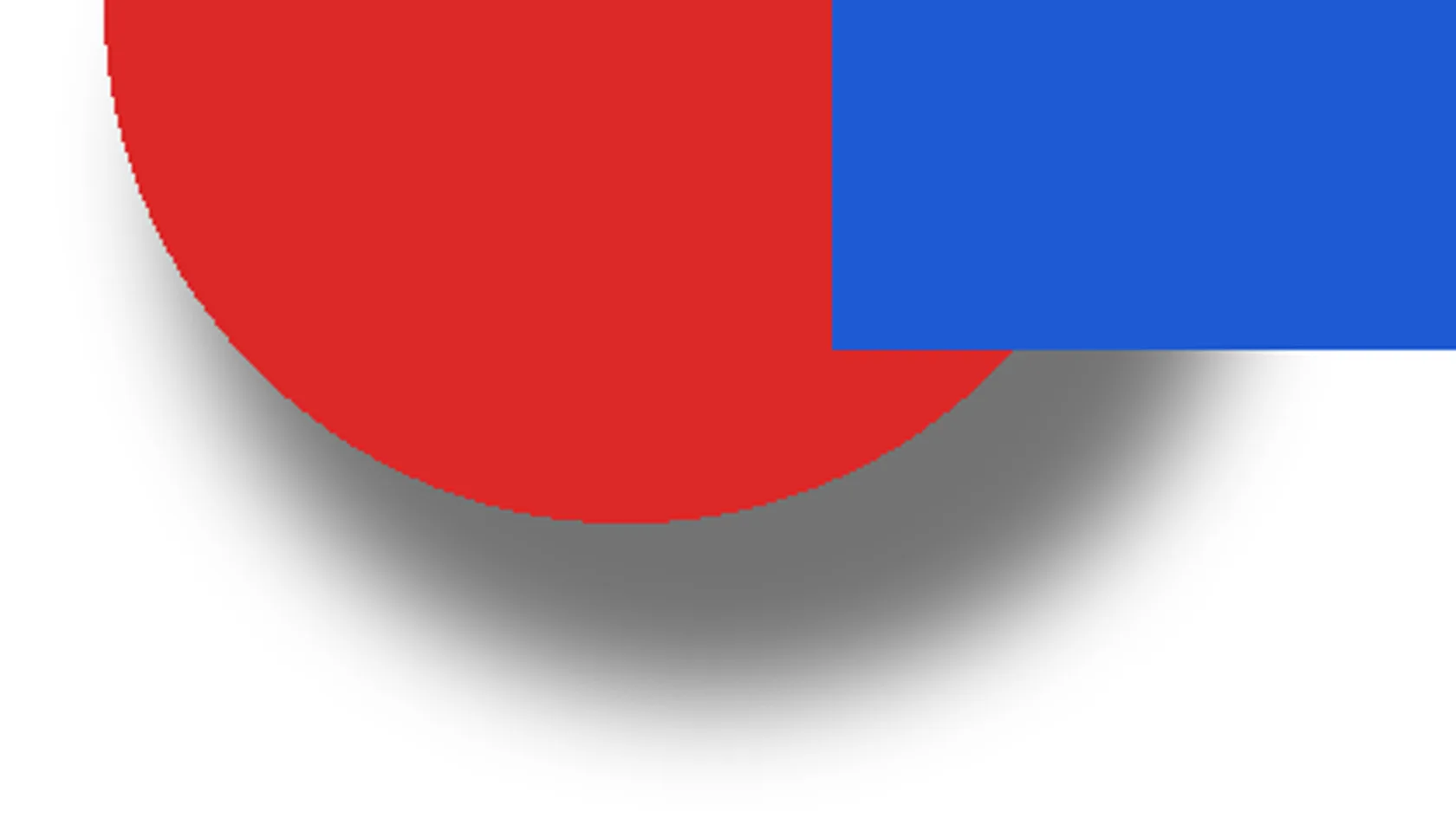
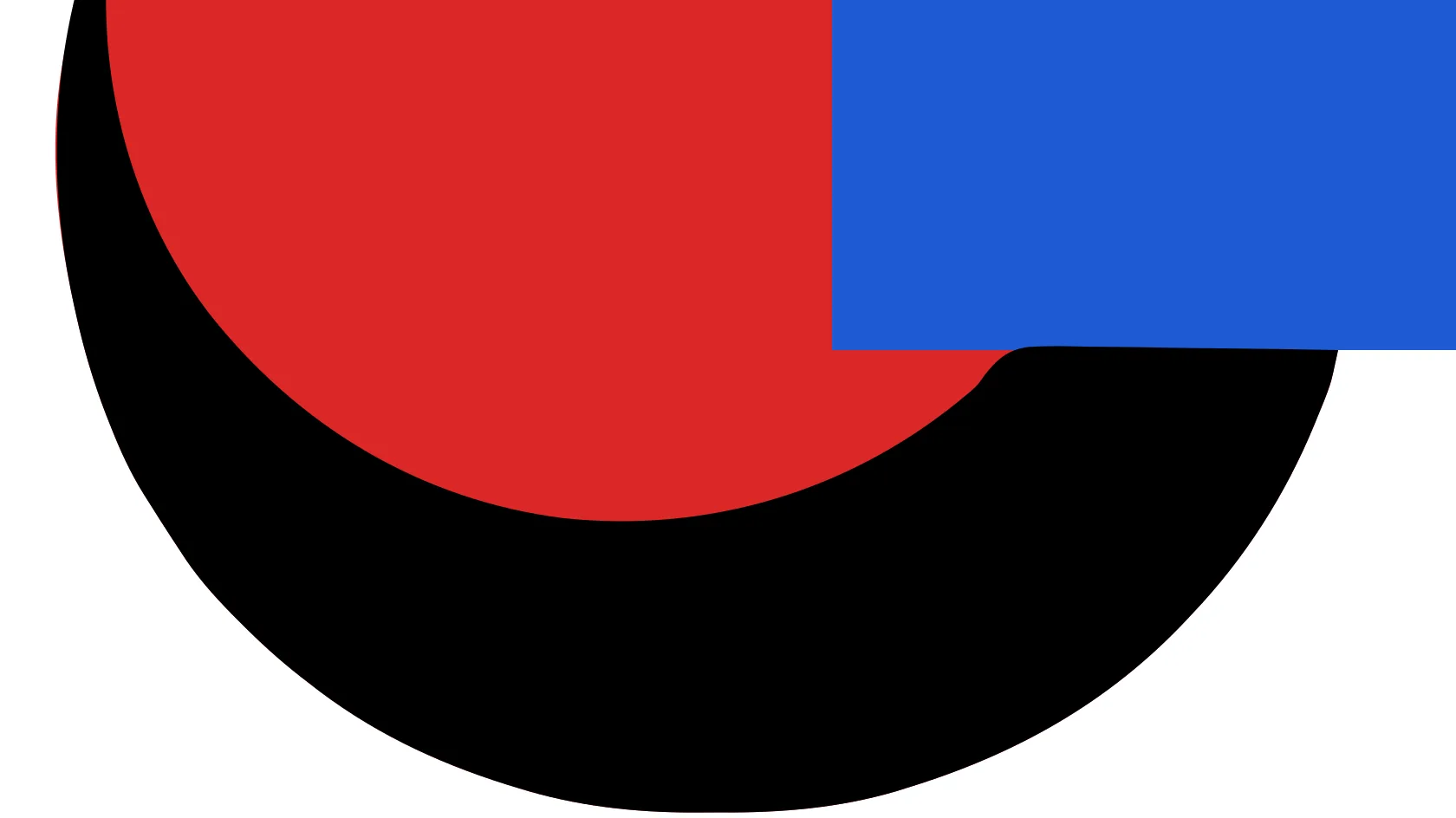
Some converters wrap the PNG in an SVG file and call it a vector. We opened our result: it held 9 path elements, no image element and no base64 data, so the shapes can be edited and scaled.
The empty area around our logo came back empty: a corner pixel of the rendered SVG had alpha 0, and 63.3% of its pixels were fully transparent against 63.8% in the PNG.
The tracing runs on indox servers, so you do not need Inkscape or Illustrator. Add the file in a browser on Windows, Mac, Linux or a phone and save the SVG.
The page lists what tracing cannot keep, with figures from our own run: soft shadows, fake white backgrounds, photos and small text. You can judge the fit before you convert.
Drop the file on the box or choose it from your device. Keep the original PNG: the SVG is a traced copy and cannot be turned back into the exact pixels.
Check that SVG is the output format and press Convert. In our test it took 3.3 seconds from the click to Completed for the transparent logo.
Save the file and open it in a browser tab, then zoom to several hundred percent. Edges should stay sharp. Look at shadows and any white background before you use the file.
You hand over a PNG, usually a logo, icon or flat illustration, and take away an SVG of traced shapes that stays sharp when enlarged. The page tells you in advance what tracing cannot keep, so you know whether the result fits your job.
The upload box shows the live size limit before you add a file. Signing in raises it; a paid plan does not change it.
PNG in, SVG out. Pick another output on the converter if you need a different format.
Files are encrypted in transit over HTTPS and processed on indox infrastructure.
Free-tier files are kept for 24 hours after the job finishes, then deleted automatically.
| What you see | Why | What to do |
|---|---|---|
| A hard black shape where a soft shadow was | Partial transparency is flattened to solid colour | Remove the shadow in the PNG, or delete the shape and redraw it in a vector editor |
| The SVG has a solid background | The PNG had an opaque white backdrop and it was traced as a shape | Save the PNG with a transparent background and convert again, or delete the first path |
| Edges are wobbly or text is rough | Tracing follows pixels, and small text has few of them | Use a larger PNG, or set the text in a vector editor |
| The SVG is bigger than the PNG | Photos and gradients produce many paths | Keep the PNG for photos. If you need a bitmap from an SVG, use SVG to PNG |
| It does not scale inside a page | The SVG has width and height but no viewBox | Add a viewBox in a vector editor or in the file |
| Compared on | PNG | SVG |
|---|---|---|
| Stores | A grid of coloured pixels | Shapes, paths and text as drawing instructions |
| Scaling | Gets blurry or blocky when enlarged | Stays sharp at any size |
| Transparency | Full alpha channel with smooth partial transparency | Shapes can have opacity, but a trace of a PNG flattens it in our test |
| Best for | Screenshots, photos, soft shadows | Logos, icons and flat illustrations |
| Editing | Edit pixels in an image editor | Edit shapes and colours in a vector editor or in code |
Facts checked on November 4, 2026
No tool matches that search.
Open the converter, add your PNG, keep SVG as the output and download the result. You do not need Inkscape or Illustrator.
It is tracing. The SVG from our test held 9 path elements, no image element and no base64 data, so the shapes are vectors, with no bitmap in a wrapper.
Fully transparent areas stay transparent. In our test the corner of the rendered SVG had alpha 0. Partly transparent pixels, such as a soft shadow, become solid colour.
Your PNG probably has an opaque white background. The tracer drew it as a shape: in our test a full-size rectangle filled #F9F9F9. Save the PNG with a transparent background and convert again.
For flat artwork it often is. Our logo went from 17,613 to 7,958 bytes. A photo or a detailed image can produce a larger SVG, so check the size.
A flat screenshot or an exported interface graphic can work. A photo is a poor fit, because gradients and fine detail become stacked blobs.
Cutting software cuts every outline in the file. A white backdrop or a shadow shape adds extra outlines to cut, so remove those from the PNG or the SVG before cutting.
The idea is the same: both turn pixels into paths. Those programs give you detail and colour controls. This page has a single Convert button, which is quicker but not adjustable.