Name block
Last, first and middle name on line 1, with lines 2 to 4 to record each name change. The form says to strike out the previous name.
SF2806
Individual Retirement Record - Civil Service Retirement System (CSRS)
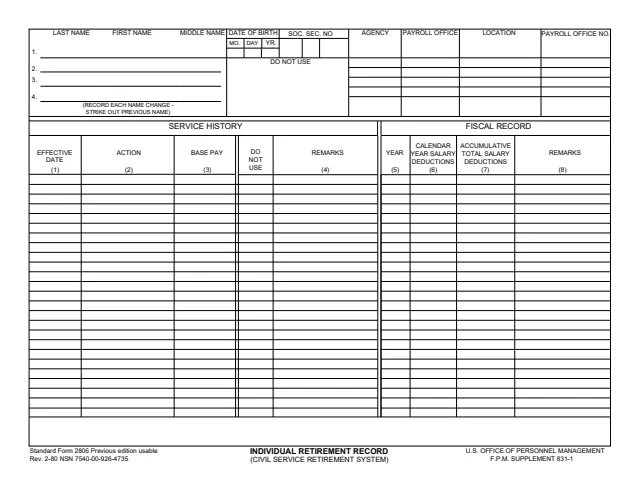
Standard Form 2806 (SF 2806), Individual Retirement Record (Civil Service Retirement System), is a U.S. Office of Personnel Management (OPM) form, Rev. 2/1980, that names F.P.M. Supplement 831-1. GSA hosts a copy in its forms library. The footer says the previous edition is usable and gives NSN 7540-00-926-4735.
The one-page record has a header for the person's name, with lines to record each name change, date of birth, Social Security number, agency, payroll office, location and payroll office number. Below it, a Service History table records effective dates, actions, base pay and remarks, and a Fiscal Record table records each year's salary deductions and the accumulative total.
The PDF prints no instructions. You can fill it out free in your browser on this page and download the result without an account.
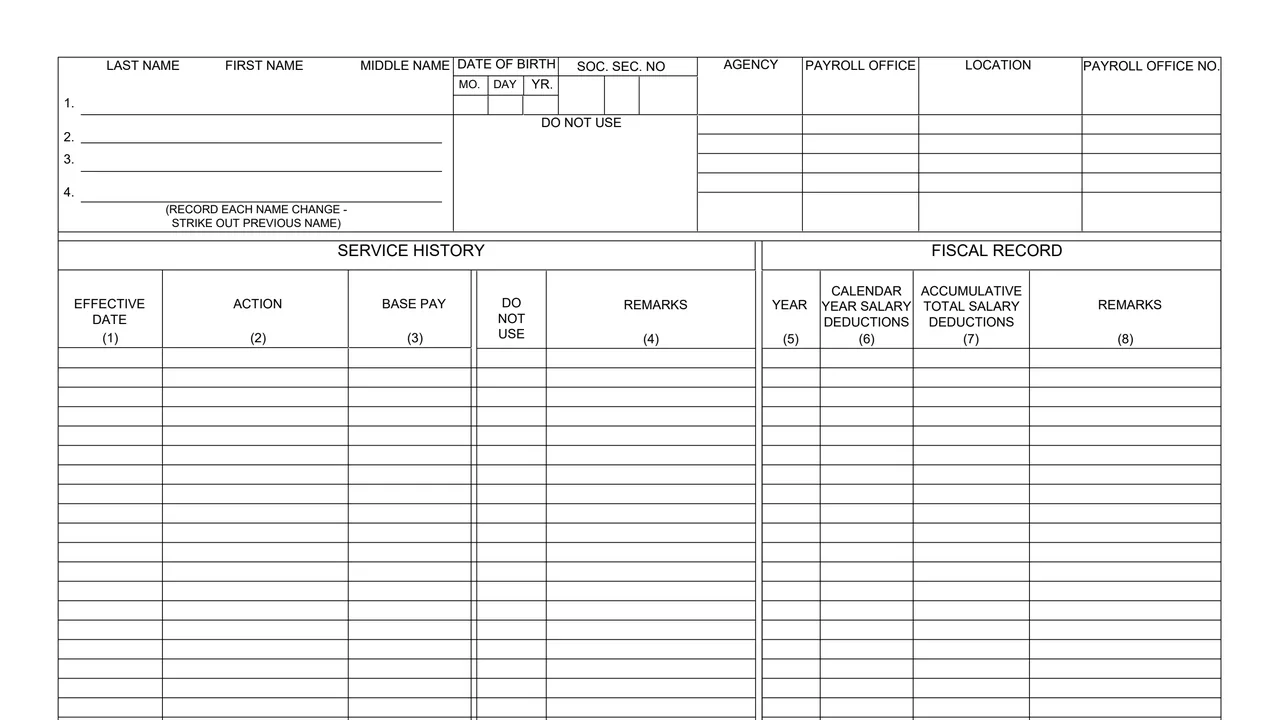
Last, first and middle name on line 1, with lines 2 to 4 to record each name change. The form says to strike out the previous name.
Date of birth by month, day and year, Social Security number, agency, payroll office, location and payroll office number. One area under the date of birth is marked DO NOT USE.
Effective date, action, base pay and remarks for each entry, with a column marked DO NOT USE between base pay and remarks.
Year, calendar year salary deductions, accumulative total salary deductions and remarks.
Fill in the last, first and middle name, the date of birth and the Social Security number at the top.
Enter the agency, payroll office, location and payroll office number. The areas marked DO NOT USE stay blank.
In the Service History table, enter the effective date, action, base pay and any remarks on each line.
In the Fiscal Record table, enter the year, the calendar year salary deductions, the accumulative total salary deductions and any remarks.
Write a new name on the next numbered name line and strike out the previous name, as the form says.
The PDF has no instructions. These steps follow the blocks it prints.
You get the real form, filled in a browser tab, with nothing standing between you and the finished PDF.
The PDF gives no filing address and prints no instructions on where the record is sent or kept.
GSA's page gives the Stock Number 7540-00-926-4735 for orders at www.gsaglobalsupply.gsa.gov or www.gsaadvantage.gov, and says government contractors need a government sponsor for their request.
The footer prints Rev. 2-80 and says the previous edition is usable. GSA's page gives the current revision date as 02/1980.
The PDF prints no instructions on who completes it. Its blocks and GSA's page point to these uses.
No tool matches that search.
The form is printed as a U.S. Office of Personnel Management form, Rev. 2-80, naming F.P.M. Supplement 831-1. GSA hosts a copy in its forms library.
A person's name, date of birth, Social Security number and payroll office, a service history of effective dates, actions and base pay, and a fiscal record of yearly and accumulated salary deductions.
No. The PDF is a single page with no instructions, Privacy Act statement or burden estimate.
GSA's page says U.S. Government departments, agencies and offices can order it at www.gsaglobalsupply.gsa.gov or www.gsaadvantage.gov with a government purchase card or AAC, using Stock Number 7540-00-926-4735.