Section I: revision actions
Account officer, trans code, property code, serial number, qty, unit price, document number and accumulated depreciation, one row per change.
GSA3026
Asset Control System
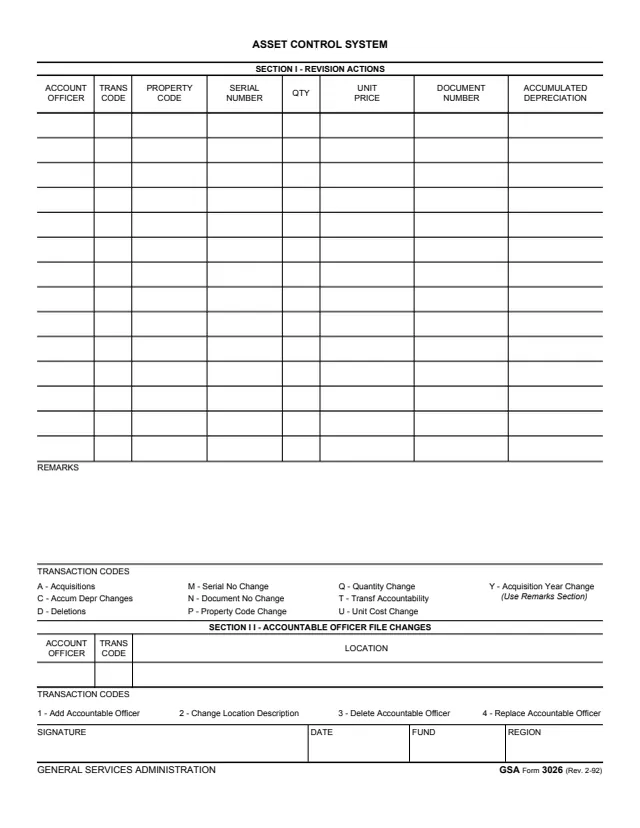
GSA Form 3026, Asset Control System, is a one-page General Services Administration form, GSA Form 3026 (Rev. 2-92), hosted in GSA's forms library. It records changes in two sections, each keyed to transaction codes printed on the form.
Section I, Revision Actions, is a table with columns for account officer, trans code, property code, serial number, quantity, unit price, document number and accumulated depreciation, followed by a Remarks area. Its codes cover acquisitions, accumulated depreciation changes, deletions, serial number, document number, property code, quantity and unit cost changes, transfer of accountability and acquisition year changes. Section II, Accountable Officer File Changes, records an account officer, trans code and location, with codes to add, delete or replace an accountable officer or change a location description. The bottom row takes a signature, date, fund and region. The form prints no instructions, OMB number or filing address.
You can fill it out free in your browser on this page and download the result without an account.
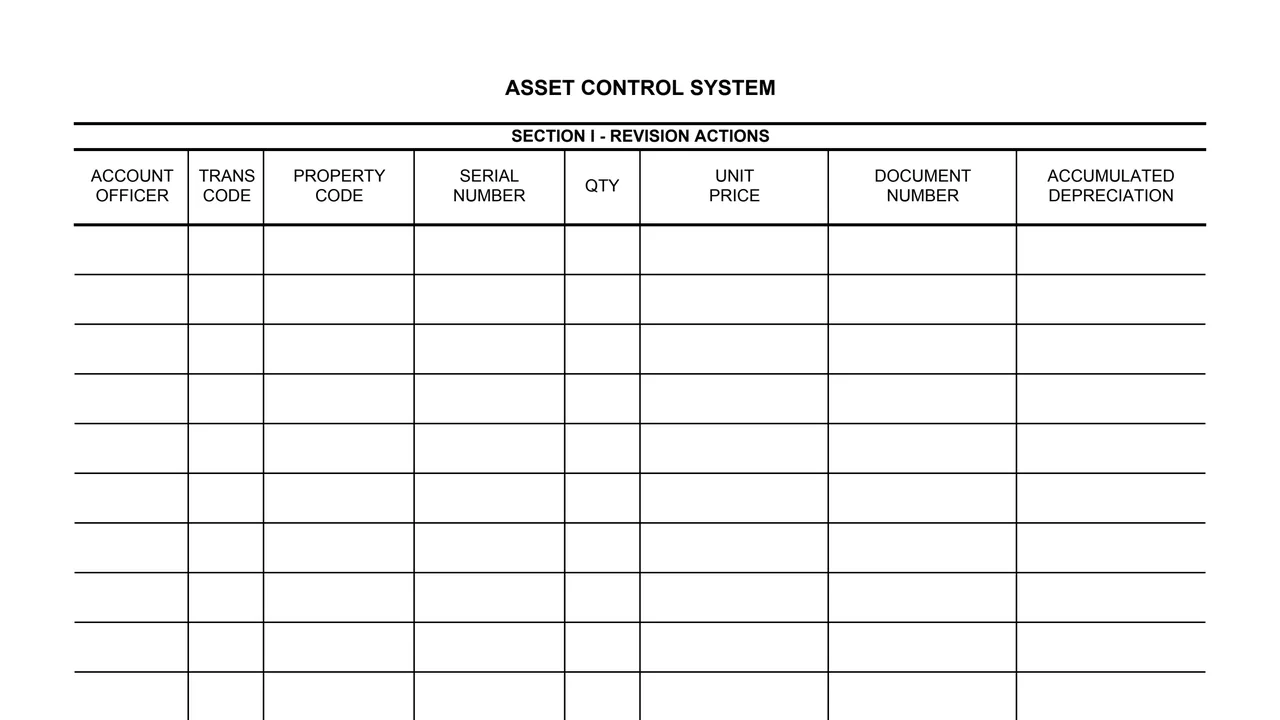
Account officer, trans code, property code, serial number, qty, unit price, document number and accumulated depreciation, one row per change.
A Acquisitions, C Accum Depr Changes, D Deletions, M Serial No Change, N Document No Change, P Property Code Change, Q Quantity Change, T Transf Accountability, U Unit Cost Change and Y Acquisition Year Change (Use Remarks Section).
A free text area under the Section I table.
Account officer, trans code and location, with codes 1 Add Accountable Officer, 2 Change Location Description, 3 Delete Accountable Officer and 4 Replace Accountable Officer.
Signature, date, fund and region.
Choose the Section I code that matches the change, from A Acquisitions to Y Acquisition Year Change.
Enter the account officer, trans code, property code, serial number, quantity, unit price, document number and accumulated depreciation.
The form prints Use Remarks Section next to code Y, Acquisition Year Change.
In Section II, enter the account officer, a code from 1 to 4 and the location.
Sign and date the bottom row and enter the fund and region.
You get the real form, filled in a browser tab, with nothing standing between you and the finished PDF.
The form prints no address and no routing instructions.
The footer reads GSA Form 3026 (Rev. 2-92). GSA's page gives a current revision date of 02/1992 and lists no authority or regulation.
The form does not say who completes or receives it. Its columns and bottom row name these.
No tool matches that search.
The footer reads GENERAL SERVICES ADMINISTRATION and GSA Form 3026 (Rev. 2-92). GSA hosts it in its forms library.
A Acquisitions, C Accum Depr Changes, D Deletions, M Serial No Change, N Document No Change, P Property Code Change, Q Quantity Change, T Transf Accountability, U Unit Cost Change and Y Acquisition Year Change.
The accountable officer file: code 1 adds an accountable officer, 2 changes a location description, 3 deletes an accountable officer and 4 replaces one.
The form prints Use Remarks Section next to code Y, Acquisition Year Change.
The PDF prints none beyond its code lists, and it prints no OMB number or privacy statement. GSA's page lists no authority or regulation.