Header and population data
Facility name and location, period covered, date, lot number, total activity items and total lot items.
GSA2620
Monthly/Quarterly Inventory Report
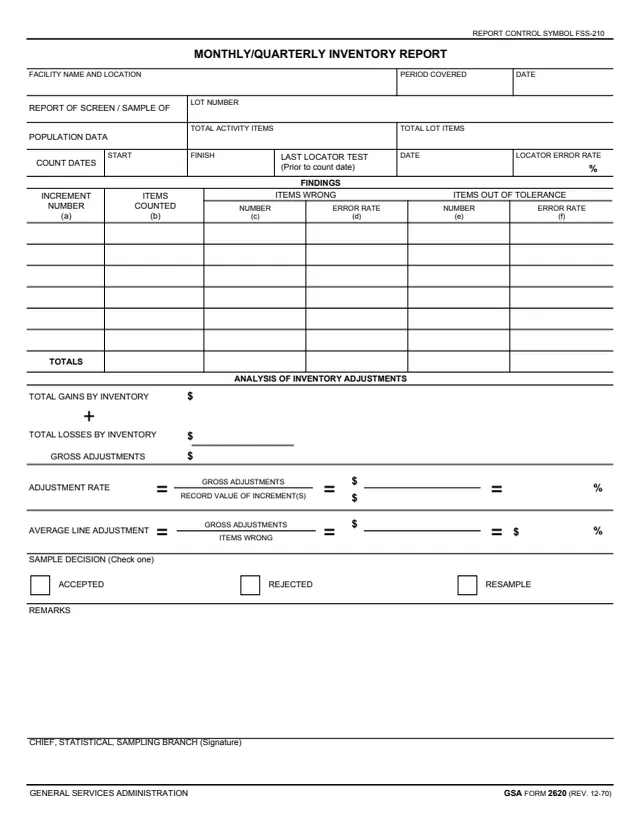
GSA Form 2620, Monthly/Quarterly Inventory Report, is a General Services Administration form, printed as GSA FORM 2620 (REV. 12-70) with REPORT CONTROL SYMBOL FSS-210 at the top. GSA hosts it in its forms library, and GSA's page gives a current revision date of 12/1970 and lists no authority or regulation.
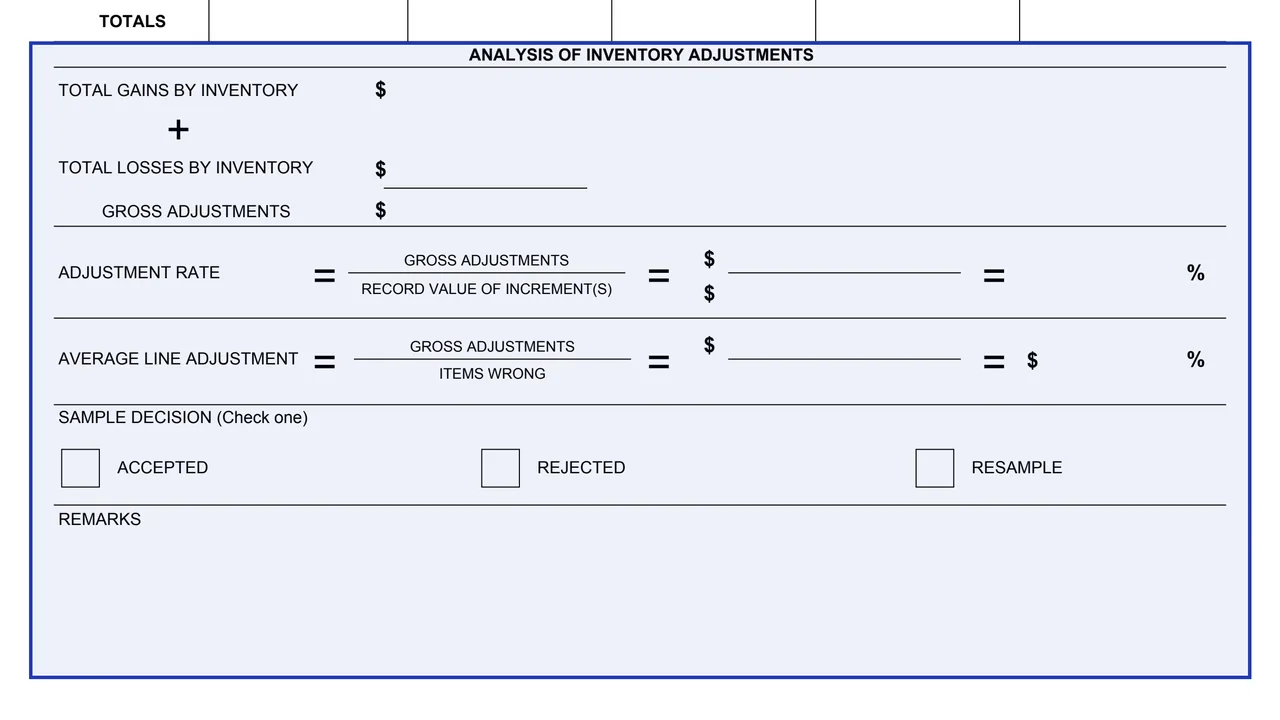
The one-page form reports the screen or sample of an inventory lot at a facility: the period covered, the lot number, population data, count dates and the last locator test, a findings table of items wrong and items out of tolerance by increment, an analysis of inventory adjustments, and a sample decision of Accepted, Rejected or Resample. It ends with a Remarks space and a signature line for the Chief, Statistical, Sampling Branch.
The PDF prints no instructions, OMB number or privacy statement. You can fill it out free in your browser on this page and download the result without an account.
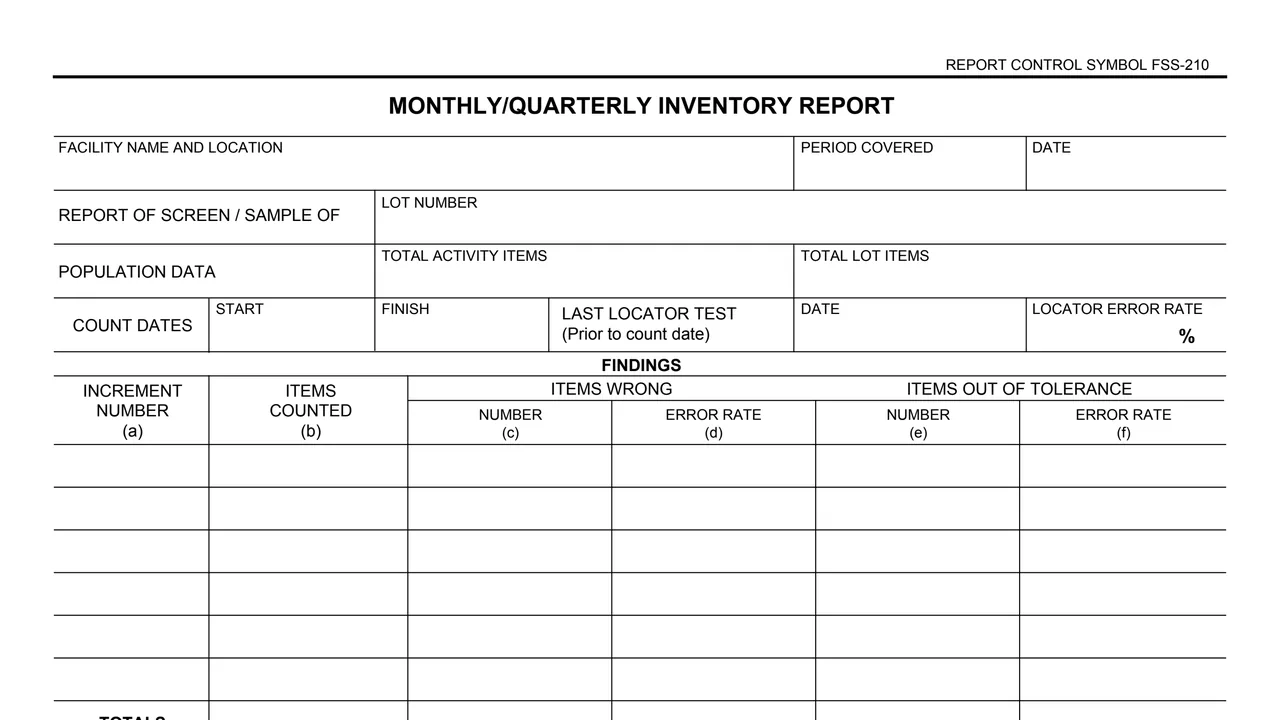
Facility name and location, period covered, date, lot number, total activity items and total lot items.
Start and finish count dates, the date of the last locator test (prior to count date) and the locator error rate as a percent.
For each increment number (a): items counted (b), items wrong by number (c) and error rate (d), and items out of tolerance by number (e) and error rate (f), with a Totals row.
Total gains by inventory plus total losses by inventory give the gross adjustments, each in dollars.
Adjustment rate is gross adjustments over the record value of increment(s), as a percent. Average line adjustment is gross adjustments over items wrong.
Check Accepted, Rejected or Resample, add remarks, and the signature of the Chief, Statistical, Sampling Branch.
Enter the facility name and location, the period covered, the date, the lot number, the total activity items and the total lot items.
Enter the start and finish count dates, the date of the last locator test prior to the count date, and the locator error rate.
For each increment, fill in columns (a) to (f), then the Totals row.
Add total gains and total losses to get the gross adjustments, then fill in the adjustment rate and average line adjustment using the formulas printed on the form.
Check Accepted, Rejected or Resample, add any remarks, and the Chief, Statistical, Sampling Branch signs at the bottom.
You get the real form, filled in a browser tab, with nothing standing between you and the finished PDF.
The PDF gives no filing address or routing, and it prints no instructions.
The footer reads GENERAL SERVICES ADMINISTRATION and GSA FORM 2620 (REV. 12-70), and REPORT CONTROL SYMBOL FSS-210 is printed at the top. GSA's page gives a current revision date of 12/1970 and lists no authority or regulation.
The form does not define a screen, sample, increment, locator test or tolerance.
The PDF prints no Privacy Act notice, OMB number or burden estimate.
The PDF prints no instructions. These are the roles and records its blocks name.
No tool matches that search.
The footer reads GENERAL SERVICES ADMINISTRATION and GSA FORM 2620 (REV. 12-70). GSA hosts it in its forms library, and its page lists no authority or regulation.
The form prints one signature line, headed CHIEF, STATISTICAL, SAMPLING BRANCH (Signature).
The form prints three boxes: Accepted, Rejected and Resample, with the note Check one.
The form adds total gains by inventory and total losses by inventory to get the gross adjustments, then divides the gross adjustments by the record value of increment(s) to give a percent.
The form prints REPORT CONTROL SYMBOL FSS-210 at the top right. It does not explain the symbol.
No. The PDF prints no instructions, Privacy Act notice or OMB number, and it does not say where the report goes.