TO: site destination
Check boxes for 1ST ALT. SITE, 2ND ALT. SITE and RO, with a blank for the site. For a regional office site, the number designation for that region.
GSA1656B
Identification Label - Prepositioned Records
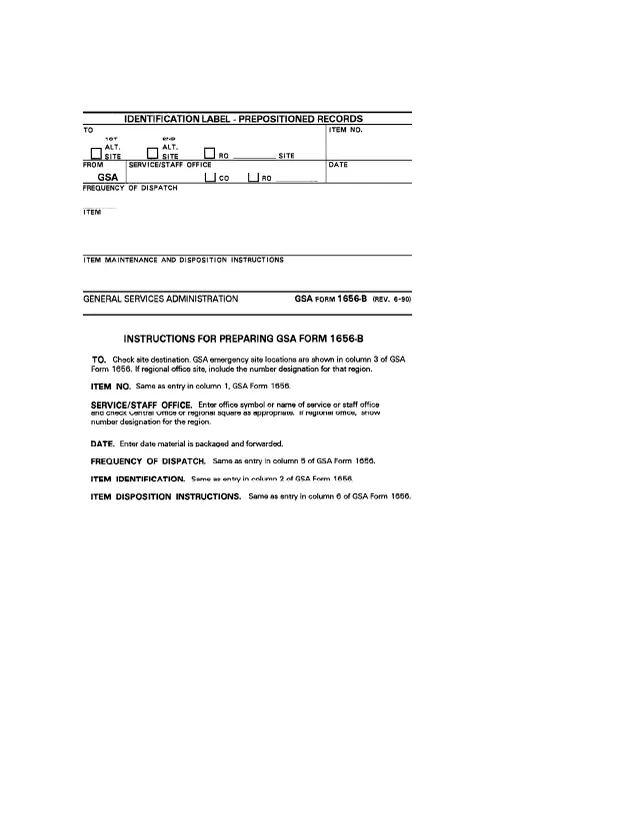
GSA Form 1656-B, Identification Label - Prepositioned Records, is a General Services Administration form. Its footer prints GENERAL SERVICES ADMINISTRATION and GSA FORM 1656-B (REV. 6-90). GSA's page lists it as GSA1656B, and GSA hosts it in its forms library.
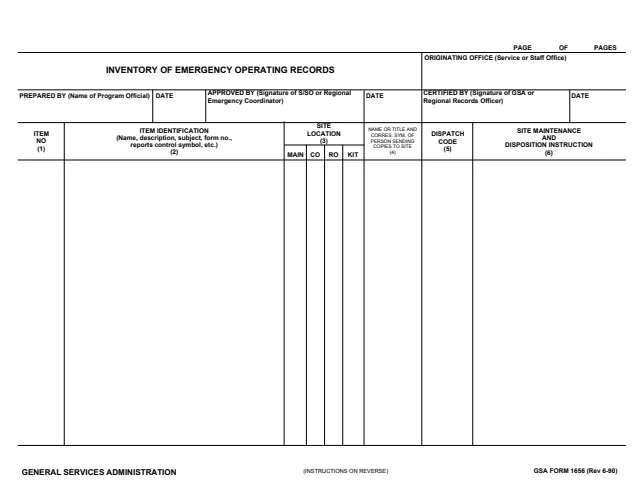
It is a one-page label used inside GSA for prepositioned records sent to an emergency site. The FROM block is preprinted GSA. The instructions on the same page say most entries are the same as a line of GSA Form 1656, Inventory of Emergency Operating Records: the site location in column 3, the item number in column 1, the item identification in column 2, the frequency of dispatch in column 5 and the disposition instructions in column 6.
The form prints no OMB number or burden statement. You can fill it out free in your browser on this page and download the result without an account.
Check boxes for 1ST ALT. SITE, 2ND ALT. SITE and RO, with a blank for the site. For a regional office site, the number designation for that region.
The item number, the same as column 1 of GSA Form 1656, and the date material is packaged and forwarded.
FROM is preprinted GSA. Next to it, the office symbol or name of the service or staff office, with CO and RO check boxes.
The same as the entry in column 5 of GSA Form 1656.
The item identification, the same as the entry in column 2 of GSA Form 1656.
The ITEM MAINTENANCE AND DISPOSITION INSTRUCTIONS block, the same as the entry in column 6 of GSA Form 1656.
The label has six blocks, with its instructions printed below it on the same page.
Most blocks repeat an entry of the inventory: columns 1, 2, 3, 5 and 6 of GSA Form 1656.
Check the site in the TO block. If it is a regional office site, include the number designation for that region.
Enter the office symbol or name of the service or staff office and check the Central Office or regional square. For a regional office, show the number designation for the region.
Enter the item number, item identification, frequency of dispatch and disposition instructions as they appear on GSA Form 1656.
The DATE block takes the date the material is packaged and forwarded.
You get the real form, filled in a browser tab, with nothing standing between you and the finished PDF.
The TO block names the destination site, and the DATE block is the date material is packaged and forwarded. The PDF gives no mailing address.
The form prints no OMB number, Privacy Act notice or burden estimate, and GSA's page lists no authority or regulation for it.
The label is filled in by the GSA office sending the records. The instructions name no person or title.
No tool matches that search.
The footer prints GENERAL SERVICES ADMINISTRATION and GSA FORM 1656-B (REV. 6-90). GSA's page lists it as GSA1656B, with a current revision date of 06/1990.
The instructions say the item number, item identification, frequency of dispatch and disposition instructions are the same as columns 1, 2, 5 and 6 of GSA Form 1656, and that GSA emergency site locations are shown in its column 3.
The instructions say to enter the date material is packaged and forwarded.
The instructions say to check the Central Office or regional square as appropriate, and to show the number designation for the region if it is a regional office.