Item 1: action requested
Check only one: Create New Customer, Modify Existing Customer or Delete Existing Customer.
VA8824i
CAATS Contractor Access Request Form
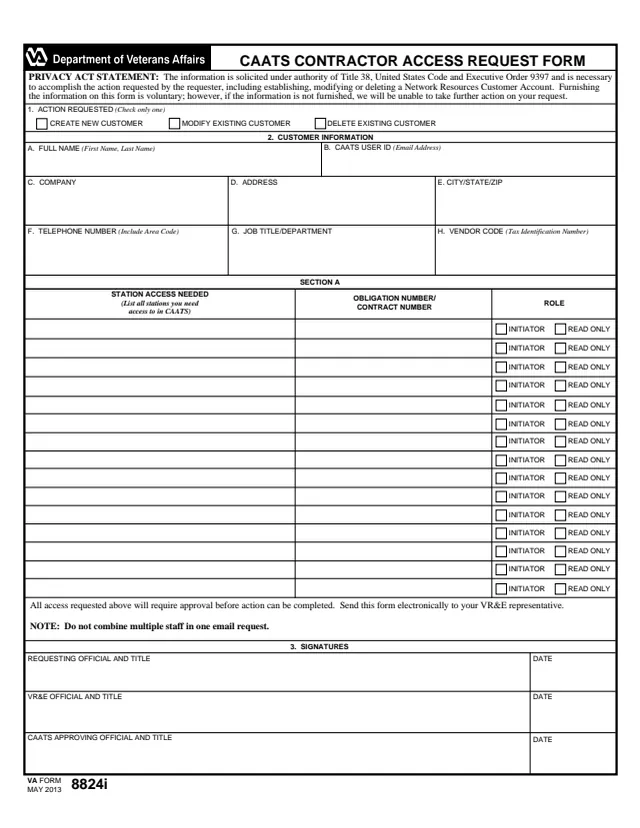
VA Form VA8824i is the U.S. Department of Veterans Affairs CAATS Contractor Access Request Form. It is a one-page form to create, modify or delete a contractor customer's access in CAATS and to list the stations, contract or obligation numbers and roles the person needs. Its Privacy Act statement says the information is necessary to accomplish the action requested, including establishing, modifying or deleting a Network Resources Customer Account.
It is a contractor access form, not a Veterans benefits application. The form says all access requested requires approval before action can be completed, and it has signature lines for the requesting official, a VR&E official and a CAATS approving official. The form says to send it electronically to the VR&E representative.
You can fill out the PDF free in your browser on this page and download the result without an account.
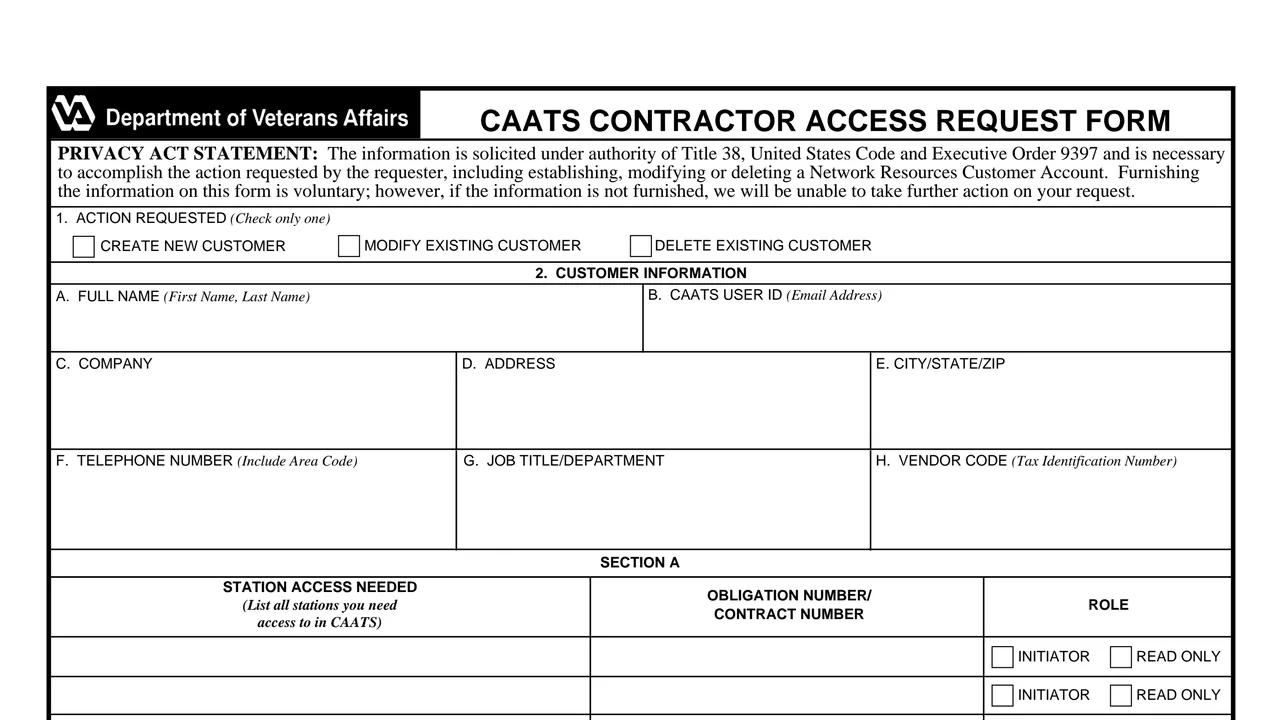
Check only one: Create New Customer, Modify Existing Customer or Delete Existing Customer.
Fields A to H for the customer's name, CAATS user ID, company, address, city, state and ZIP, telephone, job title or department and vendor code.
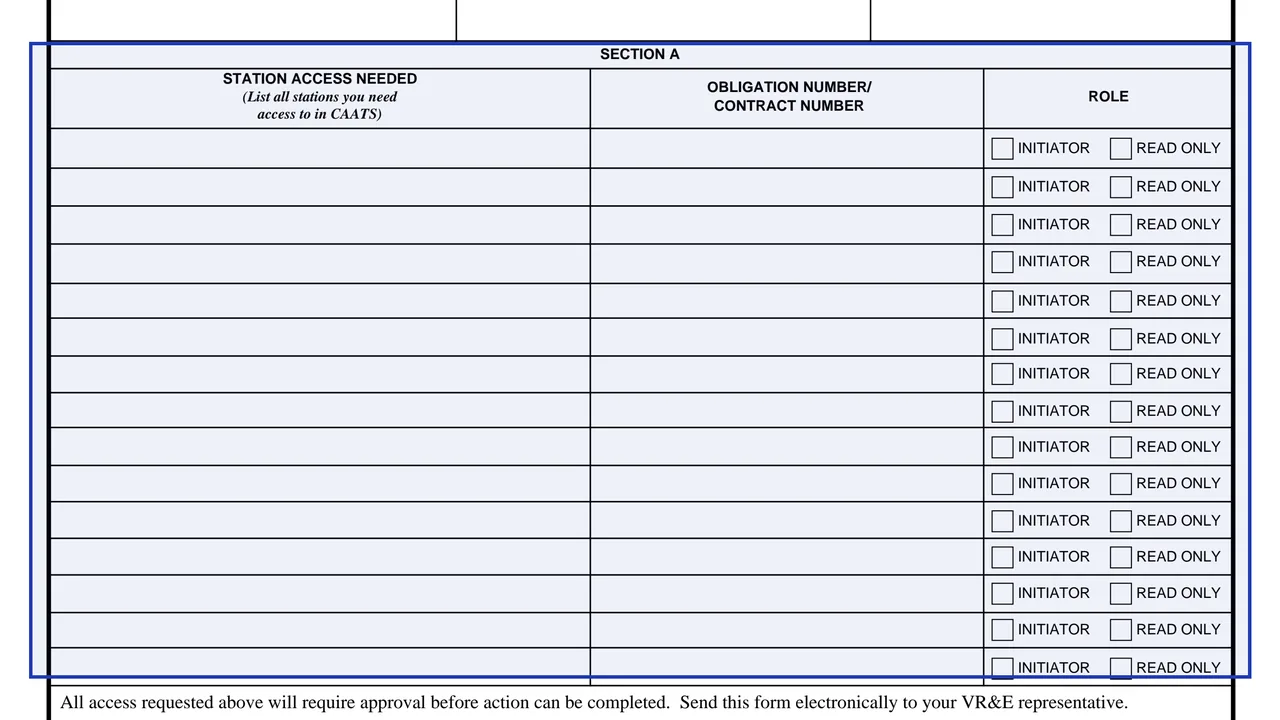
Fifteen rows to list every station the person needs access to in CAATS, each with an obligation or contract number and a role of Initiator or Read Only.
Signature, title and date lines for the requesting official, the VR&E official and the CAATS approving official.
The statement cites Title 38, United States Code and Executive Order 9397, and says furnishing the information is voluntary but that without it no further action can be taken on the request.
Check only one box in Item 1 to create, modify or delete the customer.
Fill in Item 2, using the email address as the CAATS user ID and the Tax Identification Number as the vendor code.
In Section A, list all stations the person needs in CAATS, with the obligation or contract number and the Initiator or Read Only role for each.
The requesting official, the VR&E official and the CAATS approving official each sign with title and date.
The form says to send it electronically to your VR&E representative, and not to combine multiple staff in one email request.
You get the real form, filled in a browser tab, with nothing standing between you and the finished PDF.
The form says to send it electronically to your VR&E representative. Neither the PDF nor VA's form page prints an address or email.
The form notes not to combine multiple staff in one email request.
The form says all access requested requires approval before action can be completed.
The PDF prints VA FORM MAY 2013 and no OMB number. VA's form page lists a revision date of May 2014.
The form names the customer and the three officials who sign it.
No tool matches that search.
It requests that a contractor customer's CAATS access be created, modified or deleted, and lists the stations and roles the person needs.
The form says to send it electronically to your VR&E representative.
No. The form notes not to combine multiple staff in one email request.
Section A offers two roles for each station: Initiator or Read Only.
The Privacy Act statement says furnishing the information is voluntary, but if it is not furnished, no further action can be taken on the request.