Request type and date
New Vendor for the first registration in VA's financial system for VA payments, or Update Existing Vendor, plus the date.
VA10091
VA-FSC Vendor File Request Form
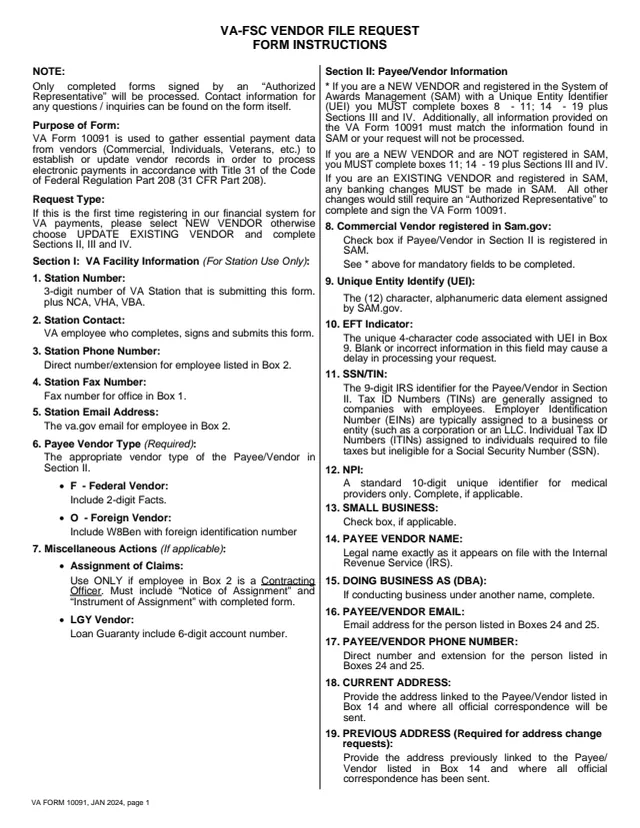
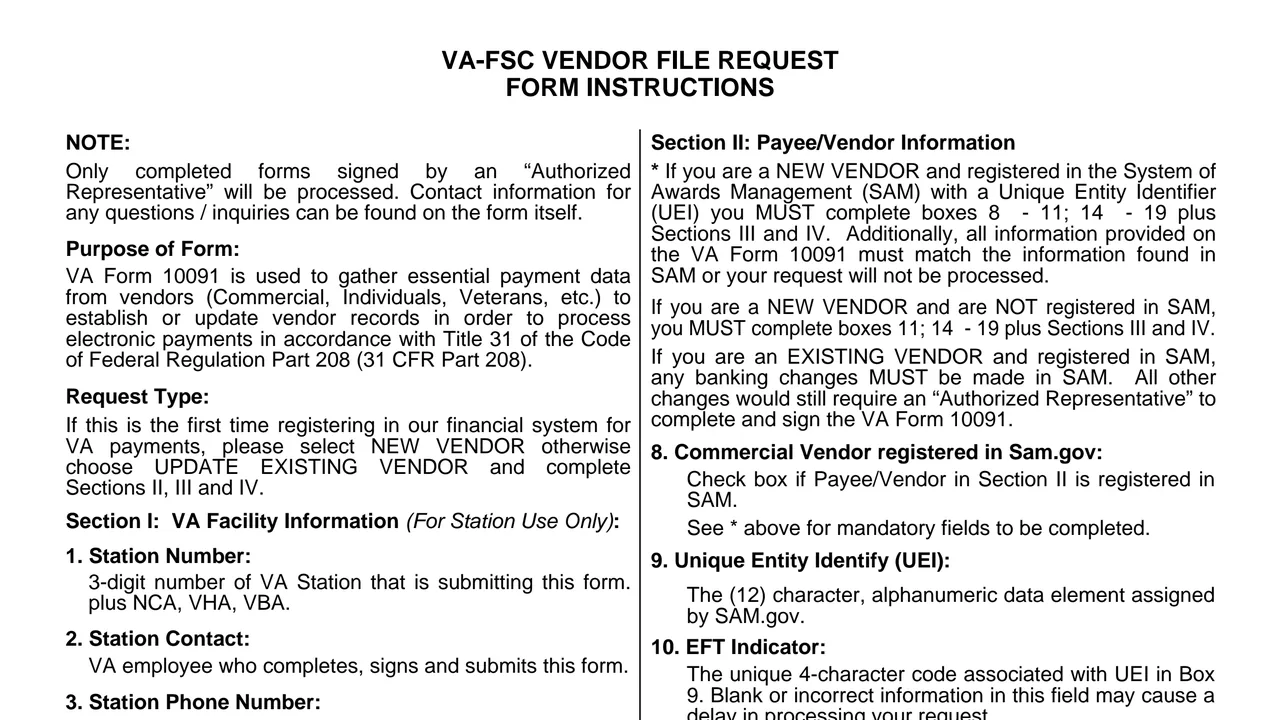
VA Form VA10091 is the U.S. Department of Veterans Affairs VA-FSC Vendor File Request Form. The instructions say it is used to gather essential payment data from vendors (Commercial, Individuals, Veterans, etc.) to establish or update vendor records in order to process electronic payments in accordance with 31 CFR Part 208.
It is not a benefits application. Section I is marked for station use only and is completed by the VA employee who signs and submits the form. Sections II to IV hold the payee or vendor's identification, address and bank account details, and the signature of an Authorized Representative.
The PDF is three pages: two pages of instructions, then the one page form. It carries OMB Approved No. 2900-0846. You can fill out the PDF free in your browser on this page and download the result without an account.
New Vendor for the first registration in VA's financial system for VA payments, or Update Existing Vendor, plus the date.
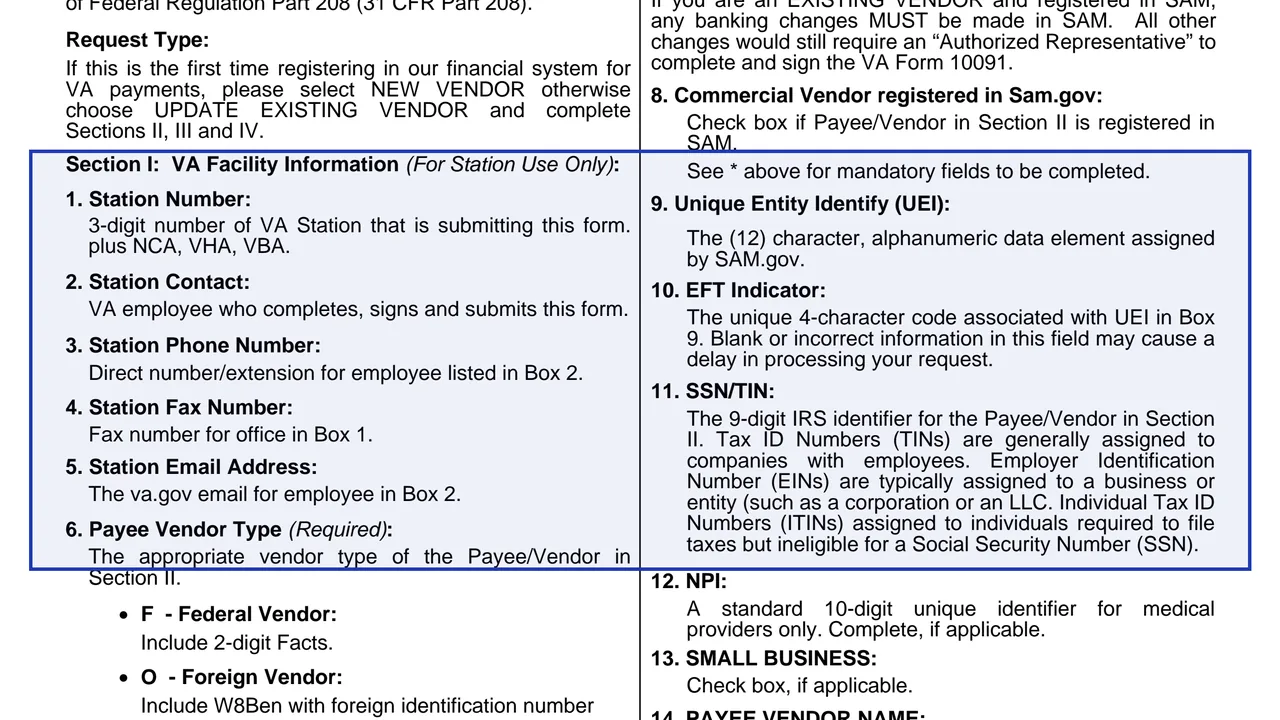
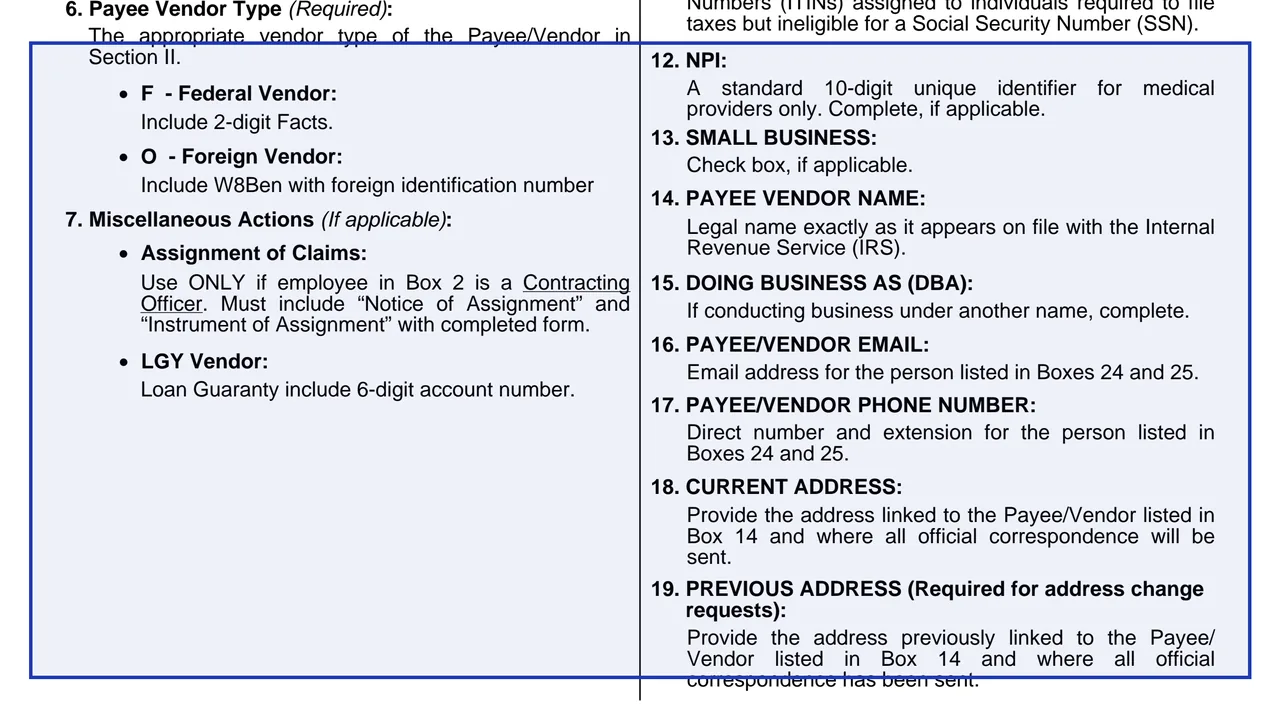
Boxes 1 to 7: station number with NCA, VHA or VBA, station contact, phone, fax and email, payee or vendor type, and miscellaneous actions such as WINRS, bill of collections or settlement and torts.
Boxes 8 to 19: SAM registration, Unique Entity Identifier, EFT indicator, SSN or TIN, NPI, small business, legal name as on file with the IRS, DBA, email, phone and current and previous addresses.
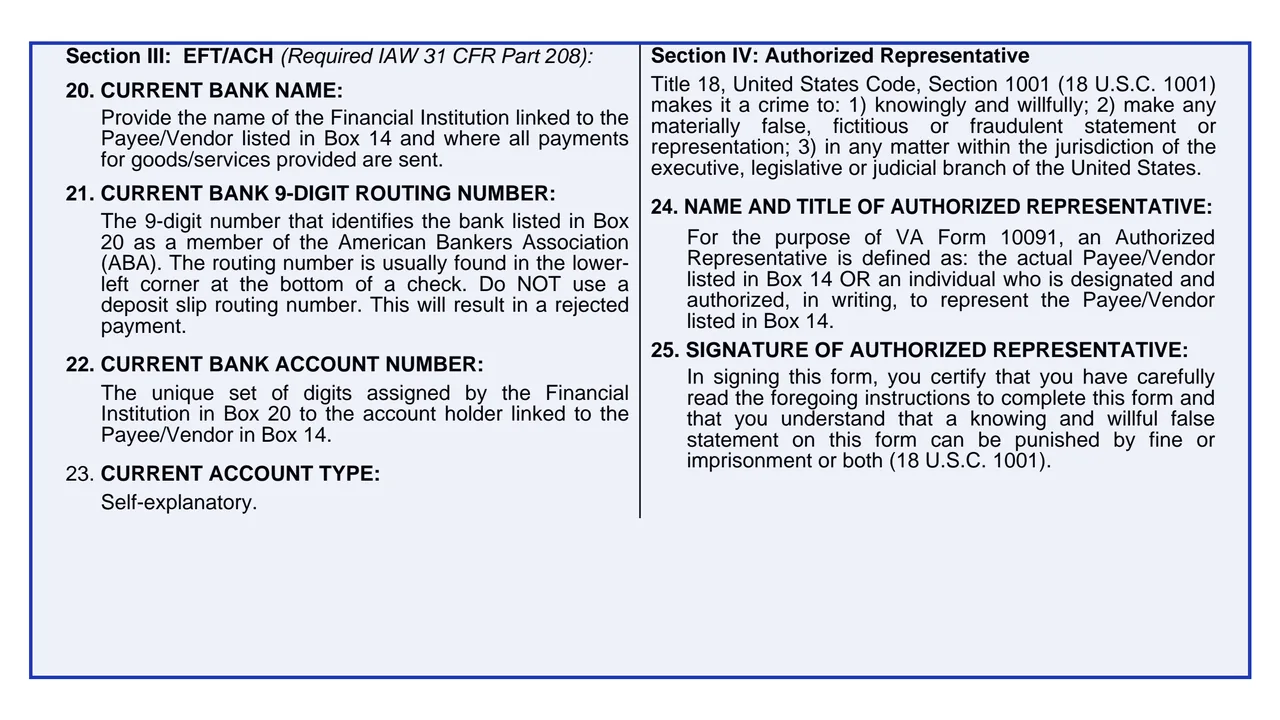
Boxes 20 to 23: bank name, nine digit routing number, account number and checking or savings. The instructions warn against a deposit slip routing number.
The Authorized Representative's name, title and signature under a certification citing 18 U.S.C. 1001, plus Privacy Act and Paperwork Reduction Act statements.
Check New Vendor or Update Existing Vendor. The instructions say an update completes Sections II, III and IV.
The VA station contact enters the station details, the vendor type and any miscellaneous action, with the attachments the instructions name for that action.
For a new vendor in SAM, the instructions list Boxes 8 to 11 and 14 to 19 plus Sections III and IV, and say the details have to match SAM. A new vendor not in SAM completes Box 11, Boxes 14 to 19 and Sections III and IV.
Enter the name and title in Box 24 and sign in Box 25, certifying the instructions were read.
Box 2's instructions describe the station contact as the VA employee who submits the form. The form says normal processing time is 15 - 30 business days.
You get the real form, filled in a browser tab, with nothing standing between you and the finished PDF.
The form prints no mailing address. The instructions say the VA station employee in Box 2 completes, signs and submits it.
VA-FSC Customer Engagement: phone 1-877-353-9791, email [email protected]. For station inquiries, the Station Care Center: 1-866-372-1141.
The form says: We do not accept invoices.
The footer reads VA FORM 10091, JAN 2024. It carries OMB Approved No. 2900-0846, Expiration Date: 01-31-2027, and a respondent burden of 15 minutes.
The instructions split the form between a VA station and the payee or vendor.
No tool matches that search.
The instructions say it gathers essential payment data from vendors to establish or update vendor records in order to process electronic payments in accordance with 31 CFR Part 208.
The instructions describe Box 2, the station contact, as the VA employee who completes, signs and submits this form. The payee or vendor supplies Sections II to IV.
The actual payee or vendor listed in Box 14, or an individual designated and authorized, in writing, to represent that payee or vendor.
The instructions say an existing vendor registered in SAM makes banking changes in SAM. Other changes still need an Authorized Representative to complete and sign VA Form 10091.
The nine digit number that identifies the bank, which the instructions say is usually in the lower left corner at the bottom of a check. They say not to use a deposit slip routing number, as this will result in a rejected payment.
The form says normal processing time is 15 - 30 business days.