Type and serial number
Check boxes for container, vault door or pedestrian door lock, and a box for the security equipment serial number.
SF89
Maintenance Record for Security Equipment
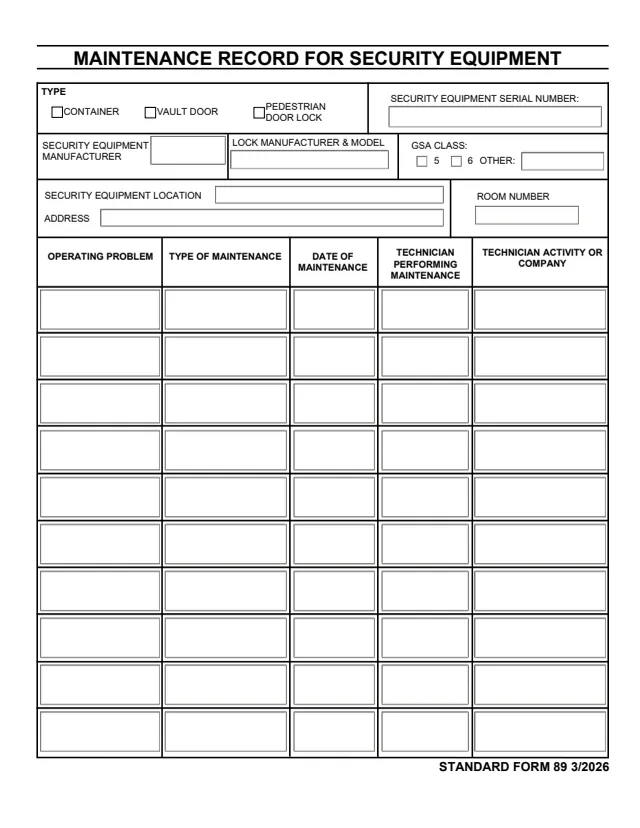
Standard Form 89 (SF 89), Maintenance Record for Security Equipment, is a two-page form printed as STANDARD FORM 89 3/2026. The form names no issuing agency, and GSA hosts it in its forms library. Its instructions cite 32 CFR 2001.43 and Federal Standard 809, the same authority GSA's page lists.
The front page identifies one piece of security equipment, a container, vault door or pedestrian door lock, by serial number, manufacturer, lock manufacturer and model, GSA class and location. Ten rows below log each maintenance or repair: the operating problem, the type of maintenance, the date, the technician and the technician's activity or company. The back page prints seven numbered instructions and a copy of the layout marked EXAMPLE.
The form has no signature block and prints no OMB number. You can fill it out free in your browser on this page and download the result without an account.
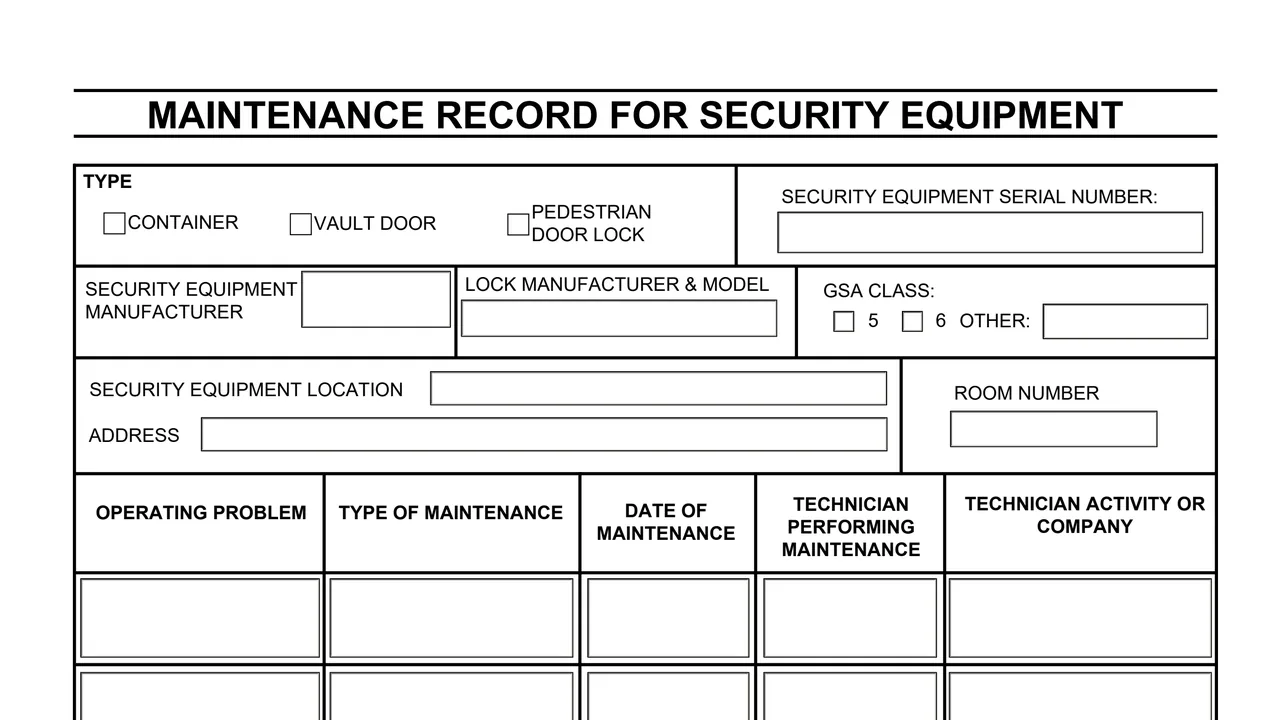
Check boxes for container, vault door or pedestrian door lock, and a box for the security equipment serial number.
The security equipment manufacturer, the lock manufacturer and model, and GSA class 5, 6 or Other with a write-in box.
The security equipment location, its address and the room number.
Ten rows with columns for operating problem, type of maintenance, date of maintenance, technician performing maintenance and technician activity or company.
Seven numbered instructions for completing and storing the form, and a copy of the layout marked EXAMPLE.
Select the type of security equipment being maintained or repaired: container, vault door or pedestrian door lock.
The form says a container's serial number is on the side of the control drawer, vault doors and map and plan containers carry it on the inside face of the door, and pedestrian door locks show it on the GSA label.
List the manufacturer from the GSA-approval label and the lock manufacturer and model, and select GSA class 5 or 6. If Other is selected, the form says to write in the class information.
Enter the building address and room number where the security equipment is located.
In a row, describe the problem the custodian reported, what was required to solve it, the date, the technician's name and who the technician represents.
The form says to store it electronically and to keep a hard copy in the security container, inside the vault door or by the pedestrian door lock area.
These steps follow the seven instructions on the back of the form.
You get the real form, filled in a browser tab, with nothing standing between you and the finished PDF.
Instruction 1 says to store this form electronically, and produce hard copy that must be stored, in the security container, inside the vault door, or by the pedestrian door lock area.
The instructions cite 32 CFR 2001.43 and Federal Standard 809. GSA's page lists the same two as its authority or regulation.
The form says the GSA label shall be affixed to the exposed surface of the locking device located on the inside of the door.
The form prints no signature block, no OMB control number and no Privacy Act statement.
The form does not say who fills it in. Its instructions and columns name these roles.
No tool matches that search.
The form prints STANDARD FORM 89 3/2026 and names no issuing agency. GSA hosts it in its forms library, and its page lists 32 CFR 2001.43 and Federal Standard 809 as the authority.
The form says a container's serial number is on the side of the control drawer, and vault doors and map and plan containers carry it on the inside face of the door. For pedestrian door locks it is on the GSA label.
The form says to store it electronically, and to store a hard copy in the security container, inside the vault door, or by the pedestrian door lock area.
The form says that if Other is selected, write in the class information.
The front page has ten rows, each for one maintenance or repair entry.
The form prints no signature block. Each row records the name of the technician performing the maintenance and who the technician represents.