Blocks 1 to 10: agreement, incident and equipment
Agreement number, contractor or agency name, resource order number, incident name and number, financial code, equipment make and model, equipment type, serial or VIN number, and license or ID number.
OF297
Emergency Equipment Shift Ticket
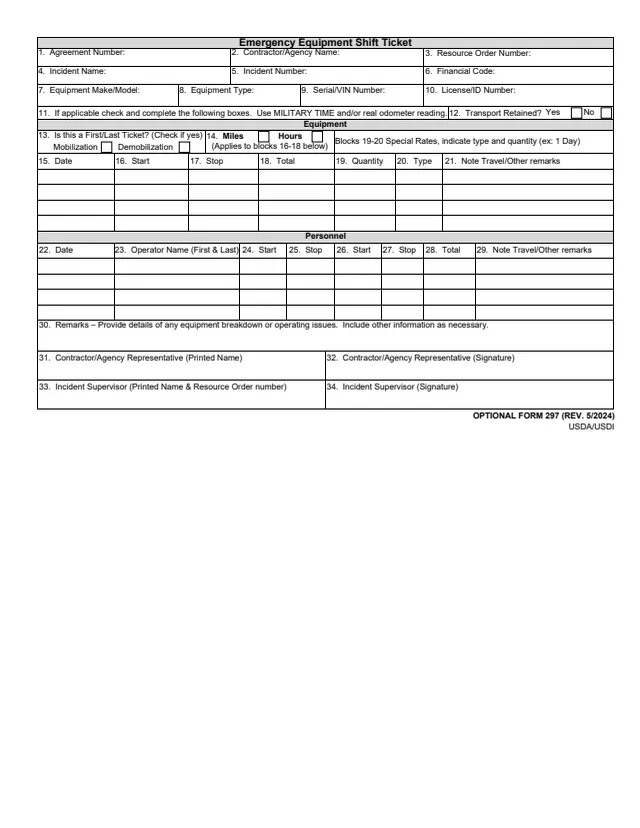
Optional Form 297 (OF 297), Emergency Equipment Shift Ticket, is a one-page record of equipment and operator time on an incident. Its footer prints OPTIONAL FORM 297 (REV. 5/2024) and USDA/USDI. GSA hosts a copy in its forms library.
The ticket identifies the agreement, the contractor or agency, the resource order, the incident and the equipment, then records equipment time in an Equipment section and operator time in a Personnel section. It ends with remarks on any equipment breakdown or operating issues and signatures from the contractor or agency representative and the incident supervisor.
You can fill it out free in your browser on this page and download the result without an account.
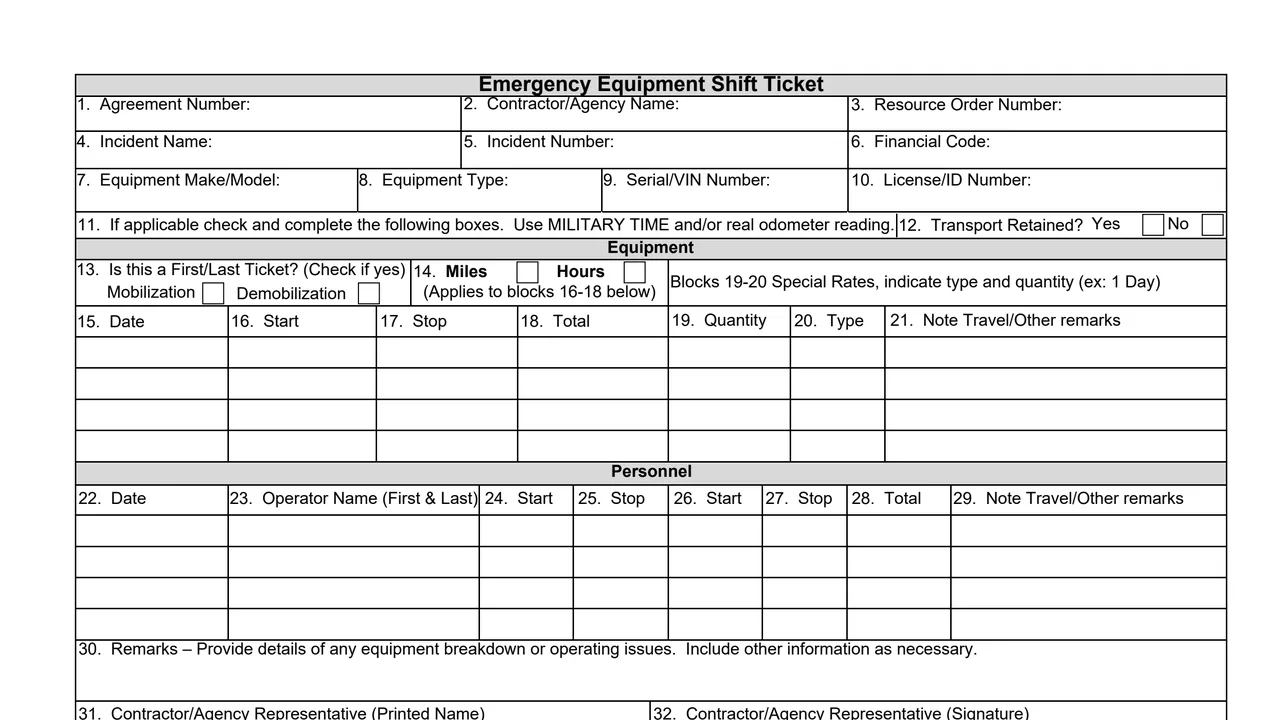
Agreement number, contractor or agency name, resource order number, incident name and number, financial code, equipment make and model, equipment type, serial or VIN number, and license or ID number.
A line to check and complete the boxes if applicable, using MILITARY TIME and/or real odometer reading; Transport Retained, yes or no; First/Last Ticket for mobilization or demobilization; and miles or hours for blocks 16 to 18.
Date, start, stop and total, then quantity and type for special rates (ex: 1 Day), and a note for travel or other remarks.
Date, operator name, two pairs of start and stop times, total, and a note for travel or other remarks.
Remarks with details of any equipment breakdown or operating issues, then the printed names and signatures of the contractor or agency representative and the incident supervisor.
Enter the agreement number, contractor or agency name, resource order number, incident name and number, financial code and equipment details.
Block 11 says to check and complete the following boxes if applicable and to use MILITARY TIME and/or real odometer reading. Mark Transport Retained, a first or last ticket, and miles or hours.
Enter the date, start, stop and total in blocks 15 to 18. For special rates, blocks 19 and 20 take the quantity and type (ex: 1 Day).
List each operator by date and name with start and stop times and the total in blocks 22 to 28.
Block 30 asks for details of any equipment breakdown or operating issues and other information as necessary.
The contractor or agency representative prints a name and signs in blocks 31 and 32, and the incident supervisor in blocks 33 and 34.
You get the real form, filled in a browser tab, with nothing standing between you and the finished PDF.
The PDF prints no address or routing instructions. It ends with the incident supervisor's signature.
Block 11 says to use MILITARY TIME and/or real odometer reading.
GSA's page says U.S. Government Departments, Agencies, and Offices can order this form at www.gsaglobalsupply.gsa.gov or www.gsaadvantage.gov with a government purchase card or AAC (Activity Address Code). The Stock Number is 7540-01-119-5628.
GSA's page says Government Contractors will need to have their Government Department, Agency, or Office sponsor their request before placing an order.
The PDF prints no Privacy Act notice and no OMB number.
The ticket names these people in its blocks.
No tool matches that search.
The footer prints USDA/USDI with OPTIONAL FORM 297 (REV. 5/2024). GSA hosts a copy in its forms library.
The contractor or agency representative signs block 32 and the incident supervisor signs block 34, each beside a printed name.
Block 11 says to use MILITARY TIME and/or real odometer reading.
Block 13 asks Is this a First/Last Ticket? (Check if yes), with boxes for Mobilization and Demobilization. The form gives no further explanation.
Block 30 asks for details of any equipment breakdown or operating issues, and other information as necessary.
GSA's page says government departments, agencies and offices can order it at www.gsaglobalsupply.gsa.gov or www.gsaadvantage.gov, Stock Number 7540-01-119-5628, and that government contractors need their department, agency or office to sponsor the request.