GSA5046

Civilian Employees Entering Extended Active Duty Checklist

Agency
GSA
Revision
Rev. 2/2020
Fillable fields
69
Pages
5
Official source
GSA form page
Checked
October 20, 2026
Fill GSA5046 online
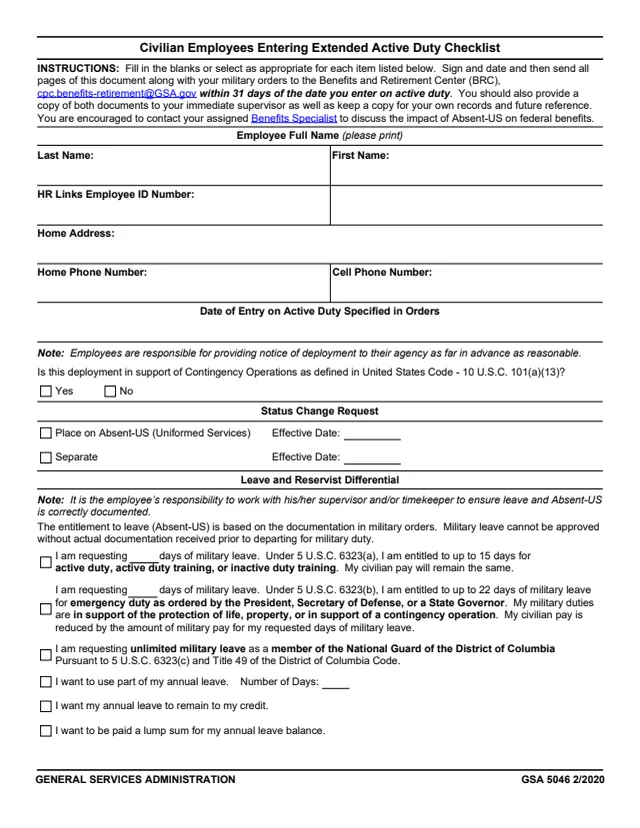
Page 1 of form GSA5046

GSA Form 5046: Civilian Employees Entering Extended Active Duty Checklist

GSA Form 5046, Civilian Employees Entering Extended Active Duty Checklist, is a General Services Administration (GSA) form, printed as GSA 5046 2/2020. GSA hosts it in its forms library; GSA's page lists no authority or regulation.

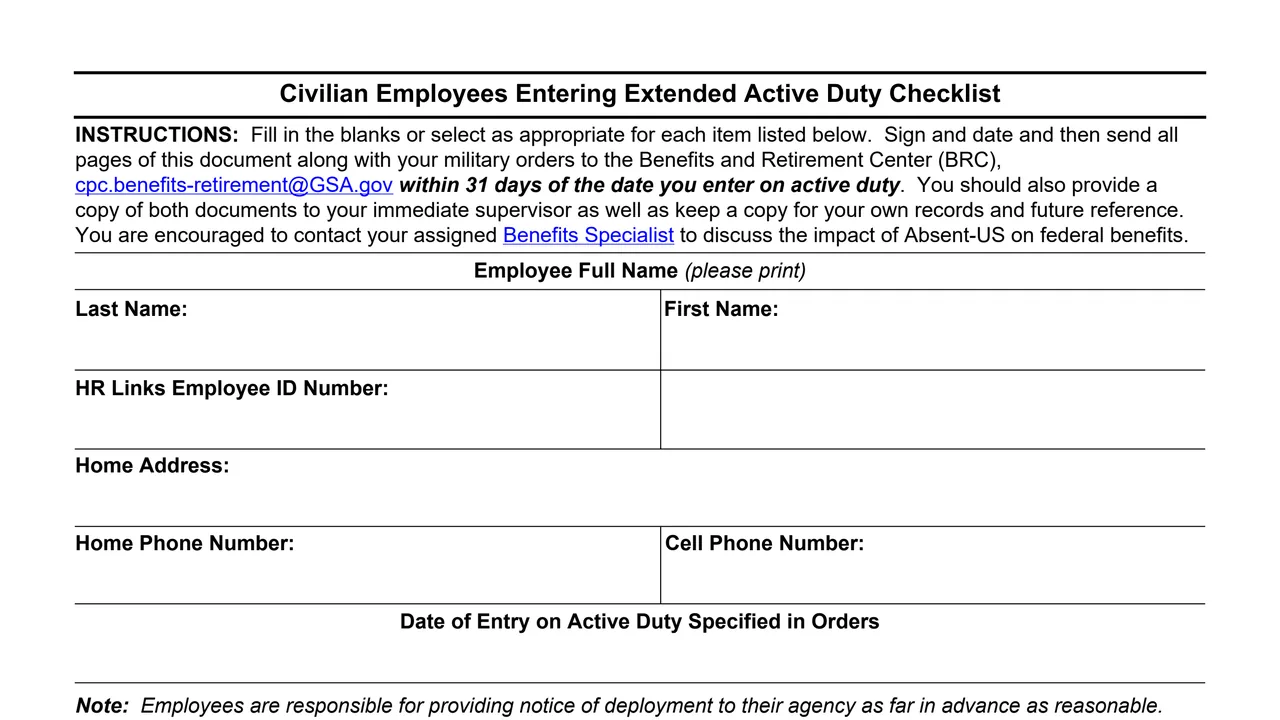
It is a five-page election and acknowledgement form for civilian employees entering active military duty, not a form the public files. The instructions say to fill in the blanks or select as appropriate, sign and date, and send all pages with the military orders to the Benefits and Retirement Center (BRC), [email protected], within 31 days of the date of entry on active duty.

It covers the status change (Absent-US or separation), military leave and Reservist Differential, health, life, dental, vision and long term care insurance, flexible spending accounts, retirement and the Thrift Savings Plan. A Benefits Specialist also signs. You can fill it out free in your browser on this page and download the result without an account.

Top of page 1 of GSA Form 5046: Civilian Employees Entering Extended Active Duty Checklist, as printed by GSA

What's on GSA Form 5046

Employee details and status change

Name, HR Links Employee ID Number, home address and phones, date of entry on active duty, whether the deployment supports contingency operations under 10 U.S.C. 101(a)(13), and placement on Absent-US or separation with effective dates.
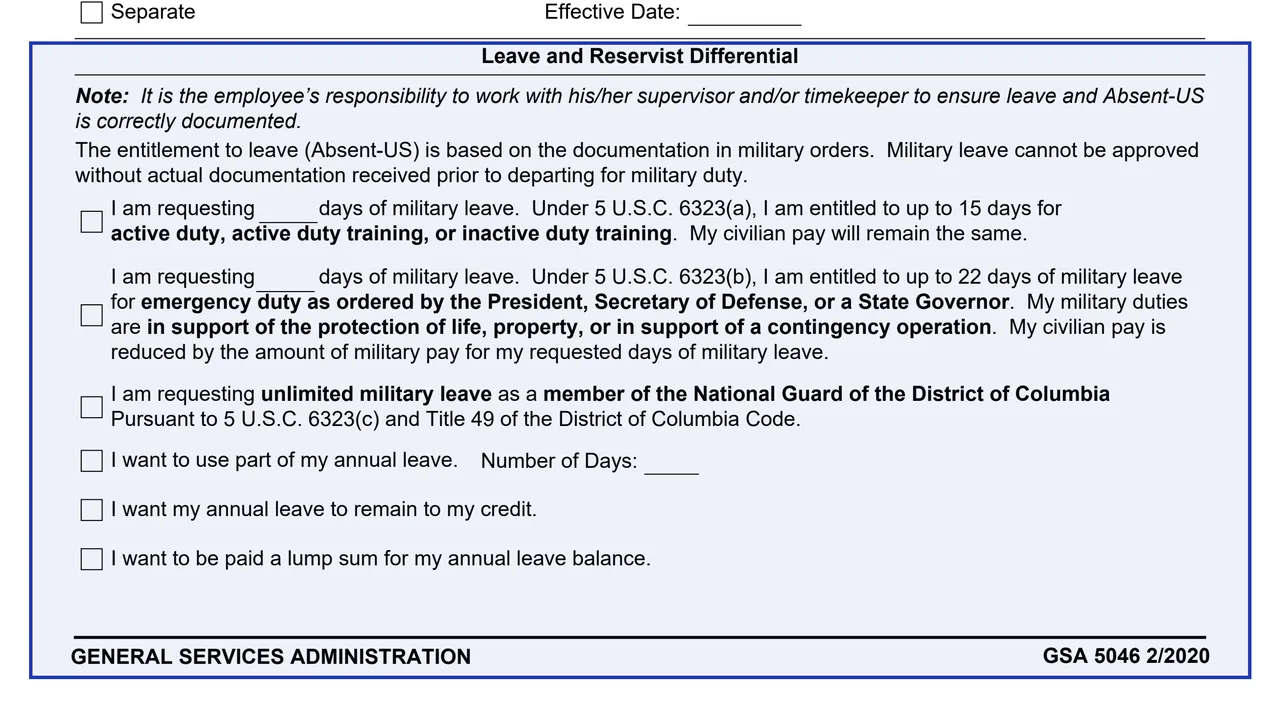
Leave and Reservist Differential

Military leave days under 5 U.S.C. 6323(a) (up to 15 days), 6323(b) (up to 22 days) or unlimited leave for the D.C. National Guard under 6323(c), annual leave choices, and a Reservist Differential request.

Health benefits and Premium Conversion

FEHB choices by deployment length, how continued premiums are paid, the 60-day window to waive Premium Conversion, and a TAMP TRICARE acknowledgement.

Life insurance and FSAs

FEGLI coverage in Absent-US or after separation, elections after a qualifying life event, and FSAFEDS notices, including Qualified Reservist Distributions.

FEDVIP and FLTCIP

Dental and vision enrollment and cancellation windows and direct billing, then long term care premium payments.

Retirement, TSP and acknowledgements

CSRS and FERS military deposit rules, retroactive TSP contributions and TSP loan suspension, then the employee and Benefits Specialist signatures.

The five pages run from the employee details to the acknowledgements.

How to complete GSA Form 5046

  1. 1

    Fill in the employee details

    Enter the name, HR Links Employee ID Number, home address, phone numbers and the date of entry on active duty specified in the orders, and answer the contingency operations question.

  2. 2

    Choose the status change and leave

    Select Absent-US or Separate with an effective date, then the military leave, annual leave and Reservist Differential choices that apply.

  3. 3

    Make the benefits elections

    Select the statements that apply in the health, life, FSA, FEDVIP, FLTCIP, retirement and TSP sections, including a TSP loan number if there is one.

  4. 4

    Sign the acknowledgements

    The employee signs and dates that the elections are marked and understood and that the supervisor will be notified when the tour is completed. A Benefits Specialist also signs.

  5. 5

    Send it with the military orders

    Send all pages with the orders to the BRC at [email protected] within 31 days of the date of entry on active duty, give the immediate supervisor a copy and keep one.

Why fill Form GSA5046 on indox

You get the real form, filled in a browser tab, with nothing standing between you and the finished PDF.

  • Fill the form right in your browser, no software to install
  • Free to fill and free to download, with no account
  • The official blank straight from the GSA, not a copy someone retyped
  • Works on a phone, tablet or computer

Where it goes and what the form says

Where it goes

To the Benefits and Retirement Center (BRC), [email protected], within 31 days of the date of entry on active duty, with the military orders.

On return to civilian duty

The form says to contact the BRC as soon as the employee returns, to notify the BRC immediately if a TSP loan was suspended, and to contact GSA's Payroll Services Branch at [email protected] within 60 days for retroactive TSP contributions.

Phone numbers printed on the form

FSAFEDS 1-877-372-3337. BENEFEDS 1-877-888-FEDS (3337), Teletypewriter (TTY) 1-877-889-5680. FLTCIP Representative 1-800-582-3337.

Military leave documentation

The form says military leave cannot be approved without actual documentation received prior to departing for military duty.

Time limits printed on the form

60 days to waive Premium Conversion, 60 days after a qualifying life event for FEGLI elections, 60 days after deployment to cancel FEDVIP, and 25 days to pay after a FEDVIP termination notice.

Who completes GSA Form 5046?

  • Civilian employees entering active duty

    The employee fills in the blanks, selects the elections that apply and signs the acknowledgements.

  • Reserve and National Guard members

    The form has military leave choices under 5 U.S.C. 6323(a), (b) and (c), a Reservist Differential request under 5 U.S.C. 5538, and a Qualified Reservist Distribution section for reservists with an FSA.

  • Benefits Specialists

    A Benefits Specialist signs and dates the form and adds a phone number and email address. The instructions encourage contacting the assigned Benefits Specialist about the impact of Absent-US on federal benefits.

  • Supervisors and timekeepers

    The instructions say to give the immediate supervisor a copy of the form and the orders. The form says the employee works with the supervisor and/or timekeeper so leave and Absent-US are correctly documented.

The form names the employee, a Benefits Specialist and the employee's supervisor.

Official sources and the blank

Do it all with indox

View all 94 tools

Questions about Form GSA5046

Who issues GSA Form 5046?

The form is printed by the General Services Administration as GSA 5046 2/2020. GSA hosts it in its forms library; GSA's page lists no authority or regulation.

Where is GSA Form 5046 sent?

The instructions say to send all pages with the military orders to the Benefits and Retirement Center (BRC), [email protected], within 31 days of the date of entry on active duty, give the immediate supervisor a copy and keep a copy.

How much military leave does the form list?

Up to 15 days under 5 U.S.C. 6323(a), up to 22 days for emergency duty under 5 U.S.C. 6323(b), and unlimited military leave for members of the National Guard of the District of Columbia under 5 U.S.C. 6323(c).

What does the form say about FEHB coverage?

For a deployment of 30 days or less, it says coverage continues. For longer deployments the employee chooses to terminate or continue. If the duty supports a contingency operation, the form says GSA will pay the employee's share of the premium for up to 24 months.

Does FEGLI continue during active duty?

The form says FEGLI coverage continues for up to 24 months in non-pay status (Absent-US), with the first 12 months at no cost. Continuing for the additional 12 months means paying both the employee and agency shares of the premiums.

What does the form say about the TSP?

It says an employee restored under USERRA may make retroactive TSP contributions and elections by contacting GSA's Payroll Services Branch within 60 days of return, and that an outstanding TSP loan can be suspended while in non-pay status, with interest accruing.

Who signs GSA Form 5046?

The employee and a Benefits Specialist. The Benefits Specialist also adds a phone number and email address.