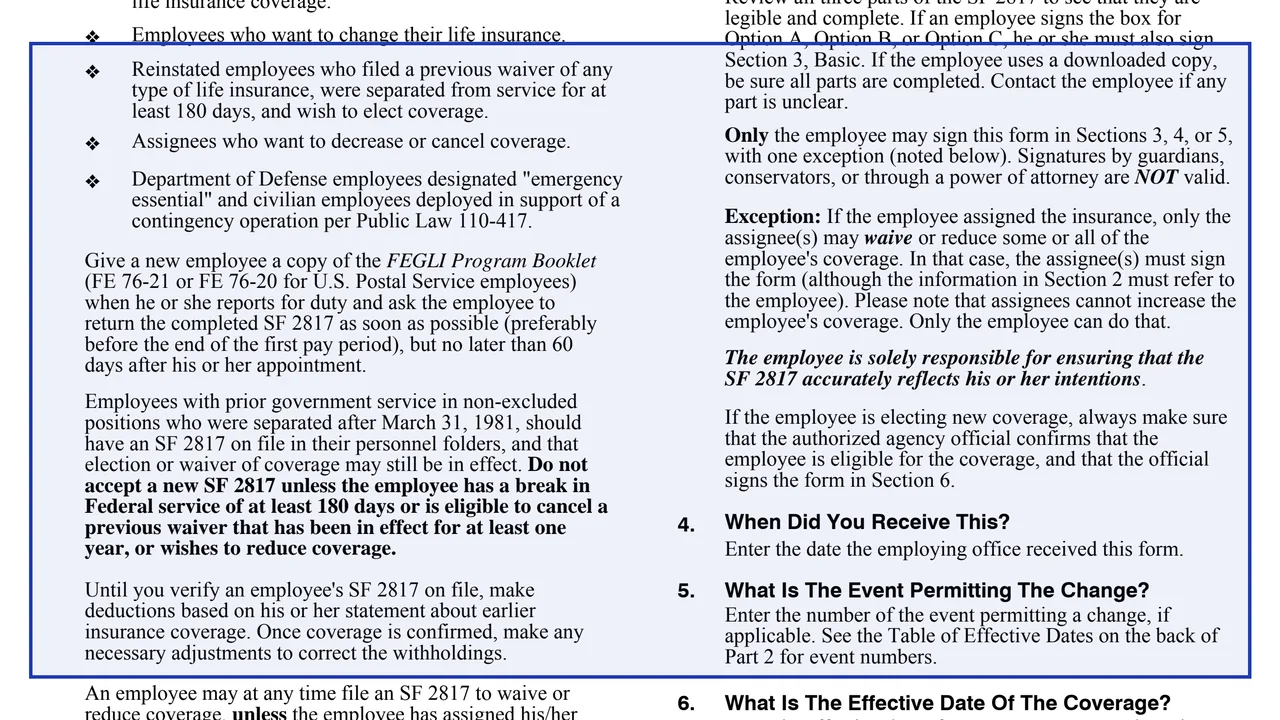
Section 1: general instructions
When first eligible for FEGLI, an employee may do nothing and have Basic automatically, elect Basic and any or all of the options, or waive all life insurance coverage.
SF2817
Life Insurance Election
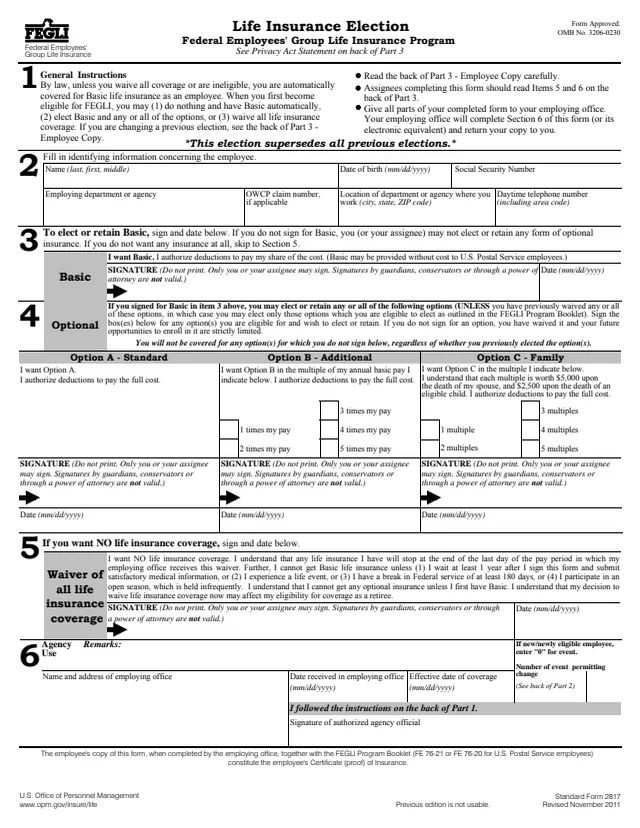
Standard Form 2817 (SF 2817), Life Insurance Election, is the election form for the Federal Employees' Group Life Insurance (FEGLI) Program. It is a U.S. Office of Personnel Management (OPM) form, Revised November 2011, with OMB No. 3206-0230. GSA hosts a copy in its forms library.
The form says that by law, unless an employee waives all coverage or is ineligible, the employee is automatically covered for Basic life insurance. On SF 2817 an employee signs to elect or keep Basic, signs for any of Option A (Standard), Option B (Additional) and Option C (Family), or signs to waive all life insurance. The form says the election supersedes all previous elections.
The employee gives all parts to the employing office, which completes Section 6 and returns the employee's copy. That copy, with the FEGLI Program Booklet, is the employee's certificate of insurance. OPM estimates an average of 15 minutes to complete it. You can fill it out free in your browser on this page and download the result without an account.
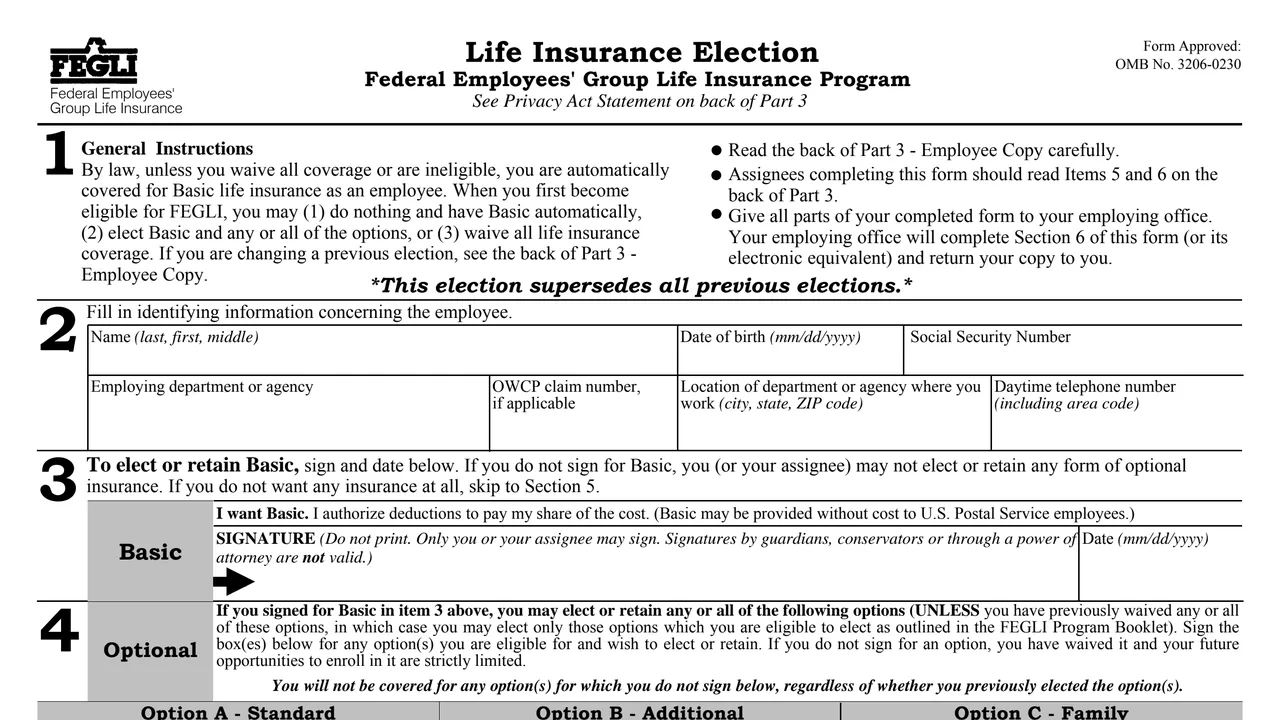
When first eligible for FEGLI, an employee may do nothing and have Basic automatically, elect Basic and any or all of the options, or waive all life insurance coverage.
Name, date of birth, Social Security Number, employing department or agency, OWCP claim number if applicable, work location and daytime telephone number.
A signature and date to elect or keep Basic and authorize deductions for the employee's share. The form says Basic may be provided without cost to U.S. Postal Service employees.
Signature blocks for Option A, Option B at 1 to 5 times annual basic pay, and Option C at 1 to 5 multiples. The form says each Option C multiple is worth $5,000 upon the death of a spouse and $2,500 upon the death of an eligible child.
A signature to have no life insurance. The form says coverage stops at the end of the last day of the pay period in which the employing office receives the waiver.
Remarks, name and address of the employing office, date received, effective date of coverage, number of the event permitting the change and the signature of an authorized agency official.
Part 1 is filed in the Official Personnel Folder. Part 2, for agency use, repeats Sections 2 to 6 and adds Section 7 for insurance codes.
The back of Part 3 covers new employees, prior service, reemployed annuitants, assignments and workers' compensation. The form also points to the FEGLI Program Booklet (FE 76-21, or FE 76-20 for U.S. Postal Service employees).
The form says that without a signature for Basic in Section 3, the employee or assignee may not elect or retain any form of optional insurance.
For Option B or C, mark one of the five boxes for the number of multiples. The form says there is no coverage for any option not signed for, even one elected before.
Signing Section 5 waives all FEGLI coverage. The form lists the ways to get Basic again: waiting at least 1 year and giving satisfactory medical information, a life event, a break in service of at least 180 days, or an open season.
Only the employee may sign Sections 3, 4 or 5, except that an assignee signs to waive or reduce assigned coverage. Signatures by guardians, conservators or through a power of attorney are not valid.
The instructions say to send the entire form, without separating the parts, to the human resources office, and not to send it to OPM or OFEGLI.
You get the real form, filled in a browser tab, with nothing standing between you and the finished PDF.
To the employee's human resources or employing office. When an assignee files and the insured is an annuitant, the instructions name OPM, Retirement Operations Center, P.O. Box 45, Boyers, PA 16017-0045.
The agency instructions ask new employees to return it as soon as possible, preferably before the end of the first pay period, but no later than 60 days after appointment. For a life event, the agency receives the form and proof of the event within 60 days after the event.
The back of Part 2 lists when coverage starts for each event: new employee, medical information approved through SF 2822, life event, reinstatement, canceling or reducing, open season, and certain employees under Public Laws 106-398 and 110-417.
After processing, the employee receives an SF 50, Notification of Personnel Action, with a two digit insurance code explained in Part 2. The form also suggests checking the pay statement for the correct withholdings.
Chapter 87, title 5, U.S. Code authorizes the collection. OPM estimates an average of 15 minutes to complete the form, and the OMB Number is 3206-0230.
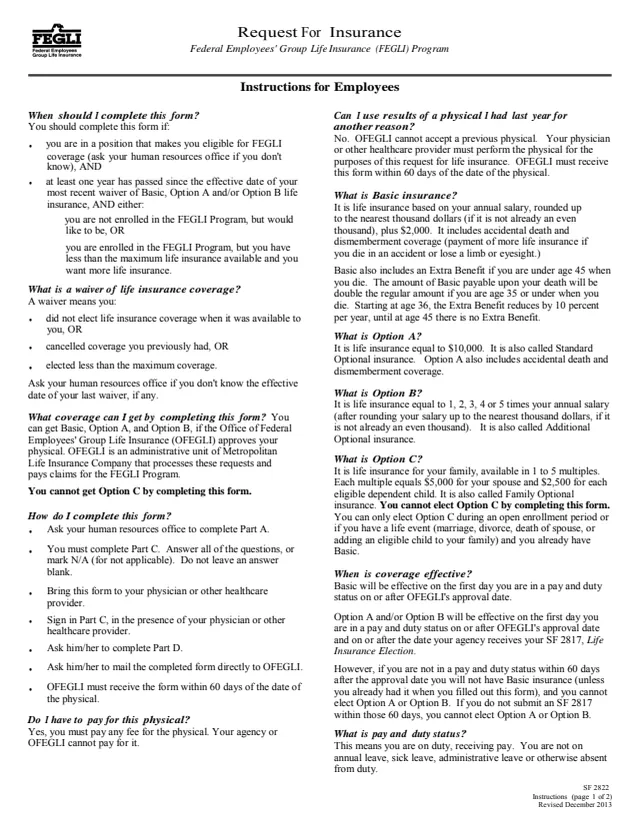
SF2822
68 fields, 4 pages
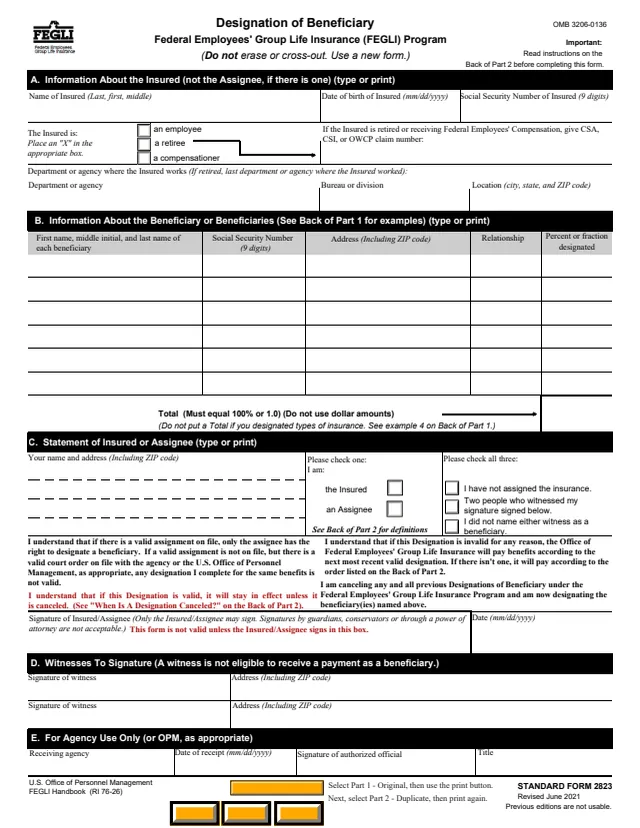
SF2823
64 fields, 3 pages
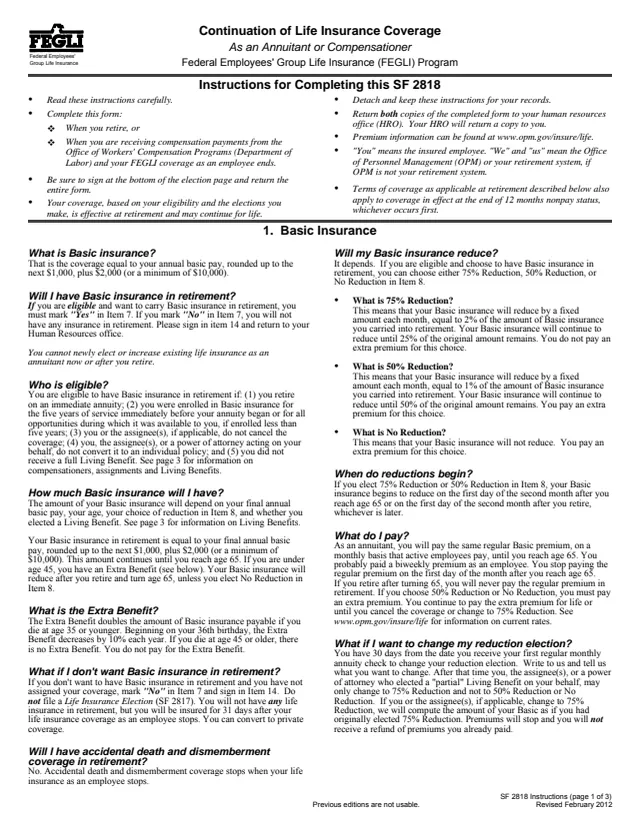
SF2818
30 fields, 5 pages
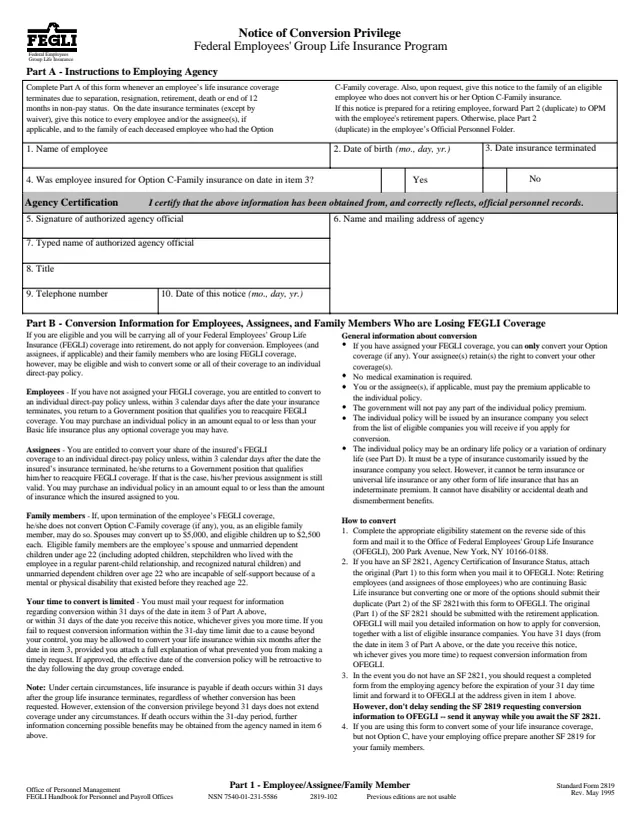
SF2819
22 fields, 3 pages
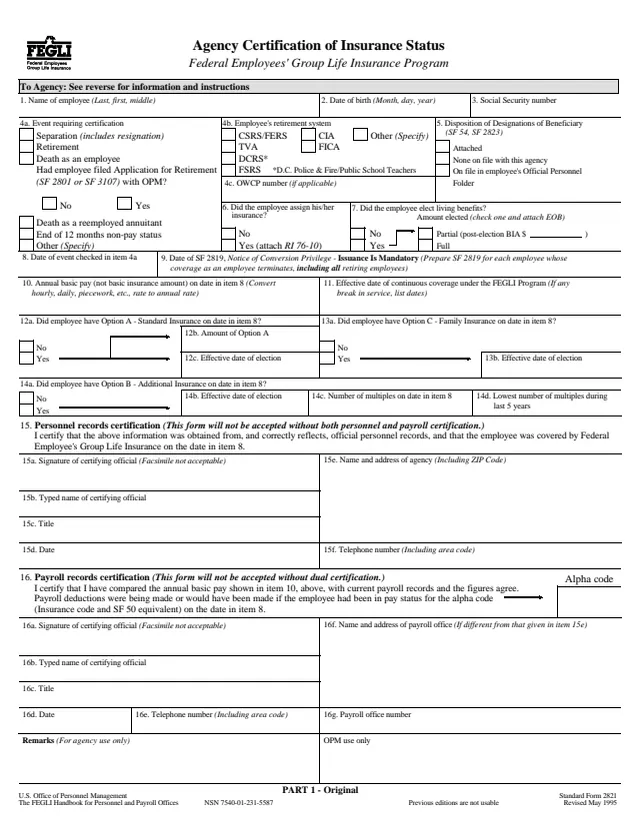
SF2821
67 fields, 4 pages
The Instructions for Agencies on the back of Part 1 list who should file it.
No tool matches that search.
The form is printed as a U.S. Office of Personnel Management form, OMB No. 3206-0230, Revised November 2011. GSA hosts a copy in its forms library.
The form says new employees are automatically enrolled in Basic unless they waive it, and new employees who want only Basic do not have to file.
The form says there is no coverage for any option not signed for, regardless of whether it was elected before, and that future opportunities to enroll in it are strictly limited.
Only the employee may sign Sections 3, 4 or 5. Signatures by guardians, conservators or through a power of attorney are not valid. The exception is an assignee, who may waive or reduce assigned coverage but cannot increase it.
The form says each multiple is worth $5,000 upon the death of a spouse and $2,500 upon the death of an eligible child.
The instructions say to send the entire form, without separating the parts, to the human resources office, and not to send it to OPM or OFEGLI.
OPM estimates an average of 15 minutes, including time for getting the needed data and reviewing both the instructions and the completed form.