GSA3535

Request For Cataloging/Supply Management Data Action

Agency
GSA
Revision
Rev. 9/1994
Fillable fields
67
Pages
2
Official source
GSA form page
Checked
October 20, 2026
Fill GSA3535 online
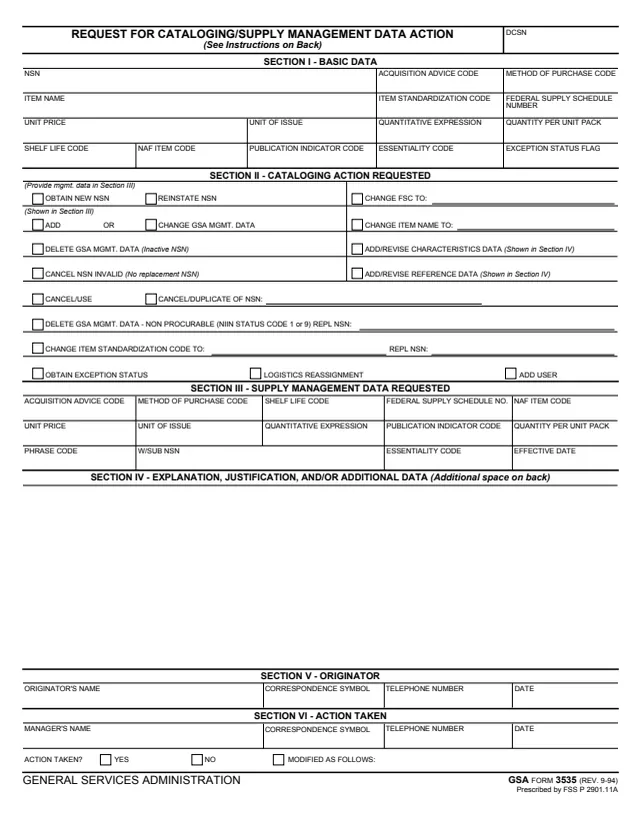
Page 1 of form GSA3535

GSA Form 3535: Request for Cataloging/Supply Management Data Action

GSA Form 3535, Request for Cataloging/Supply Management Data Action, is a General Services Administration form, GSA FORM 3535 (REV. 9-94), Prescribed by FSS P 2901.11A. GSA hosts it in its forms library, and GSA's page lists FSS P 2901.11A as the authority.

It asks for a cataloging or supply management action on an item identified by its NSN, such as obtaining a new NSN, adding or changing GSA management data, canceling an NSN, or changing the item name or FSC. The originator gives the current basic data in Section I, checks the action in Section II, records the proposed management data in Section III and explains the request in Section IV. A manager records in Section VI whether the action was taken.

The back carries four general instructions. They say the data elements and actions are further explained in a GSA handbook, chapters 2, 7, and 11 through 13. You can fill it out free in your browser on this page and download the result without an account.

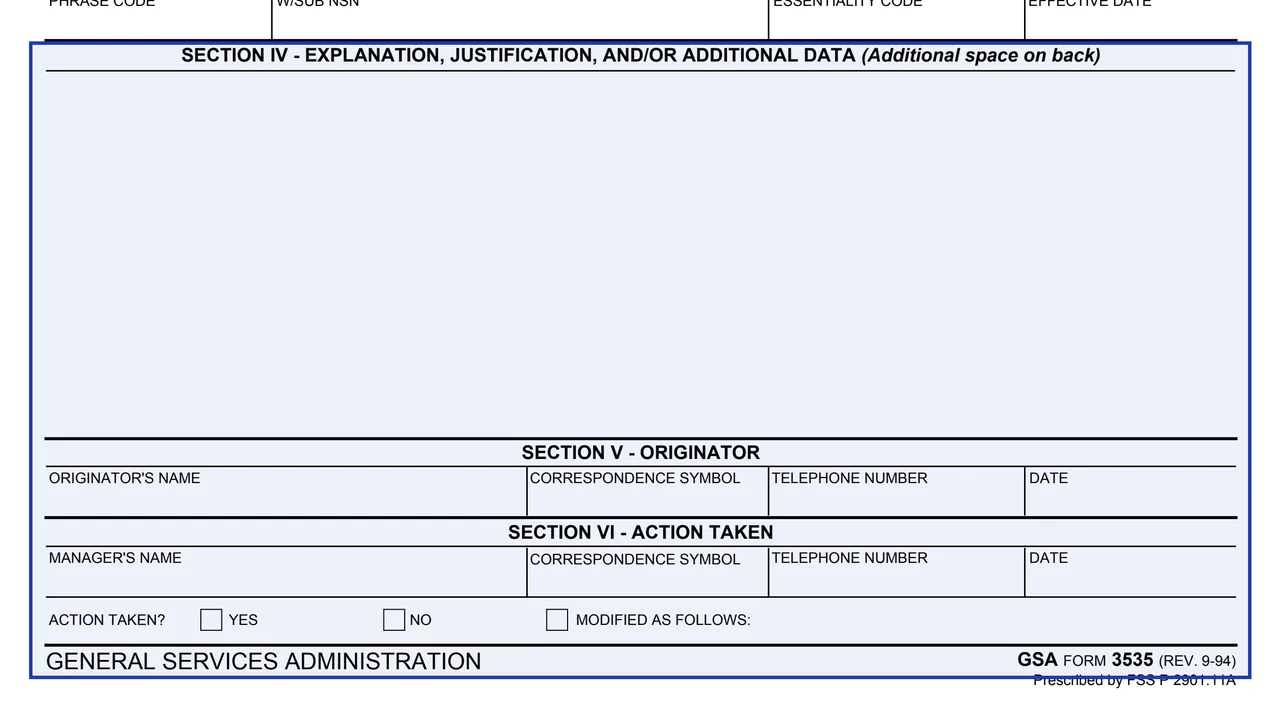
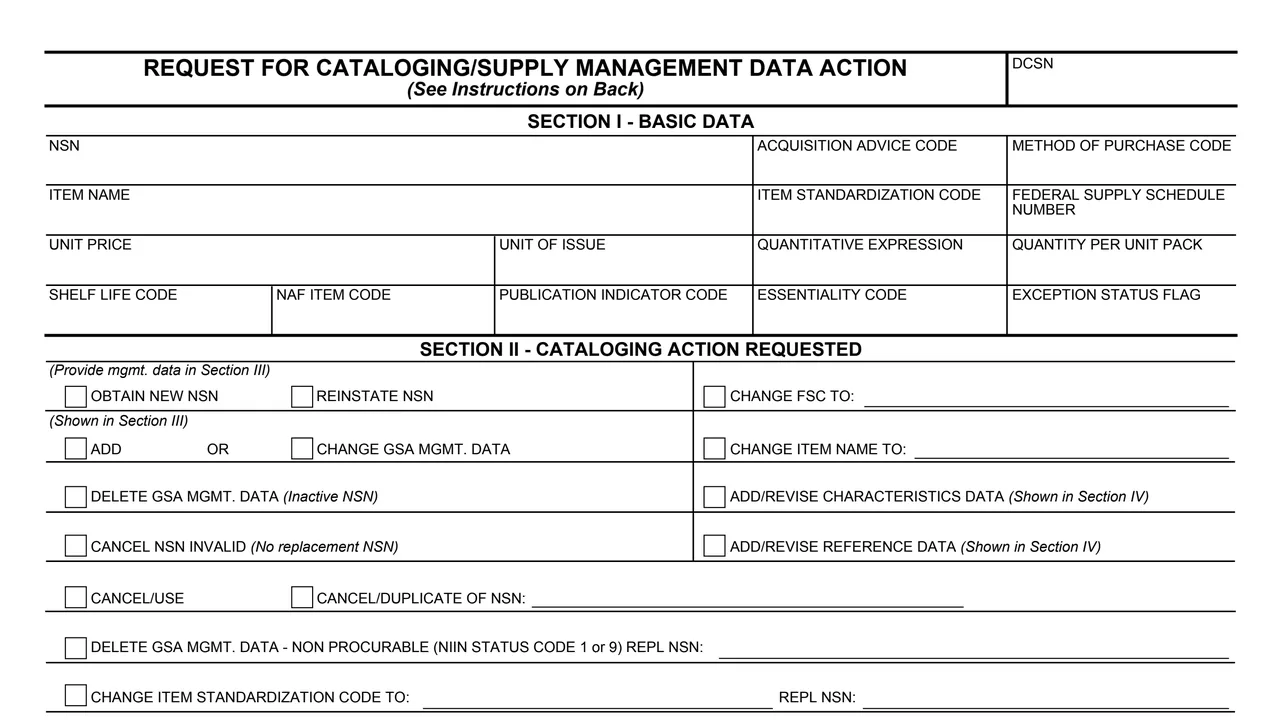
Top of page 1 of GSA Form 3535: Request for Cataloging/Supply Management Data Action, as printed by GSA

What's on GSA Form 3535

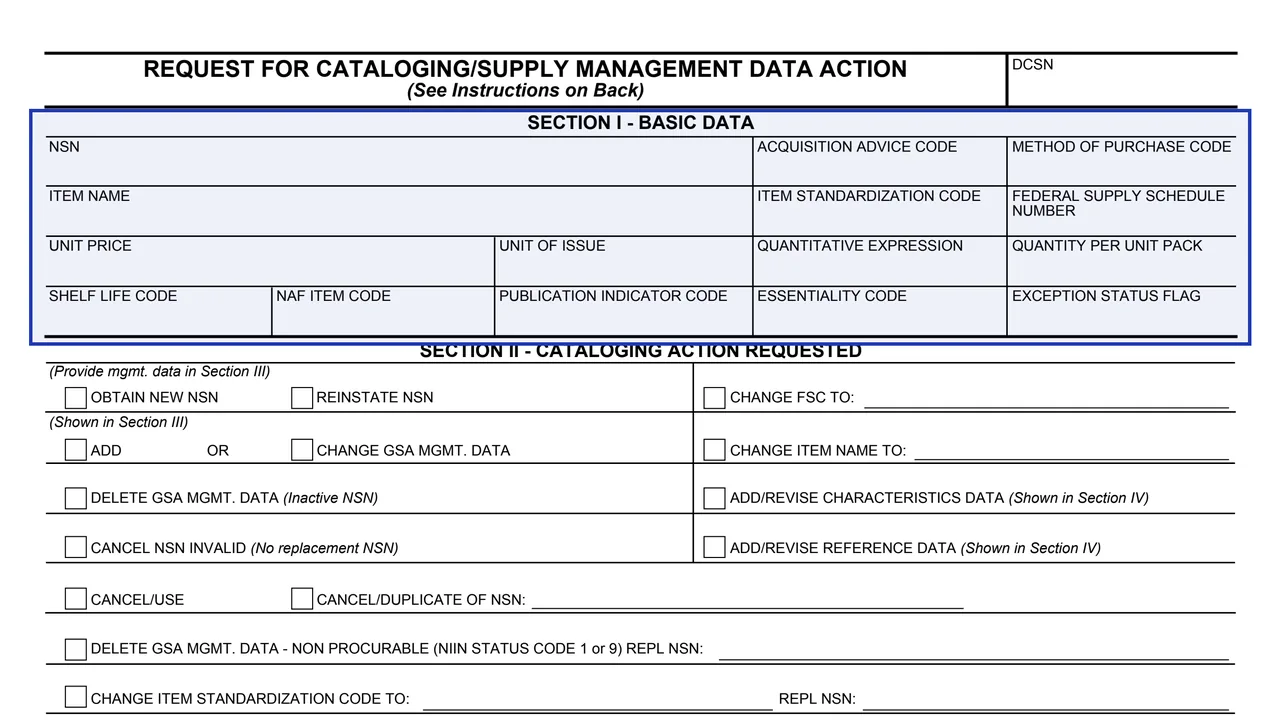
Section I: basic data

NSN, item name, unit price, unit of issue, shelf life code, NAF item code, acquisition advice code, method of purchase code, item standardization code, Federal Supply Schedule number, publication indicator, essentiality and other codes.
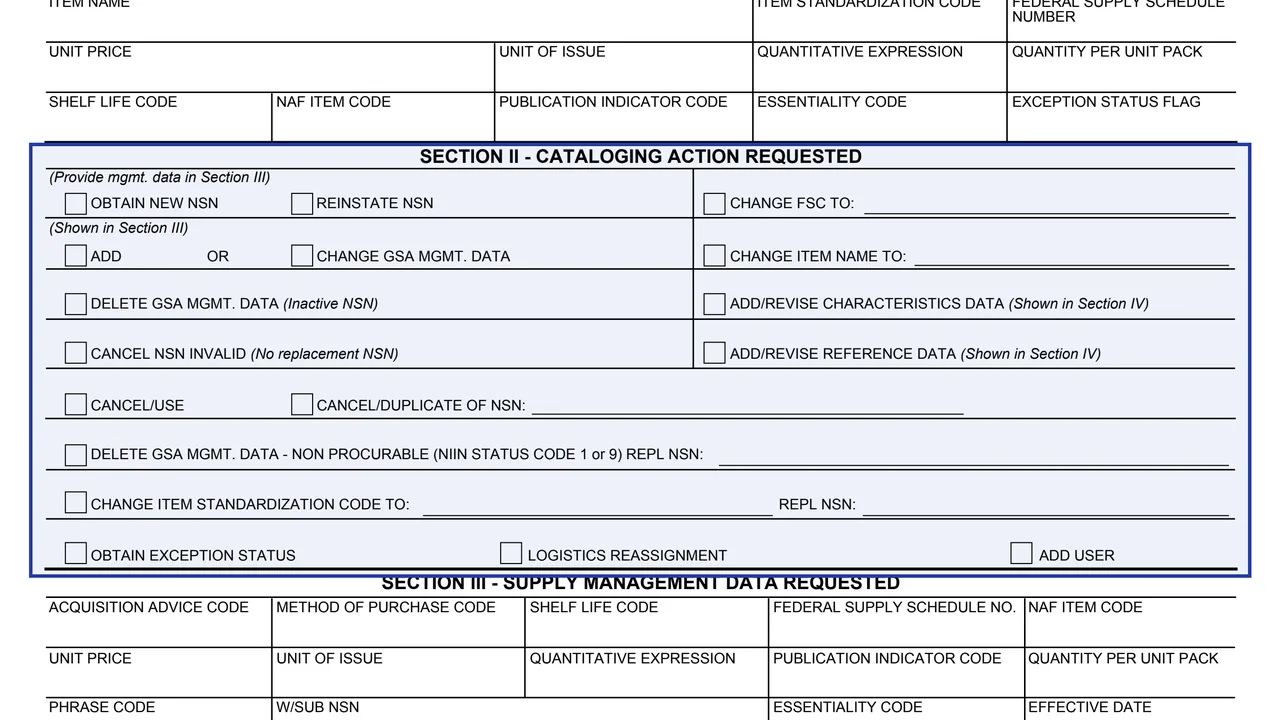
Section II: cataloging action requested

Boxes to obtain or reinstate an NSN, add, change or delete GSA management data, cancel an NSN, change the FSC, item name or item standardization code, revise characteristics or reference data, and more.

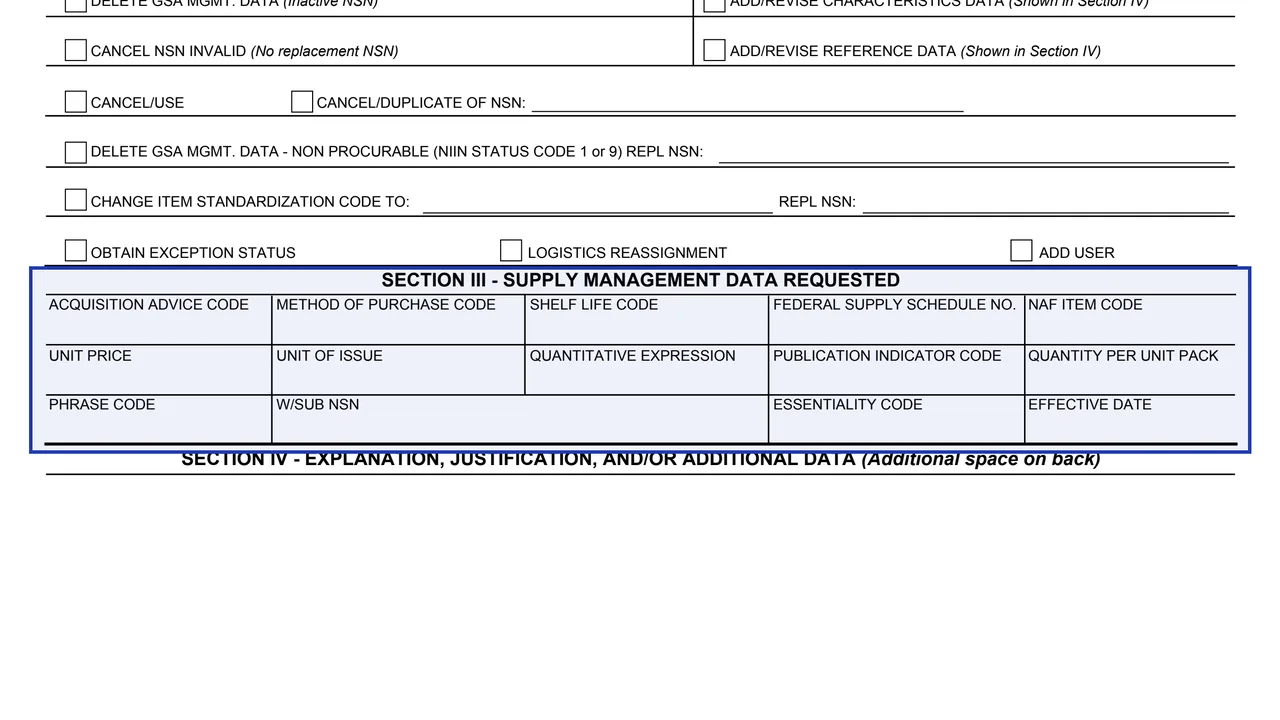
Section III: supply management data requested

The proposed codes, Federal Supply Schedule number, unit price, unit of issue, quantity per unit pack, phrase code, W/SUB NSN and effective date.

Section IV: explanation and justification

Space for explanation, justification and/or additional data, with additional space on the back.

Sections V and VI: originator and action taken

The originator's details, then the manager's details, whether the action was taken and any modification.

Back: general instructions

Four numbered instructions on which data elements to complete, how to use Section III, effective dates and how to use Section IV.

How to complete GSA Form 3535

  1. 1

    Complete the relevant data elements

    The instructions ask you to complete all data elements relevant to your request, starting with the basic data for the item in Section I.

  2. 2

    Check the action in Section II

    Check each cataloging action requested. Some boxes take an entry, such as the new FSC, the new item name or a replacement NSN.

  3. 3

    Give the data in Section III

    The instructions say to use Section III for the proposed management data when requesting a new NSN, and to provide only the data elements to be changed for an existing NSN.

  4. 4

    Propose an effective date

    The instructions say most actions covered by this form require a proposed effective date, and an explanation of how the date was chosen should be provided.

  5. 5

    Explain the request in Section IV

    Show new or revised characteristics or reference data and explain the proposed action and effective date. If Section IV is not large enough, the form says to use the space on the back or extra sheets.

  6. 6

    Sign off as originator

    Enter your name, correspondence symbol, telephone number and date in Section V. Section VI is completed by the manager.

Why fill Form GSA3535 on indox

You get the real form, filled in a browser tab, with nothing standing between you and the finished PDF.

  • Fill the form right in your browser, no software to install
  • Free to fill and free to download, with no account
  • The official blank straight from the GSA, not a copy someone retyped
  • Works on a phone, tablet or computer

Where it goes and what the form says

Where it goes

The form prints no filing address. Section VI is completed by the manager who records whether the action was taken.

Edition and authority

The footer reads GSA FORM 3535 (REV. 9-94), Prescribed by FSS P 2901.11A. GSA's page gives a current revision date of 09/1994.

Handbook named in the instructions

The instructions say the data elements and actions are further explained in a GSA handbook, chapters 2, 7, and 11 through 13, and that Chapter 11 gives direction on coordination, types of justification required and recommended attachments.

Notices

The form prints no Privacy Act statement and no burden estimate. A DCSN box sits at the top right, and the form does not say who fills it in.

Who completes GSA Form 3535?

  • The originator

    Section V takes the originator's name, correspondence symbol, telephone number and date.

  • The manager who acts on it

    Section VI takes the manager's name, correspondence symbol, telephone number and date, and asks Action taken? Yes or No, with a box for Modified as follows.

  • Requests for a new NSN

    The instructions say a new NSN assignment will require many data elements as well as detailed justification and/or identification data.

  • Requests for small changes

    The instructions say that in some cases, such as a method of purchase code change, only a few data elements may be necessary to process the request.

The form has two named roles. The instructions describe how much data different requests need.

Official sources and the blank

Do it all with indox

View all 94 tools

Questions about Form GSA3535

What does GSA Form 3535 request?

A cataloging or supply management data action on an item identified by its NSN. Section II lists the actions, such as obtaining a new NSN, reinstating or canceling an NSN, and adding, changing or deleting GSA management data.

What goes in Section III?

The instructions say that when requesting a new NSN, Section III records the proposed management data. When adding or changing data for an existing NSN, it holds only the data elements to be changed.

Does every request need an effective date?

The instructions say most actions covered by this form require a proposed effective date, and that an explanation of how the date was chosen should be provided.

What if Section IV is too small?

The form says to use the space on the back or extra sheets.

Who records the result of the request?

Section VI, Action Taken, takes the manager's name, correspondence symbol, telephone number and date, with boxes for Yes, No and Modified as follows.

Where are the codes on the form explained?

The instructions say all data elements and actions on the form are further explained in a GSA handbook, chapters 2, 7, and 11 through 13. The footer says the form is prescribed by FSS P 2901.11A.