Blocks 1 to 5: request and contact
Request number, date of request, requesting activity, the person to contact for further information and a telephone number.
GSA2967
Request for Specification and/or Purchase Description Action
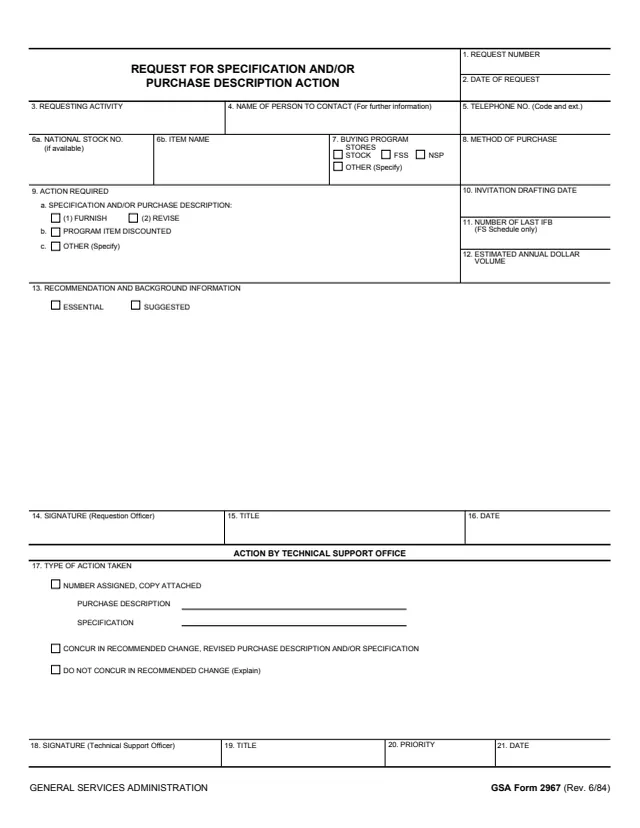
GSA Form 2967, Request for Specification and/or Purchase Description Action, is a one-page General Services Administration form, Rev. 6/84 on its footer. GSA hosts it in its forms library.
A requesting activity uses the top of the form to ask for action on a specification or purchase description for an item: to furnish one, revise one, discontinue a program item or take another action. It names the item, the buying program and method of purchase, dates and the estimated annual dollar volume, and gives a recommendation marked essential or suggested. The officer making the request signs block 14.
The bottom section, Action by Technical Support Office, records what that office did and is signed by the Technical Support Officer. The PDF prints no instructions. You can fill it out free in your browser on this page and download the result without an account.
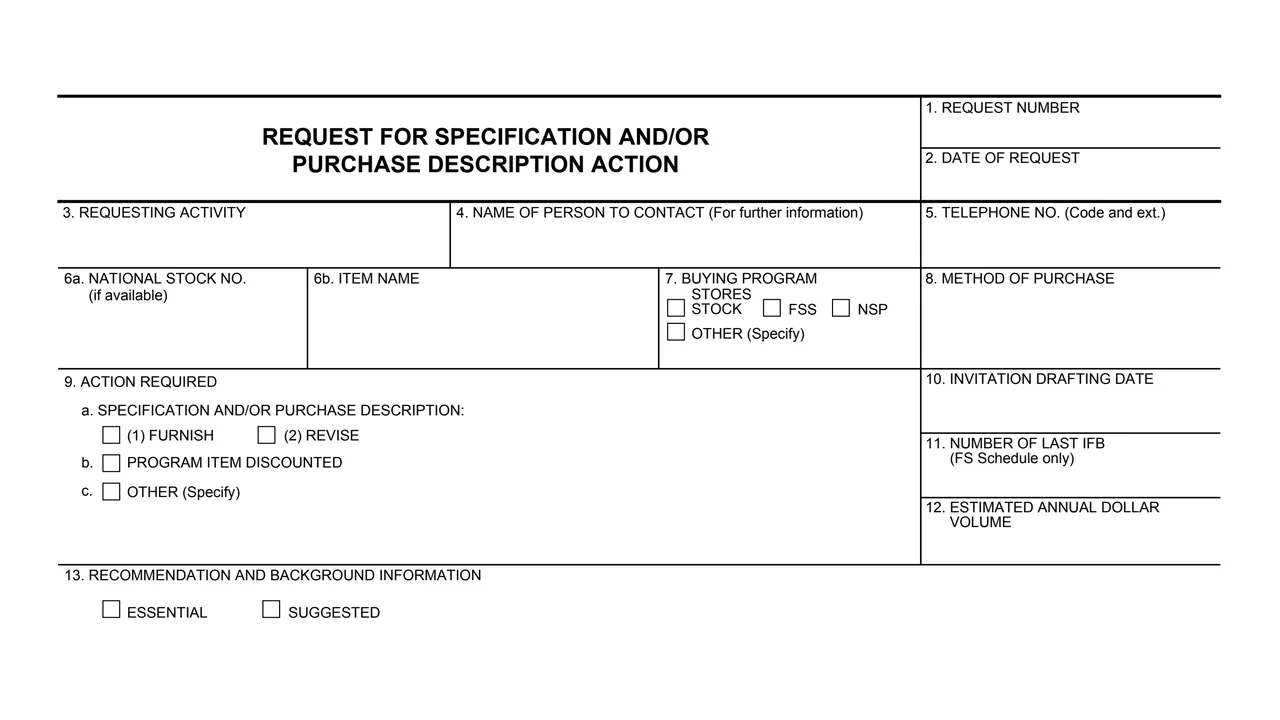
Request number, date of request, requesting activity, the person to contact for further information and a telephone number.
National Stock Number (if available), item name, buying program (Stores Stock, FSS, NSP or other) and method of purchase.
Furnish or revise a specification and/or purchase description, program item discontinued, or other action to specify.
Invitation drafting date, number of the last IFB (FS Schedule only) and the estimated annual dollar volume.
Recommendation and background information, marked essential or suggested, then the requesting officer's signature, title and date.
Type of action taken: number assigned with copy attached, concur in the recommended change, or do not concur with an explanation, plus signature, title, priority and date.
The form has 21 numbered blocks.
Enter the request number and date, the requesting activity and a contact name and telephone number in blocks 1 to 5.
Enter the National Stock Number if available, the item name, the buying program and the method of purchase in blocks 6 to 8.
Check the action required in block 9, then complete the invitation drafting date, last IFB number and estimated annual dollar volume in blocks 10 to 12.
Give the recommendation and background in block 13, mark it essential or suggested, and sign with title and date in blocks 14 to 16.
The Technical Support Office checks the type of action taken in block 17, enters any purchase description or specification number, and signs with title, priority and date.
You get the real form, filled in a browser tab, with nothing standing between you and the finished PDF.
The PDF prints no address or routing instructions. Its bottom section is headed Action by Technical Support Office, which completes blocks 17 to 21.
The PDF is a single page with no instructions, privacy notice or burden statement. GSA's page lists no authority or regulation for it.
The form has a request section and an action section, each with its own signature.
No tool matches that search.
It is printed as a General Services Administration form, Rev. 6/84. GSA hosts it in its forms library.
Block 9 lists furnishing or revising a specification and/or purchase description, program item discontinued, and other actions, which are specified on the form.
The section headed Action by Technical Support Office. It is signed by the Technical Support Officer in block 18, with title, priority and date in blocks 19 to 21.
Block 17 offers three: number assigned with a copy attached, for a purchase description or specification; concur in the recommended change; or do not concur in the recommended change, with an explanation.
No. The PDF is one page of blocks with no instructions. Block 11 notes it applies to the FS Schedule only, and block 6a notes the stock number is entered if available.