Building and space details
Building name, street address, city, state, ZIP code, agency and bureau inspected, region number, room number or other identification, and agency representative contacted.
GSA1675A
Periodic Space Inspection
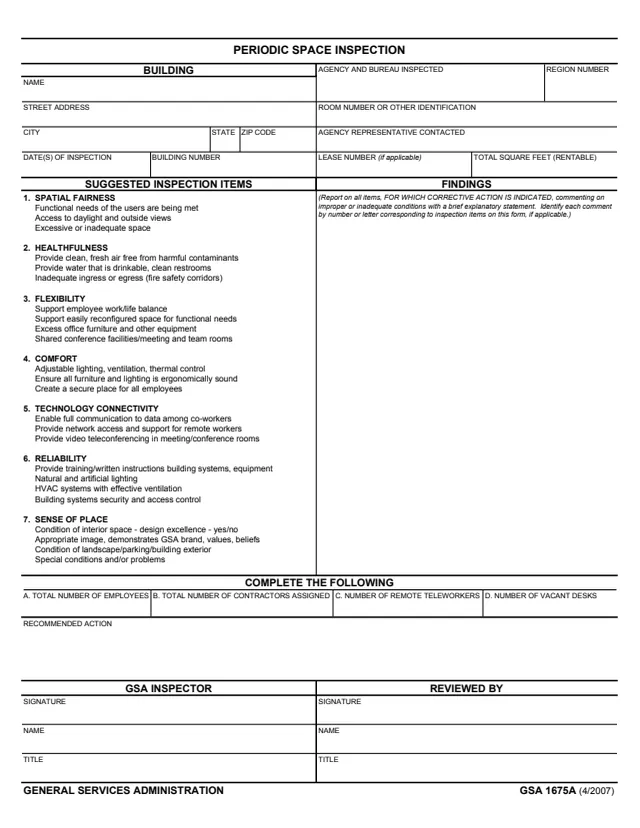
GSA Form 1675A, Periodic Space Inspection, is a General Services Administration form. Its footer prints GENERAL SERVICES ADMINISTRATION and GSA 1675A (4/2007), and GSA hosts it in its forms library. GSA's page lists no authority or regulation for it.
The form records an inspection of the space of an agency and bureau in a building: the building, room number or other identification, lease number if applicable and total rentable square feet. It lists seven groups of suggested inspection items, from spatial fairness and healthfulness to technology connectivity and sense of place, with a findings column, staff counts, a recommended action and signatures of the GSA inspector and a reviewer. The back continues the findings and recommended actions.
You can fill it out free in your browser on this page and download the result without an account.
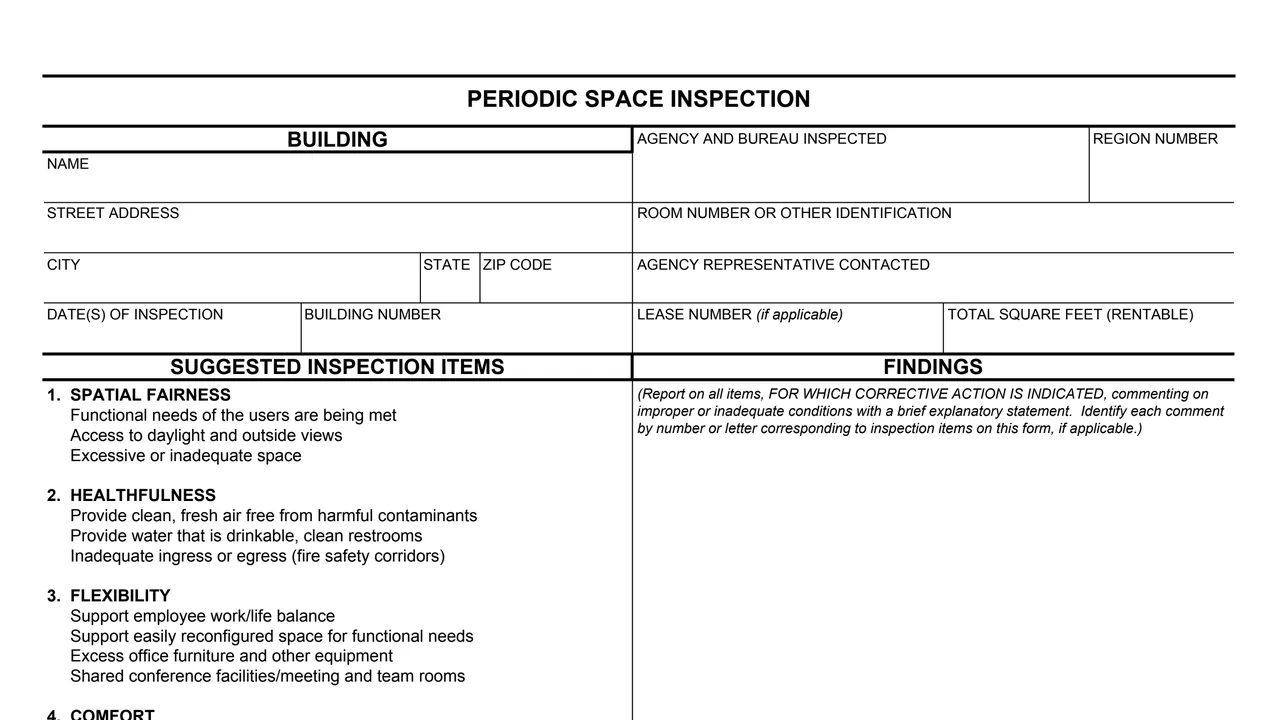
Building name, street address, city, state, ZIP code, agency and bureau inspected, region number, room number or other identification, and agency representative contacted.
Date(s) of inspection, building number, lease number (if applicable) and total square feet (rentable).
Suggested items such as access to daylight and outside views, clean fresh air and drinkable water, easily reconfigured space, and adjustable lighting, ventilation and thermal control.
Network access and video teleconferencing, building systems, lighting, HVAC and security, and the condition of interior space, landscape, parking and building exterior.
A findings column for items needing corrective action, then A. total number of employees, B. contractors assigned, C. remote teleworkers and D. vacant desks.
A recommended action box, the GSA inspector and reviewer blocks, and a back page headed FINDINGS/RECOMMENDED ACTIONS (Continued).
Enter the building name and address, the agency and bureau inspected, the region number, room number, building number, lease number if applicable and total rentable square feet.
Enter the agency representative contacted and the date(s) of inspection.
Review the seven groups of suggested inspection items, from spatial fairness to sense of place.
The form says to report on all items for which corrective action is indicated, with a brief explanatory statement, and to identify each comment by the number or letter of the inspection item.
Fill in the total number of employees, total number of contractors assigned, number of remote teleworkers and number of vacant desks.
Write the recommended action, using the back for more findings if needed. The GSA inspector and the reviewer each sign and enter a name and title.
You get the real form, filled in a browser tab, with nothing standing between you and the finished PDF.
The PDF gives no routing or address. It has a GSA INSPECTOR block and a REVIEWED BY block.
The back of the form is headed FINDINGS/RECOMMENDED ACTIONS (Continued).
The form prints no OMB number, Privacy Act notice or burden estimate, and GSA's page lists no authority or regulation for it.
The form has no separate instructions. Its blocks name the people involved in the inspection.
No tool matches that search.
The footer prints GENERAL SERVICES ADMINISTRATION and GSA 1675A (4/2007). GSA hosts it in its forms library, and GSA's page gives 04/2007 as the current revision date.
The GSA inspector signs and enters a name and title, and a second person signs the REVIEWED BY block with a name and title.
The form says to report on all items for which corrective action is indicated, commenting on improper or inadequate conditions with a brief explanatory statement, and to identify each comment by the number or letter of the inspection item.
Spatial fairness, healthfulness, flexibility, comfort, technology connectivity, reliability and sense of place.
Total number of employees, total number of contractors assigned, number of remote teleworkers and number of vacant desks.