TO row and lines 1 to 5
The codes CO, RW and R1 to R10, then five numbered lines for name or title, correspondence symbol, and the received initial and date.
GSA14
Routing Slip
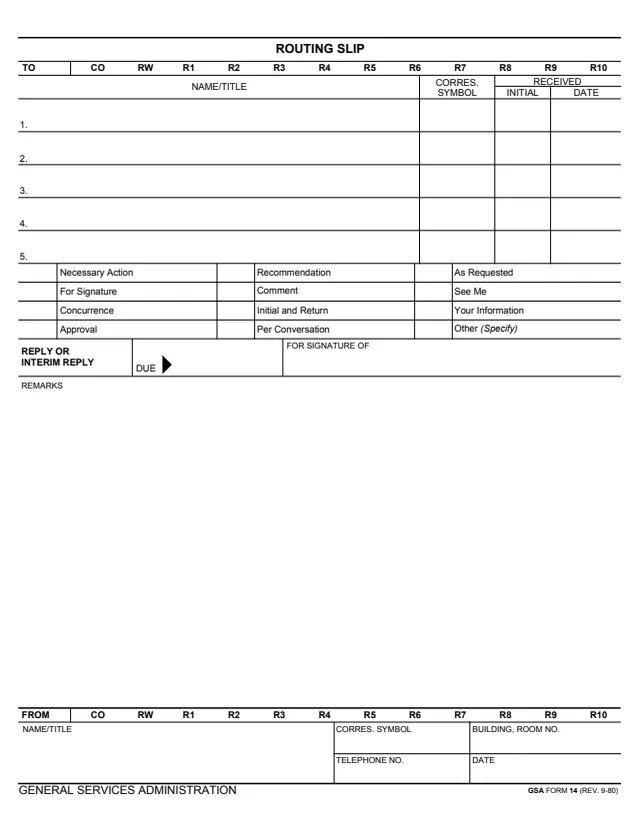
GSA Form 14, Routing Slip, is a General Services Administration form, GSA FORM 14 (REV. 9-80), hosted in GSA's forms library. It is a one-page slip with a TO row printing the codes CO, RW and R1 to R10, and five numbered lines for the name or title of each person it goes to, each with a correspondence symbol and a received initial and date.
Below the lines are twelve action boxes, from Necessary Action and For Signature to See Me and Other (Specify), a Reply or Interim Reply Due date, a For Signature Of box and a large Remarks space. The FROM block at the bottom takes the sender's name or title, correspondence symbol, building and room number, telephone number and date. The form prints no instructions, OMB number or privacy statement, and GSA's page lists no authority or regulation.
You can fill it out free in your browser on this page and download the result without an account.
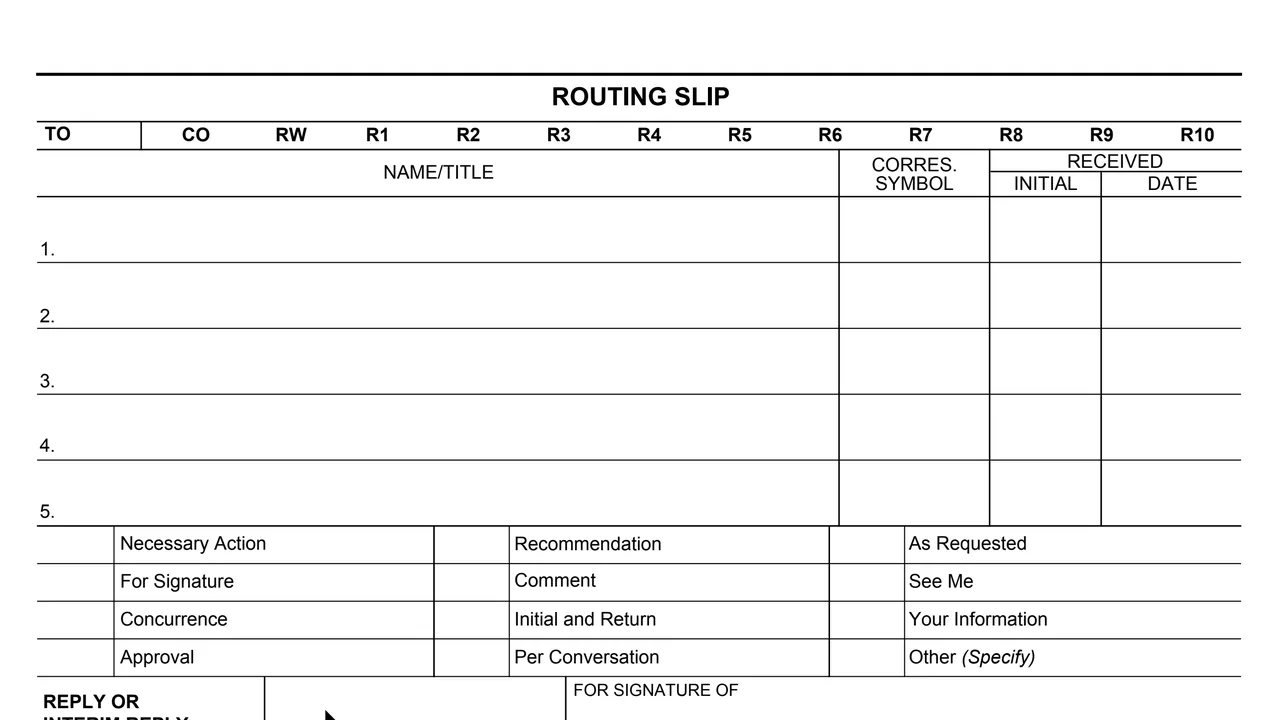
The codes CO, RW and R1 to R10, then five numbered lines for name or title, correspondence symbol, and the received initial and date.
Twelve boxes: Necessary Action, For Signature, Concurrence, Approval, Recommendation, Comment, Initial and Return, Per Conversation, As Requested, See Me, Your Information and Other (Specify).
A Reply or Interim Reply Due date and a For Signature Of box.
A large open space for remarks that fills most of the page.
The codes CO, RW and R1 to R10 again, then the sender's name or title, correspondence symbol, building and room number, telephone number and date.
Enter the name or title and correspondence symbol of each person on lines 1 to 5.
Check the box for the action asked for, such as For Signature, Comment or See Me, or check Other (Specify) and write it in.
Enter a date under Reply or Interim Reply Due, and a name under For Signature Of when the slip asks for a signature.
Write any message in the Remarks space.
Enter the sender's name or title, correspondence symbol, building and room number, telephone number and date.
The Received columns on each line take an initial and the date received.
You get the real form, filled in a browser tab, with nothing standing between you and the finished PDF.
The form prints no address. It goes to the people named on lines 1 to 5.
The footer reads GENERAL SERVICES ADMINISTRATION and GSA FORM 14 (REV. 9-80). GSA's page gives a current revision date of 09/1980 and lists no authority or regulation.
The PDF prints no instructions, OMB number or privacy statement, and it does not explain the codes in the TO and FROM rows.
The form does not say who uses it. Its blocks name these roles.
No tool matches that search.
The footer reads GENERAL SERVICES ADMINISTRATION and GSA FORM 14 (REV. 9-80). GSA hosts it in its forms library.
The form has five numbered lines, each with a name or title, a correspondence symbol, and received initial and date columns.
Necessary Action, For Signature, Concurrence, Approval, Recommendation, Comment, Initial and Return, Per Conversation, As Requested, See Me, Your Information and Other (Specify).
Both rows print CO, RW and R1 to R10. The form does not explain them.
The PDF prints none, and no OMB number or privacy statement. GSA's page gives a current revision date of 09/1980 and lists no authority or regulation.